> For the complete documentation index, see [llms.txt](https://docs.samita.io/llms.txt). Markdown versions of documentation pages are available by appending `.md` to page URLs; this page is available as [Markdown](https://docs.samita.io/badges-and-labels/overview.md).
# Badges & Labels overview
Learn how badges and labels help you highlight products and drive sales in your Shopify store.
Badges and labels are visual elements on your product images that grab attention and communicate key information at a glance — a sale, low stock, a new arrival.
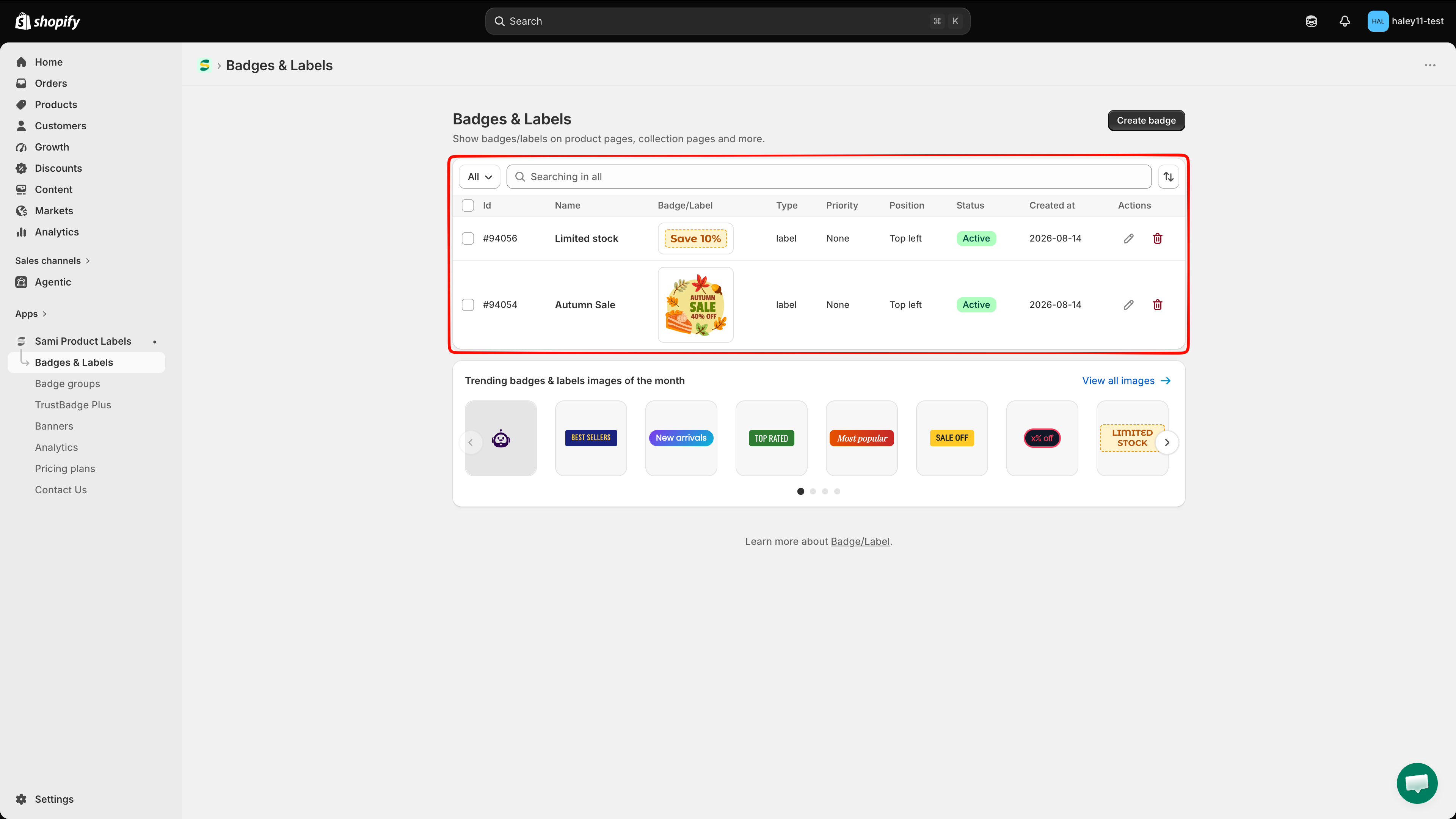
The Badges & Labels list shows each badge's type, priority, position, status, creation date, and actions.
## Two types of badges
### Text badges
Text badges display customizable text on a shape background. Write the message, pick a shape, and style it with your brand colors. Good for dynamic info like discount percentages, inventory counts, or short promo messages.
### Image badges
Image badges use a graphic instead of text. Browse a library of thousands of pre-designed badges, upload your own image, or generate one with AI. Good for eye-catching visuals like "New," "Hot," or seasonal promotions.
## Key capabilities
| Capability | Description |
| -------------------------- | -------------------------------------------------------------------------------------------------------------------------- |
| **Dynamic variables** | Automatically display real product data like discount percentage, inventory count, or vendor name inside your text badges. |
| **Scheduled visibility** | Set start and end dates so badges appear and disappear automatically. |
| **Product targeting** | Control which products show a badge using conditions like collection, product type, tags, price, and more. |
| **Animation** | Add attention-grabbing animations to make badges stand out on your storefront. |
| **Custom positioning** | Place badges exactly where you want them on the product image. |
| **Multi-language support** | Show different badge content based on the customer's language. |
| **AI image generation** | Generate unique badge images using AI prompts. |
## Explore badges & labels
### Create badges
* [Create a text badge](/badges-and-labels/create-text-badge.md) — Build a badge with custom text on a shape background.
* [Create an image badge](/badges-and-labels/create-image-badge.md) — Use a library image, upload your own, or generate one with AI.
### Design and customize
* [Use dynamic variables](/badges-and-labels/dynamic-variables.md) — Insert live product data into your text badges.
* [Change badge position](/badges-and-labels/change-position.md) — Move your badge to the perfect spot on the product image.
* [Change badge style](/badges-and-labels/change-style.md) — Customize fonts, opacity, and other visual settings.
* [Change badge size](/badges-and-labels/change-size.md) — Adjust the width and height of your badges.
### Target and schedule
* [Target products](/badges-and-labels/target-products.md) — Set conditions to control which products display each badge.
* [Schedule badge visibility](/badges-and-labels/schedule-visibility.md) — Automate when badges appear and disappear.
### Manage
* [Duplicate and manage badges](/badges-and-labels/duplicate-badges.md) — Change status, duplicate, or delete selected badges.
* [Use badge groups](/badge-groups/overview.md) — Organize badges into groups for easier management.
---
# Agent Instructions
This documentation is published with GitBook. GitBook is the documentation platform designed so that both humans and AI agents can read, navigate, and reason over technical content effectively. Learn more at gitbook.com.
## Querying This Documentation
If you need additional information that is not directly available in this page, you can query the documentation dynamically by asking a question.
Perform an HTTP GET request on the current page URL with the `ask` query parameter, and the optional `goal` query parameter:
```
GET https://docs.samita.io/badges-and-labels/overview.md?ask=&goal=
```
`ask` is the immediate question: it should be specific, self-contained, and written in natural language.
`goal` is optional and describes the broader end goal you are ultimately trying to accomplish on behalf of the user. GitBook uses it to tailor the answer towards what is most useful for that goal.
The response will contain a direct answer to the question and relevant excerpts and sources from the documentation.
Use this mechanism when the answer is not explicitly present in the current page, you need clarification or additional context, or you want to retrieve related documentation sections.