> For the complete documentation index, see [llms.txt](https://docs.samita.io/llms.txt). Markdown versions of documentation pages are available by appending `.md` to page URLs; this page is available as [Markdown](https://docs.samita.io/bulk-price-editor-sami/create-a-task/choose-a-field.md).
# Choose a field to edit
The Choose a Field to Edit page and the full list of fields you can bulk edit.
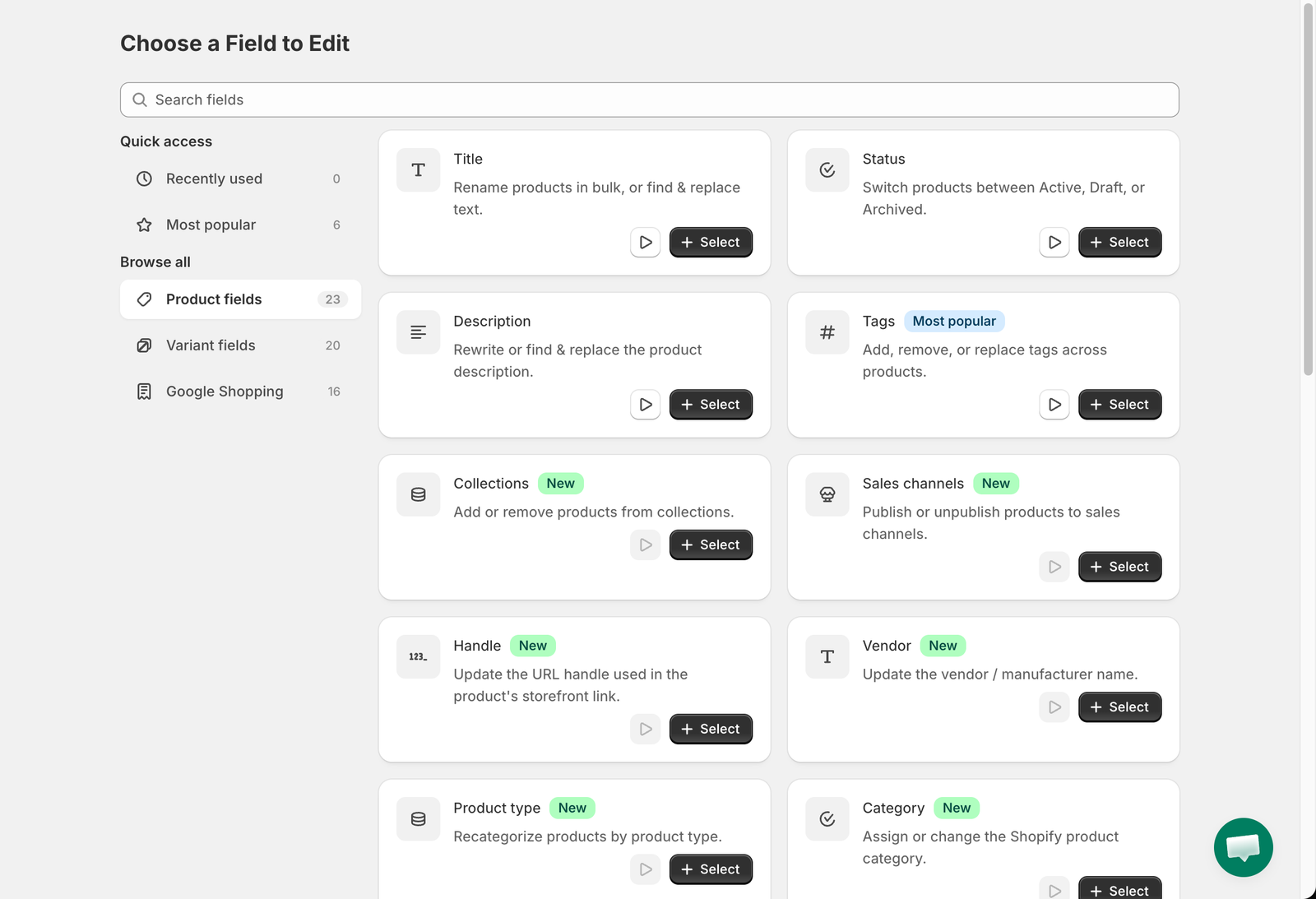
Clicking **New bulk edit** opens the **Choose a Field to Edit** page. Use the search box to find a field by name, or browse the groups on the left. Click **Select** on a card to start a task for that field.
Product fields
## Groups
| Group | Contents |
| ------------------- | -------------------------------------------------------------------------------- |
| **Recently used** | Fields you selected before, for quick access. |
| **Most popular** | Tags, Price, Compare at price, Price by market, Compare at price by market, SKU. |
| **Product fields** | Fields that belong to the product as a whole. |
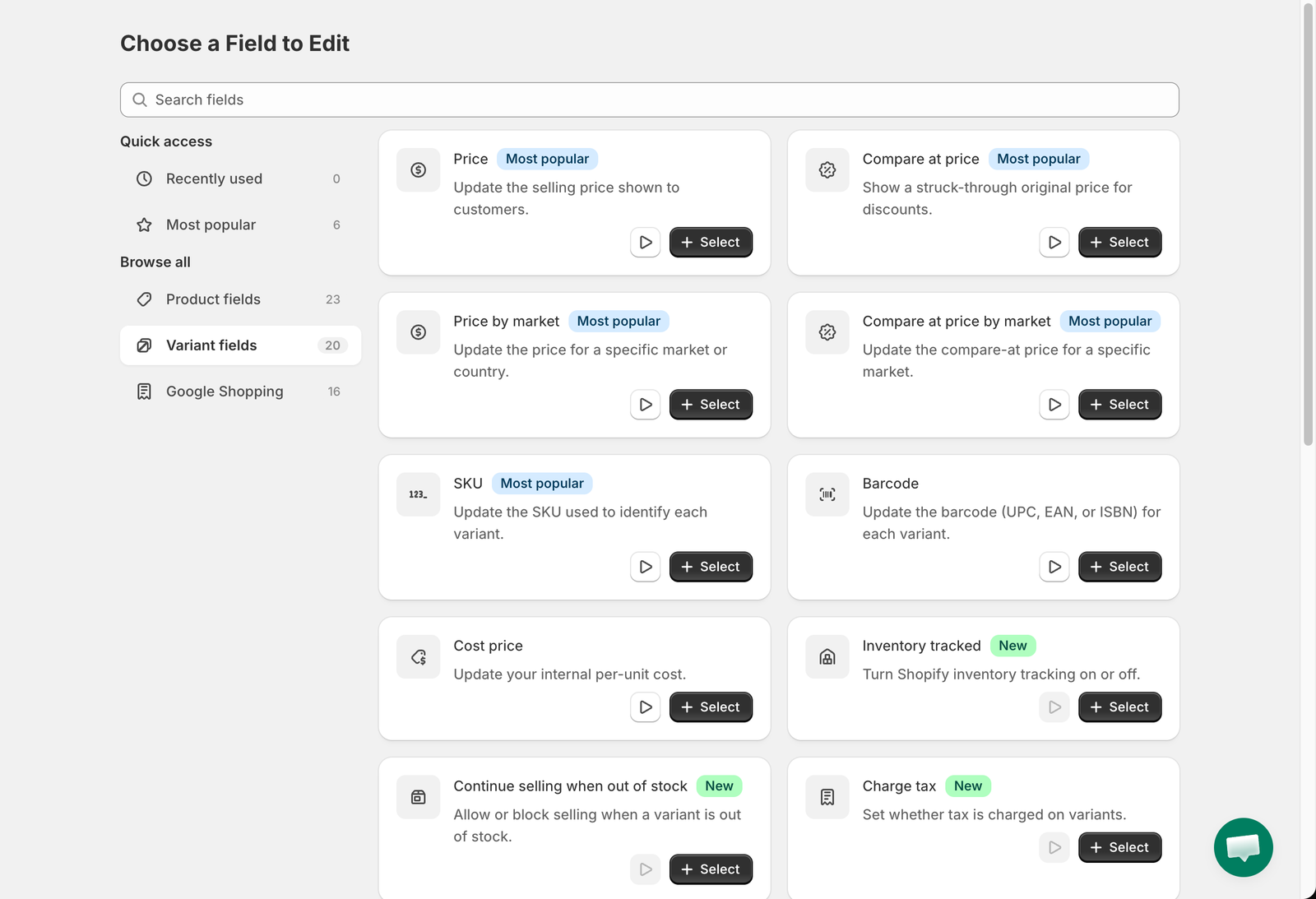
| **Variant fields** | Fields that belong to each variant (price, SKU, weight and so on). |
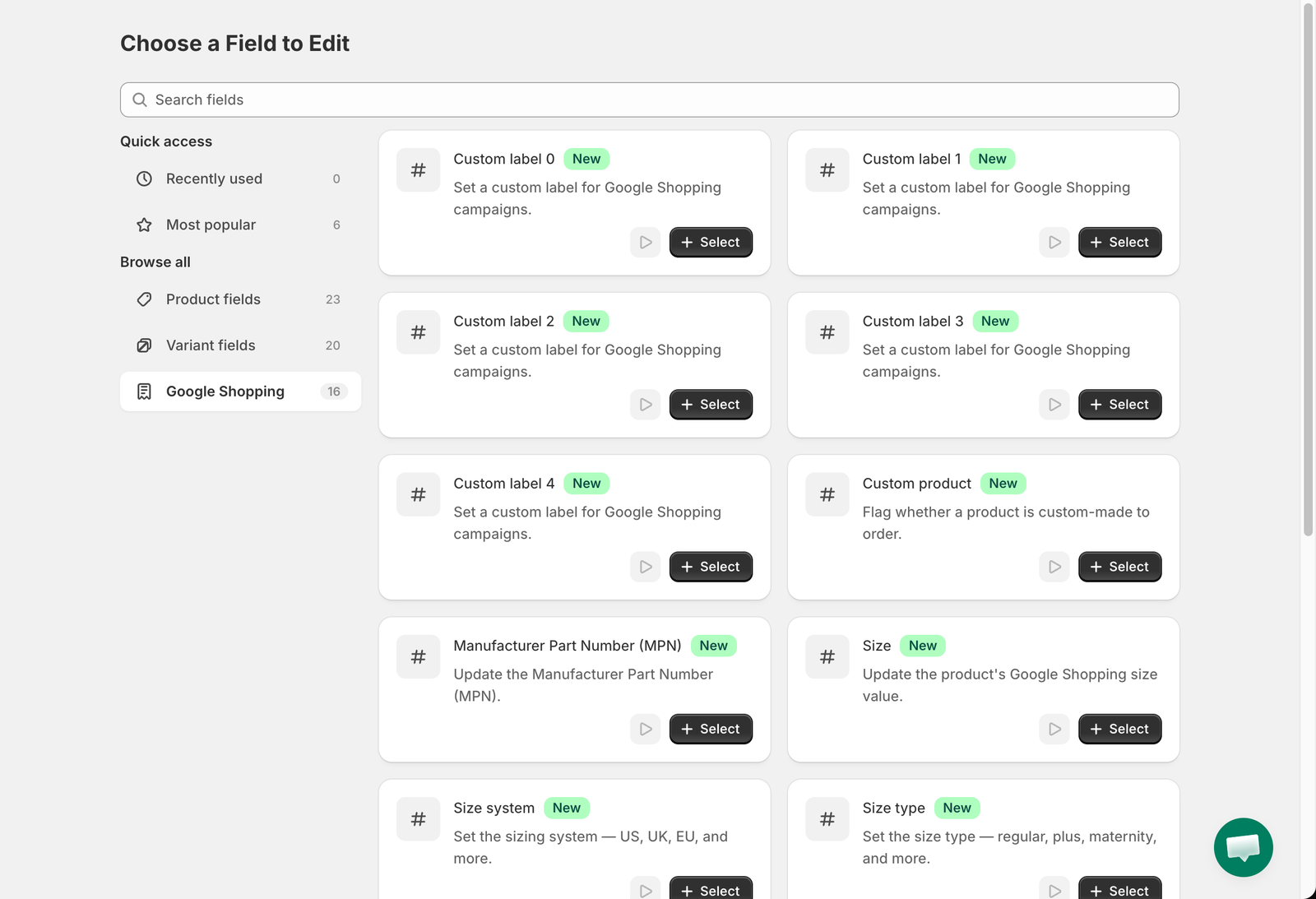
| **Google Shopping** | The Google Shopping metafields Shopify uses for the Google & YouTube channel. |
Cards marked **New** were added recently. Cards with a play button have a short video tutorial.
## Product fields
| Field | What it does | Guide |
| ------------------------------------- | --------------------------------------------------------- | --------------------------------------------------------------------------------------------------------- |
| Title | Rename products or find & replace text in titles. | [Text fields](/bulk-price-editor-sami/field-guides/text-fields.md) |
| Status | Switch products between Active, Draft and Archived. | [Status](/bulk-price-editor-sami/field-guides/status.md) |
| Description | Rewrite or find & replace text in the description. | [Description](/bulk-price-editor-sami/field-guides/description.md) |
| Tags | Add, remove or replace tags. | [Tags](/bulk-price-editor-sami/field-guides/tags.md) |
| Collections | Add products to, or remove them from, manual collections. | [Collections and sales channels](/bulk-price-editor-sami/field-guides/collections-and-sales-channels.md) |
| Sales channels | Publish or unpublish products on sales channels. | [Collections and sales channels](/bulk-price-editor-sami/field-guides/collections-and-sales-channels.md) |
| Handle | Change the URL handle. | [Text fields](/bulk-price-editor-sami/field-guides/text-fields.md) |
| Vendor | Change the vendor name. | [Text fields](/bulk-price-editor-sami/field-guides/text-fields.md) |
| Product type | Change the product type. | [Text fields](/bulk-price-editor-sami/field-guides/text-fields.md) |
| Category | Assign a Shopify product category. | [Category, template and visibility](/bulk-price-editor-sami/field-guides/category-template-visibility.md) |
| Theme template | Assign a different theme template. | [Category, template and visibility](/bulk-price-editor-sami/field-guides/category-template-visibility.md) |
| Search engine visibility (seo.hidden) | Hide or show products in search engines. | [Category, template and visibility](/bulk-price-editor-sami/field-guides/category-template-visibility.md) |
| SEO title | Change the search engine page title. | [Text fields](/bulk-price-editor-sami/field-guides/text-fields.md) |
| SEO description | Change the search engine meta description. | [Text fields](/bulk-price-editor-sami/field-guides/text-fields.md) |
| Custom product metafield | Edit any product metafield that has a definition. | [Custom metafields](/bulk-price-editor-sami/field-guides/custom-metafields.md) |
| Option name 1, 2, 3 | Rename the option in a given position, for example Size. | [Product options and variants](/bulk-price-editor-sami/field-guides/product-options.md) |
| Edit existing option | Rename an option by its current name. | [Product options and variants](/bulk-price-editor-sami/field-guides/product-options.md) |
| Create new option | Add a new option with values. | [Product options and variants](/bulk-price-editor-sami/field-guides/product-options.md) |
| Remove product options | Remove option positions from products. | [Product options and variants](/bulk-price-editor-sami/field-guides/product-options.md) |
| Delete product | Permanently delete matching products. | [Delete products and variants](/bulk-price-editor-sami/field-guides/delete-products.md) |
| Delete variants by option value | Delete variants whose option value matches. | [Delete products and variants](/bulk-price-editor-sami/field-guides/delete-products.md) |
## Variant fields
Variant fields
| Field | What it does | Guide |
| ---------------------------------- | --------------------------------------------------- | ------------------------------------------------------------------------------------------------ |
| Price | Change the selling price. | [Price and compare-at price](/bulk-price-editor-sami/field-guides/price-and-compare-at-price.md) |
| Compare at price | Change the strike-through price. | [Price and compare-at price](/bulk-price-editor-sami/field-guides/price-and-compare-at-price.md) |
| Price by market | Change the price in one Shopify Market. | [Price by market](/bulk-price-editor-sami/field-guides/price-by-market.md) |
| Compare at price by market | Change the compare-at price in one Shopify Market. | [Price by market](/bulk-price-editor-sami/field-guides/price-by-market.md) |
| SKU | Change the SKU. | [SKU and barcode](/bulk-price-editor-sami/field-guides/sku-and-barcode.md) |
| Barcode | Change the barcode. | [SKU and barcode](/bulk-price-editor-sami/field-guides/sku-and-barcode.md) |
| Cost price | Change the cost per item. | [Cost price](/bulk-price-editor-sami/field-guides/cost-price.md) |
| Inventory tracked | Turn inventory tracking on or off. | [Inventory, tax, shipping and customs](/bulk-price-editor-sami/field-guides/variant-settings.md) |
| Continue selling when out of stock | Allow or stop selling at zero stock. | [Inventory, tax, shipping and customs](/bulk-price-editor-sami/field-guides/variant-settings.md) |
| Charge tax | Turn tax on or off. | [Inventory, tax, shipping and customs](/bulk-price-editor-sami/field-guides/variant-settings.md) |
| Is physical product | Mark variants as physical or digital. | [Inventory, tax, shipping and customs](/bulk-price-editor-sami/field-guides/variant-settings.md) |
| Country code of origin | Set the customs country of origin. | [Inventory, tax, shipping and customs](/bulk-price-editor-sami/field-guides/variant-settings.md) |
| Province code of origin | Set the customs province of origin. | [Inventory, tax, shipping and customs](/bulk-price-editor-sami/field-guides/variant-settings.md) |
| Harmonized System (HS) code | Set the HS code. | [Inventory, tax, shipping and customs](/bulk-price-editor-sami/field-guides/variant-settings.md) |
| Weight | Change the weight and unit. | [Inventory, tax, shipping and customs](/bulk-price-editor-sami/field-guides/variant-settings.md) |
| Unit price | Set or clear the unit price measurement. | [Inventory, tax, shipping and customs](/bulk-price-editor-sami/field-guides/variant-settings.md) |
| Option value 1, 2, 3 | Change the value of the option in a given position. | [Product options and variants](/bulk-price-editor-sami/field-guides/product-options.md) |
| Custom variant metafield | Edit any variant metafield that has a definition. | [Custom metafields](/bulk-price-editor-sami/field-guides/custom-metafields.md) |
## Google Shopping
Google Shopping fields
Custom label 0 to 4, Custom product, Manufacturer Part Number (MPN), Size, Size system, Size type, Gender, Age group, Condition, Color, Material and Category. See [Google Shopping fields](/bulk-price-editor-sami/field-guides/google-shopping.md).
{% hint style="info" %}
If a **Select** button is disabled and shows *This option is available with a higher plan*, that field is not included in your current plan. See [Plans and pricing](/bulk-price-editor-sami/settings-and-plans/plans-and-pricing.md).
{% endhint %}
---
# Agent Instructions
This documentation is published with GitBook. GitBook is the documentation platform designed so that both humans and AI agents can read, navigate, and reason over technical content effectively. Learn more at gitbook.com.
## Querying This Documentation
If you need additional information that is not directly available in this page, you can query the documentation by asking a question.
Perform an HTTP GET request on the following URL with the `ask` and `goal` query parameters:
```
GET https://docs.samita.io/bulk-price-editor-sami/create-a-task/choose-a-field.md?ask=&goal=
```
`ask` is the immediate question: it should be specific, self-contained, and written in natural language.
`goal` is what the user is ultimately trying to achieve, the reason they need the answer. Sharing it helps GitBook give you a better, more relevant answer. A goal is most helpful when it describes the outcome the user wants rather than restating the question. For example, with `ask=how do I create an API token`, a goal like `automate deployments from our CI pipeline` lets GitBook tailor the answer to that use case.
The response will contain a direct answer to the question and relevant excerpts and sources from the documentation.
Use this mechanism when the answer is not explicitly present in the current page, you need clarification or additional context, or you want to retrieve related documentation sections.