> For the complete documentation index, see [llms.txt](https://docs.samita.io/llms.txt). Markdown versions of documentation pages are available by appending `.md` to page URLs; this page is available as [Markdown](https://docs.samita.io/bulk-price-editor-sami/settings-and-plans/plans-and-pricing.md).
# Plans and pricing
What each plan includes, how plan limits show up in the app, and how trials, upgrades and downgrades work.
Open **Pricing** in the app menu to see the plans and switch between them.
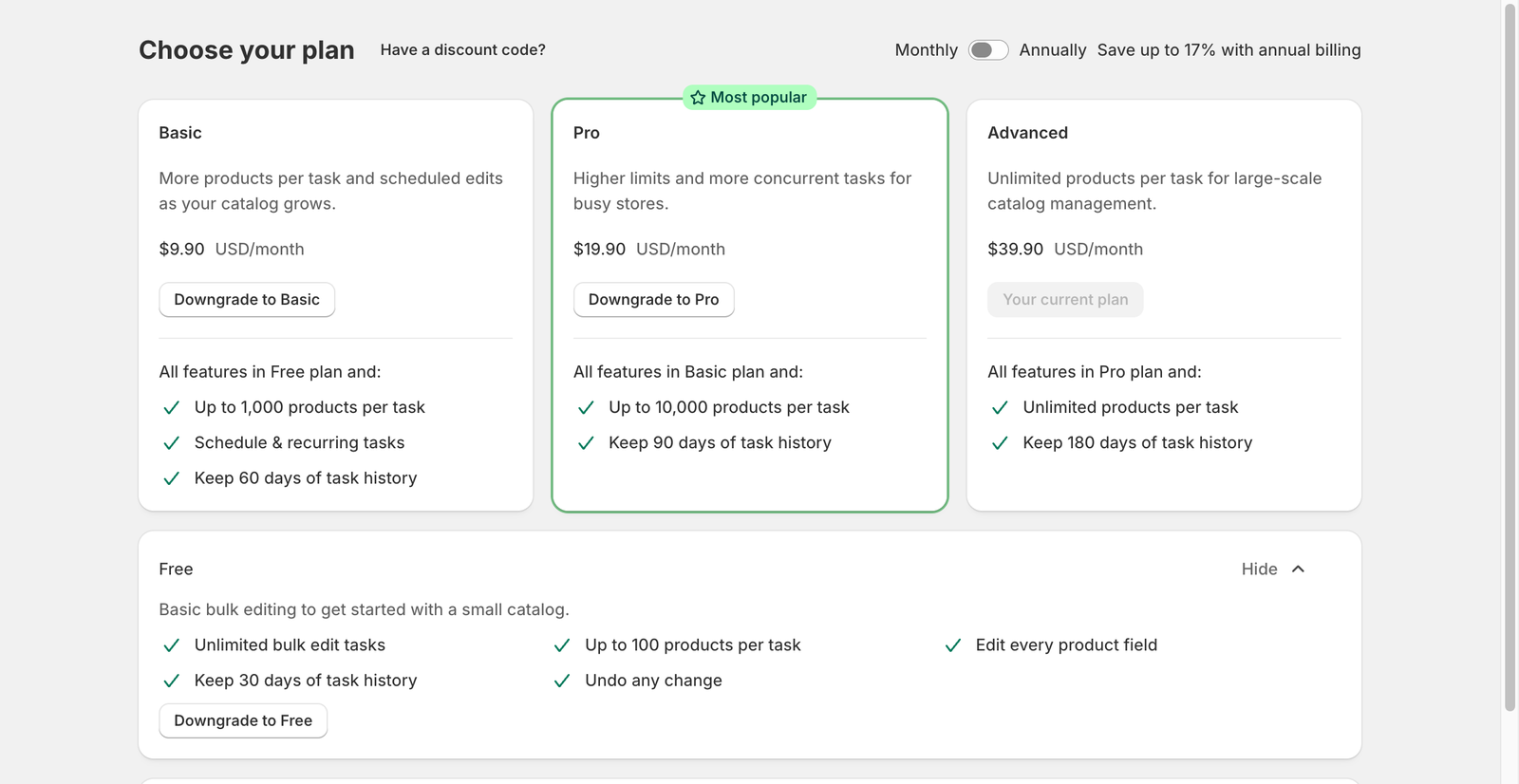
Choose your plan
## Plans
| | Free | Basic | Pro | Advanced |
| ---------------------------- | --------- | --------- | --------- | --------- |
| Monthly price (USD) | 0 | 9.90 | 19.90 | 39.90 |
| Annual price (USD) | 0 | 99 | 199 | 399 |
| Products per task | 100 | 1,000 | 10,000 | Unlimited |
| Editable fields | All | All | All | All |
| Undo any change | Yes | Yes | Yes | Yes |
| Schedule and recurring tasks | No | Yes | Yes | Yes |
| Task history kept | 30 days | 60 days | 90 days | 180 days |
| Number of tasks | Unlimited | Unlimited | Unlimited | Unlimited |
Prices and limits are shown on the Pricing page in your store; the page is the source of truth if it differs from this table.
## How the limits show up
* **Products per task.** If a task matches more products than the limit, the confirmation dialog warns you, and the task finishes as **Partially complete** with the message *This task matched N products, but only the first M were processed under your current plan*. Upgrade, then choose **Continue change** to process the rest.
* **Schedule and recurring.** On the Free plan the **Schedule the edit**, **Recurring** and **Schedule the revert** controls are disabled and show *This option is available with the Basic plan*.
* **Task history.** Tasks older than the history window are hidden from the Tasks list. They are not deleted; upgrading shows them again. The same number of days is the furthest date you can schedule a task for.
## Trial, billing and discount codes
* Paid plans start with a **14-day free trial**. The **Try 14 days for free** button starts it. Trial days are counted while you are on a paid plan, so downgrading to Free and upgrading later continues where you left off.
* Switch **Monthly** / **Annually** at the top of the page. Annual billing shows the saving.
* Click **Have a discount code?** to apply a code before choosing a plan.
* Charges go through Shopify billing. After you choose a paid plan, Shopify asks you to approve the subscription.
## Downgrading
Choose **Downgrade to …** on a lower plan. The **Downgrade plan** dialog lists what changes, for example *Products per task will be capped at 100* or *You will lose access to scheduled and recurring tasks*. Confirm with **Yes, downgrade**.
Existing scheduled or recurring tasks are not deleted by a downgrade, but new ones cannot be created until you upgrade again.
{% hint style="info" %}
Stores that installed the app before the current plans were introduced may see a different set of plans. The Pricing page always shows the plans that apply to your store.
{% endhint %}
---
# Agent Instructions
This documentation is published with GitBook. GitBook is the documentation platform designed so that both humans and AI agents can read, navigate, and reason over technical content effectively. Learn more at gitbook.com.
## Querying This Documentation
If you need additional information that is not directly available in this page, you can query the documentation by asking a question.
Perform an HTTP GET request on the following URL with the `ask` and `goal` query parameters:
```
GET https://docs.samita.io/bulk-price-editor-sami/settings-and-plans/plans-and-pricing.md?ask=&goal=
```
`ask` is the immediate question: it should be specific, self-contained, and written in natural language.
`goal` is what the user is ultimately trying to achieve, the reason they need the answer. Sharing it helps GitBook give you a better, more relevant answer. A goal is most helpful when it describes the outcome the user wants rather than restating the question. For example, with `ask=how do I create an API token`, a goal like `automate deployments from our CI pipeline` lets GitBook tailor the answer to that use case.
The response will contain a direct answer to the question and relevant excerpts and sources from the documentation.
Use this mechanism when the answer is not explicitly present in the current page, you need clarification or additional context, or you want to retrieve related documentation sections.