> For the complete documentation index, see [llms.txt](https://docs.samita.io/llms.txt). Markdown versions of documentation pages are available by appending `.md` to page URLs; this page is available as [Markdown](https://docs.samita.io/discounts/matching-conditions.md).

# Use matching conditions

Discount every product that matches a collection, a title keyword, or a tag — and leave the exceptions out — instead of picking products one by one.

**Matching conditions** is the third mode on the **Product conditions** tab. Instead of listing products, you describe them: a collection they belong to, a word in their title, a tag they carry. Any product that fits is discounted, including the ones you add to your catalogue later.

## How the rules combine

Two rules govern the whole tab:

* **Between conditions — AND.** A product gets the discount only when it matches *every* condition you turn on.
* **Within one condition — OR.** Matching a *single* value of that condition is enough.

An exclusion overrides everything: a product that matches an exclusion never gets the discount, even when it matches every condition above.

{% hint style="info" %}
Turning a condition off keeps the values you picked, so switching it back on does not make you choose everything again.
{% endhint %}

## Set up matching conditions

{% stepper %}
{% step %}

## Switch the product mode

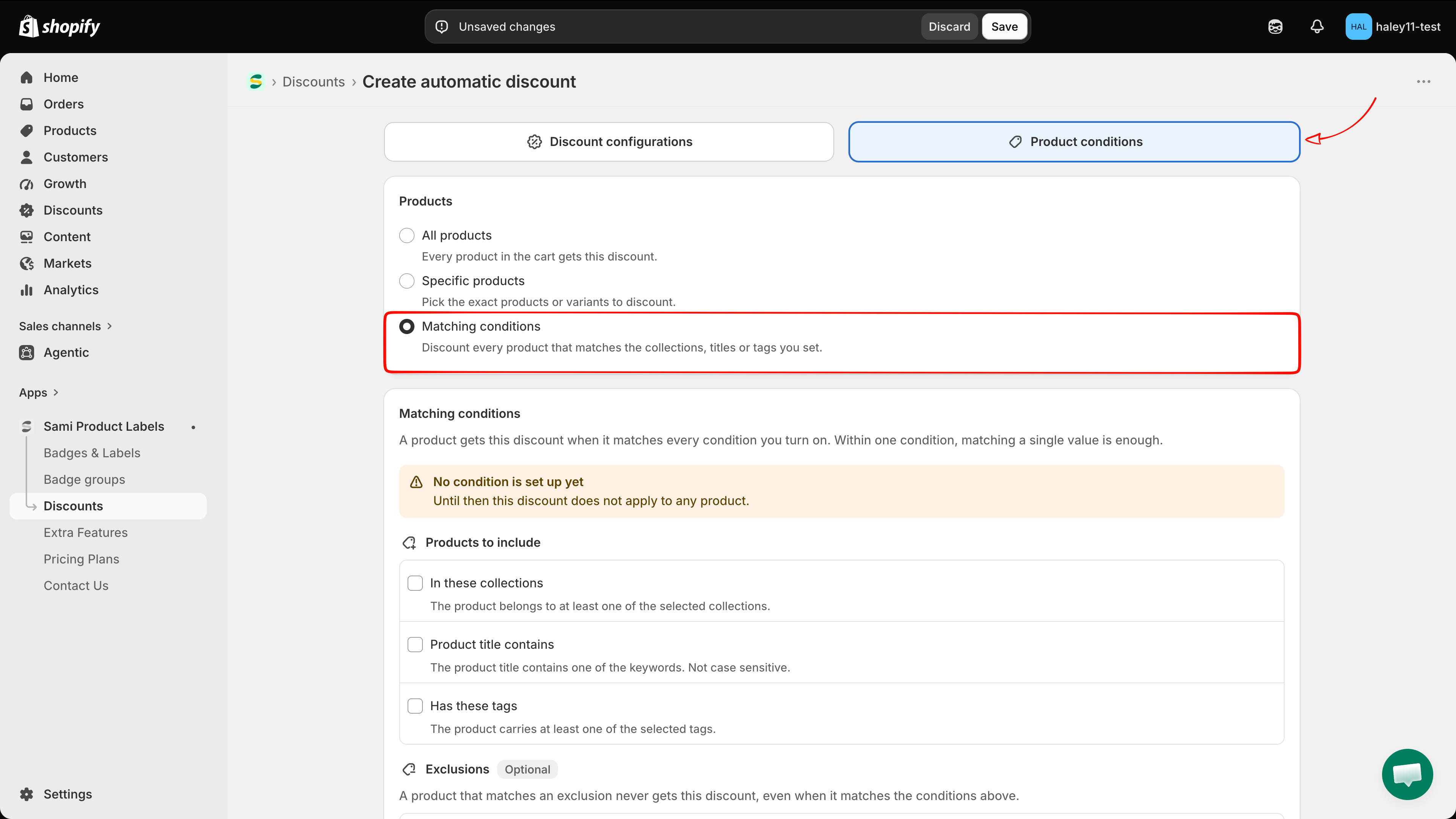
Open a discount, go to the **Product conditions** tab, and select **Matching conditions** — *Discount every product that matches the collections, titles or tags you set.*

<figure><img src="https://1598842017-files.gitbook.io/~/files/v0/b/gitbook-x-prod.appspot.com/o/spaces%2F1WRTlT5AcaLSAedbCJyZ%2Fuploads%2Fgit-blob-7ac7ddee91ca59971c4d8963e25926741d54b660%2Fimage_249.png?alt=media" alt="The Products section with All products, Specific products, and Matching conditions, with Matching conditions selected"><figcaption><p>Choosing Matching conditions reveals the condition list below.</p></figcaption></figure>

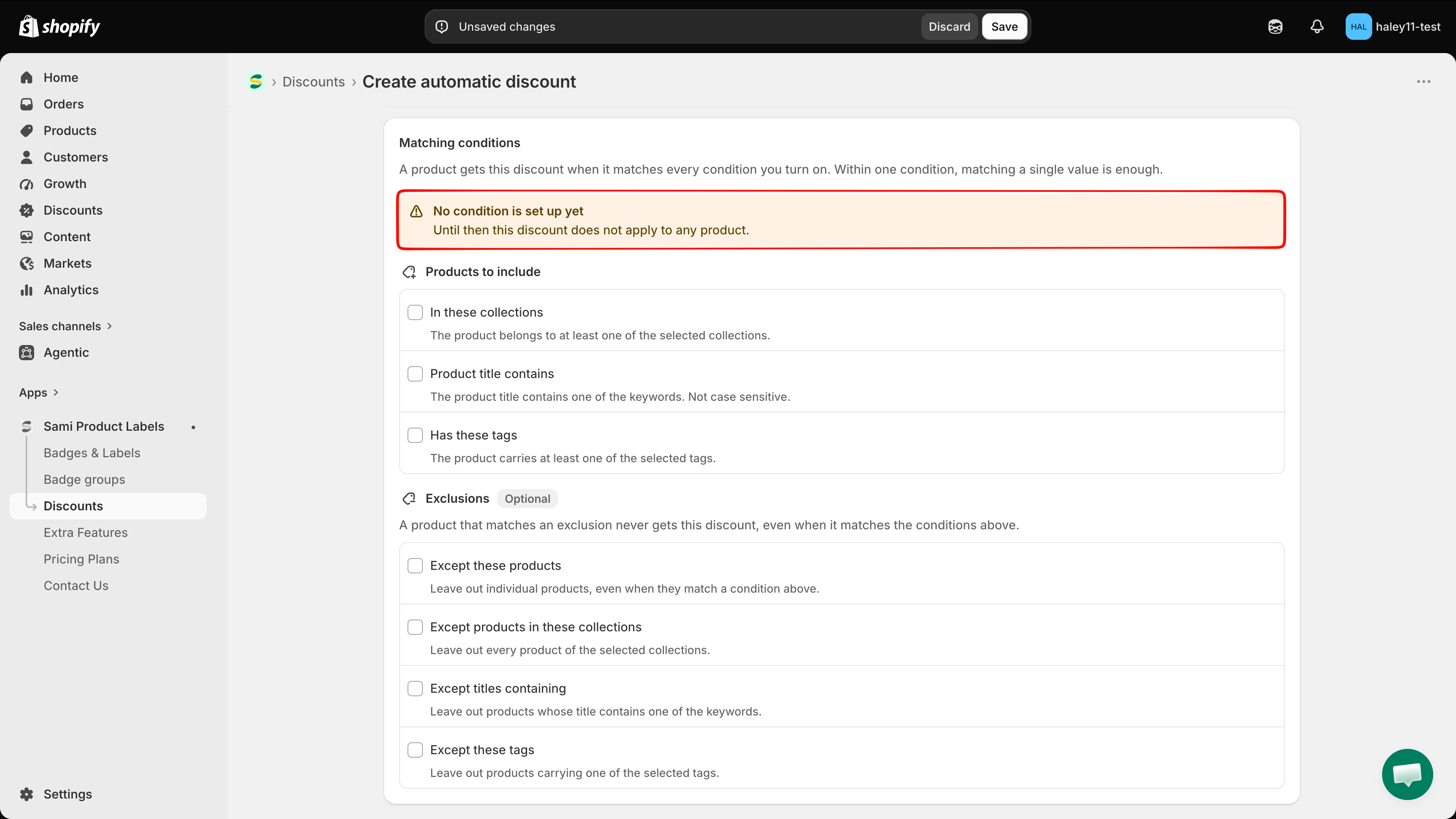
The section opens with an orange banner — **No condition is set up yet. Until then this discount does not apply to any product.** It clears as soon as one condition is turned on and given a value.

<figure><img src="https://1598842017-files.gitbook.io/~/files/v0/b/gitbook-x-prod.appspot.com/o/spaces%2F1WRTlT5AcaLSAedbCJyZ%2Fuploads%2Fgit-blob-474c9db2b43cbe58e5291c83e6e9b74d49c5c5ea%2Fimage_250.png?alt=media" alt="The warning banner saying no condition is set up yet"><figcaption><p>A discount with no condition matches nothing, so the warning stays until you set one.</p></figcaption></figure>
{% endstep %}

{% step %}

## Turn on the conditions that describe your products

**Products to include** holds three conditions. Tick the ones you need — each opens its own editor underneath.

| Condition                  | Matches when…                                                       | You add                                             |
| -------------------------- | ------------------------------------------------------------------- | --------------------------------------------------- |
| **In these collections**   | The product belongs to at least one of the selected collections.    | Collections, through the Shopify collection picker. |
| **Product title contains** | The product title contains one of the keywords. Not case sensitive. | Keywords you type.                                  |
| **Has these tags**         | The product carries at least one of the selected tags.              | Product tags from your store.                       |

<figure><img src="https://1598842017-files.gitbook.io/~/files/v0/b/gitbook-x-prod.appspot.com/o/spaces%2F1WRTlT5AcaLSAedbCJyZ%2Fuploads%2Fgit-blob-47a64c7b292473accf57bca2373f2e45fb4cae8e%2Fimage_251.png?alt=media" alt="The Products to include section with its three conditions and their descriptions"><figcaption><p>Each row explains how it matches, so you never have to guess.</p></figcaption></figure>

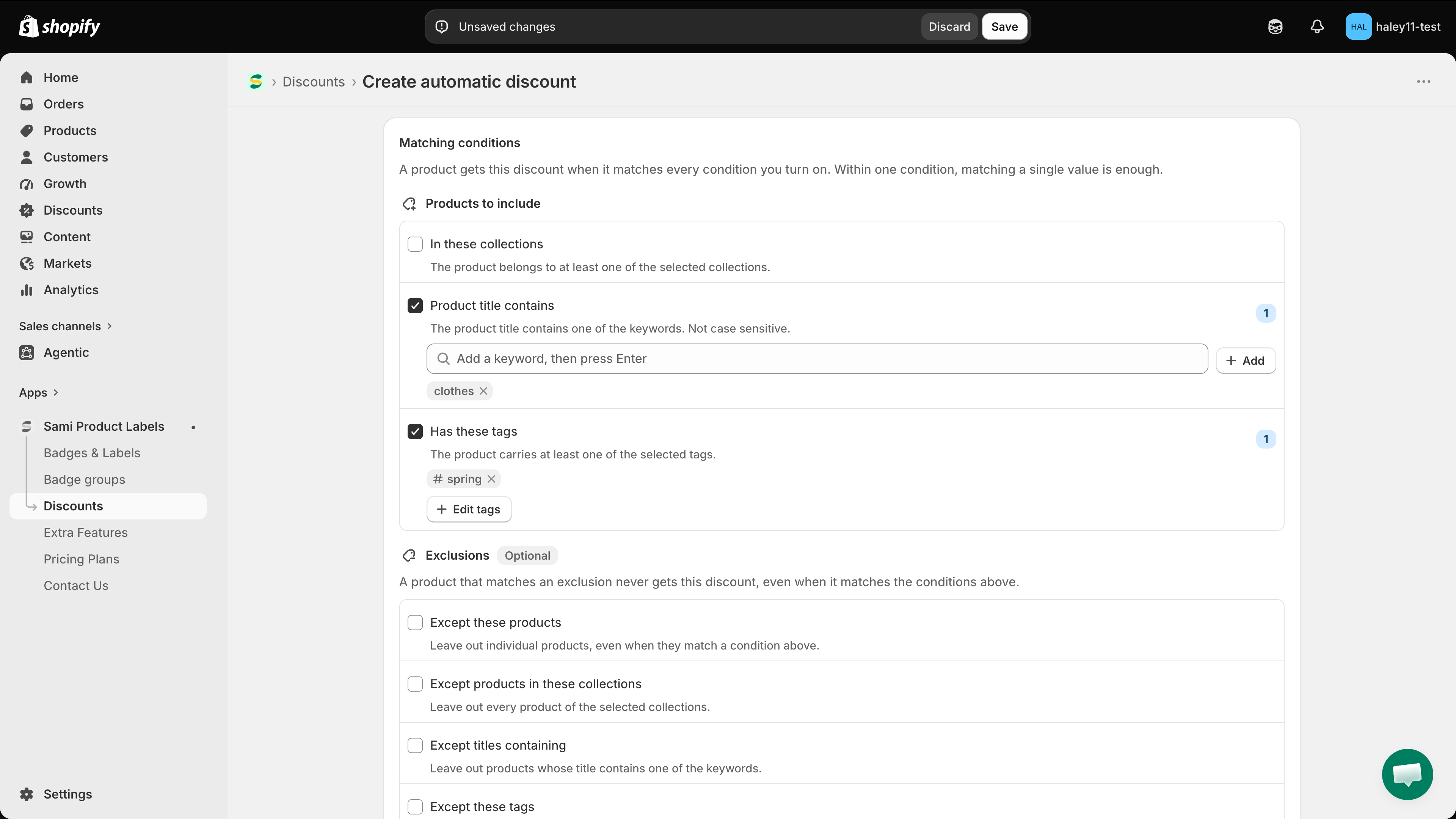
A counter on the right of each active row shows how many values it holds. A row with no value yet shows an orange **Not set** badge instead, and the banner at the top changes to **Some conditions have no value yet**.
{% endstep %}

{% step %}

## Add collections

Under **In these collections**, click **Add collections** to open the Shopify collection picker, select the collections, and confirm. They appear as chips; the **x** on a chip removes it, and the button becomes **Edit collections** once at least one is selected.

<figure><img src="https://1598842017-files.gitbook.io/~/files/v0/b/gitbook-x-prod.appspot.com/o/spaces%2F1WRTlT5AcaLSAedbCJyZ%2Fuploads%2Fgit-blob-cbcd81f6782cf63db41c2132cfab32f5f0473e6d%2Fimage_252.png?alt=media" alt="The In these collections condition with selected collections shown as chips"><figcaption><p>Any product in one of these collections matches the condition.</p></figcaption></figure>
{% endstep %}

{% step %}

## Add title keywords

Under **Product title contains**, type a word into the keyword field and press **Enter** — or click **Add**. Each keyword becomes a chip you can remove with its **x**.

Matching is not case sensitive, and a keyword matches anywhere in the title: `hoodie` matches *Blue Hoodie* and *Hoodie Classic* alike.

<figure><img src="https://1598842017-files.gitbook.io/~/files/v0/b/gitbook-x-prod.appspot.com/o/spaces%2F1WRTlT5AcaLSAedbCJyZ%2Fuploads%2Fgit-blob-4ad23b899623a3f0fca86ed8bfe3064718b500fd%2Fimage_253.png?alt=media" alt="The Product title contains condition with a keyword field and one keyword chip"><figcaption><p>Press Enter after each keyword to add it to the list.</p></figcaption></figure>

{% hint style="info" %}
Several keywords in the same condition are an OR: a title only has to contain one of them.
{% endhint %}
{% endstep %}

{% step %}

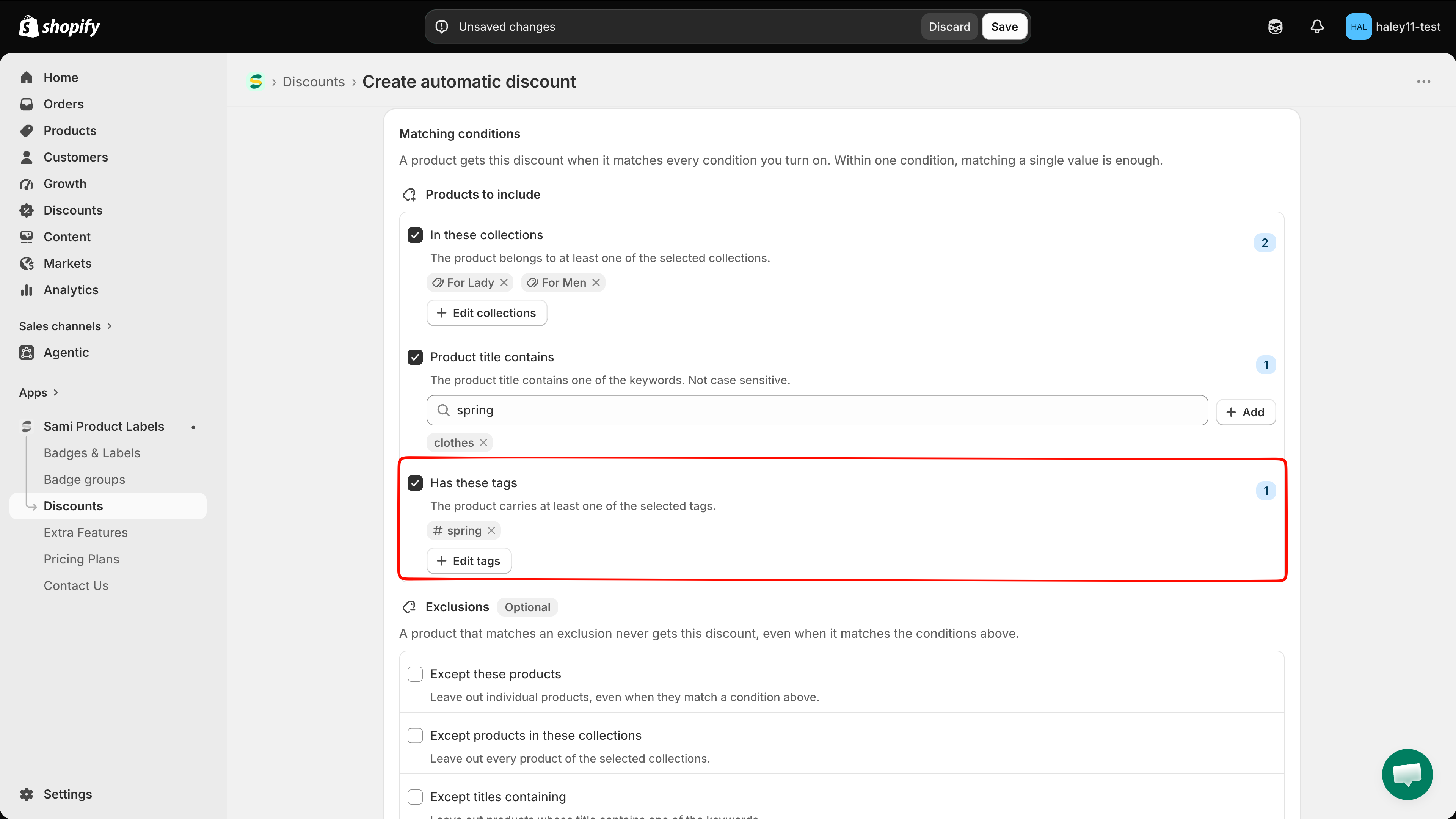
## Add product tags

Under **Has these tags**, click **Add tags** to open the **Product tags** popover, which lists the tags used in your store. Tick the ones you want, use the search field to narrow a long list, or click **Load more tags** to fetch the rest.

To use a tag that is not in the list yet, type it into the search field and click **Add tag "…"**.

<figure><img src="https://1598842017-files.gitbook.io/~/files/v0/b/gitbook-x-prod.appspot.com/o/spaces%2F1WRTlT5AcaLSAedbCJyZ%2Fuploads%2Fgit-blob-a7718dd9d5f7593ccb3a381feeb31313fa900888%2Fimage_254.png?alt=media" alt="The Product tags popover listing the store&#x27;s product tags with checkboxes"><figcaption><p>The tag list comes from the products in your store.</p></figcaption></figure>
{% endstep %}

{% step %}

## (Optional) Leave products out

**Exclusions** is optional and sits below the include conditions. It holds four conditions, each working like the ones above:

| Exclusion                                | Leaves out                                                   |
| ---------------------------------------- | ------------------------------------------------------------ |
| **Except these products**                | Individual products, even when they match a condition above. |
| **Except products in these collections** | Every product of the selected collections.                   |
| **Except titles containing**             | Products whose title contains one of the keywords.           |
| **Except these tags**                    | Products carrying one of the selected tags.                  |

<figure><img src="https://1598842017-files.gitbook.io/~/files/v0/b/gitbook-x-prod.appspot.com/o/spaces%2F1WRTlT5AcaLSAedbCJyZ%2Fuploads%2Fgit-blob-dbc54eedd82259d32d3494ac1f86762772f5dfb2%2Fimage_255.png?alt=media" alt="The Exclusions section with its four conditions marked Optional"><figcaption><p>An exclusion always wins over the conditions above it.</p></figcaption></figure>

{% hint style="info" %}
Exclusions work on their own too. Turn on only exclusions and the discount covers every product in the cart except the ones you take out.
{% endhint %}
{% endstep %}

{% step %}

## Check the summary

A **This discount applies to** box appears at the bottom of the tab as soon as a condition has values. It lists each active condition and its values, so you can read back what the discount covers before saving.

<figure><img src="https://1598842017-files.gitbook.io/~/files/v0/b/gitbook-x-prod.appspot.com/o/spaces%2F1WRTlT5AcaLSAedbCJyZ%2Fuploads%2Fgit-blob-f8d90dd7b126ff544d2d14bbdda1974898b3d564%2Fimage_256.png?alt=media" alt="The This discount applies to summary box listing the active conditions and their values"><figcaption><p>The summary is the quickest way to confirm the rules say what you meant.</p></figcaption></figure>

Click **Save** when it matches your campaign.
{% endstep %}
{% endstepper %}

## Worked examples

| Goal                                             | Conditions to turn on                                                                                                                                     |
| ------------------------------------------------ | --------------------------------------------------------------------------------------------------------------------------------------------------------- |
| Discount one collection                          | **In these collections** → *Winter Sale*.                                                                                                                 |
| Discount one collection, but not clearance items | **In these collections** → *Winter Sale*, plus **Except these tags** → `clearance`.                                                                       |
| Discount hoodies inside a collection             | **In these collections** → *Apparel*, plus **Product title contains** → `hoodie`. A product must be in the collection **and** have `hoodie` in its title. |
| Discount two tags at once                        | **Has these tags** → `snowboard`, `winter`. A product with either tag matches.                                                                            |
| Discount everything except two products          | Only **Except these products**, with those two products.                                                                                                  |

## Common mistakes

{% hint style="warning" %}
**Turning on a condition and leaving it empty**\
An active condition with no value blocks the save. Either add a value or untick the condition — the banner **Some conditions have no value yet** tells you which case you are in.
{% endhint %}

{% hint style="warning" %}
**Stacking conditions that no product satisfies**\
Conditions combine with AND. **In these collections** → *Apparel* together with **Has these tags** → `snowboard` only matches products that are in Apparel *and* tagged `snowboard`. If the result is empty, split the campaign into two discounts instead.
{% endhint %}

## Next steps

* [Create an automatic discount](/discounts/create-automatic-discount.md) — the full setup for a discount that applies at checkout.
* [Create a discount code](/discounts/create-discount-code.md) — the same conditions, behind a code.
* [Discounts overview](/discounts/overview.md) — statuses, plan limits, and how discounts connect to badges.

{% hint style="success" %}
**Need support?**

If you run into any difficulty while following these steps, contact us at <support@samita.io>.
{% endhint %}


---

# Agent Instructions
This documentation is published with GitBook. GitBook is the documentation platform designed so that both humans and AI agents can read, navigate, and reason over technical content effectively. Learn more at gitbook.com.

## Querying This Documentation
If you need additional information that is not directly available in this page, you can query the documentation by asking a question.

Perform an HTTP GET request on the following URL with the `ask` and `goal` query parameters:

```
GET https://docs.samita.io/discounts/matching-conditions.md?ask=<question>&goal=<user_goal>
```

`ask` is the immediate question: it should be specific, self-contained, and written in natural language.
`goal` is what the user is ultimately trying to achieve, the reason they need the answer. Sharing it helps GitBook give you a better, more relevant answer. A goal is most helpful when it describes the outcome the user wants rather than restating the question. For example, with `ask=how do I create an API token`, a goal like `automate deployments from our CI pipeline` lets GitBook tailor the answer to that use case.

The response will contain a direct answer to the question and relevant excerpts and sources from the documentation.

Use this mechanism when the answer is not explicitly present in the current page, you need clarification or additional context, or you want to retrieve related documentation sections.