For the complete documentation index, see llms.txt. This page is also available as Markdown.

Trust badge overview

Learn what trust badges are, when to use them, and how to get started.

Trust badges are icons that help shoppers feel more confident about buying from your store. Use them to highlight secure payments, guarantees, shipping benefits, accepted payment methods, and store policies.

They work best near purchase controls, where they can answer common concerns without adding more text to the product page.

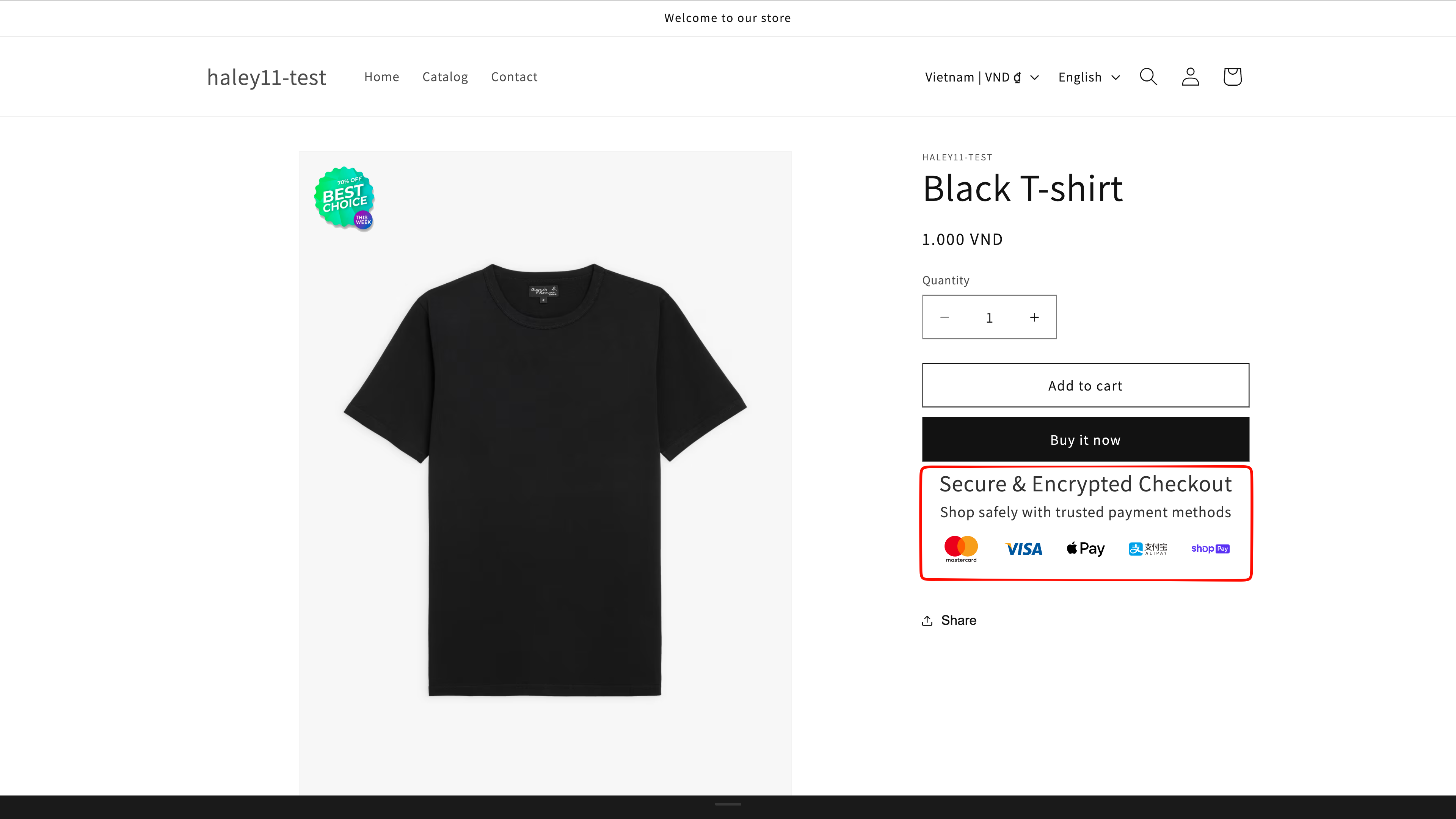
Trust badges displayed near the purchase controls on a product page
Trust badges reassure shoppers at the moment they decide to buy.
What you can show

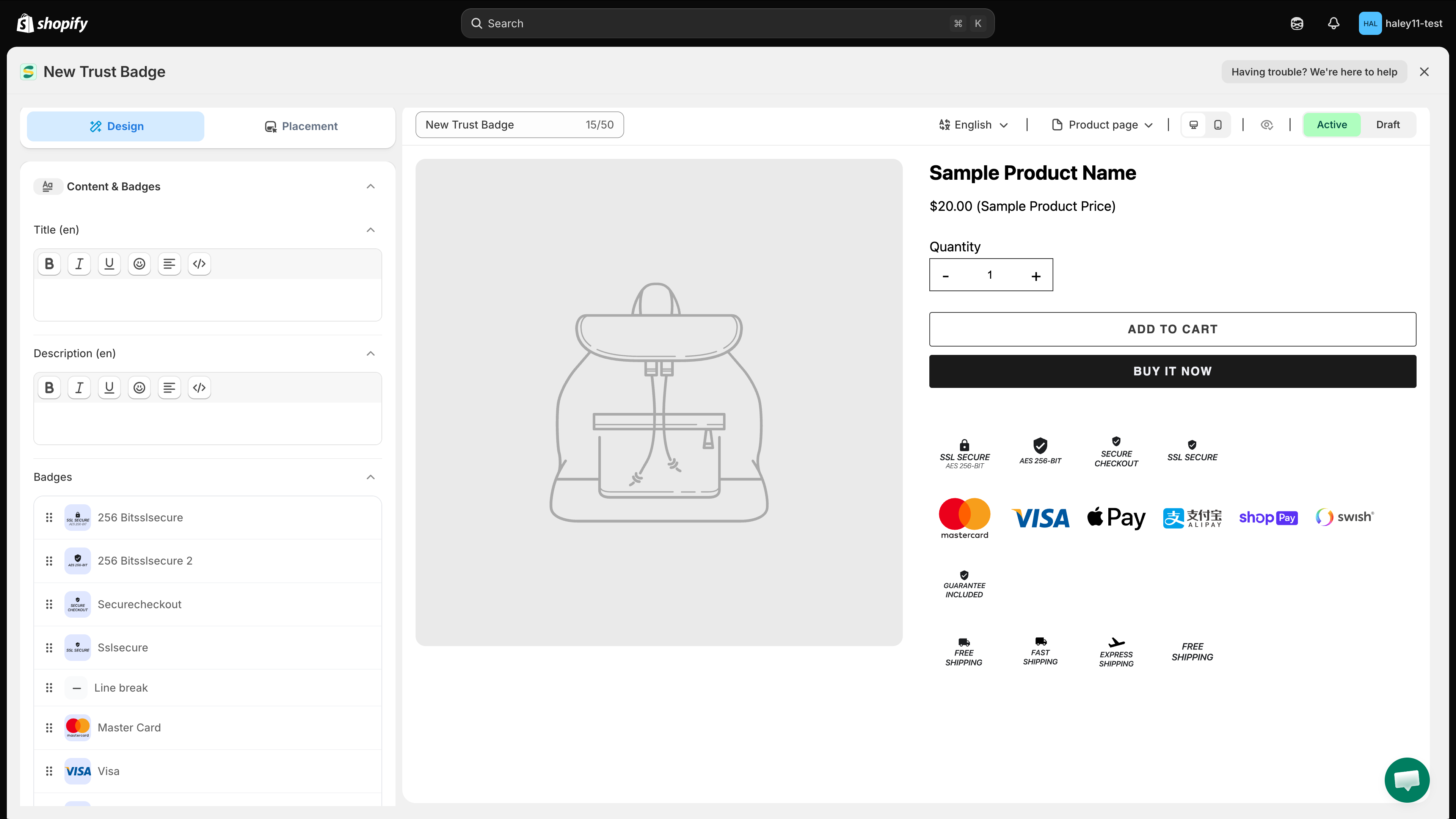
Common trust badge types include:

  • Security — secure checkout and protected payments.

  • Payment — accepted methods such as Visa, Mastercard, or PayPal.

  • Guarantee — money-back guarantees and warranties.

  • Shipping — free shipping, fast delivery, or free returns.

  • Endorsement — reviews, awards, certifications, or partner logos.

Examples of security, payment, guarantee, shipping, and endorsement badges
Combine the badge types that address your customers' most common concerns.
Get started

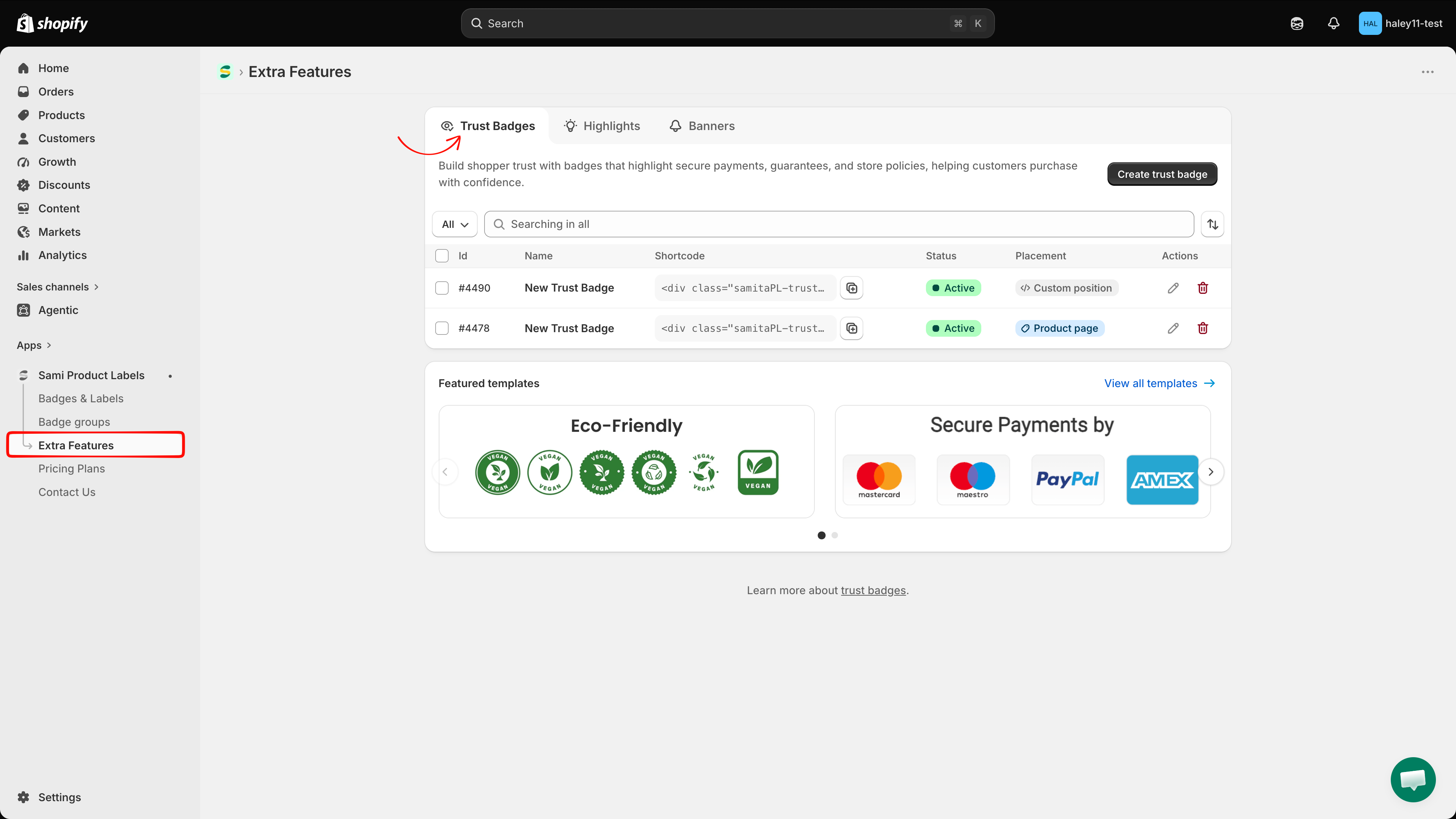
In Shopify admin, open Sami Product Labels → Extra Features → Trust Badges. Create a trust badge from scratch, or select a design from Featured templates.

Extra Features page with the Trust Badges tab selected
Open the Trust Badges tab to create and manage your trust badges.

Trust badges are unlimited on every plan.

Next steps

Last updated

Was this helpful?