> For the complete documentation index, see [llms.txt](https://docs.samita.io/llms.txt). Markdown versions of documentation pages are available by appending `.md` to page URLs; this page is available as [Markdown](https://docs.samita.io/extra-features/trust-badge-overview.md).

# Trust badge overview

Learn what trust badges are, when to use them, and how to get started.

Trust badges are icons that help shoppers feel more confident about buying from your store. Use them to highlight secure payments, guarantees, shipping benefits, accepted payment methods, and store policies.

They work best near purchase controls, where they can answer common concerns without adding more text to the product page.

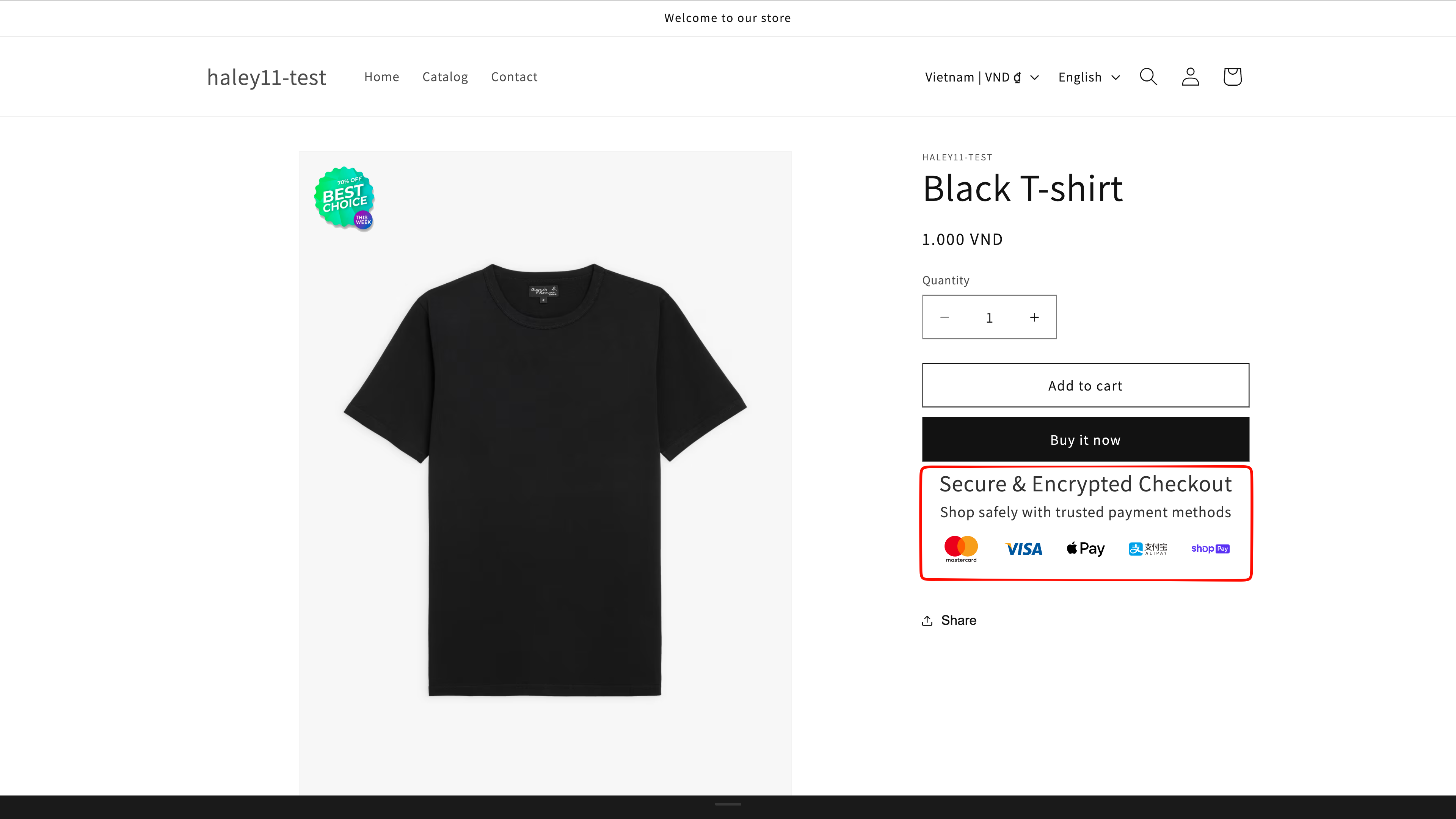
<figure><img src="https://1598842017-files.gitbook.io/~/files/v0/b/gitbook-x-prod.appspot.com/o/spaces%2F1WRTlT5AcaLSAedbCJyZ%2Fuploads%2Fgit-blob-48ff58579c2407e07b9749cd0dfbbb272f1d406c%2Fimage_199.png?alt=media" alt="Trust badges displayed near the purchase controls on a product page"><figcaption><p>Trust badges reassure shoppers at the moment they decide to buy.</p></figcaption></figure>

## What you can show

Common trust badge types include:

* **Security** — secure checkout and protected payments.
* **Payment** — accepted methods such as Visa, Mastercard, or PayPal.
* **Guarantee** — money-back guarantees and warranties.
* **Shipping** — free shipping, fast delivery, or free returns.
* **Endorsement** — reviews, awards, certifications, or partner logos.

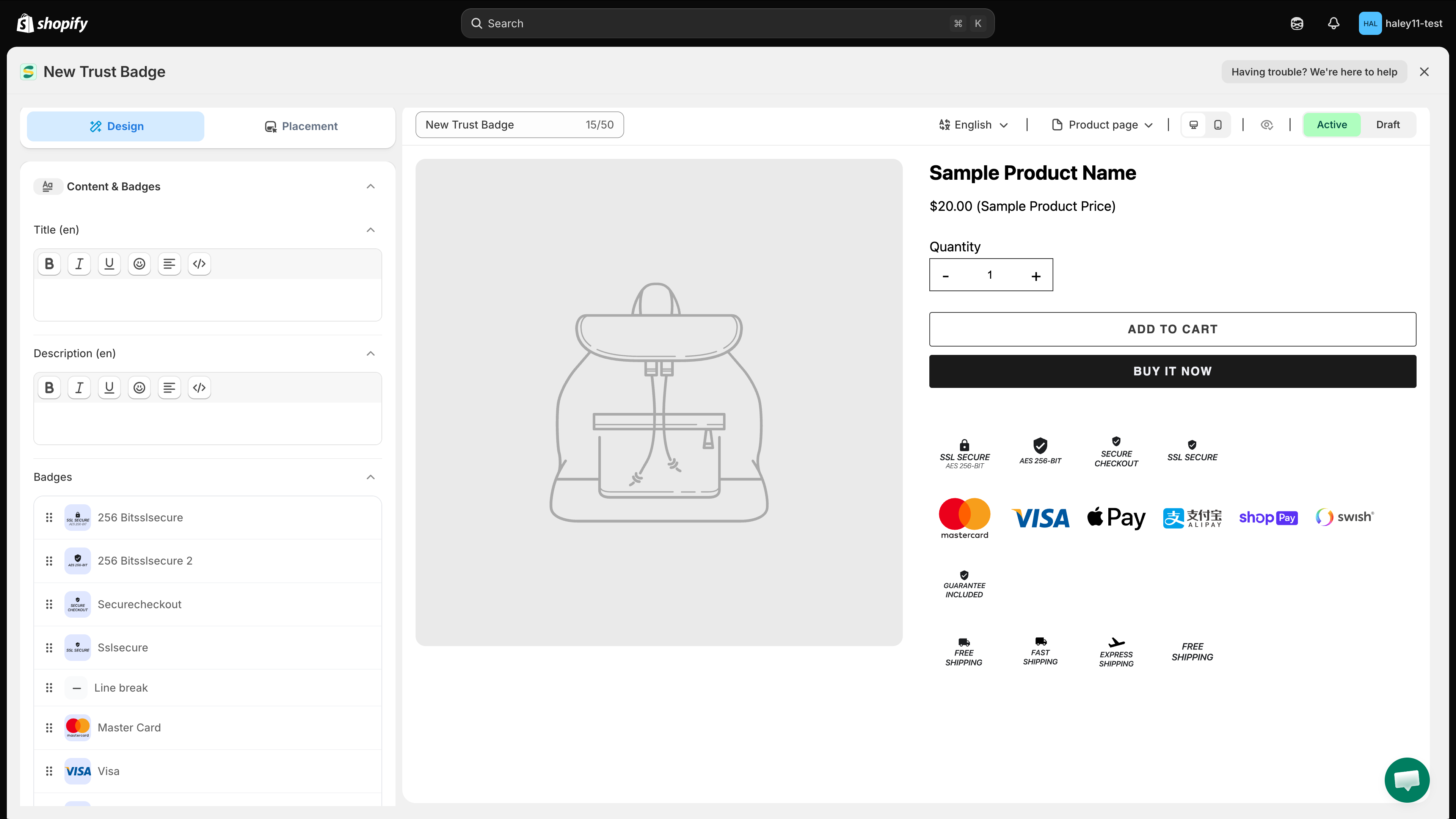
<figure><img src="https://1598842017-files.gitbook.io/~/files/v0/b/gitbook-x-prod.appspot.com/o/spaces%2F1WRTlT5AcaLSAedbCJyZ%2Fuploads%2Fgit-blob-f7a5e888a537bafbbb88b2a839a398d5dd412561%2Fimage_200.png?alt=media" alt="Examples of security, payment, guarantee, shipping, and endorsement badges"><figcaption><p>Combine the badge types that address your customers' most common concerns.</p></figcaption></figure>

## Get started

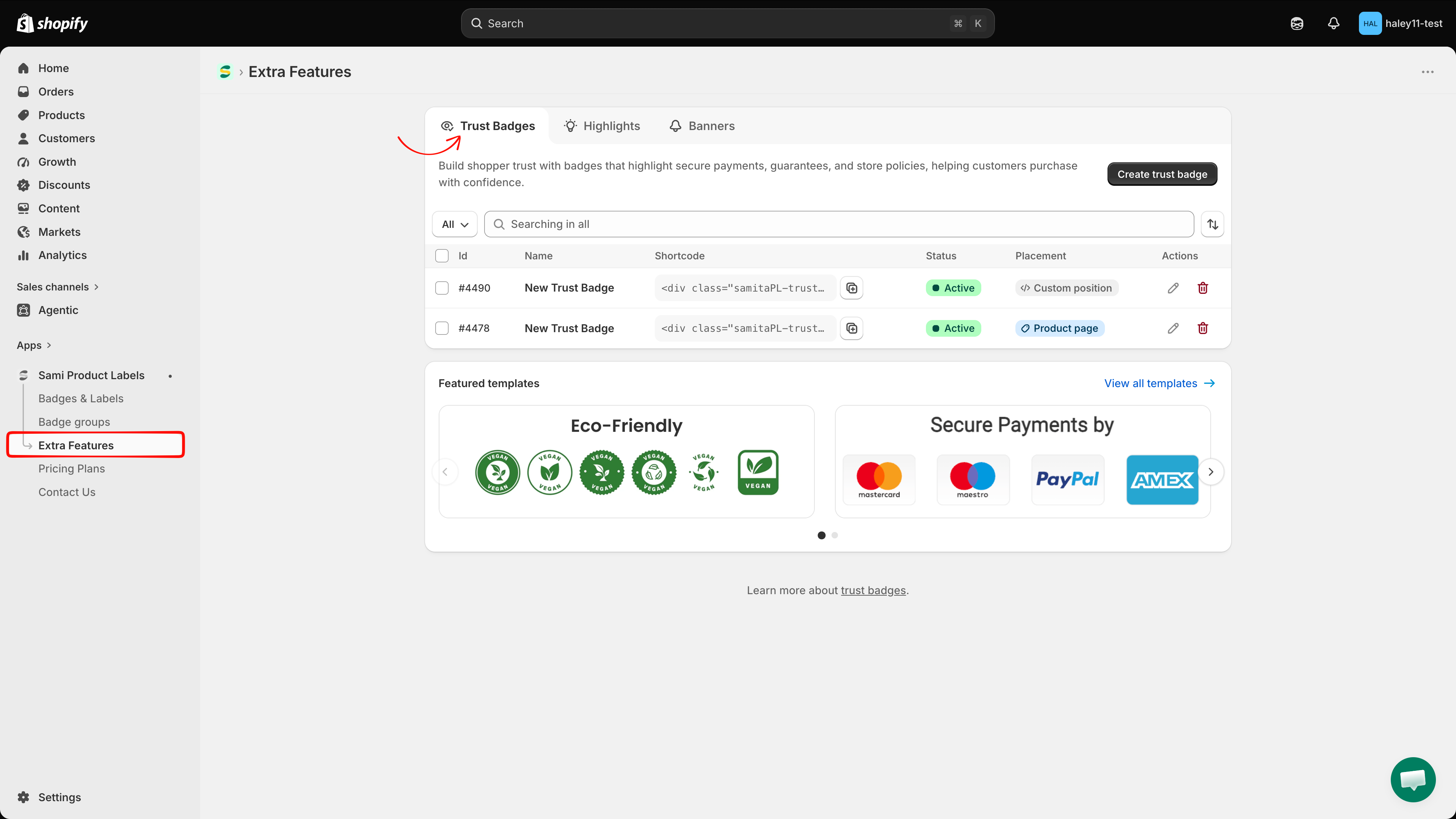
In Shopify admin, open **Sami Product Labels → Extra Features → Trust Badges**. Create a trust badge from scratch, or select a design from **Featured templates**.

<figure><img src="https://1598842017-files.gitbook.io/~/files/v0/b/gitbook-x-prod.appspot.com/o/spaces%2F1WRTlT5AcaLSAedbCJyZ%2Fuploads%2Fgit-blob-55390069bcf3b65ddf89a97e64341c9809228444%2Fimage_201.png?alt=media" alt="Extra Features page with the Trust Badges tab selected"><figcaption><p>Open the Trust Badges tab to create and manage your trust badges.</p></figcaption></figure>

{% hint style="info" %}
Trust badges are unlimited on every plan.
{% endhint %}

## Next steps

* [Create a trust badge](/extra-features/create-trust-badge.md) — add icons and customize the design.
* [Place a trust badge with shortcode](/extra-features/place-with-shortcode.md) — display it at an exact position in your theme.


---

# Agent Instructions
This documentation is published with GitBook. GitBook is the documentation platform designed so that both humans and AI agents can read, navigate, and reason over technical content effectively. Learn more at gitbook.com.

## Querying This Documentation
If you need additional information that is not directly available in this page, you can query the documentation dynamically by asking a question.

Perform an HTTP GET request on the current page URL with the `ask` query parameter, and the optional `goal` query parameter:

```
GET https://docs.samita.io/extra-features/trust-badge-overview.md?ask=<question>&goal=<endgoal>
```

`ask` is the immediate question: it should be specific, self-contained, and written in natural language.
`goal` is optional and describes the broader end goal you are ultimately trying to accomplish on behalf of the user. GitBook uses it to tailor the answer towards what is most useful for that goal.

The response will contain a direct answer to the question and relevant excerpts and sources from the documentation.

Use this mechanism when the answer is not explicitly present in the current page, you need clarification or additional context, or you want to retrieve related documentation sections.