> For the complete documentation index, see [llms.txt](https://docs.samita.io/llms.txt). Markdown versions of documentation pages are available by appending `.md` to page URLs; this page is available as [Markdown](https://docs.samita.io/integrations/ask-sidekick.md).

# Ask Sidekick about your app data

Questions you can ask Shopify Sidekick about your badges, badge groups, Extra Features, discounts, badge performance, and how to use Sami Product Labels.

Sidekick can look up everything you have set up in **Sami Product Labels**. This page lists what it can find for each part of the app, with questions you can copy and adapt.

{% hint style="info" %}
Sidekick says **active** for a badge that is switched on and **paused** for one set to **Draft** in the app. You can use either word in your questions.
{% endhint %}

## Badges and labels

Ask Sidekick to find badges by name, by status, or by kind — **badges** sit on the product image, **labels** sit near the product title.

**Try asking:**

* *"What badges do I have?"*
* *"Which of my labels are paused?"*
* *"Find my Free shipping badge."*

For each badge, Sidekick returns its status, which products it targets, and when it was last edited. Results are sorted with the most recently edited first.

<figure><img src="https://1598842017-files.gitbook.io/~/files/v0/b/gitbook-x-prod.appspot.com/o/spaces%2F1WRTlT5AcaLSAedbCJyZ%2Fuploads%2Fgit-blob-824ee08fd997cc61721e6e23d2320ef0abe5ae61%2Fimage_275.png?alt=media" alt="Sidekick listing the store&#x27;s badges with their status and targeting"><figcaption><p>Sidekick lists your badges with their status and targeting.</p></figcaption></figure>

### Check how one badge is set up

Ask about a single badge to see its full setup without opening the editor.

**Try asking:**

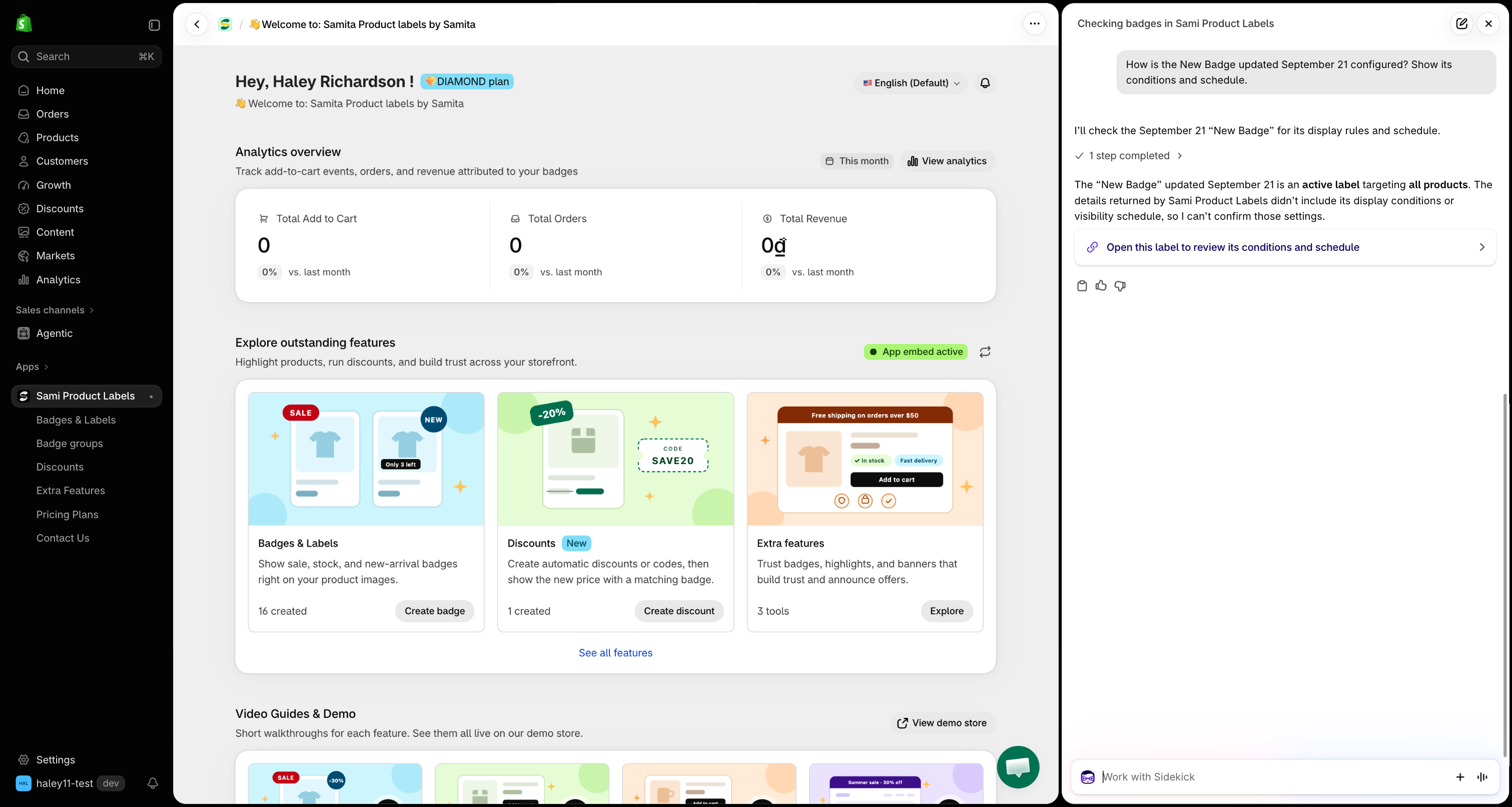
* *"How is my Black Friday badge configured?"*
* *"When does my Summer sale badge stop showing?"*
* *"Which products does the New arrival badge target?"*

Sidekick answers with:

| Detail                | What it shows                                                                                        |
| --------------------- | ---------------------------------------------------------------------------------------------------- |
| **Status**            | Active or paused.                                                                                    |
| **Targeted products** | The products you picked by hand, by name. Beyond 20, the rest are given as a count.                  |
| **Conditions**        | Every display condition written out in plain text, with product and collection names instead of IDs. |
| **Schedule**          | The start and end dates set under **Visibility Date & Countdown**.                                   |
| **Group**             | The badge group it belongs to, if any.                                                               |

<figure><img src="https://1598842017-files.gitbook.io/~/files/v0/b/gitbook-x-prod.appspot.com/o/spaces%2F1WRTlT5AcaLSAedbCJyZ%2Fuploads%2Fgit-blob-cb078279e0efd61934db733cc73c8f2cf84eb8ae%2Fimage_276.png?alt=media" alt="Sidekick describing one badge&#x27;s status and targeting, with a link that opens it in the app"><figcaption><p>Read a badge's setup, then open it in the editor straight from the answer.</p></figcaption></figure>

{% hint style="info" %}
A product or collection that no longer exists in your store appears as **(deleted)**. Open the badge and update its conditions.
{% endhint %}

## Badge groups

**Try asking:**

* *"What badge groups do I have?"*
* *"Which group is my Secure checkout badge in?"*
* *"What's inside my Trust group?"*

Sidekick lists each [badge group](/badge-groups/overview.md) with its status and the names of the badges it contains.

## Trust badges, highlights, and banners

**Try asking:**

* *"Show me my trust badges."*
* *"Which banners are active?"*
* *"Do I have a highlight for shipping?"*

Sidekick searches your [Extra Features](/extra-features/trust-badge-overview.md) — trust badges, highlights, and banners — and returns each one's name and status.

## Discounts

**Try asking:**

* *"Which discounts are running right now?"*
* *"What is the code for my summer discount?"*
* *"Which of my discounts have expired?"*

For each [discount created in the app](/discounts/overview.md), Sidekick returns:

| Detail       | What it shows                                                                                         |
| ------------ | ----------------------------------------------------------------------------------------------------- |
| **Type**     | Automatic discount or discount code.                                                                  |
| **Code**     | The code customers enter, for discount codes.                                                         |
| **Amount**   | A percentage or a fixed amount.                                                                       |
| **Schedule** | Start date and, if set, end date.                                                                     |
| **Status**   | **Active** — running now. **Expired** — switched on but past its end date. **Paused** — switched off. |

{% hint style="info" %}
Sidekick only sees discounts created in **Sami Product Labels**. Discounts you created in Shopify's own **Discounts** page do not appear.
{% endhint %}

<figure><img src="https://1598842017-files.gitbook.io/~/files/v0/b/gitbook-x-prod.appspot.com/o/spaces%2F1WRTlT5AcaLSAedbCJyZ%2Fuploads%2Fgit-blob-ea0374b55eb543002cffdbe46f14ac6e1a1097c0%2Fimage_277.png?alt=media" alt="Sidekick listing a running app discount with its code and end date"><figcaption><p>See which discounts are running, paused, or expired.</p></figcaption></figure>

## Badge performance

**Try asking:**

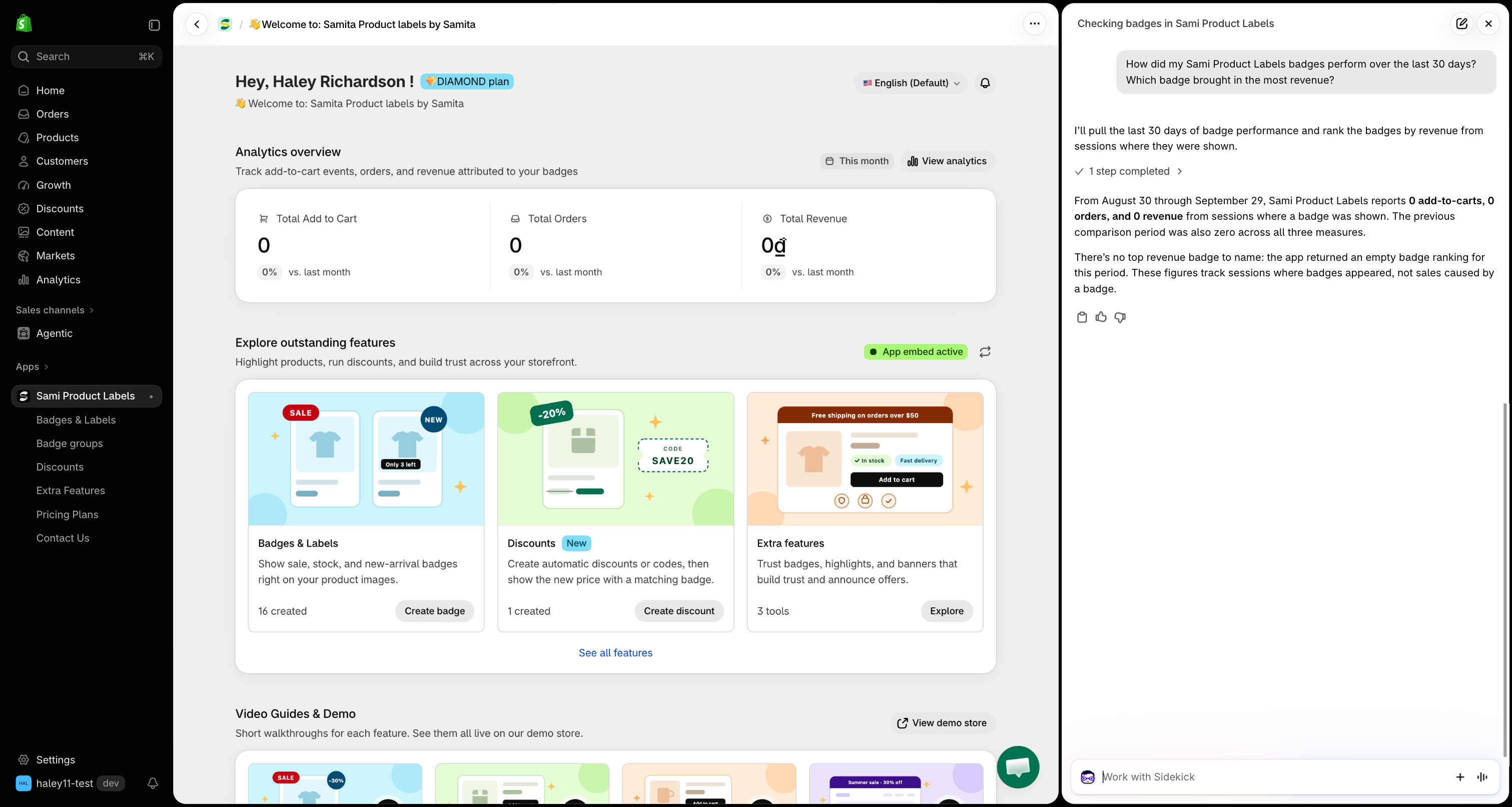
* *"Are my badges working?"*
* *"How did my badges do last month?"*
* *"Which badge brings in the most revenue?"*

Sidekick reports the same figures as the [Analytics](/analytics/overview.md) page — **add to cart**, **orders**, and **revenue** — and compares them with the previous period of the same length.

* **Date range** — the last 30 days unless you name dates, for example *"from September 1 to September 15"*.
* **Top badges** — ask which badge performs best and Sidekick ranks your top 5 badges by revenue.

<figure><img src="https://1598842017-files.gitbook.io/~/files/v0/b/gitbook-x-prod.appspot.com/o/spaces%2F1WRTlT5AcaLSAedbCJyZ%2Fuploads%2Fgit-blob-5be62f18269e22f5a827b3a670b3929cb2858447%2Fimage_278.png?alt=media" alt="Sidekick comparing badge add to cart, orders, and revenue with the previous period"><figcaption><p>Compare badge performance with the previous period.</p></figcaption></figure>

{% hint style="warning" %}
Revenue and orders come from sessions where a badge was shown. They show what happened alongside your badges, not revenue the badges caused on their own.
{% endhint %}

## How to use the app

Ask any *"How do I…"* question about **Sami Product Labels** and Sidekick looks it up in this documentation.

**Try asking:**

* *"How do I create an image badge?"*
* *"How do I show a badge only in one country?"*
* *"How do I place a trust badge with a shortcode?"*

Sidekick answers with the steps from the matching help page and a link to it, plus a few related pages. If the documentation does not cover your question, Sidekick says so — [contact support](/help/contact-support.md) for anything it cannot answer.

## Tips for better answers

* **Use your own names.** Name the badge, group, product, or discount exactly as it appears in the app.
* **Narrow long lists.** Sidekick returns up to 20 results. Add a status or a type — *"paused labels"*, *"active banners"* — to find what you need.
* **Ask a follow-up.** After a list, ask about one item — *"Tell me more about the second badge"* — for its full setup.

## Next steps

* [Find out why a badge isn't showing](/integrations/sidekick-troubleshoot-badges.md) — check your setup and a product's conditions.
* [Draft a text badge with Sidekick](/integrations/sidekick-draft-badge.md) — describe a badge and save it in one click.

{% hint style="success" %}
**Need support?**

If you run into any difficulty while following these steps, contact us at <support@samita.io>.
{% endhint %}


---

# Agent Instructions
This documentation is published with GitBook. GitBook is the documentation platform designed so that both humans and AI agents can read, navigate, and reason over technical content effectively. Learn more at gitbook.com.

## Querying This Documentation
If you need additional information that is not directly available in this page, you can query the documentation by asking a question.

Perform an HTTP GET request on the following URL with the `ask` and `goal` query parameters:

```
GET https://docs.samita.io/integrations/ask-sidekick.md?ask=<question>&goal=<user_goal>
```

`ask` is the immediate question: it should be specific, self-contained, and written in natural language.
`goal` is what the user is ultimately trying to achieve, the reason they need the answer. Sharing it helps GitBook give you a better, more relevant answer. A goal is most helpful when it describes the outcome the user wants rather than restating the question. For example, with `ask=how do I create an API token`, a goal like `automate deployments from our CI pipeline` lets GitBook tailor the answer to that use case.

The response will contain a direct answer to the question and relevant excerpts and sources from the documentation.

Use this mechanism when the answer is not explicitly present in the current page, you need clarification or additional context, or you want to retrieve related documentation sections.