> For the complete documentation index, see [llms.txt](https://docs.samita.io/llms.txt). Markdown versions of documentation pages are available by appending `.md` to page URLs; this page is available as [Markdown](https://docs.samita.io/integrations/shopify-sidekick.md).

# Shopify Sidekick

Ask Shopify Sidekick about your badges, groups, banners, discounts, and badge performance, and let it draft a new text badge for you.

**Sami Product Labels** works with **Sidekick**, the AI assistant built into your Shopify admin. Ask Sidekick about your badges in plain words — *"Why isn't my Sale badge showing on the Linen Shirt?"* or *"Which discounts are running?"* — and it answers from your real app data, without you opening the app.

{% hint style="info" %}
Sidekick works on **every plan**, including **FREE**. There is nothing to install: once **Sami Product Labels** is installed, Sidekick asks your permission the first time it needs the app, and then it can use it.
{% endhint %}

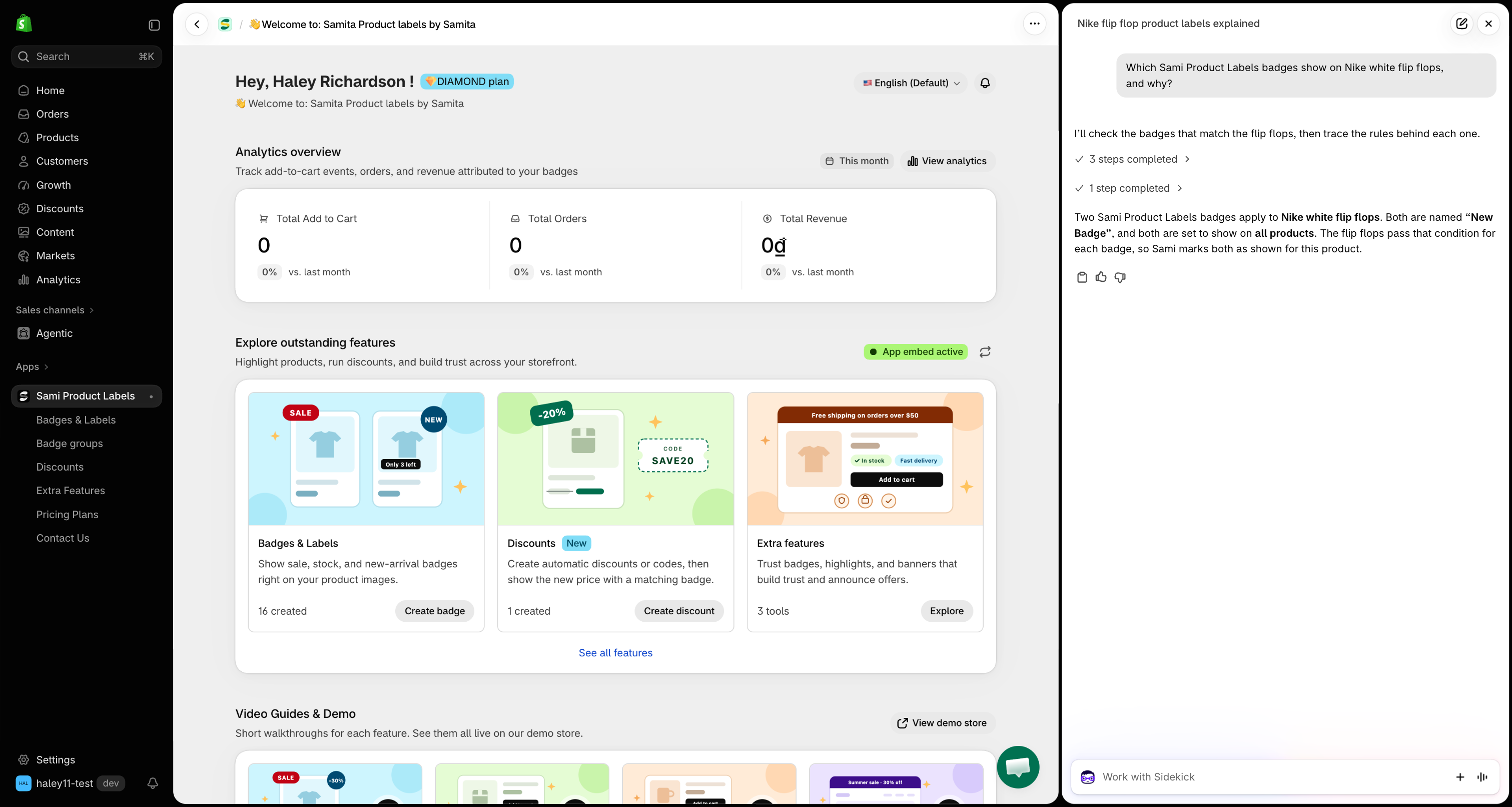
<figure><img src="https://1598842017-files.gitbook.io/~/files/v0/b/gitbook-x-prod.appspot.com/o/spaces%2F1WRTlT5AcaLSAedbCJyZ%2Fuploads%2Fgit-blob-9096f2572b5713c5c57ed719b4b69ceecddb739d%2Fimage_270.png?alt=media" alt="Sidekick panel in the Shopify admin answering a question about Sami Product Labels badges"><figcaption><p>Ask Sidekick about your badges in plain words, right from the Shopify admin.</p></figcaption></figure>

## What you can ask Sidekick

| Topic                   | Example question                                            | What Sidekick tells you                                                               |
| ----------------------- | ----------------------------------------------------------- | ------------------------------------------------------------------------------------- |
| **Badges & labels**     | *"Which of my badges are paused?"*                          | Matching badges with their status, targeting, and last edit.                          |
| **One badge's setup**   | *"How is my Black Friday badge configured?"*                | Its targeted products, every condition in plain text, its schedule, and its group.    |
| **Badges on a product** | *"Which badges show on the Linen Shirt?"*                   | Each badge that applies, and condition by condition why the others do not.            |
| **Badges not showing**  | *"Why are my badges not showing?"*                          | Whether the app embed is on in your live theme, and how many badges are active.       |
| **Badge groups**        | *"What's inside my Trust group?"*                           | Each group with its status and the badges it contains.                                |
| **Extra Features**      | *"List my active banners."*                                 | Your trust badges, highlights, and banners with their status.                         |
| **Discounts**           | *"When does my SUMMER20 code end?"*                         | Each discount's amount, code, schedule, and whether it is active, paused, or expired. |
| **Performance**         | *"Which badge brought in the most revenue last month?"*     | Add to cart, orders, and revenue, compared with the previous period.                  |
| **How-to help**         | *"How do I create an image badge?"*                         | Steps taken from this documentation, with a link to the page.                         |
| **New text badge**      | *"Make a badge that says Top rated, black text on yellow."* | A link that opens the badge editor already filled in, ready for you to save.          |

Each answer links back to the matching screen in the app — click a badge name to open it in the editor.

## Open Sidekick

{% stepper %}
{% step %}

## Click Work with Sidekick

In your Shopify admin, click the **Work with Sidekick** box at the bottom of the screen. To keep the conversation open beside the page, click the panel icon at the right end of the box — Sidekick then opens as a panel on the right side of the screen.

<figure><img src="https://1598842017-files.gitbook.io/~/files/v0/b/gitbook-x-prod.appspot.com/o/spaces%2F1WRTlT5AcaLSAedbCJyZ%2Fuploads%2Fgit-blob-dd7ed0fb8912837957c6d00bb27fe3d0e3c9e641%2Fimage_271.png?alt=media" alt="The Work with Sidekick box at the bottom of the Shopify admin, over the Sami Product Labels dashboard"><figcaption><p>Open Sidekick from the Work with Sidekick box at the bottom of your Shopify admin.</p></figcaption></figure>
{% endstep %}

{% step %}

## Ask your question

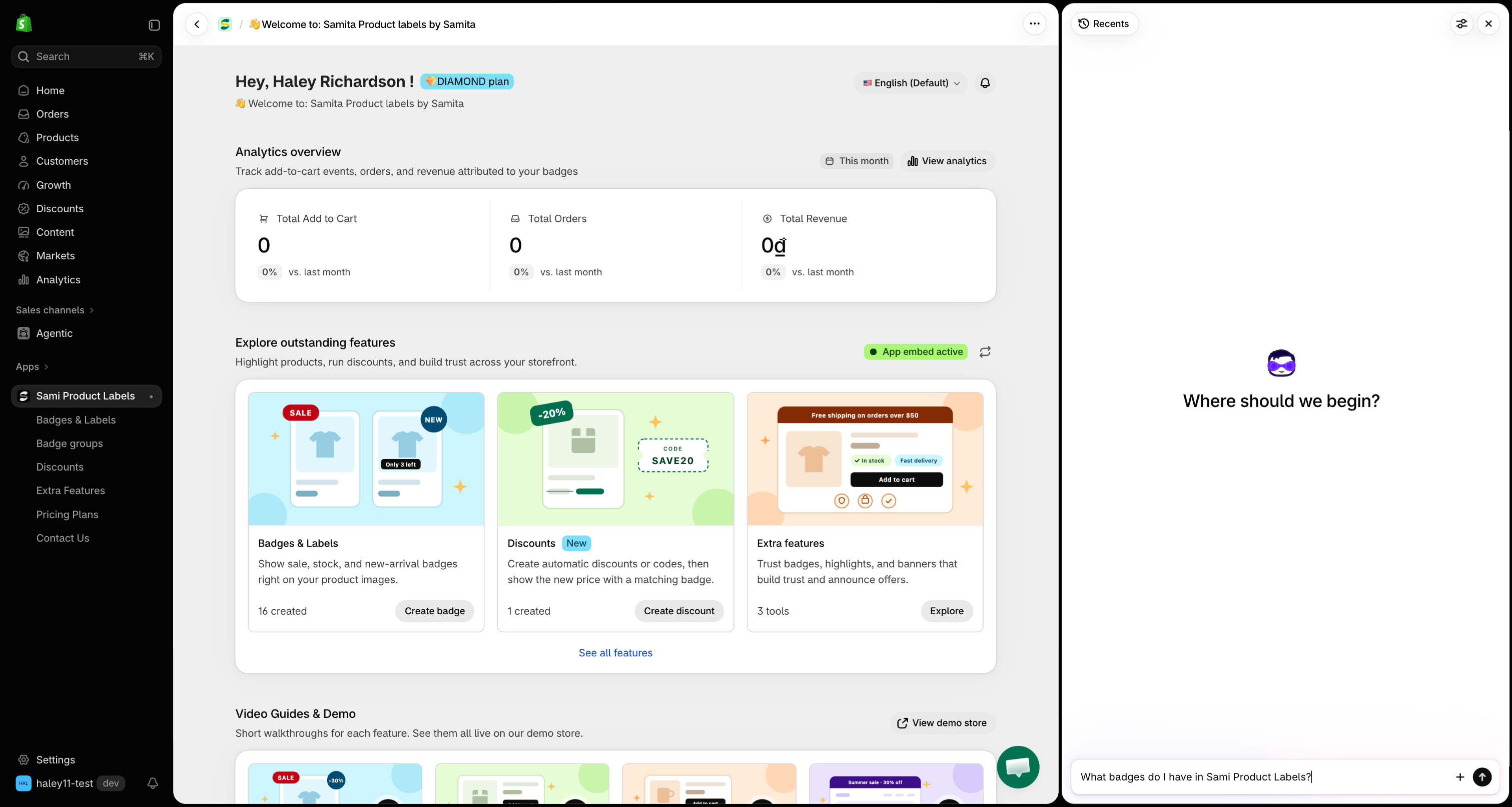
Type your question in plain words. Mention *badge*, *label*, *banner*, or *discount* so Sidekick knows to look in **Sami Product Labels**. Use the names you gave your badges and products — Sidekick finds them for you.

<figure><img src="https://1598842017-files.gitbook.io/~/files/v0/b/gitbook-x-prod.appspot.com/o/spaces%2F1WRTlT5AcaLSAedbCJyZ%2Fuploads%2Fgit-blob-22fd882b791715903e6dbc6db63b76d21775d00f%2Fimage_272.png?alt=media" alt="A question about badges typed into the Sidekick message box"><figcaption><p>Ask in your own words and name the badge or product you mean.</p></figcaption></figure>
{% endstep %}

{% step %}

## Allow Sidekick to use the app

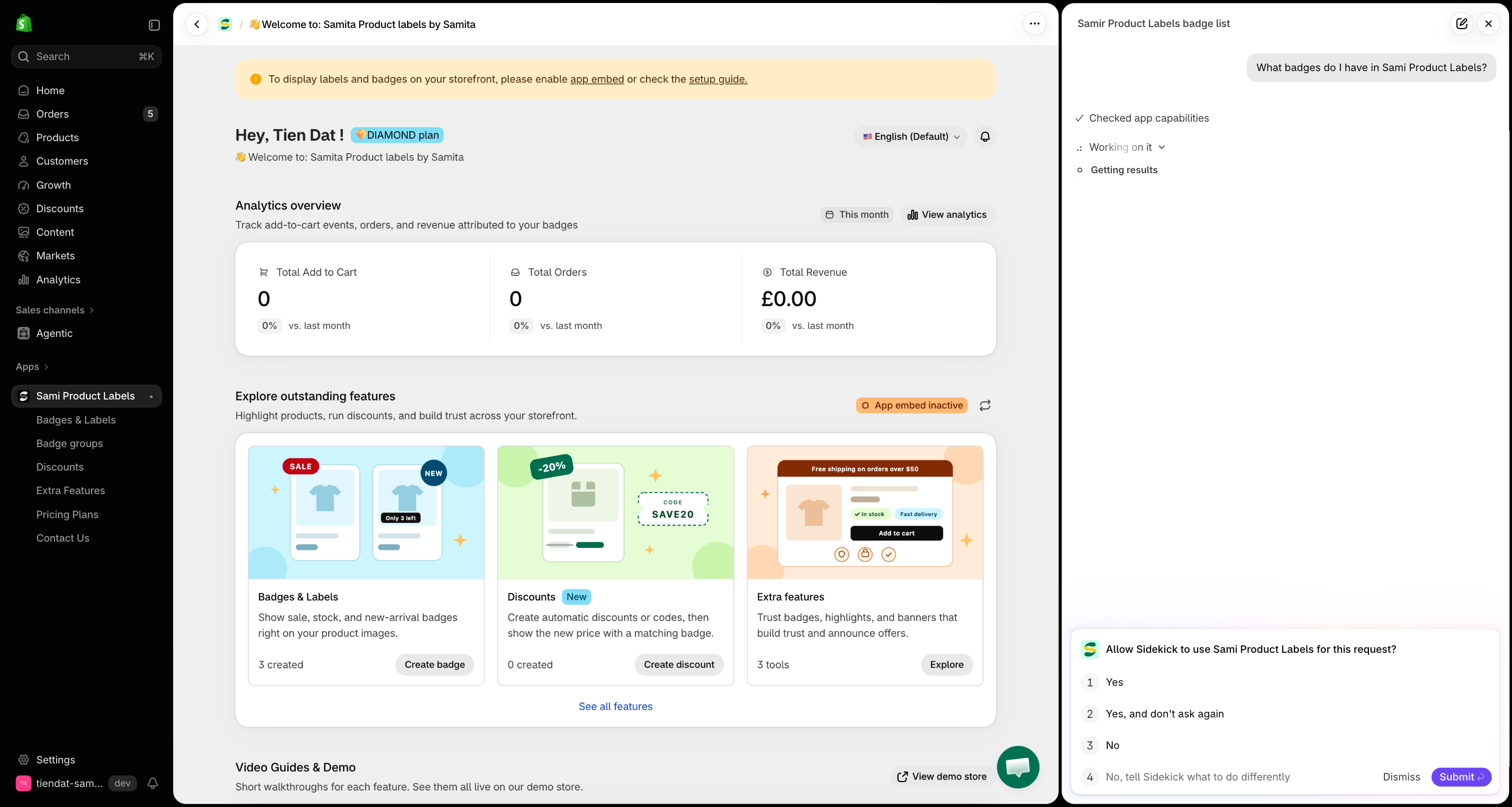
The first time Sidekick needs **Sami Product Labels**, it asks **Allow Sidekick to use Sami Product Labels for this request?**

| Option                       | Result                                                                  |
| ---------------------------- | ----------------------------------------------------------------------- |
| **Yes**                      | Sidekick uses the app for this question only, and asks again next time. |
| **Yes, and don't ask again** | Sidekick uses the app from now on without asking.                       |
| **No**                       | Sidekick answers without the app's data.                                |

<figure><img src="https://1598842017-files.gitbook.io/~/files/v0/b/gitbook-x-prod.appspot.com/o/spaces%2F1WRTlT5AcaLSAedbCJyZ%2Fuploads%2Fgit-blob-b87fc515943b479b1c4d050bb69ae8e9223afe9c%2Fimage_273.png?alt=media" alt="Sidekick asking Allow Sidekick to use Sami Product Labels for this request, with Yes, Yes and don&#x27;t ask again, and No options"><figcaption><p>Choose Yes to let Sidekick read your app data.</p></figcaption></figure>
{% endstep %}

{% step %}

## Follow the links in the answer

Sidekick answers with the details it found and links to the matching page in the app. Click a link to open that badge, group, discount, or page in **Sami Product Labels**.

<figure><img src="https://1598842017-files.gitbook.io/~/files/v0/b/gitbook-x-prod.appspot.com/o/spaces%2F1WRTlT5AcaLSAedbCJyZ%2Fuploads%2Fgit-blob-4354991ad81c29033f2da520140bf367feb5c99f%2Fimage_274.png?alt=media" alt="A Sidekick answer listing badges with links that open them in Sami Product Labels"><figcaption><p>Click a result to open it straight in the app.</p></figcaption></figure>
{% endstep %}
{% endstepper %}

## What Sidekick can and cannot do

Sidekick **reads** your app data. It never creates, edits, pauses, or deletes anything in **Sami Product Labels** on its own.

* **Drafting a badge** — Sidekick only opens the badge editor with your wording and colors filled in. The badge exists only after you click **Save**. See [Draft a text badge with Sidekick](/integrations/sidekick-draft-badge.md).
* **Editing** — to change a badge, group, or discount, click the link in Sidekick's answer and make the change in the app.
* **Visitor-based conditions** — conditions based on the customer, country, language, or page can only be checked on the live storefront. Sidekick tells you when a badge depends on them instead of guessing.
* **How-to answers** — Sidekick answers only from this documentation. If a topic is not covered here, it says so rather than inventing steps.

{% hint style="warning" %}
Sidekick lists at most **20 results** per question (10 by default). If you have more badges than that, narrow the question — by name, by status, or by type.
{% endhint %}

## Next steps

* [Ask Sidekick about your app data](/integrations/ask-sidekick.md) — questions to try for each part of the app.
* [Find out why a badge isn't showing](/integrations/sidekick-troubleshoot-badges.md) — let Sidekick check your setup and a product's conditions.
* [Draft a text badge with Sidekick](/integrations/sidekick-draft-badge.md) — describe a badge and save it in one click.

{% hint style="success" %}
**Need support?**

If you run into any difficulty while following these steps, contact us at <support@samita.io>.
{% endhint %}


---

# Agent Instructions
This documentation is published with GitBook. GitBook is the documentation platform designed so that both humans and AI agents can read, navigate, and reason over technical content effectively. Learn more at gitbook.com.

## Querying This Documentation
If you need additional information that is not directly available in this page, you can query the documentation by asking a question.

Perform an HTTP GET request on the following URL with the `ask` and `goal` query parameters:

```
GET https://docs.samita.io/integrations/shopify-sidekick.md?ask=<question>&goal=<user_goal>
```

`ask` is the immediate question: it should be specific, self-contained, and written in natural language.
`goal` is what the user is ultimately trying to achieve, the reason they need the answer. Sharing it helps GitBook give you a better, more relevant answer. A goal is most helpful when it describes the outcome the user wants rather than restating the question. For example, with `ask=how do I create an API token`, a goal like `automate deployments from our CI pipeline` lets GitBook tailor the answer to that use case.

The response will contain a direct answer to the question and relevant excerpts and sources from the documentation.

Use this mechanism when the answer is not explicitly present in the current page, you need clarification or additional context, or you want to retrieve related documentation sections.