> For the complete documentation index, see [llms.txt](https://docs.samita.io/llms.txt). Markdown versions of documentation pages are available by appending `.md` to page URLs; this page is available as [Markdown](https://docs.samita.io/sa-request-a-quote/hiding-prices/overview.md).

# Hiding prices overview

Hide prices and buy buttons so customers have to ask you for a price, and choose which products it applies to.

Hiding prices turns browsing into enquiring. Instead of seeing a number and deciding alone, the customer has to contact you — which is exactly what you want for trade pricing, made-to-order goods, or anything where the price depends on quantity.

## Where the settings live

Everything on this page is on one tab: **Advanced settings** > **Hide price**.

**Advanced settings** sits in the app menu in your Shopify sidebar, below **Quote settings**. It has five tabs — **Hide price**, **Email notifications**, **PDF template**, **Translations** and **Integrations** — and **Hide price** is the first of them.

{% hint style="info" %}
Price hiding is not on **Quote settings**. If you are looking at the quote button, the quote form or the quote cart page, you are on the wrong screen — those are in the **Customize** editor on **Quote settings**.
{% endhint %}

## Choose how much to hide

The **Hide price** tab gives you five choices.

<table><thead><tr><th width="360">Option</th><th>What happens</th></tr></thead><tbody><tr><td><strong>No, don't hide prices</strong></td><td>Prices stay visible everywhere. The feature is off.</td></tr><tr><td><strong>Yes, hide prices for all products</strong></td><td>Every product in your store, whether it can be quoted or not.</td></tr><tr><td><strong>Yes, hide prices for quoted products</strong></td><td>Only the products you have chosen under <strong>Select quote products</strong>.</td></tr><tr><td><strong>Yes, hide prices for specific products</strong></td><td>Only products you pick by hand.</td></tr><tr><td><strong>Yes, hide prices for products that match conditions</strong></td><td>Only products matching rules you set, so new products are covered as soon as they qualify.</td></tr></tbody></table>

<figure><img src="https://2993310686-files.gitbook.io/~/files/v0/b/gitbook-x-prod.appspot.com/o/spaces%2FIvNtDAMNVIdy5nl9kiOU%2Fuploads%2F6wmsyofObUx6d7vRUFcz%2Fimage.png?alt=media&amp;token=119a5ad0-a25e-4b7f-b9a2-804f7e68e0d2" alt=""><figcaption><p>All the ways to hide a price sit in one list.</p></figcaption></figure>

{% hint style="success" %}
**Yes, hide prices for quoted products** is the option most stores want. It follows your **Select quote products** choice on **Quote settings**, so you maintain one list rather than two. See [Choose quotable products](/sa-request-a-quote/collecting-quote-requests/choose-products.md).
{% endhint %}

Pick your option, then select **Save**. **Discard changes** backs the tab out if you change your mind before saving.

**Yes, hide prices for products that match conditions** adds a **Conditions** section, where you describe the products using a field, an operator and a value. See [Hide prices by tag](/sa-request-a-quote/hiding-prices/hide-by-tag.md).

## What your customers see

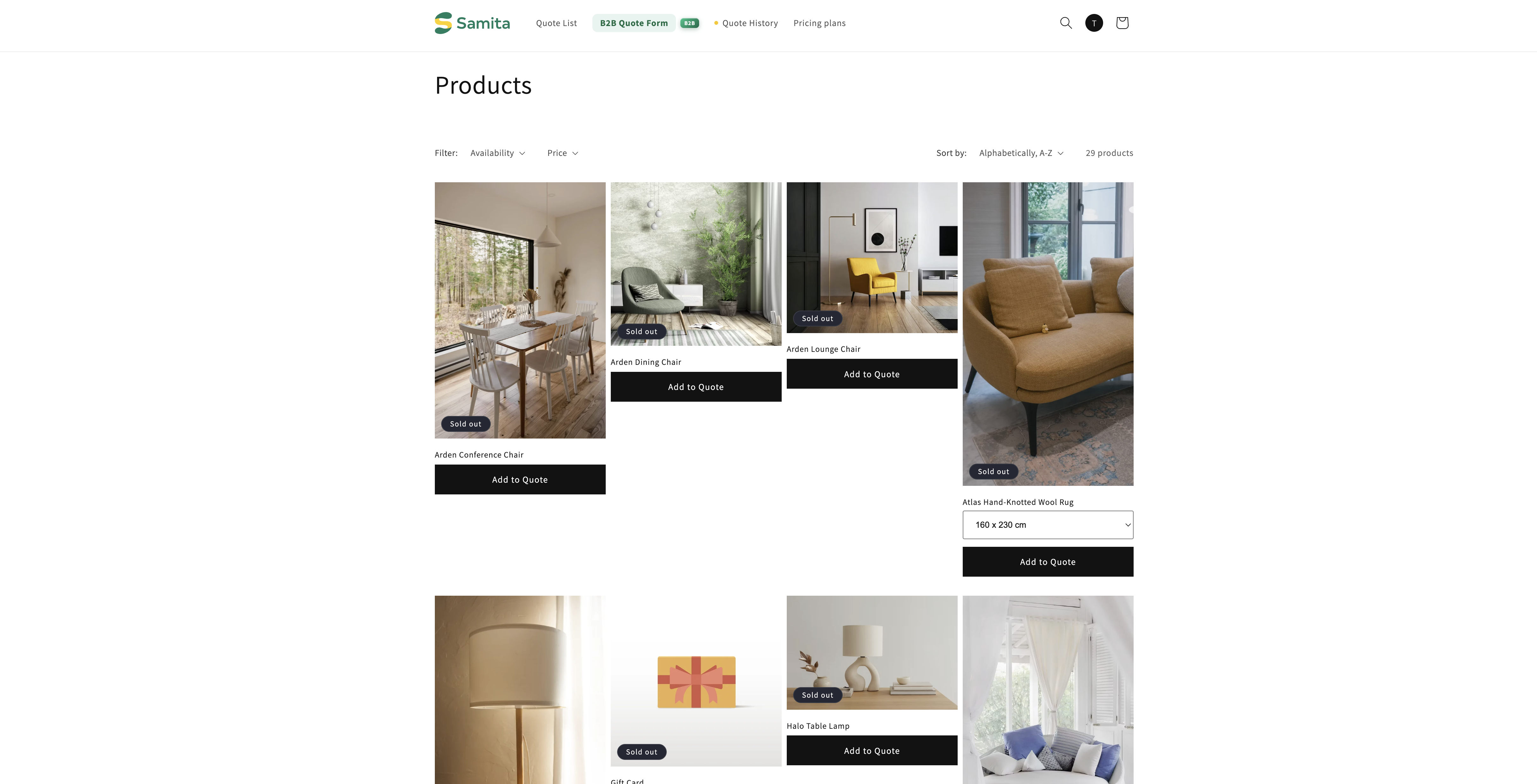
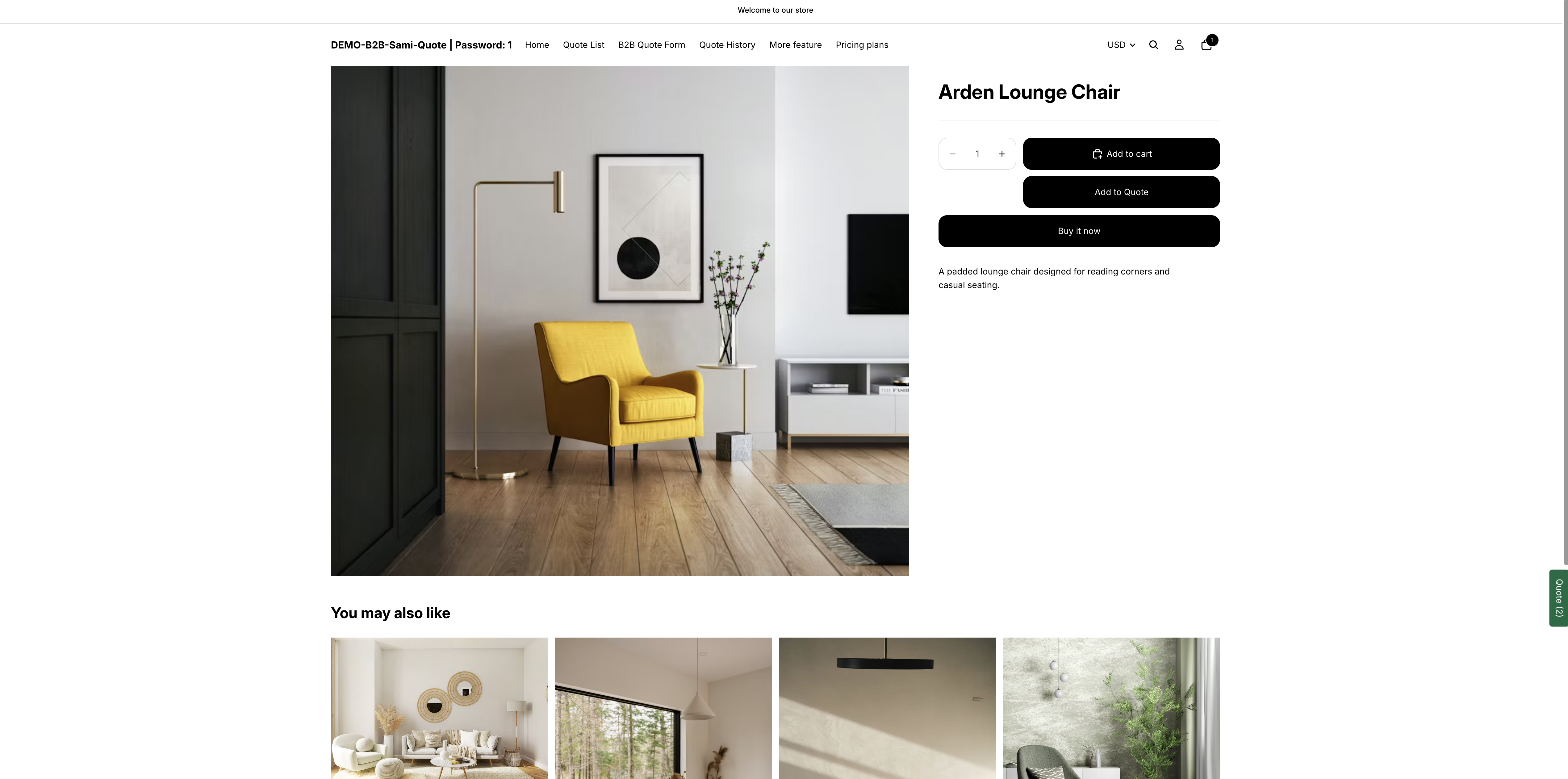
The price disappears everywhere your theme prints it — the product page, collection pages and any other product list. The product itself stays in the catalogue: customers can still find it, read the description and look at the photos. They just can't see a number.

<figure><img src="https://2993310686-files.gitbook.io/~/files/v0/b/gitbook-x-prod.appspot.com/o/spaces%2FIvNtDAMNVIdy5nl9kiOU%2Fuploads%2Fgit-blob-2697e4b21997edab8108620b648d2e45285e001e%2FScreenshot%202026-09-30%20at%2023-06-52.png?alt=media" alt=""><figcaption></figcaption></figure>

What a customer can do instead depends on the rest of your setup. Add your quote button and they have somewhere to go — see [Quote button on product pages](/sa-request-a-quote/collecting-quote-requests/button-on-product-pages.md). Turn on **Require login to show price** and the price comes back once they sign in, which is covered below.

## Require login to show price is a separate setting

The **Hide price** tab has its own **Login to show price** section, holding one checkbox: **Require login to show price**. Tick it and your prices come back as soon as a customer signs in.

{% hint style="warning" %}
The checkbox only appears once you have chosen one of the four **Yes…** options. While the tab is on **No, don't hide prices** — which is where it starts — the **Login to show price** heading is there but the checkbox underneath it is not. If you cannot find it, that is why: pick the option you want first, then tick the box.

It is not tied to any one option. Any of the four **Yes…** choices brings it up, not just **products that match conditions**.
{% endhint %}

Pairing the two is what most wholesale stores are after: a catalogue the public can browse, with prices reserved for account holders. Full details are in [Require login to show price](/sa-request-a-quote/hiding-prices/login-to-show-price.md).

## Then decide the details

* [Hide prices for selected products](/sa-request-a-quote/hiding-prices/hide-selected-products.md) — pick products by hand
* [Hide prices by tag](/sa-request-a-quote/hiding-prices/hide-by-tag.md) — cover products with a condition instead of a list
* [Require login to show price](/sa-request-a-quote/hiding-prices/login-to-show-price.md) — show the price only after a customer signs in
* [Hide Add to Cart and Buy now](/sa-request-a-quote/hiding-prices/hide-buy-buttons.md) — take away **Add to cart** and **Buy it now** as well

## Hiding the price isn't always enough

A hidden price with a working **Add to cart** button still lets a customer buy at a price they never saw. The same tab has a section called **Hide button when quote is enabled on product**, with **Hide Add To Cart button** and **Hide Buy Now button**. Turn those on if a product should only ever be quoted — see [Hide Add to Cart and Buy now](/sa-request-a-quote/hiding-prices/hide-buy-buttons.md).

<figure><img src="https://2993310686-files.gitbook.io/~/files/v0/b/gitbook-x-prod.appspot.com/o/spaces%2FIvNtDAMNVIdy5nl9kiOU%2Fuploads%2Fgit-blob-f5be34ba3965170efb048d59396a04f798fbe999%2FScreenshot%202026-09-29%20at%2016-26-05.png?alt=media" alt="A storefront product page with its price hidden"><figcaption><p>The product stays browsable; only the price goes.</p></figcaption></figure>

## Always check while logged out

{% hint style="warning" %}
Check the result in a private browser window, signed out of your own store. Staff sessions and cached pages can still show a price, which makes it look as though the setting did nothing.
{% endhint %}

Check a product page, a collection page and your storefront on a phone, because themes show prices in more places than the product page.

## Which plan you need

**Hide price** and **Hide "Add to cart" button** are listed under the **PREMIUM** plan, and **PRO** includes everything in **PREMIUM**. Open **Pricing plans** in the app to see your current plan and what it includes. See [Plan comparison](/sa-request-a-quote/reference/plan-comparison.md).

{% hint style="info" %}
**Greyed out isn't broken.** If your plan doesn't include hiding prices, the five options are disabled and the app shows a padlock line telling you which plan the feature is on, with a link to it. That is the plan, not a fault — nothing is wrong with your store or your theme.
{% endhint %}

<figure><img src="https://2993310686-files.gitbook.io/~/files/v0/b/gitbook-x-prod.appspot.com/o/spaces%2FIvNtDAMNVIdy5nl9kiOU%2Fuploads%2FceOi1txhHwGfgkjSQMjI%2Fimage.png?alt=media&amp;token=2e62c47a-f1aa-4a3d-b08d-6b263b482c34" alt=""><figcaption><p>Every way of hiding a price sits in this one list.</p></figcaption></figure>

One thing stays yours either way: **Require login to show price** remains available and editable even when the hide-price options above it are locked by your plan.

## Next steps

* [Hide Add to Cart and Buy now](/sa-request-a-quote/hiding-prices/hide-buy-buttons.md) — stop customers buying at an unseen price
* [Require login to show price](/sa-request-a-quote/hiding-prices/login-to-show-price.md) — show the price once a customer signs in
* [Plan comparison](/sa-request-a-quote/reference/plan-comparison.md) — check what your plan includes


---

# Agent Instructions
This documentation is published with GitBook. GitBook is the documentation platform designed so that both humans and AI agents can read, navigate, and reason over technical content effectively. Learn more at gitbook.com.

## Querying This Documentation
If you need additional information that is not directly available in this page, you can query the documentation by asking a question.

Perform an HTTP GET request on the following URL with the `ask` and `goal` query parameters:

```
GET https://docs.samita.io/sa-request-a-quote/hiding-prices/overview.md?ask=<question>&goal=<user_goal>
```

`ask` is the immediate question: it should be specific, self-contained, and written in natural language.
`goal` is what the user is ultimately trying to achieve, the reason they need the answer. Sharing it helps GitBook give you a better, more relevant answer. A goal is most helpful when it describes the outcome the user wants rather than restating the question. For example, with `ask=how do I create an API token`, a goal like `automate deployments from our CI pipeline` lets GitBook tailor the answer to that use case.

The response will contain a direct answer to the question and relevant excerpts and sources from the documentation.

Use this mechanism when the answer is not explicitly present in the current page, you need clarification or additional context, or you want to retrieve related documentation sections.