For the complete documentation index, see llms.txt. This page is also available as Markdown.

Cart countdown overview

Put a timer on the cart so shoppers finish checking out instead of drifting away.

A cart countdown is a timer that appears in the shopper's cart, counting down the minutes their items are "held". It's aimed squarely at cart abandonment: a shopper with items sitting in the cart and a clock running is more likely to finish than one with neither.

A new cart countdown reads:

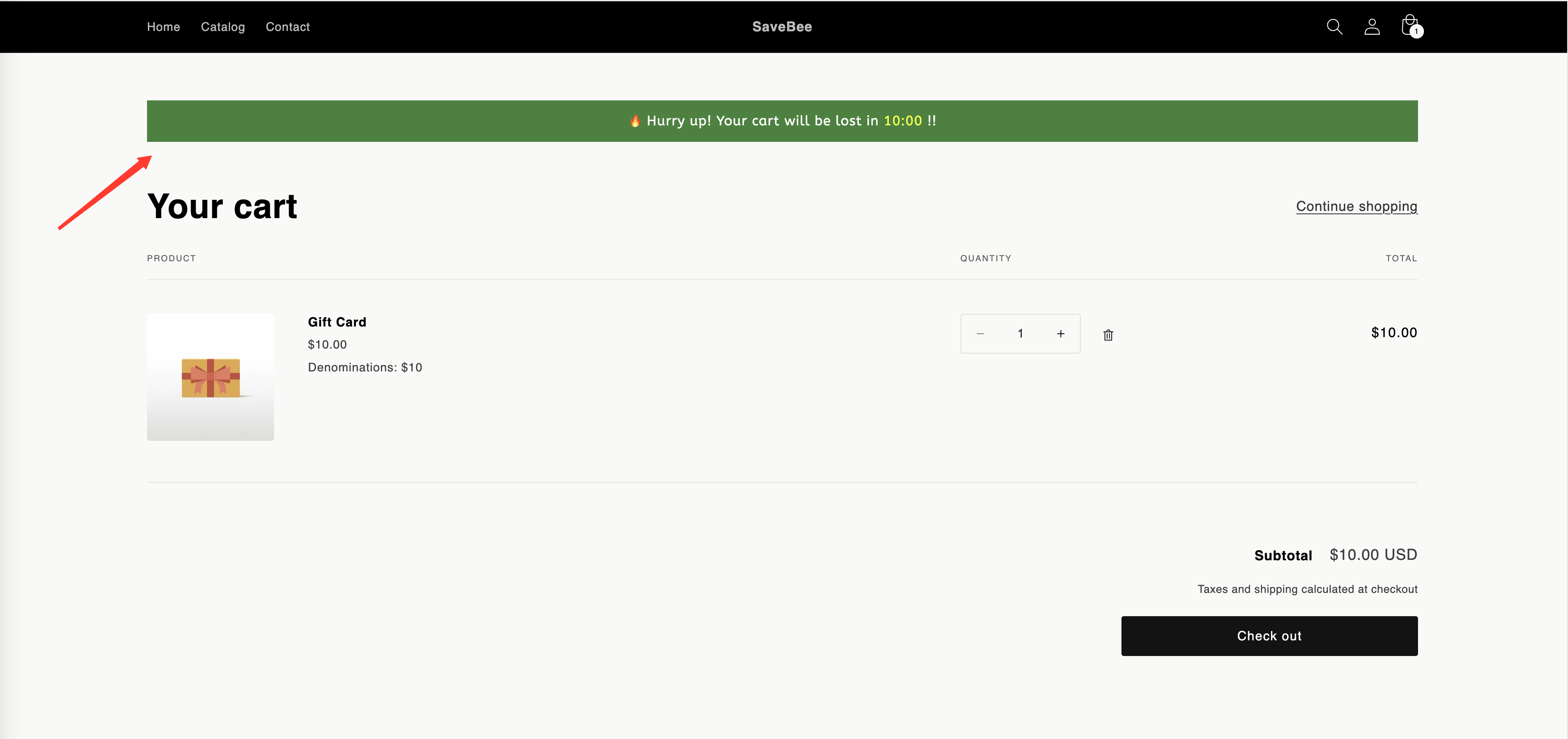
🔥 Hurry up! Your cart will be lost in {timer} !!

A storefront cart page with the cart countdown message and timer at the top
A cart countdown at the top of the cart.

What makes it different

Cart countdown
The other three types

Where it shows

Cart page and cart drawer, automatically

Product pages, or anywhere via shortcode

Timing

A duration in minutes, per shopper

A date, a per-visitor window, or inventory

Appears when

The cart has at least one item

Whenever conditions match

Builder tabs

Settings · Display

Timers and delivery dates also get Design

At zero

Runs an action you choose

Stays, hides, or repeats

It places itself

You don't tick Product page or paste a shortcode for a cart countdown. When the shopper's cart has items in it, the app puts the timer at the top of the cart form — on the cart page and in the cart drawer, if your theme has one.

Because of that, the Display tab for a cart countdown doesn't offer page placement or device targeting. What it offers instead is the Action after time expired setting — see When the cart timer expires.

Where to start

Next steps

Last updated

Was this helpful?