> For the complete documentation index, see [llms.txt](https://docs.samita.io/llms.txt). Markdown versions of documentation pages are available by appending `.md` to page URLs; this page is available as [Markdown](https://docs.samita.io/samita-countdown-timer-bar/estimated-delivery-date-1/create-an-estimated-delivery-timer.md).
# Create an Estimated Delivery Timer
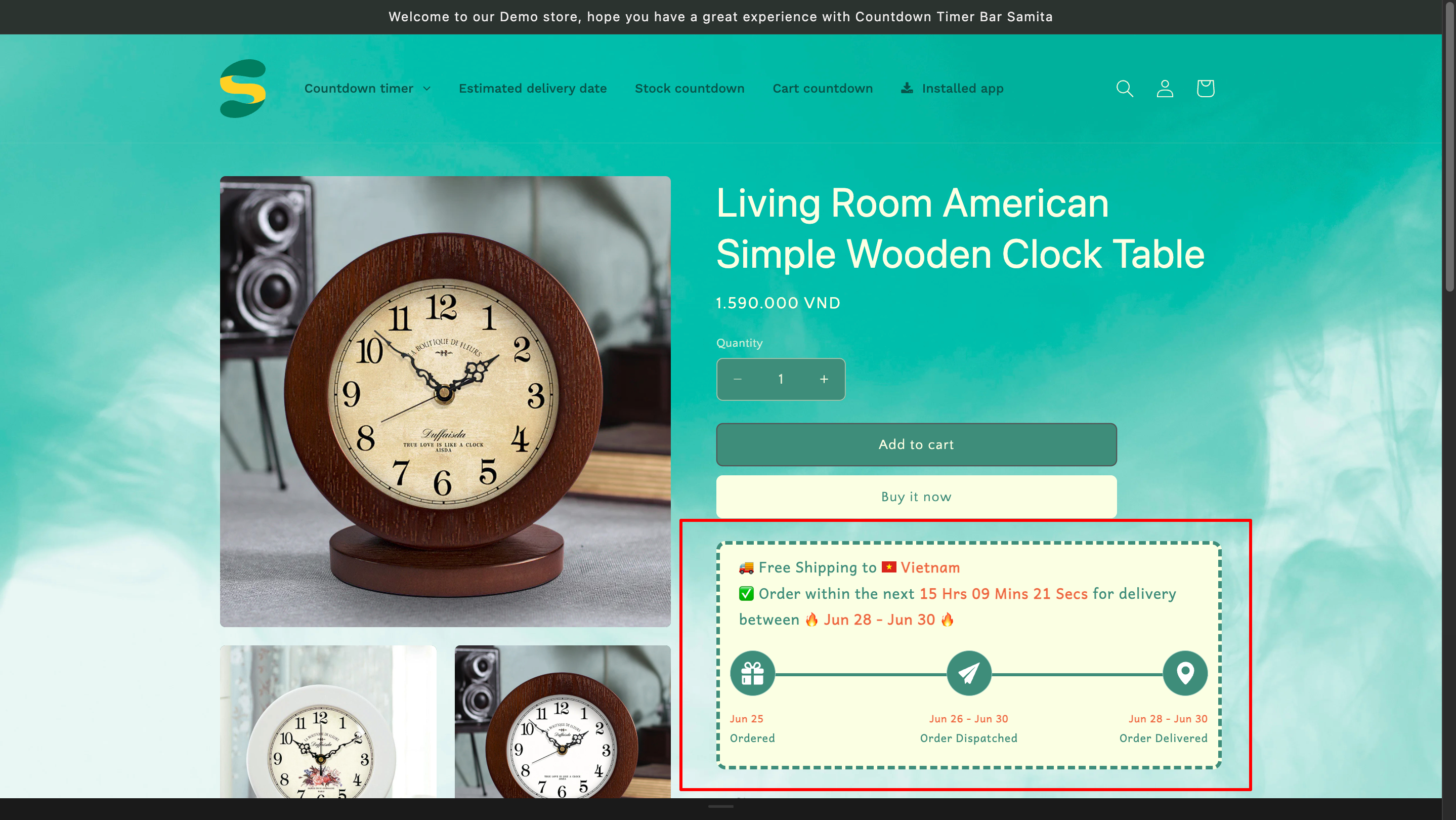
The Estimated Delivery Date is an estimate of when your product is expected to arrive based on standard delivery times. This term is well-known mostly in the logistics industry. The Estimated delivery of our app can help you create and present the available shipping time for the customers to arise the sales conversion rate. Kindly follow the below instructions to know how to set up this function.
### **Step to manage:**
From the App Dashboard page > Click on the **Countdowns** section in the navigation bar > **Create countdown** > Choose **Estimated Delivery Date**
### Setting content:
**You can edit and configure the content of the timer in this step.**
1. In the **Content** section, select the Layout you would like to apply for the timer. There are 4 options for you:
2\. In the **Message** field, there is already an example text, however, you can amend it according to your inclination.
*\*The “country\_flag” and “country\_name” will be automatically updated based on your location.*
3\. In the **Progress bar** field, there are Title, Description and Description tooltip for each progress, please click on each tab to set them up:
### **Configure the Date range setting**
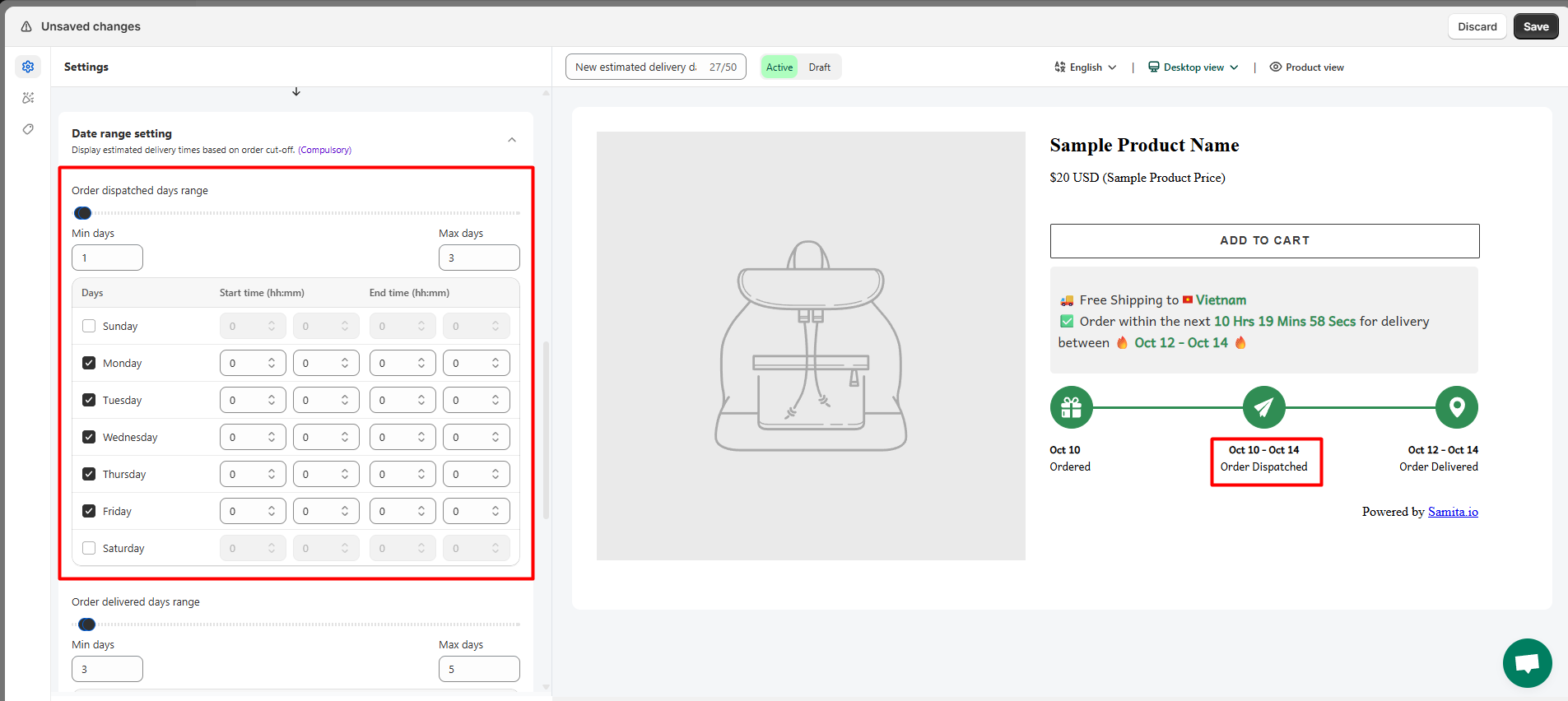
After setting up the content for the Estimated delivery date, you will need to configure the time range for the delivery.
1. Set up the **Order dispatched days range**:
2\. Set up the **Order delivered days range**:
4\. You can exclude the day that is on holiday occasion in your place by setting up the **Holiday** field:\
5\. Set up **Date and Time formats**.
6\. Configure the **Cut-off time** for the order:
If you want to set up a specific cutoff time for each day of the week, please adjust the **Start time** and **End time** for each days of the week:
Then for each day, there will be a different cutoff time.
For further details, please review this [**document**](https://help.samita.io/docs/samita-countdown-timer-bar/estimated-delivery-date/configure-the-date-range-setting/).
### **Design the Estimate Delivery Date timer**
1. Set up the **Main widget**
2\. Set up the **Process widget** to customize the Progress bar. Select the template you want to apply on the progress bar and configure the margin, font, color for the bar:
3\. For further customization, you can use the **Custom CSS** box below to add CSS for the Countdown timer design:
#### Setting Display condition for the Estimated Delivery Date timer:
1. Configure the condition for the Estimated Delivery Date timer
2. Set up display position: Show the timer on the **product page** or display it in other places by the **Shortcode**
3. Set device targeting to choose the device you want to show the Estimated Delivery Date timer on: **Desktop** or **Mobile**.
For further information about this step, please review this [**guide**](https://help.samita.io/docs/samita-countdown-timer-bar/setup-display-conditions-and-display-position-for-the-timer/) for better understanding.
After finishing all steps to create the timer, click **Save** and start checking on the front store
{% hint style="info" %}
**Important step!**
In order to enable the app data to your front store, please don’t forget to activate our app embed to your theme.
{% endhint %}
{% hint style="success" %}
**Friendly reminder!**\
If you do encounter any difficulty while proceeding with these steps, don’t show any hesitation to contact us promptly via the email address [support@samita.io](https://samita.io/pages/contact)
{% endhint %}
---
# Agent Instructions
This documentation is published with GitBook. GitBook is the documentation platform designed so that both humans and AI agents can read, navigate, and reason over technical content effectively. Learn more at gitbook.com.
## Querying This Documentation
If you need additional information that is not directly available in this page, you can query the documentation dynamically by asking a question.
Perform an HTTP GET request on the current page URL with the `ask` query parameter, and the optional `goal` query parameter:
```
GET https://docs.samita.io/samita-countdown-timer-bar/estimated-delivery-date-1/create-an-estimated-delivery-timer.md?ask=&goal=
```
`ask` is the immediate question: it should be specific, self-contained, and written in natural language.
`goal` is optional and describes the broader end goal you are ultimately trying to accomplish on behalf of the user. GitBook uses it to tailor the answer towards what is most useful for that goal.
The response will contain a direct answer to the question and relevant excerpts and sources from the documentation.
Use this mechanism when the answer is not explicitly present in the current page, you need clarification or additional context, or you want to retrieve related documentation sections.