> For the complete documentation index, see [llms.txt](https://docs.samita.io/llms.txt). Markdown versions of documentation pages are available by appending `.md` to page URLs; this page is available as [Markdown](https://docs.samita.io/translation/overview.md).
# Translation overview
Translate the text in your badges, labels, trust badges, highlights, and banners into every language your store sells in, from one page.
The **Translation** page puts every piece of text from **Sami Product Labels** in one place, so you can translate it into the languages your Shopify store sells in. Pick a language, go through your badges one by one, and type the translation next to the original — or let AI do the first draft for you.
{% hint style="info" %}
Translation is available on the **Diamond** plan. On other plans, the **Translation** page lists your store languages with a lock icon and a **View plans** button. See [Pricing plans](/settings/pricing-plans.md).
{% endhint %}
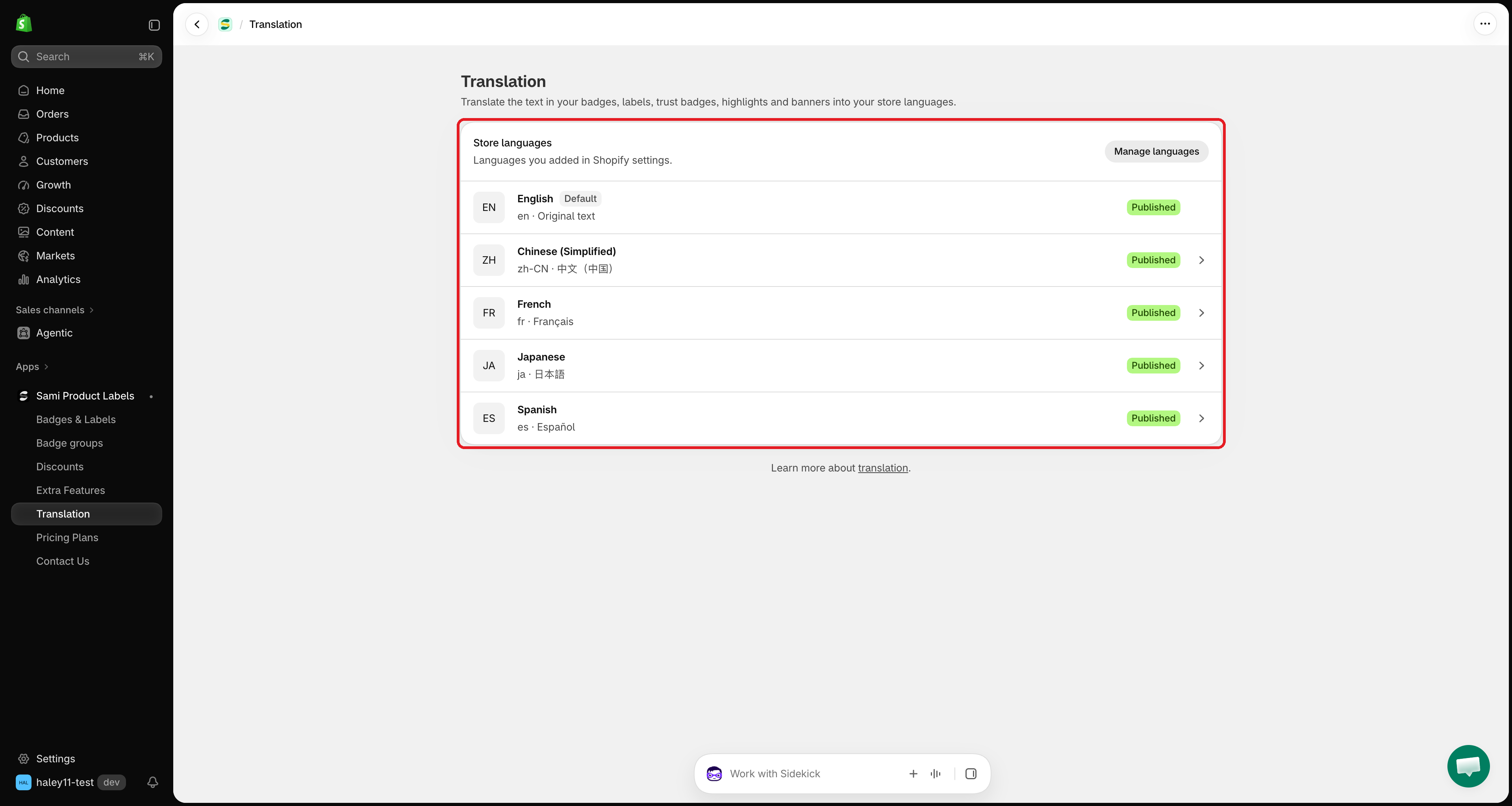
The Translation page lists every language you added in Shopify.
## What you can translate
Each feature has its own tab on a language's translation page. Only the texts that exist in the original show up — an empty tooltip, for example, does not need a translation.
| Tab | Texts you can translate |
| ------------------- | ----------------------------------------------------------------------------------------------------------------------------------------------------------------------------------------------------------------------------------------------- |
| **Badges & Labels** | **Text** (text badges) or **Image** (image badges), **Link**, **Tooltip**, **SEO alt text**. Also **Countdown: days / hours / minutes / seconds** when the text uses `{countdown}`, and **Copied message** when it uses `{sami_discount_code}`. |
| **Trust Badges** | **Title**, **Description**, and the tooltip of each icon (**Icon 1 tooltip**, **Icon 2 tooltip**, …). |
| **Highlights** | **Title**, **Description**, and the title and description of each item (**Item 1 title**, **Item 1 description**, …). |
| **Banners** | Each message (**Message 1**, **Message 2**, …), each button's text and copied message, and the countdown units. |
## Three ways to translate
| Method | Best for | Uses |
| --------------------------------------------------------------------- | ---------------------------------------------- | ------------------------------------------ |
| [**Type it yourself**](/translation/translate-content.md) | Short texts, brand wording, final review | Nothing |
| [**Auto-translate**](/translation/auto-translate.md) | Translating every text of a badge in one click | AI tokens (100,000 per month) |
| [**Translate text in image**](/translation/translate-image-badges.md) | Image badges with words in the picture | 1 AI image credit per image (50 per month) |
For image badges, you can also [upload your own image](/translation/translate-image-badges.md#upload-your-own-image) for each language.
## How translations show on your storefront
* A visitor who switches your store to a language sees the translation you saved for that language.
* **Texts you leave empty show in your default language.** You don't have to translate everything at once — a badge with no translation simply keeps its original text.
* Your default language is the source text. It is marked **Default** on the **Translation** page and has no translation page of its own; change it in the badge editor as usual.
* Placeholders in curly braces, like `{sale}` or `{sami_discount_code}`, stay as they are in every language, so dynamic values keep working.
{% hint style="warning" %}
A language must be added in your Shopify **Settings › Languages** before it appears here. A language marked **Unpublished** can be translated ahead of time, but visitors only see it once you publish it in Shopify.
{% endhint %}
## Monthly AI limits
| Limit | Amount | Shared with |
| ---------------------------------------------------- | ----------------- | ----------------------------------------------------------- |
| **AI tokens** for **Auto-translate** | 100,000 per month | — |
| **AI image credits** for **Translate text in image** | 50 per month | [AI image generation and editing](/ai-features/overview.md) |
Both limits reset on the 1st of each month. The bar at the top of each translation page shows how much you've used.
## Next steps
* [Translate your content](/translation/translate-content.md) — open a language and translate your badges step by step.
* [Auto-translate with AI](/translation/auto-translate.md) — fill in every text of a badge in one click.
* [Translate image badges](/translation/translate-image-badges.md) — redraw the text in an image badge, or upload your own image.
{% hint style="success" %}
**Need support?**
If you run into any difficulty while following these steps, contact us at .
{% endhint %}
---
# Agent Instructions
This documentation is published with GitBook. GitBook is the documentation platform designed so that both humans and AI agents can read, navigate, and reason over technical content effectively. Learn more at gitbook.com.
## Querying This Documentation
If you need additional information that is not directly available in this page, you can query the documentation by asking a question.
Perform an HTTP GET request on the following URL with the `ask` and `goal` query parameters:
```
GET https://docs.samita.io/translation/overview.md?ask=&goal=
```
`ask` is the immediate question: it should be specific, self-contained, and written in natural language.
`goal` is what the user is ultimately trying to achieve, the reason they need the answer. Sharing it helps GitBook give you a better, more relevant answer. A goal is most helpful when it describes the outcome the user wants rather than restating the question. For example, with `ask=how do I create an API token`, a goal like `automate deployments from our CI pipeline` lets GitBook tailor the answer to that use case.
The response will contain a direct answer to the question and relevant excerpts and sources from the documentation.
Use this mechanism when the answer is not explicitly present in the current page, you need clarification or additional context, or you want to retrieve related documentation sections.