Storefront quote pages overview
The two storefront pages the app adds — the quote cart page customers send requests from, and the quote history page they look back at.
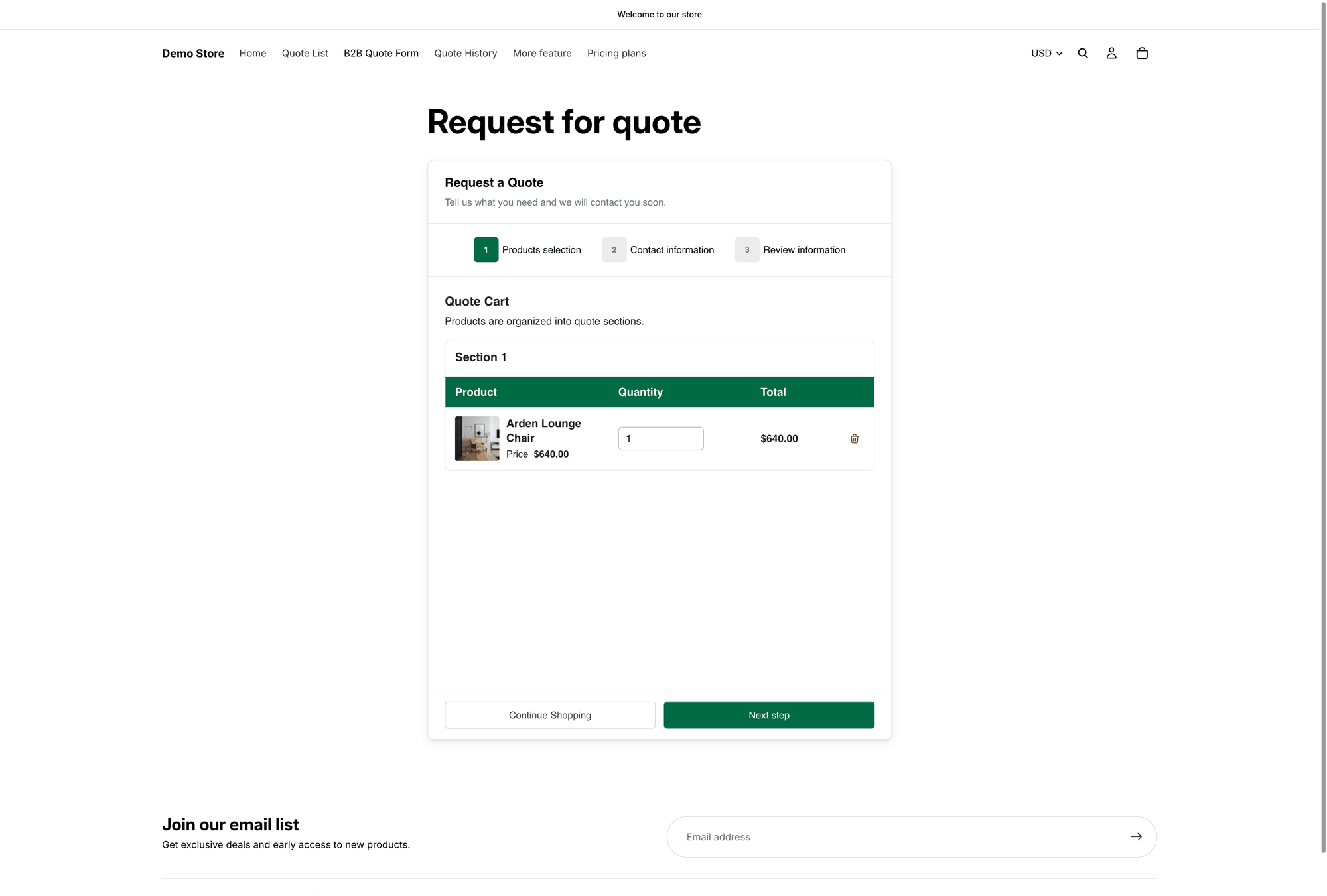
The app adds two pages to your storefront. Both are set up in one place: the Quote cart page tab of the Customize editor.
Quote cart page
"Request for quote" at /pages/request-for-quote
"Shows the quote form and the customer's quote cart."
Quote history page
"Quote history" at /pages/quotes-history
"Shows a logged-in customer's past quotes."

/pages/request-for-quote.Where you configure them
The same tab holds Product list columns, Quote form appearance, Enable Quote Sections and Enable Quote Cart Widget.
With Quote form appearance set to Multiple step, the quote cart page runs as a three-step wizard — Products selection, then Contact information, then Review information. See Request a Quote page.
How customers reach the pages
A page nobody can find is a page nobody uses. Customers get there in four ways:
Click action set to Redirect to quote page
The quote button takes customers straight to the quote cart page — see after-click-behavior.md
The popup's Primary button
Shown after a product is added. Its default wording is View Quote.
Enable Quote Cart Widget
A floating button on your storefront, labelled Quote (n) — see quote-widget.md
Your navigation menu
You add this yourself in Shopify — see add-menu-links.md
They are ordinary Shopify pages
Both live in your Shopify admin alongside your other pages, so you can retitle them and add your own wording — see Edit quote page text.
Quotes inside customer accounts
If your store uses Shopify's new customer accounts, you can also show a customer's quotes in the account area itself. That is a separate part of the app, under the Customer account navigation item, and it holds three settings: New customer account settings, Translation and Permission setting.
Like the quote history page, it only shows a customer anything once they have signed in — see Quotes in customer accounts.
Next steps
Request a Quote page — the page customers send quotes from
Quote history page — where customers find past quotes
Add quote links to your menu — make both pages findable
Last updated
Was this helpful?