
Banners overview
Display promotional banners across your store with basic or infinite scroll styles and advanced placement targeting.
Banners let you display announcements, promotions, and important messages as a bar on your store pages — pinned to the top, fixed at the bottom, or placed anywhere with a shortcode. Sami Product Labels offers two banner types, each designed for a different use case.
Banner types
Section titled “Banner types”Basic banner
Section titled “Basic banner”A basic banner displays one or more content groups in a static or rotating format.
| Feature | Description |
|---|---|
| Single or multiple content groups | Display one message or rotate through several. |
| Close button | Let customers dismiss the banner with a customizable close button. |
| Click-through URL | Link the entire banner to a page, opening in the same or a new tab. |
| Custom styling | Control fonts, colors, padding, and alignment. |
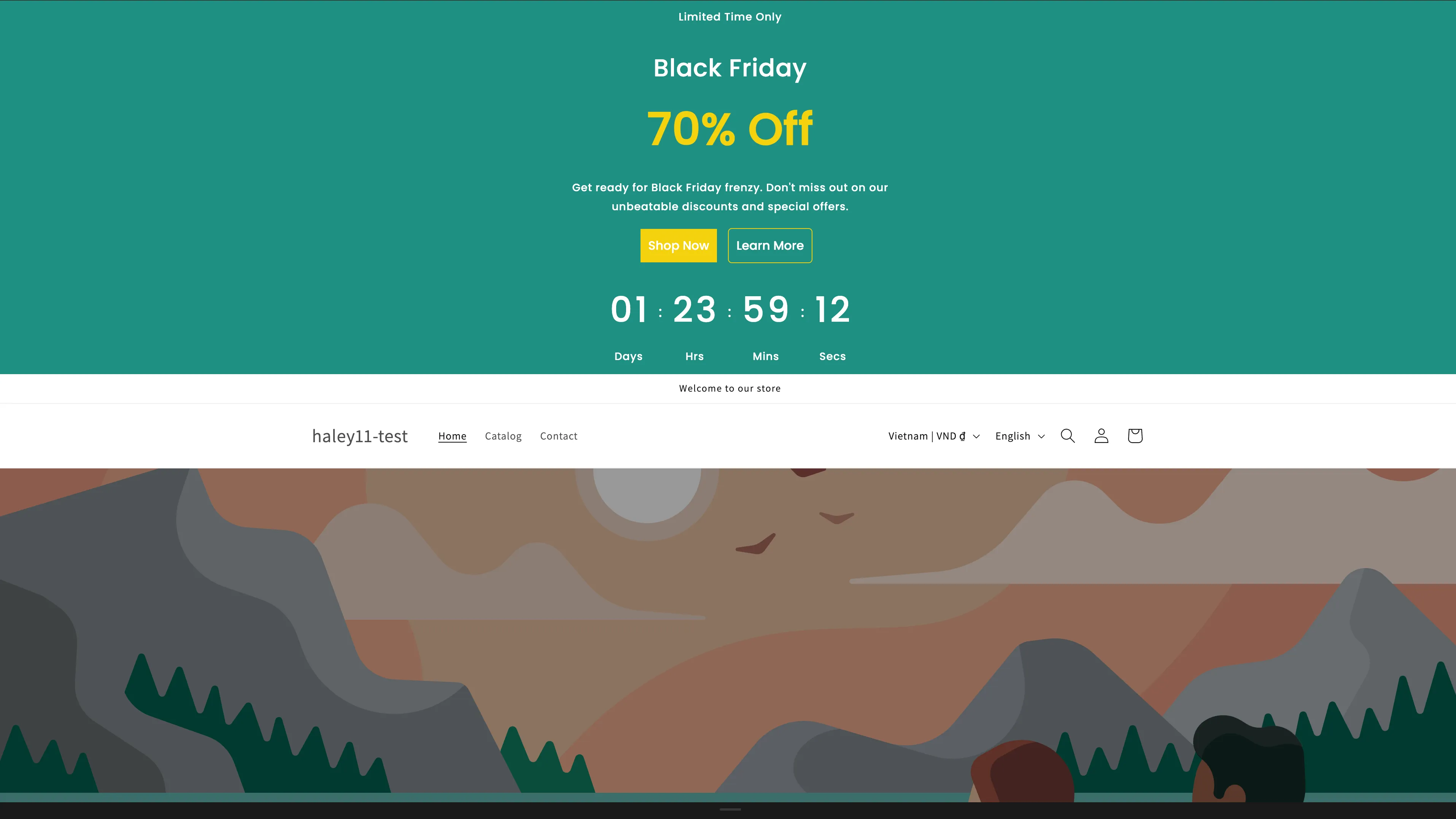
A basic banner with a promotional message and close button.
Infinite scroll banner
Section titled “Infinite scroll banner”An infinite scroll banner loops its content continuously from right to left, like a news ticker. Use it for scrolling announcements, free-shipping notices, or repeating short messages.
| Feature | Description |
|---|---|
| Seamless looping | Content scrolls continuously without gaps. |
| Adjustable speed | Set how long one full loop takes. |
| Pattern image background | Tile an image behind the scrolling text. |
| Close button | Customizable dismiss button for customers. |
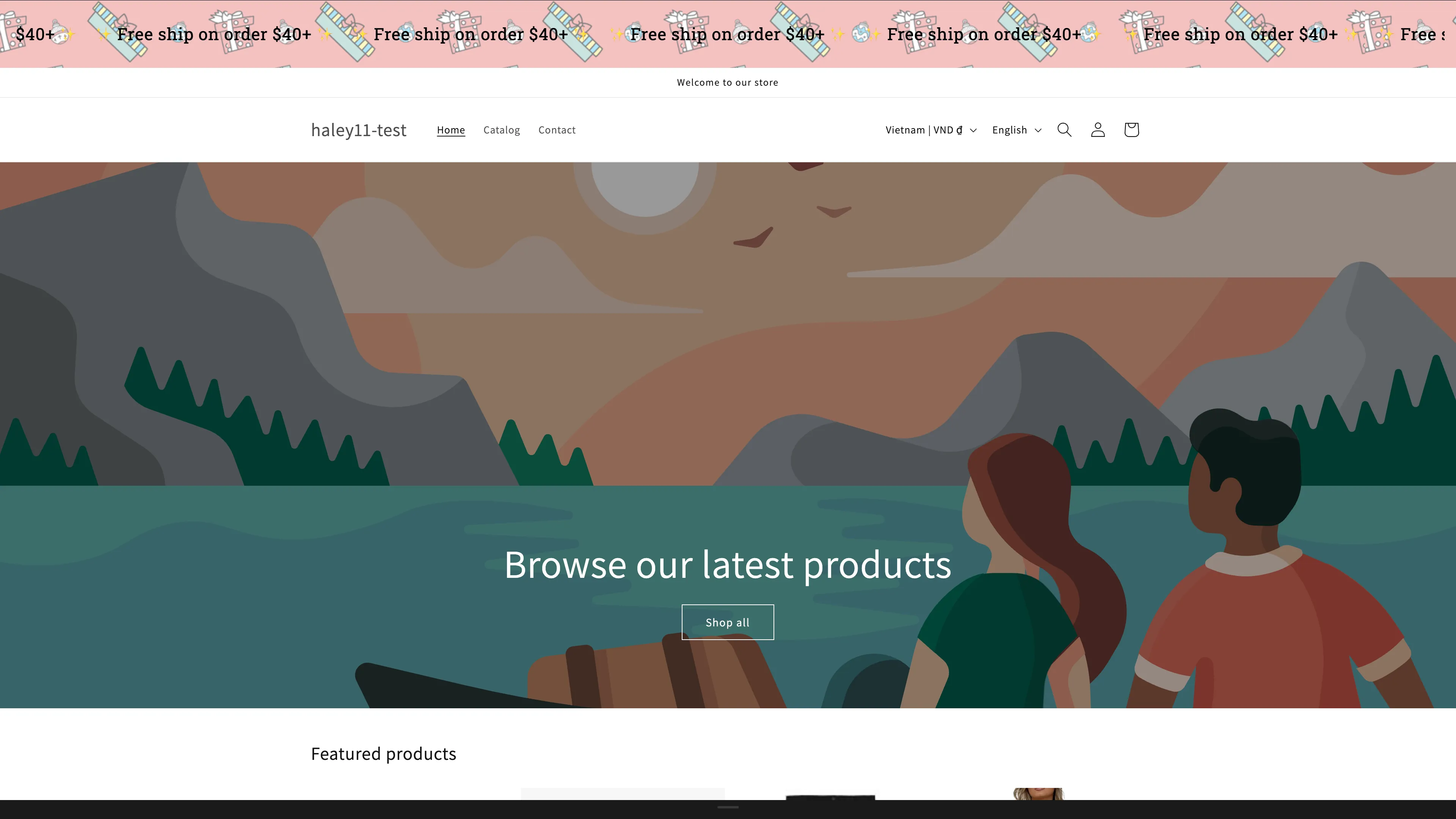
An infinite scroll banner looping promotional messages across the page.
Placement targeting
Section titled “Placement targeting”Both banner types share the same Placement tab. Start by choosing a display position — Top, Top Sticky, Top Overlay, Overlay Sticky, Bottom Sticky, or Custom — then narrow the audience with:
- Product conditions — target specific products, tags, or collections.
- Customer conditions — target specific customer segments.
- Page conditions — choose which store pages display the banner.
- Language conditions — show banners for specific store languages.
- Country conditions — show banners to visitors from specific countries.
- Other conditions — additional rules such as device type.
- Visibility date — schedule when the banner starts and stops showing.
Combine conditions with AND/OR logic for precise control.
Plan availability
Section titled “Plan availability”| Feature | FREE | GOLD | DIAMOND |
|---|---|---|---|
| Banners | 2 | Unlimited | Unlimited |
Next steps
Section titled “Next steps”- Create a basic banner — set up a static or rotating announcement banner.
- Create an infinite scroll banner — build a ticker-style scrolling banner.
- Configure banner display conditions — choose which pages and customers see the banner.