
Badges & Labels
Learn how badges and labels help you highlight products and drive sales in your Shopify store.
Badges and labels are visual elements on your product images that grab attention and communicate key information at a glance — a sale, low stock, a new arrival.
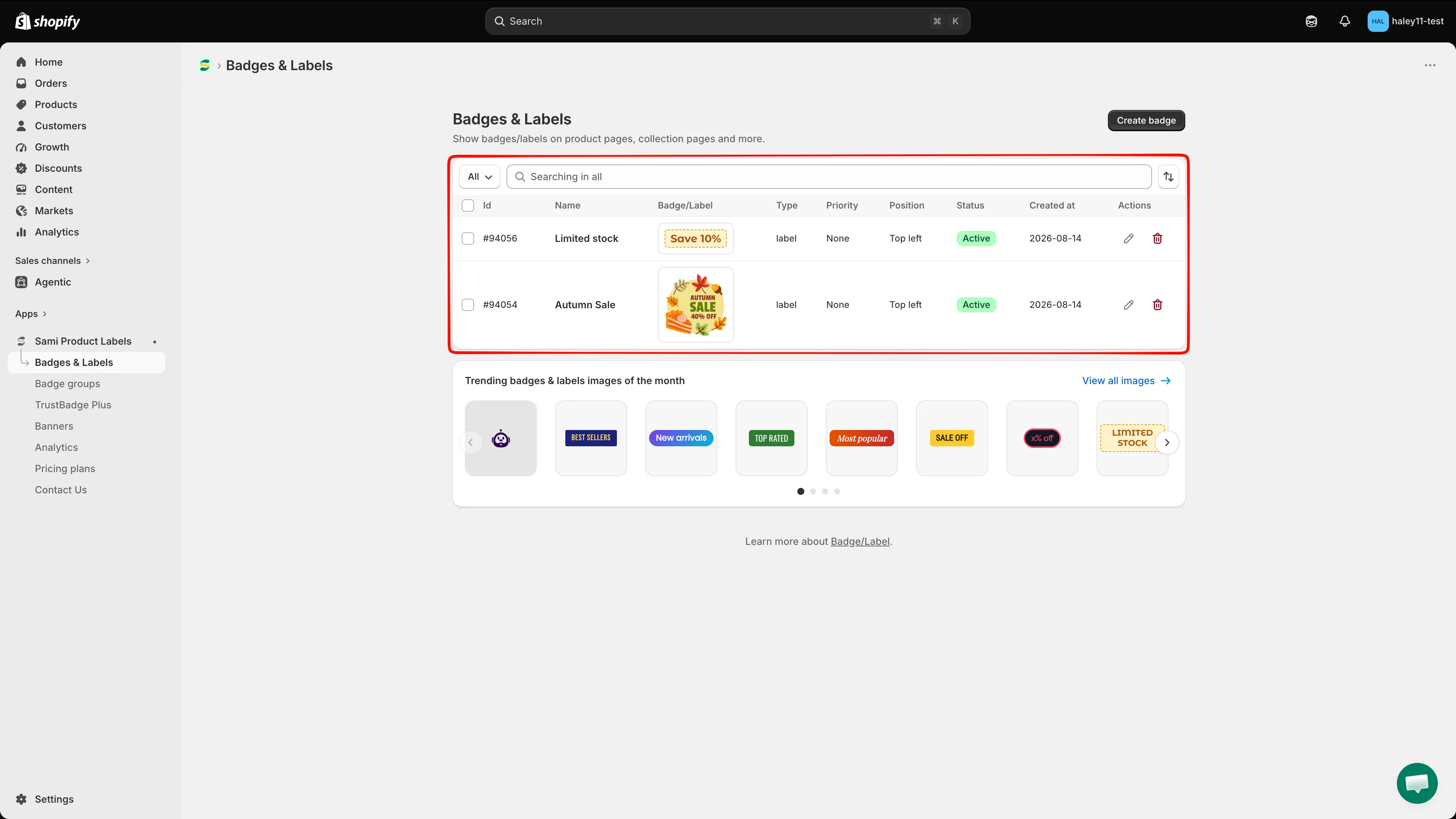
The Badges & Labels list shows each badge’s type, priority, position, status, creation date, and actions.
Two types of badges
Section titled “Two types of badges”Text badges
Section titled “Text badges”Text badges display customizable text on a shape background. Write the message, pick a shape, and style it with your brand colors. Good for dynamic info like discount percentages, inventory counts, or short promo messages.
Image badges
Section titled “Image badges”Image badges use a graphic instead of text. Browse a library of thousands of pre-designed badges, upload your own image, or generate one with AI. Good for eye-catching visuals like “New,” “Hot,” or seasonal promotions.
Key capabilities
Section titled “Key capabilities”| Capability | Description |
|---|---|
| Dynamic variables | Automatically display real product data like discount percentage, inventory count, or vendor name inside your text badges. |
| Scheduled visibility | Set start and end dates so badges appear and disappear automatically. |
| Product targeting | Control which products show a badge using conditions like collection, product type, tags, price, and more. |
| Animation | Add attention-grabbing animations to make badges stand out on your storefront. |
| Custom positioning | Place badges exactly where you want them on the product image. |
| Multi-language support | Show different badge content based on the customer’s language. |
| AI image generation | Generate unique badge images using AI prompts. |
Explore badges & labels
Section titled “Explore badges & labels”Create badges
Section titled “Create badges”- Create a text badge — Build a badge with custom text on a shape background.
- Create an image badge — Use a library image, upload your own, or generate one with AI.
Design and customize
Section titled “Design and customize”- Use dynamic variables — Insert live product data into your text badges.
- Change badge position — Move your badge to the perfect spot on the product image.
- Change badge style — Customize fonts, opacity, and other visual settings.
- Change badge size — Adjust the width and height of your badges.
Target and schedule
Section titled “Target and schedule”- Target products — Set conditions to control which products display each badge.
- Schedule badge visibility — Automate when badges appear and disappear.
Manage
Section titled “Manage”- Duplicate and manage badges — Change status, duplicate, or delete selected badges.
- Bulk edit badges — Change text, position, colors, products, and schedule of many badges at once.
- Use badge groups — Organize badges into groups for easier management.