
Animation and groups
How the bar arrives, how it scrolls, and how it cycles between groups.
Animation lives at the foot of the Design panel. It covers two separate things: how the bar arrives on the page, and how it changes between groups.
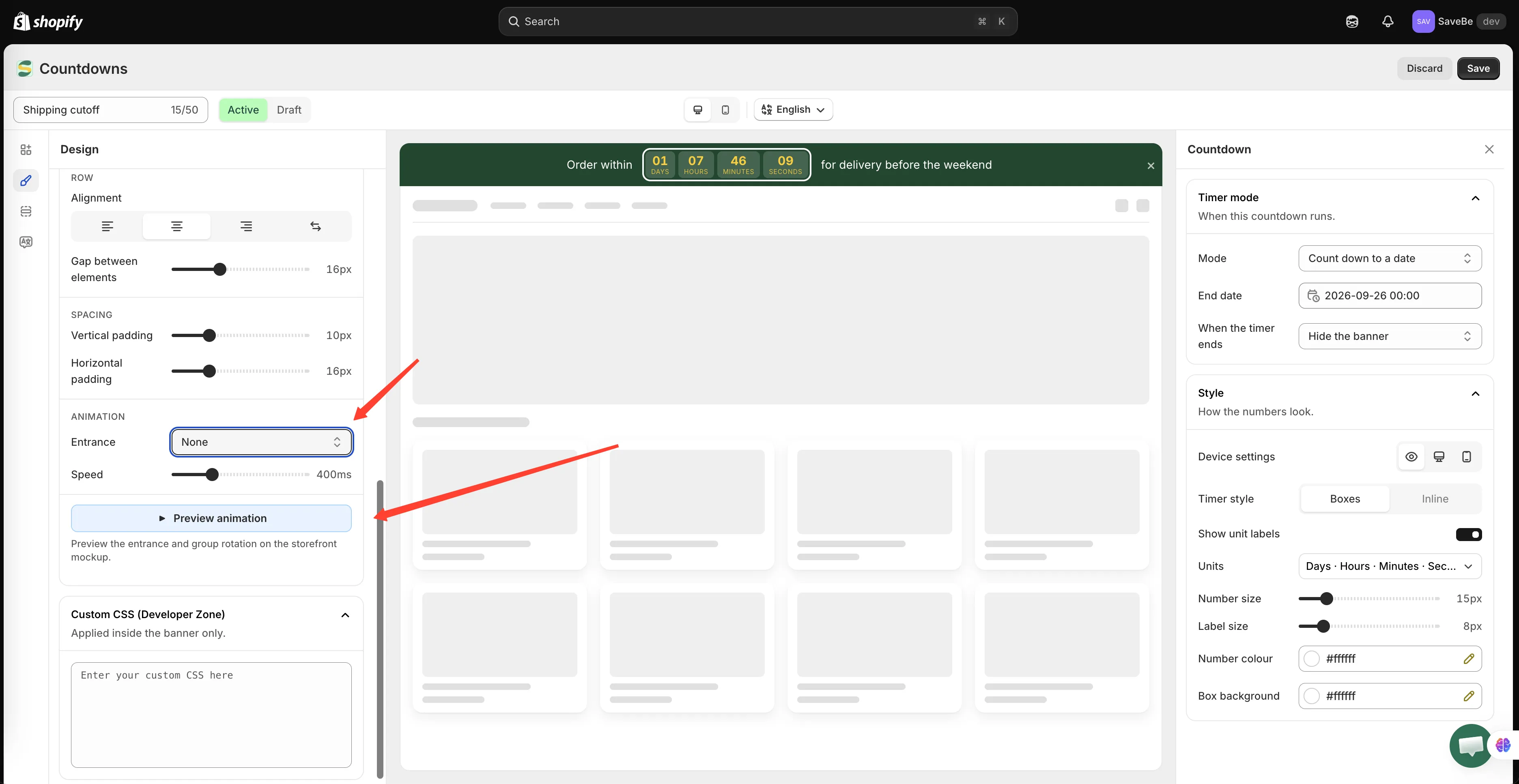
Entrance happens once; group transitions repeat.
Entrance
Section titled “Entrance”What the bar does when the page loads.
| Entrance | What it looks like |
|---|---|
| None | The bar is simply there |
| Fade in | It appears |
| Slide down | It drops in from above |
| Slide in from left | It comes in from the left edge |
| Slide in from right | It comes in from the right edge |
| Continuous scroll | The message travels across the bar, over and over |
Speed sets how long the entrance takes. For continuous scroll it becomes Scrolling speed, in how fast the words move rather than how long they take.
Continuous scroll
Section titled “Continuous scroll”Worth its own note. The message crosses the bar from one side to the other, and when it has gone, the next group starts its own pass. It never stops.
Two things follow from that:
- It suits a long message that wouldn’t fit on one line
- It pauses while the shopper’s pointer is over the bar, so a button in it is still clickable
Changing between groups
Section titled “Changing between groups”These settings only appear when the banner has more than one group.
Change group every is the number of seconds each group stays on screen.
Group transition is how one becomes the next:
| Transition | What it looks like |
|---|---|
| Cross-fade | One fades out as the next fades in |
| Slide | The bar slides sideways, like a carousel |
Choosing slide adds one more option: Arrows. Turn it on and small ‹ and › controls appear at the ends of the bar, so a shopper can move between groups themselves.
Shoppers can also swipe or drag the bar sideways, arrows or not.
The loop has no seam. Past the last group it carries straight on to the first, without rewinding through everything in between.
Preview animation
Section titled “Preview animation”Preview animation at the foot of the section plays the entrance and the group rotation on the storefront mockup in the middle of the builder, so you don’t have to save and reload to judge it.
Click it again to stop. The mockup returns to whichever group you were editing.
A word on restraint
Section titled “A word on restraint”Shoppers who have asked their device to reduce motion get the bar without the movement — the entrance doesn’t play, the marquee doesn’t scroll, and groups don’t change by themselves. The arrows and swiping still work.