
Stock countdown overview
Show how little stock is left of a product, with a message and an optional scarcity slider.
A stock countdown is the one type that doesn’t count time. It counts inventory — “🔥 This product is almost sold out. Hurry up to order! 7 items left in stock.” — optionally with a slider that shows how far the stock has been drawn down.
It works on scarcity rather than deadline, which makes it a good fit for products that genuinely sell out: limited runs, seasonal lines, one-off pieces.
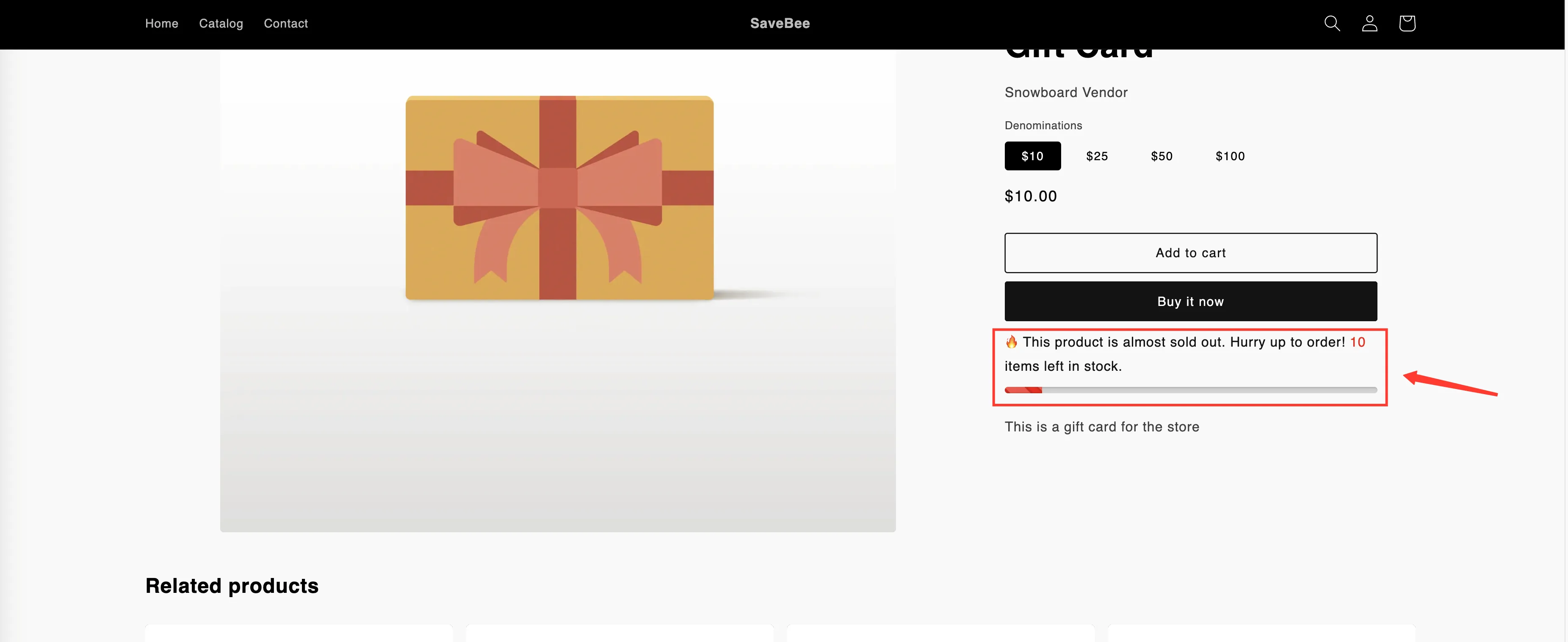
A stock countdown on a product page: message and slider.
What it’s made of
Section titled “What it’s made of”| Part | What it does |
|---|---|
| Message | The sentence shoppers read, with {stock_number} replaced by the real figure |
| Inventory tracking method | Where the number comes from — the variant, the product, or an estimate |
| Stock quantity threshold | Hides the countdown until stock drops below a number you set |
| Stock slider | A bar showing remaining stock against a total you define |
| Design | Alignment, colors, animation, and custom CSS |
Where to start
Section titled “Where to start”New to it? Create a stock countdown runs from creating the countdown through to checking it on your storefront.
Already have one and want to tune what it reports? Inventory tracking and the stock slider covers the three tracking methods, the threshold, and the slider in detail.
An honest number is a better number
Section titled “An honest number is a better number”The app can show a real inventory figure or an estimated one. The real figure is the one worth using wherever you can:
- Shoppers who see “3 left”, buy, and get the product build trust.
- Shoppers who see “3 left” for weeks learn to ignore every scarcity signal on your site.
Shopify’s App Store rules expect urgency features to reflect genuine conditions. If you’re not tracking inventory in Shopify, the estimated mode exists — but set it to something defensible.