
AI Features
Generate badge images from a text prompt, or edit an existing image with AI, without any design skills.
Sami Product Labels includes AI tools that create and modify badge images for you. Describe what you want in a few short fields — or in your own prompt — and the AI produces an image you can apply straight to a badge.
Available AI features
Section titled “Available AI features”AI Badge Generator
Section titled “AI Badge Generator”Open the AI Image Generator from the AI Badge Generator panel in the badge editor, describe the badge you want, and click Generate.
| Feature | Description |
|---|---|
| Guided fields | Describe your badge with five short fields — Background color, Shape, Text, Text color, and Illustration. |
| Your own prompt | Tick Use own prompt to replace the guided fields with a single free-form prompt. |
| All AI images | Reuse anything you have generated before, from any badge, via View AI images. |
Your usage is shown as Current usage credits with an x/50 used badge at the top of the dialog.
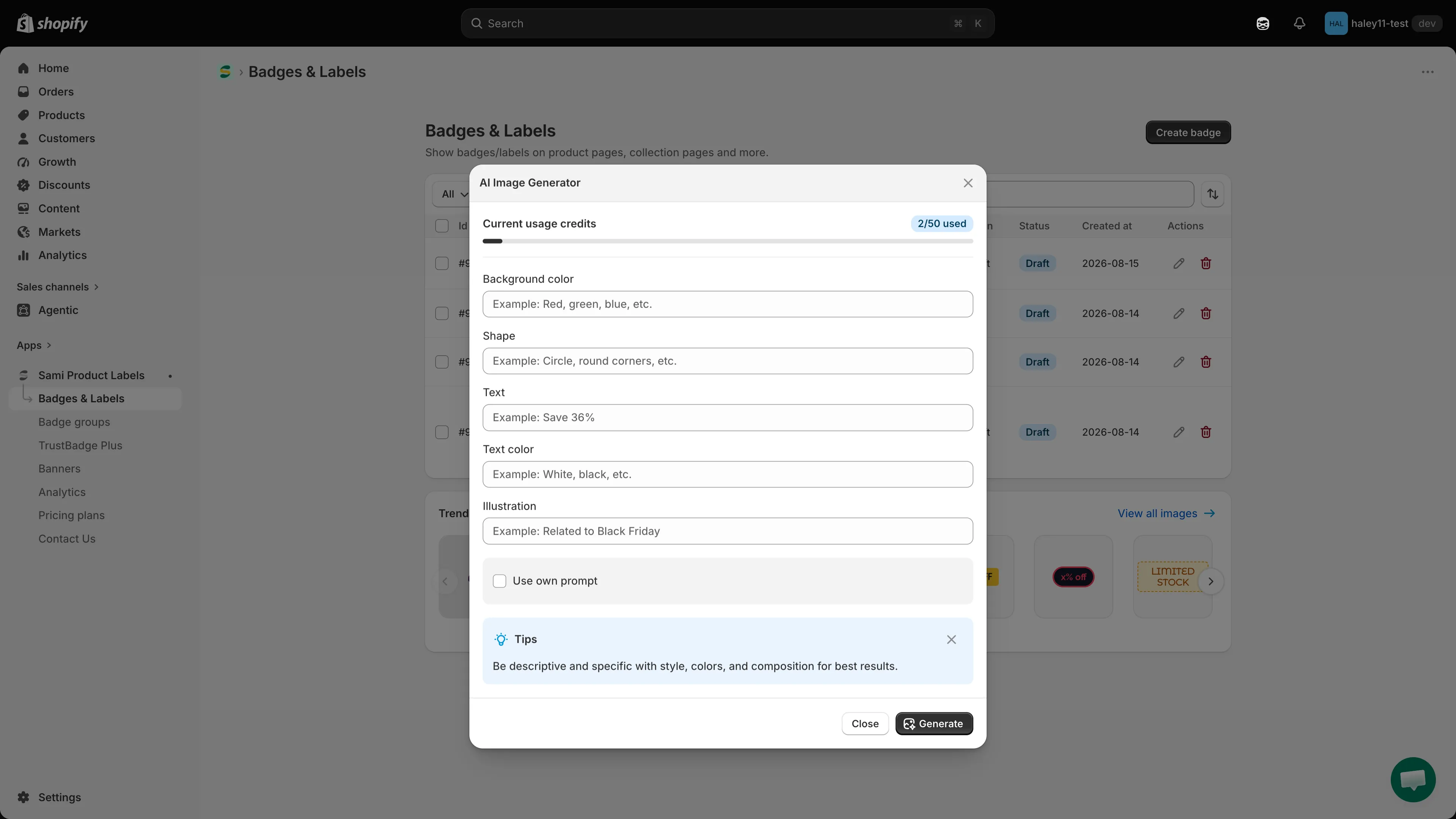
Fill in the guided fields — or your own prompt — and click Generate.
Edit AI Image
Section titled “Edit AI Image”Reach the Edit AI Image dialog through Change Image > Edit with AI. It uses the same guided fields and Use own prompt option, but applies them to the badge’s current image and shows the outcome in a Preview panel.
Common uses:
- Removing an image background with the dedicated Remove background action.
- Adjusting colors or styling on an existing badge image.
- Refining an AI-generated image with a follow-up edit.
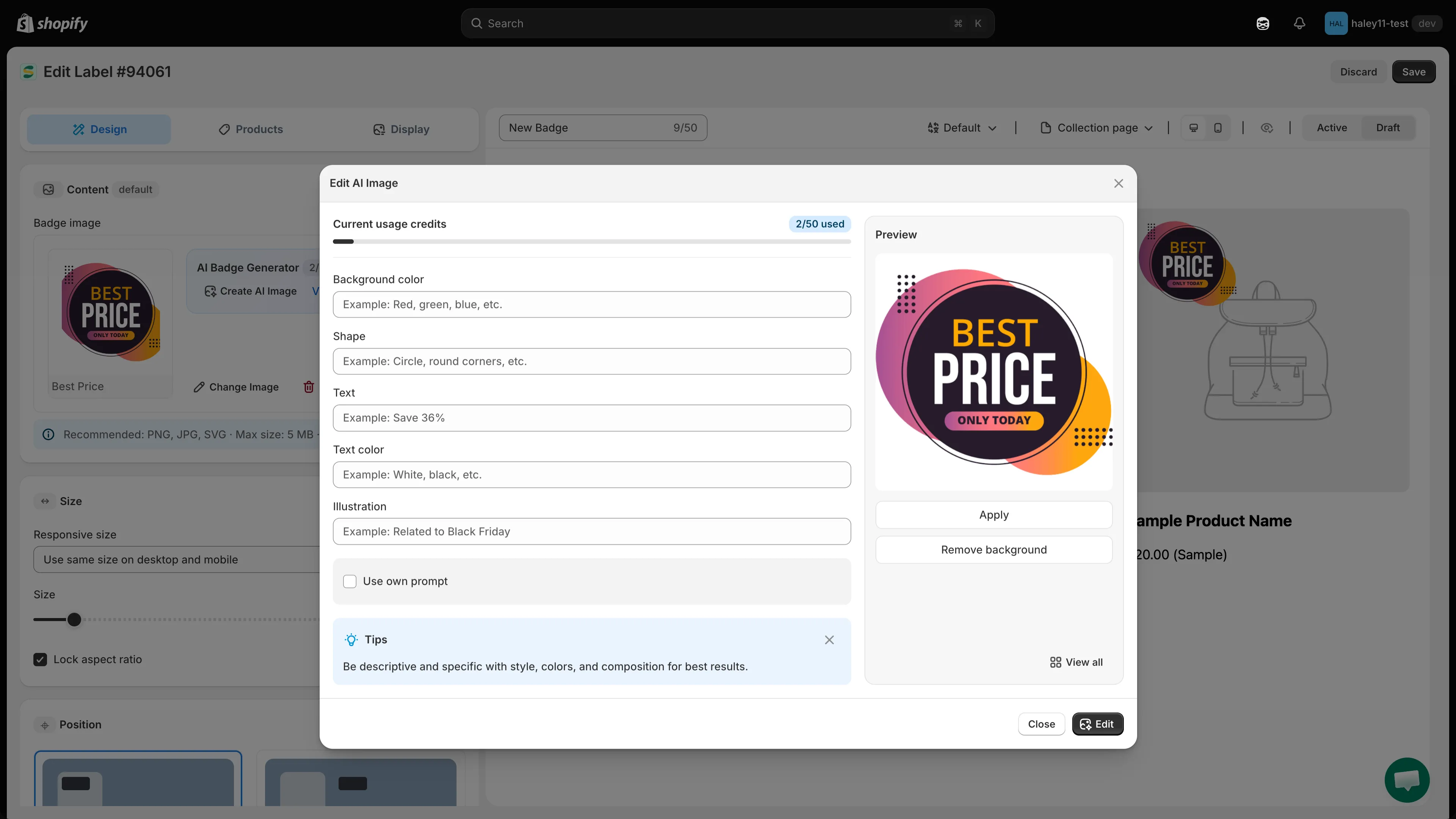
Describe the change, then review it in the preview before applying.
Monthly quota
Section titled “Monthly quota”Your DIAMOND plan includes 50 AI uses per month, shared between image generation and image editing. The counter appears as Current usage credits in both dialogs.
Next steps
Section titled “Next steps”- Generate an AI image — create a badge image from a description.
- Edit an image with AI — modify the image already on a badge.
- Create an image badge — set up an image-based badge.