
Enable app in theme
Turn on the Sami Product Labels app embed in your Shopify theme so badges, banners, and trust badges render on your storefront.
Sami Product Labels renders everything through Shopify’s App Embed block. Until that block is enabled in your active theme, nothing the app creates appears on your storefront.
-
Open the app
Section titled “Open the app”In your Shopify admin, find Sami Product Labels under Apps in the left sidebar and open it. The app opens on its Dashboard.
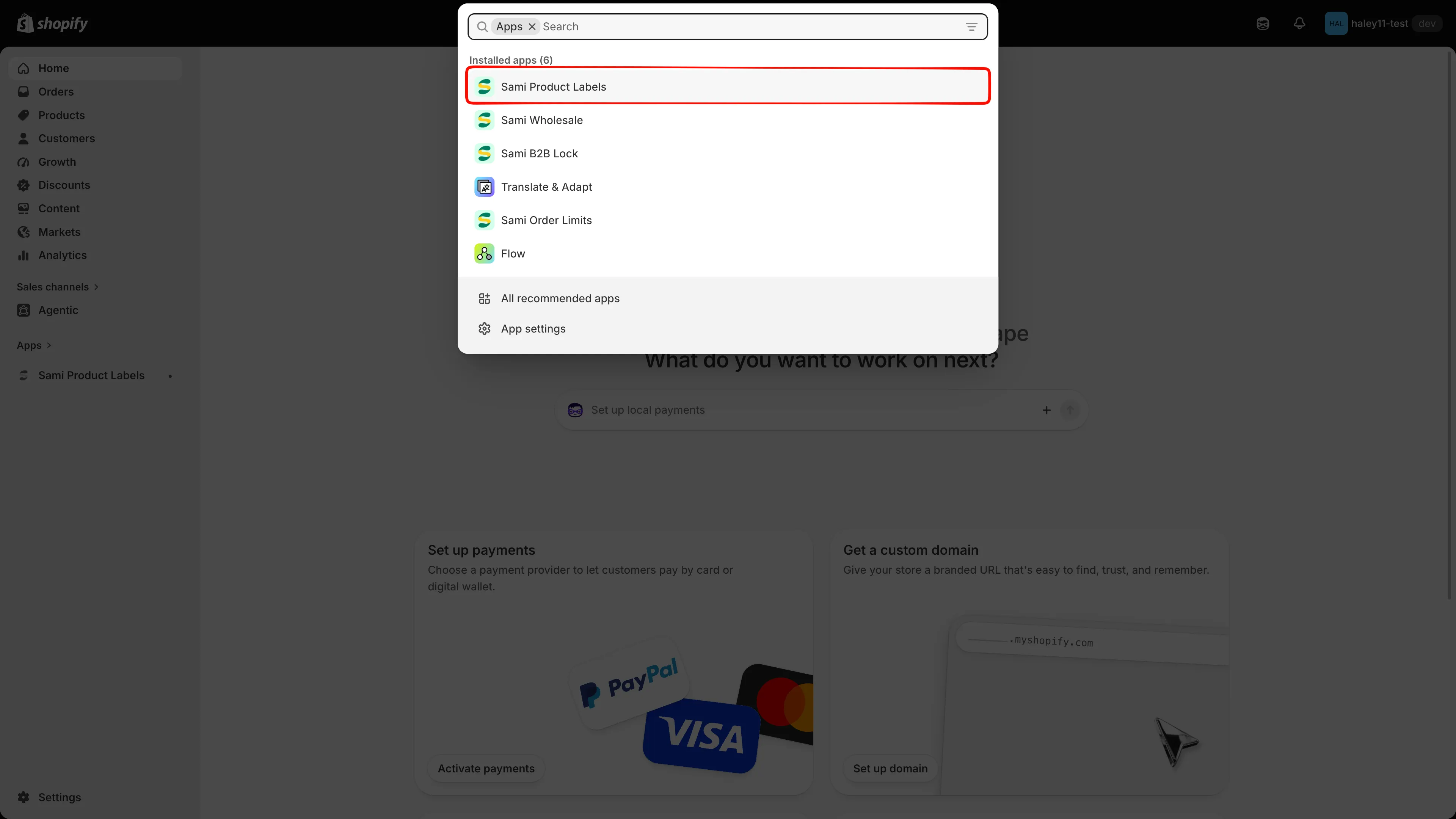
Open the app from your Shopify admin.
-
Check the status chip
Section titled “Check the status chip”On the Dashboard, look at the chip beside the Explore outstanding features heading:
Chip Meaning App embed active The embed is on for your live theme — you are done. App embed inactive The embed is off. Continue to the next step. The refresh icon next to the chip rechecks the status without reloading the page.
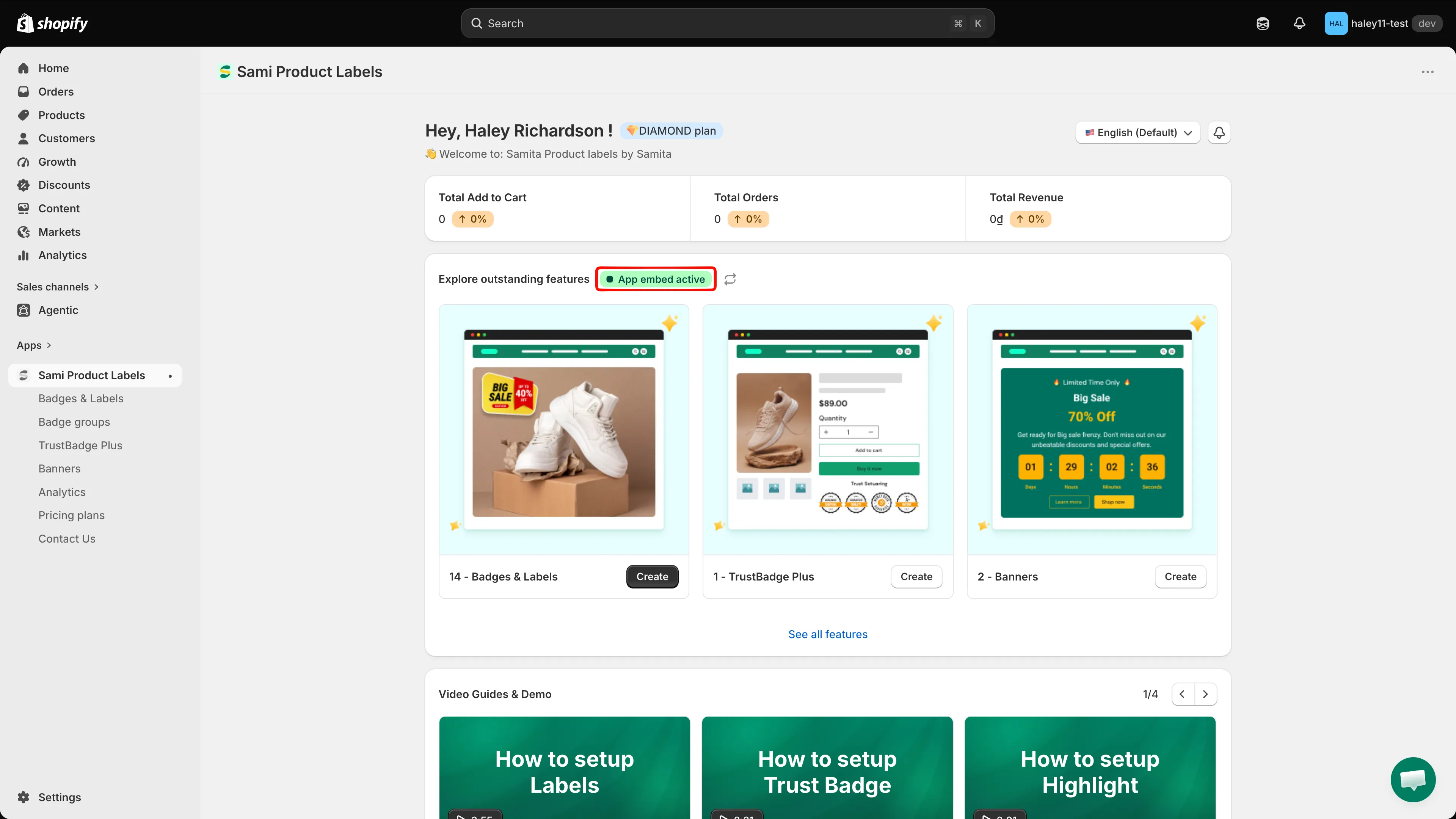
The chip beside “Explore outstanding features” reports the embed status.
-
Turn on the app embed
Section titled “Turn on the app embed”In your Shopify admin, go to Online Store > Themes and click Customize on your active theme. Then:
- Open App embeds in the left sidebar of the theme editor.
- Find Sami Product Labels in the list.
- Toggle the switch On.
- Click Save in the top-right corner.
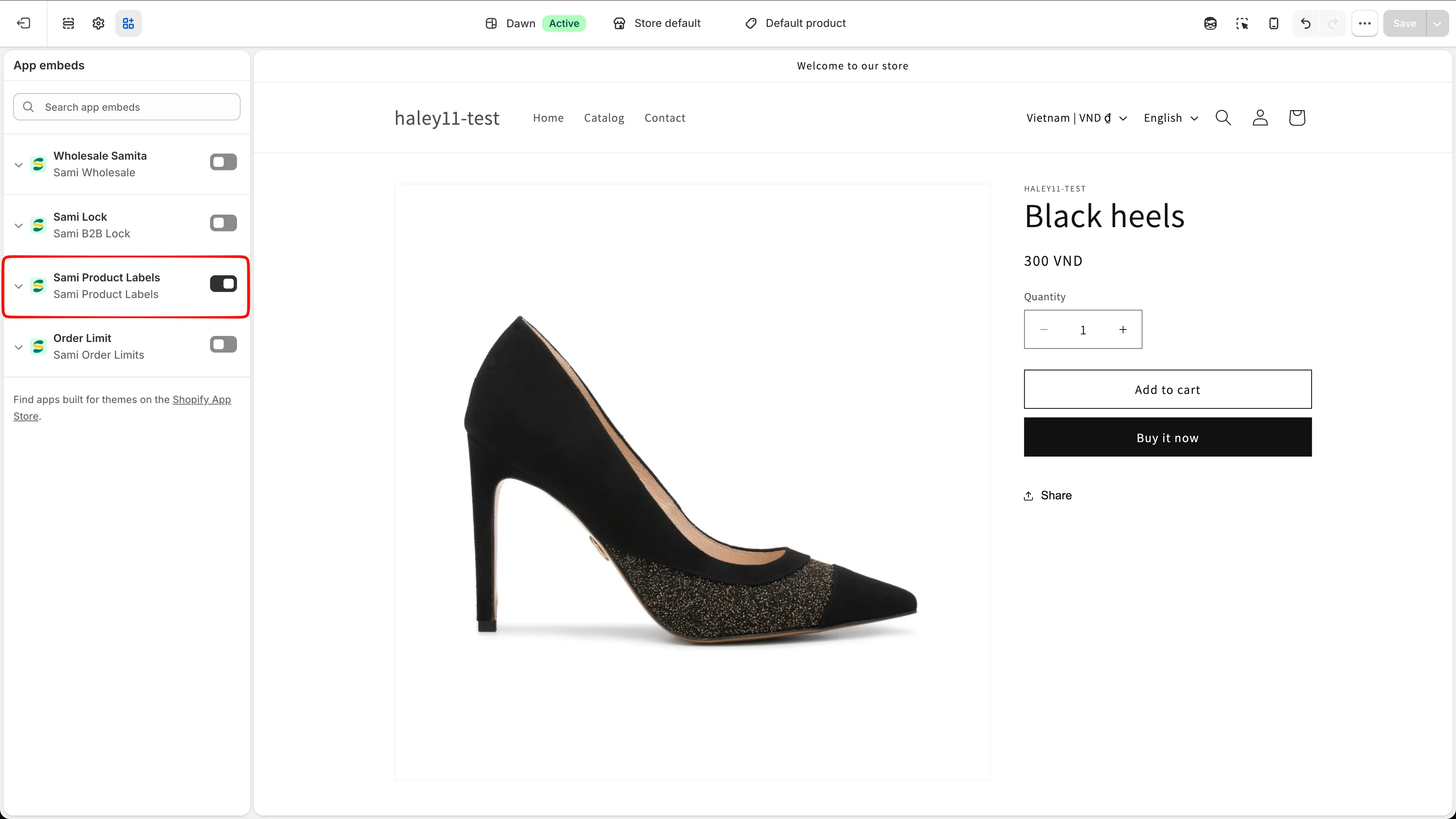
Toggle on the app embed, then save the theme.
-
Verify
Section titled “Verify”Go back to the app Dashboard and click the refresh icon beside the status chip. It should now read App embed active.
Still inactive? Reload the page, then repeat the previous step and confirm you clicked Save in the theme editor.
Working with more than one theme
Section titled “Working with more than one theme”The app embed is a per-theme setting.
Testing on a draft theme
Section titled “Testing on a draft theme”The Dashboard status chip is tied to your live theme only, so it stays on App embed inactive while you work on a draft — even after you have turned the embed on there. That is expected, and it does not stop badges from rendering.
To preview badges on a draft theme:
- Go to Online Store > Themes and click Customize on the draft theme.
- Open App embeds, toggle Sami Product Labels On, and click Save.
- Preview the draft theme — your badges render as usual.
Next steps
Section titled “Next steps”- Quickstart — create your first badge.
- Troubleshooting — what to check when a badge still doesn’t show.
- Badges & Labels overview — the full feature set.