
動態變數
將其他商品和款式欄位的值插入您的文字編輯中。
顯示 Add dynamic variables 連結的文字輸入框可以包含預留位置。任務執行時,每個預留位置都會被替換為該商品或款式的值。
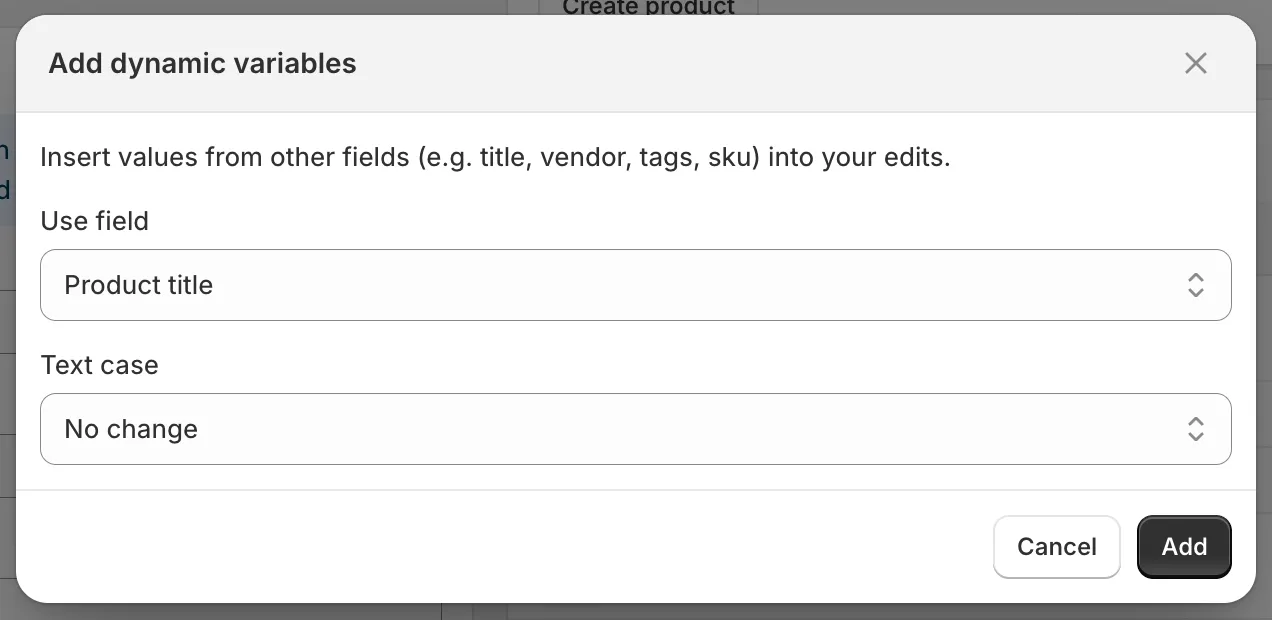
Add dynamic variables
- 點擊輸入框上方的 Add dynamic variables。
- 選擇 Use field。
- 選擇 Text case:No change、UPPERCASE、lowercase 或 Title Case。
- 點擊 Add。預留位置(例如
{{ product.vendor | upcase }})會附加到輸入框中。您也可以手動輸入預留位置。
| 商品欄位 | 預留位置 |
|---|---|
| Product title | {{ product.title }} |
| Product ID | {{ product.id }} |
| Product handle | {{ product.handle }} |
| Product type | {{ product.type }} |
| Product vendor | {{ product.vendor }} |
| SEO title | {{ product.seo_title }} |
| SEO description | {{ product.seo_description }} |
| Product URL | {{ product.url }} |
| Product status | {{ product.status }} |
| Product tags | {{ product.tags }} |
| Product category | {{ product.category }} |
| Product category full name | {{ product.category_full_name }} |
| 款式欄位(僅限款式任務) | 預留位置 |
|---|---|
| Variant ID | {{ variant.id }} |
| Variant title | {{ variant.title }} |
| Variant sku | {{ variant.sku }} |
| Variant barcode | {{ variant.barcode }} |
| Variant tax code | {{ variant.tax_code }} |
| Variant country code of origin | {{ variant.country_code_of_origin }} |
| Variant province code of origin | {{ variant.province_code_of_origin }} |
| Variant HS code | {{ variant.hs_code }} |
文字大小寫是透過篩選器套用:| upcase、| downcase 或 | titlecase。ID 沒有文字大小寫選項。
可以在哪裡使用
Section titled “可以在哪裡使用”Title、Description、Handle、Vendor、Product type、Theme template、SEO title、SEO description、SKU、Barcode、HS code、Tags、Option value 1 to 3、Google Shopping 文字欄位,以及自訂中繼欄位的尋找/取代輸入框。
數值欄位(Price、Compare at price、Cost price、Weight)、選擇型欄位、商品系列、銷售管道和選擇器不接受變數。
| 目標 | 欄位和方式 | 值 |
|---|---|---|
| 將供應商加到每個標題 | Title, Add text at end | by {{ product.vendor }} |
| 產生 SEO 標題 | SEO title, Replace entire text | {{ product.title }} | {{ product.vendor }} |
| 以商品類型為商品加上標籤 | Tags, Add tags | {{ product.type | downcase }} |
| 建立唯一的 SKU | SKU, Replace entire text | {{ product.vendor | upcase }}-{{ variant.id }} |
預覽會解析這些變數,讓您在儲存前確認結果。