
選擇商品與款式
選擇任務要套用的商品和款式,並排除您想保持不變的項目。
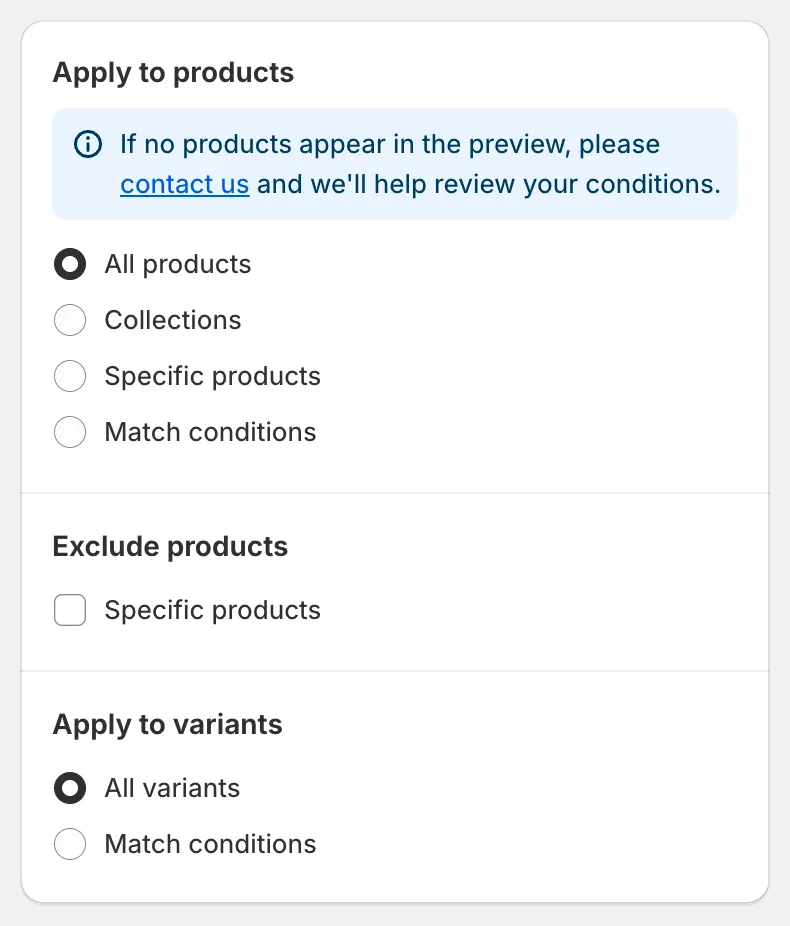
Apply to products 卡片決定任務要變更哪些商品。您在此處變更任何設定後,右側的 Preview 會稍後隨之更新。
Apply to products
挑選商品的四種方式
Section titled “挑選商品的四種方式”| 選項 | 適用情況 |
|---|---|
| All products | 商店中的每項商品都要變更。 |
| Collections | 您想要一個或多個商品系列中的所有商品。 |
| Specific products | 您想手動挑選商品。 |
| Match conditions | 您想要符合標籤、供應商、類型、狀態或日期等規則的商品。 |
All products
Section titled “All products”沒有其他設定。您仍然可以排除商品(見下方),針對款式欄位也可以篩選款式。
Collections
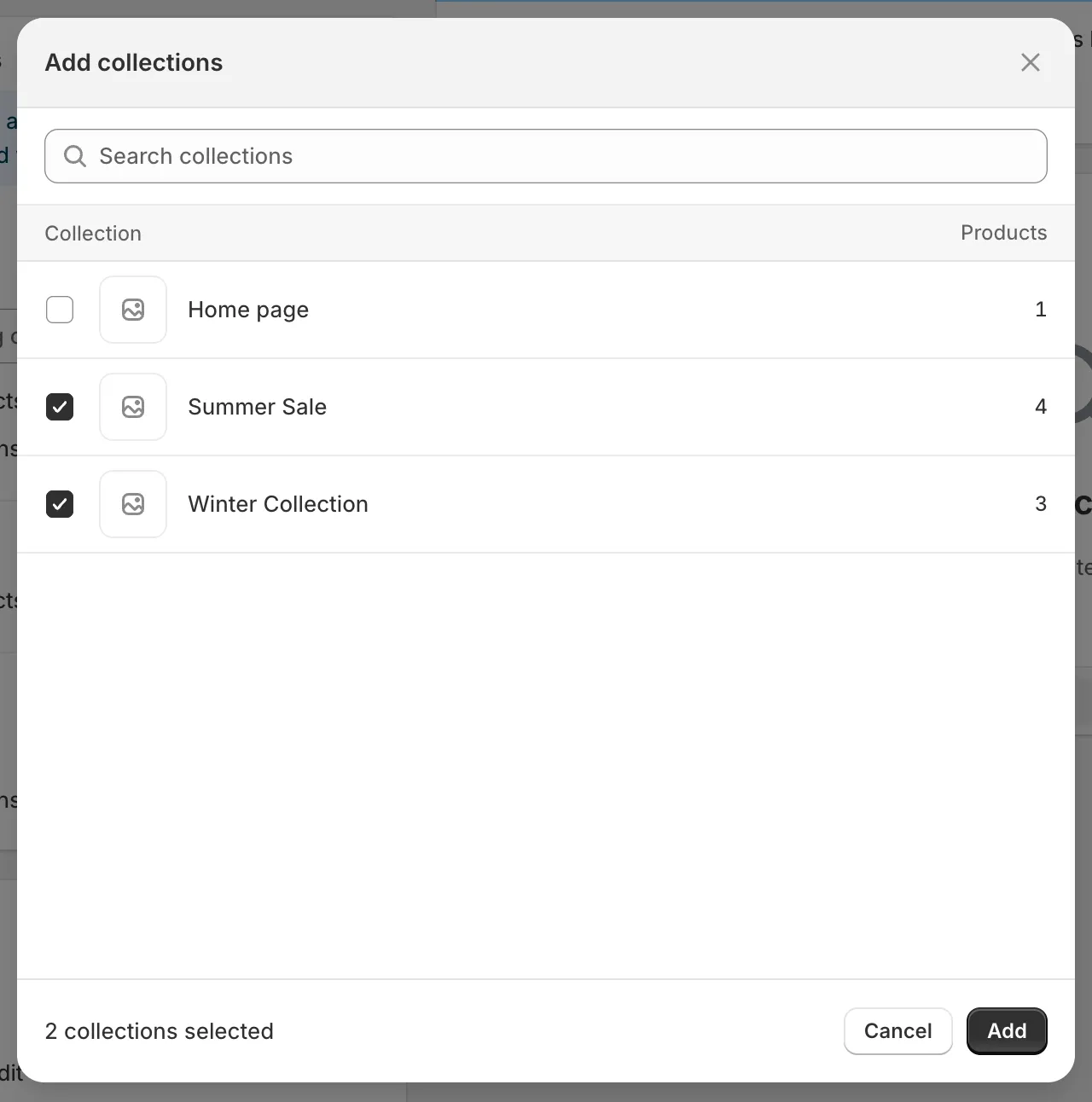
Section titled “Collections”在 Searching collections 中輸入,或點擊 Browser 開啟 Shopify 的商品系列選擇器。勾選您想要的商品系列,然後點擊 Add。手動和自動商品系列都適用。
商品系列選擇器
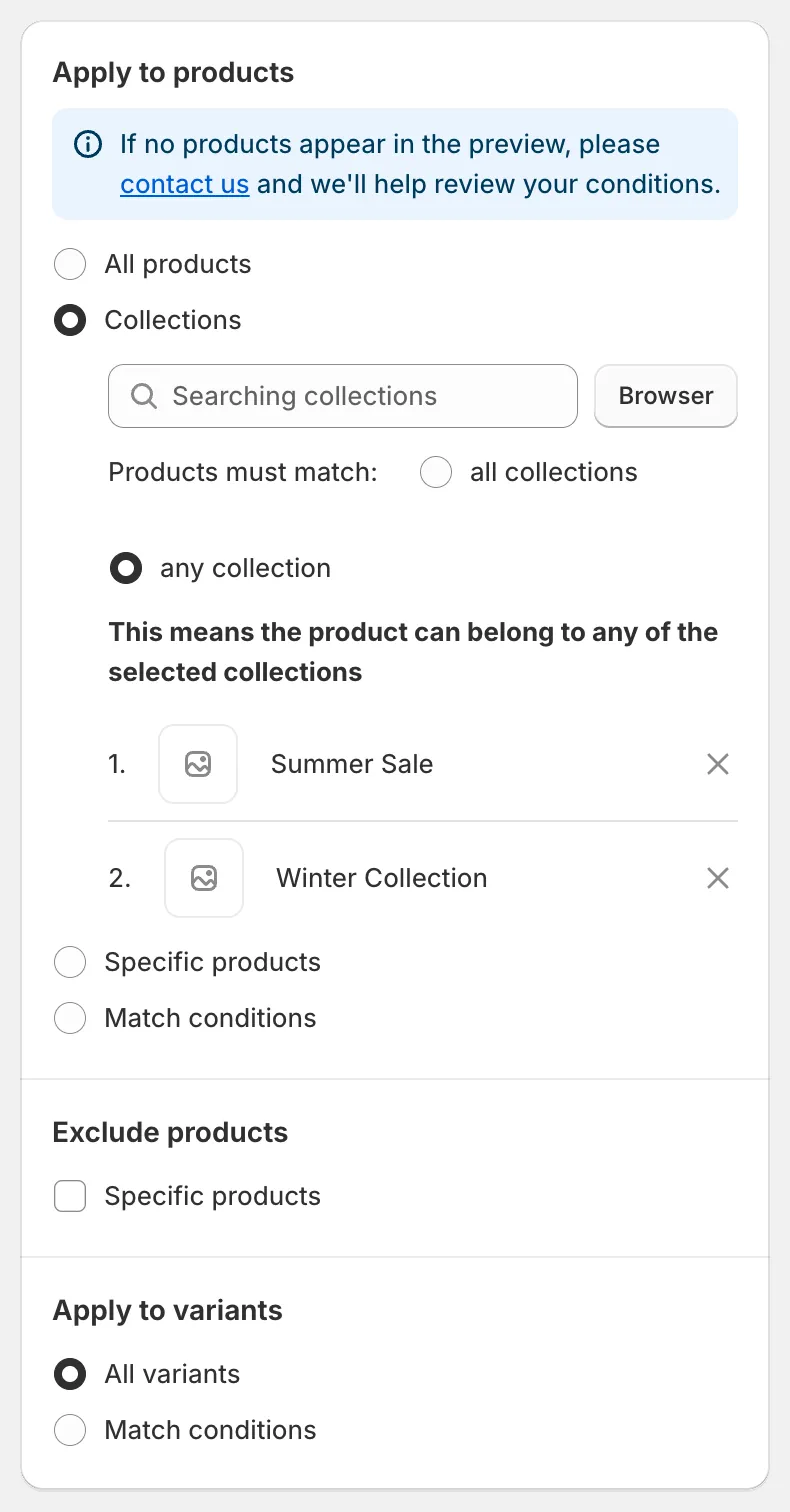
選擇多個商品系列後,請在 Products must match 下選擇它們的組合方式:
- any collection:只要商品屬於所選商品系列中的至少一個,就會被納入。
- all collections:商品必須同時屬於每個所選的商品系列,才會被納入。
Collections 模式
Specific products
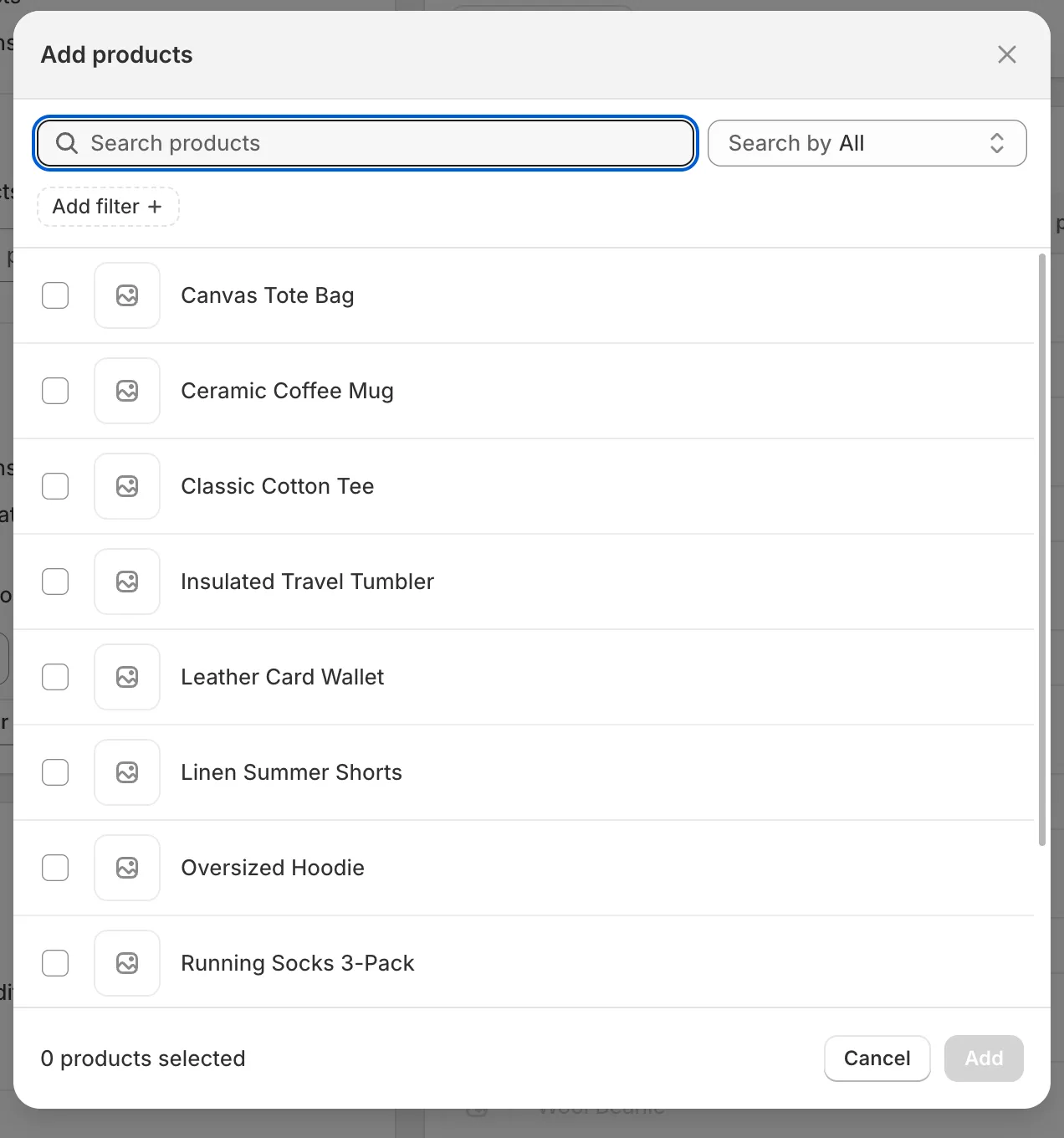
Section titled “Specific products”在 Searching products 中輸入,或點擊 Browser 開啟 Shopify 的商品選擇器。您可以依標題、商品 ID、條碼或 SKU 搜尋,勾選所需的任意數量商品,然後點擊 Add。已選取的商品會列在搜尋框下方,點擊商品旁的 × 即可移除。
商品選擇器
Match conditions
Section titled “Match conditions”建立一條或多條規則。每條規則由一個欄位、一個比較運算子和一個值組成。點擊 Add another condition 新增規則,點擊垃圾桶圖示移除規則。在 Products must match 下選擇 all conditions(每條規則都必須成立)或 any condition(符合一條規則即可)。
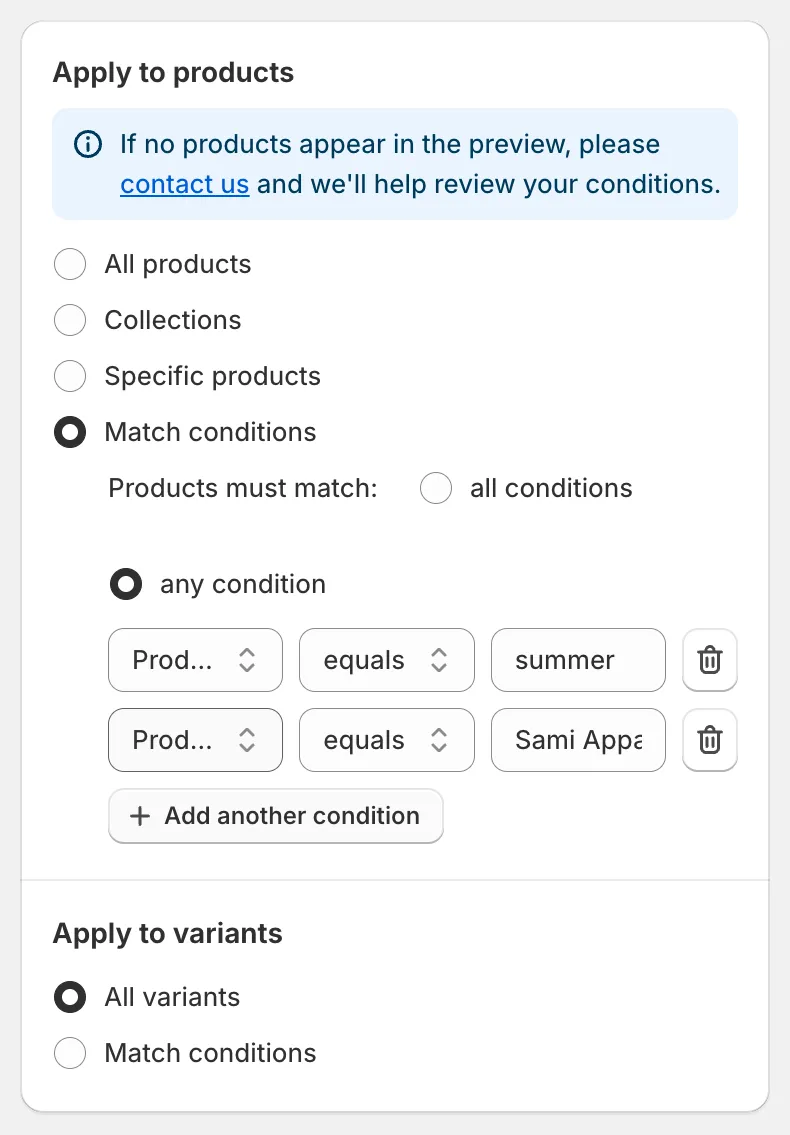
Match conditions
| 欄位 | 比較運算子 | 值 |
|---|---|---|
| Title | equals, not equal, contains, does not contain | 文字 |
| Status | is | Active、Draft 或 Archived |
| Handle | equals, not equal, contains, does not contain | 文字 |
| Collection | is | 使用 Select collection 挑選一個商品系列 |
| Product type | equals, not equal, contains, does not contain | 文字 |
| Product vendor | equals, not equal, contains, does not contain | 文字 |
| Product tag | equals, not equal, contains, does not contain | 文字 |
| Created at | is before, is after | 日期 |
| Updated at | is before, is after | 日期 |
Exclude products
Section titled “Exclude products”選擇 All products 或 Collections 時,會出現 Exclude products 卡片。勾選 Specific products,並挑選必須保持不變的商品。被排除的商品仍會以灰色顯示在預覽中,讓您看到它們被略過。
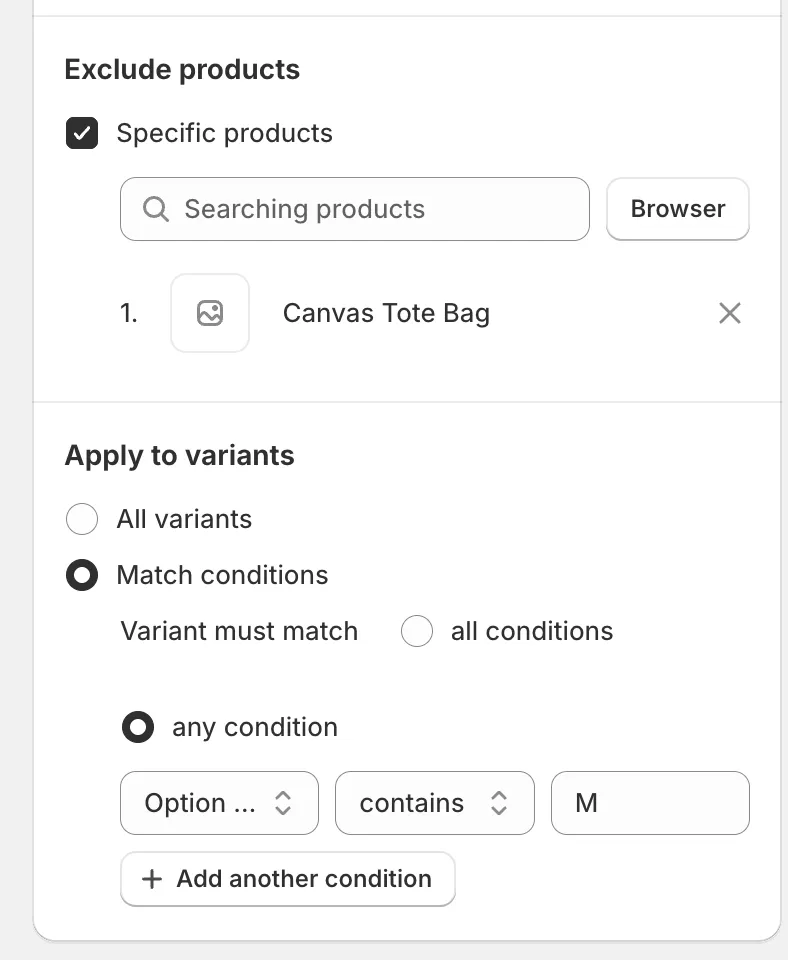
Exclude products 和 Apply to variants
Apply to variants
Section titled “Apply to variants”針對 Price、SKU 或 Weight 等款式欄位,會出現 Apply to variants 卡片。
- All variants:每項符合條件的商品的所有款式都會變更。
- Match conditions:只有符合您規則的款式會變更。同一項商品的其他款式不會受影響,並在預覽中以灰色顯示。
| 欄位 | 比較運算子 |
|---|---|
| SKU | equals, contains, does not contain, is empty, is not empty |
| Price | equals, not equal, less than, less than or equal, greater than, greater than or equal |
| Compare at price | 與 Price 相同,另加:is not set, is greater than price, is less than price, is greater than or equal to price, is less than or equal to price |
| Option name | equals, contains, does not contain |
| Option value | equals, contains, does not contain |
在 Variant must match 下選擇 all conditions 或 any condition,做法與商品條件完全相同。
一個任務可以更新多少項商品?
Section titled “一個任務可以更新多少項商品?”單一任務可處理的商品數量取決於您的方案。如果您選擇的數量超過上限,確認對話框會告訴您將更新多少項商品,且任務會以 Partially complete 結束。升級後,您可以按 Continue change 處理其餘的商品。請參閱方案與定價。