
A/B test an offer
Test two versions of an offer's product page block against each other and keep the one that sells better.
Bu içerik henüz dilinizde mevcut değil.
An A/B test shows half your shoppers (or another share you pick) a second version of an offer and measures which one does better. Version A is your offer as it is. Version B changes one thing, such as the block style or the title. When the test ends, the better version keeps running.
Which offers can be tested
Section titled “Which offers can be tested”A/B tests compare product page blocks, so they work on the offer types that have one:
- Flash sale, Tiered discount, Buy one get one, Buy X get Y, Cheapest item free, Complete the bundle and Custom offer.
Order discount, Free shipping, Spending goals and Free gift show in the cart, so they don’t have the A/B test button.
Set up a test
Section titled “Set up a test”-
Open the A/B test window
Section titled “Open the A/B test window”Open the offer in the editor and click A/B test in the toolbar. The A/B test this offer window opens.
Each visitor keeps the same version on every page, so a shopper never sees the offer change while browsing.
-
Choose what version B changes
Section titled “Choose what version B changes”Pick one option under What changes in version B:
Option Version B shows Available for Block style Another block style, picked in Block style in B: Tier table, Option cards, Offer card or Price row. These are the Classic block styles. Every type above. Offer card is for Buy X get Y and Complete the bundle only. Block title Another title above the block, typed in Block title in B. Every type above. Discounts A bigger discount on every tier, set in Extra discount in B (% per tier). Shoppers on version B also pay that price at checkout. Tiered discount, when every tier is a percentage off or has no discount. Most popular tier Another tier marked as Most popular, picked in Most popular in B. Tiered discount with two or more tiers, and Buy one get one with two or more deals. 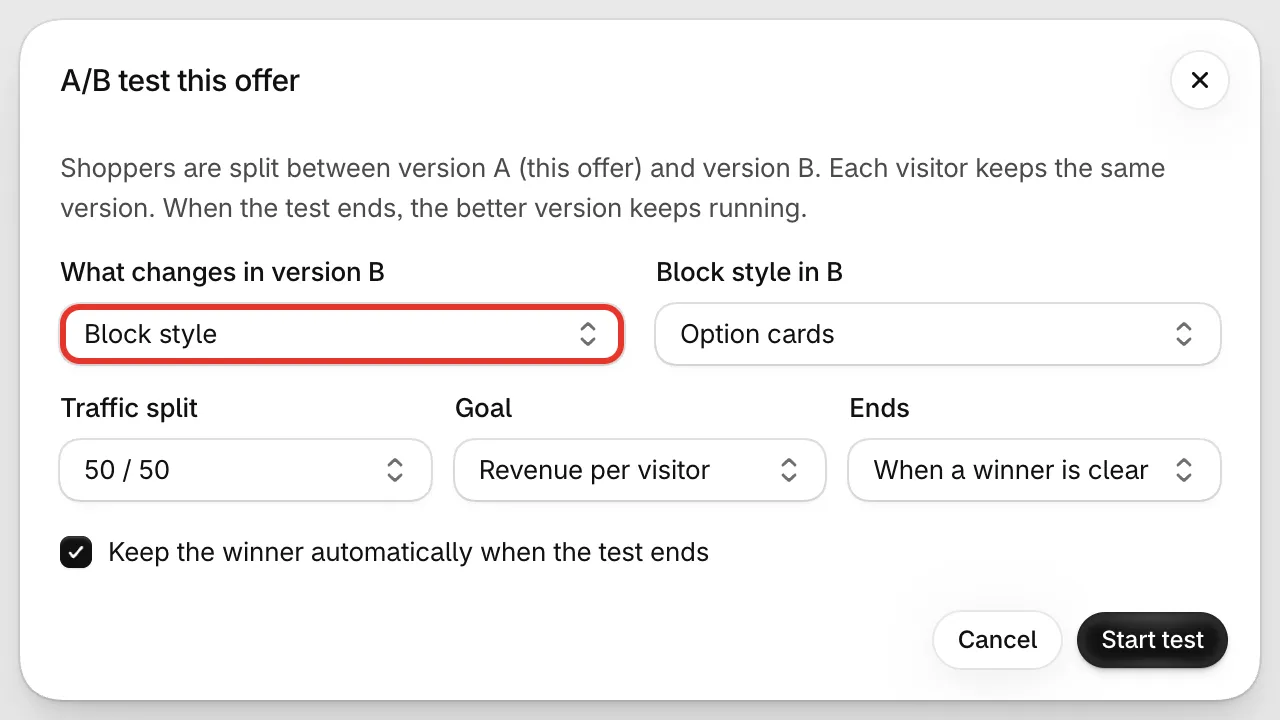
Version B changes one thing.
-
Set the split, goal and end
Section titled “Set the split, goal and end”- Traffic split — how many shoppers see each version: 50 / 50, 70 / 30 or 90 / 10. The first number is version A’s share. A smaller share for B is safer if you’re unsure about it, but the test needs longer.
- Goal — what counts as better: Revenue per visitor, Conversion rate or Add to cart rate.
- Ends — When a winner is clear, After 14 days or After 30 days. With When a winner is clear, the test ends once one version is clearly ahead on your goal. If neither pulls ahead, it ends on its own after a while with no clear winner.
- Keep the winner automatically when the test ends — leave it ticked to switch to the winning version without you doing anything. Untick it to choose yourself.
-
Check version B in the preview
Section titled “Check version B in the preview”Click Start test. The window closes and a bar above the preview reads Previewing with a Version A / Version B switch, plus a line describing what B changes. Switch between them to compare.
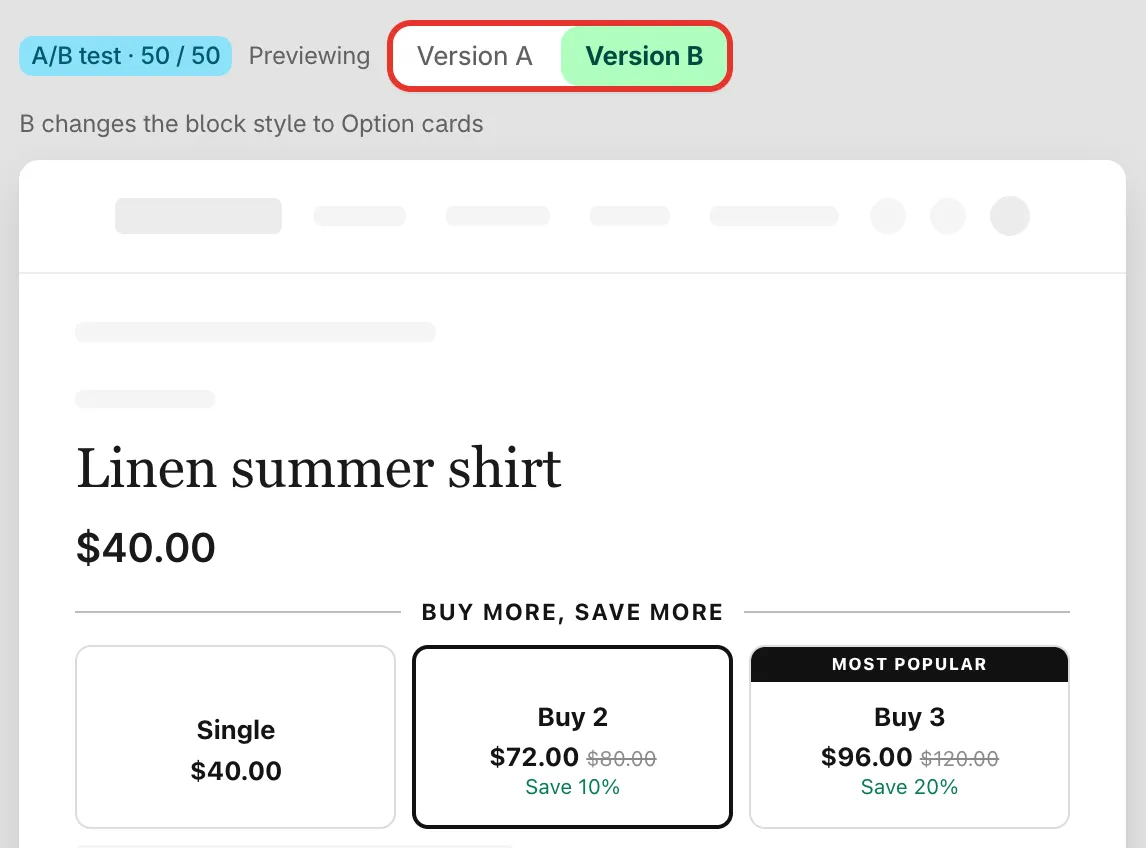
Preview each version before you save.
-
Save the offer to start the test
Section titled “Save the offer to start the test”The test isn’t running yet. Click Save in the editor; the test starts then. Shoppers only take part while the offer itself is live on your store.
On the Offers list, the offer now says A/B test running under its name, and the toolbar button reads A/B test · 50/50 (or your split).
Change or remove a running test
Section titled “Change or remove a running test”Click the A/B test button again. Make your changes and click Save test, or click Remove test to end it without keeping anything from B. Then save the offer.
A few more things to know:
- Duplicating an offer doesn’t copy its test.
- When B changes the block title, the title’s translations don’t carry over to B. Translate B’s title on the Translation tab, in the row Block title in version B.
Read the results
Section titled “Read the results”Open the offer’s details page. The A/B test card shows:
- A badge with the state: Running · day 5, Ended · B won, or Ended · no clear winner.
- A line with the goal, the split, and what B changes.
- A table with each version’s Visitors, Conversion (or Add to cart rate when that’s the goal), Revenue / visitor and Revenue. The leading version is marked Leading, and its number for your goal is shown in green.
- Chance that B is better — how likely it is that version B beats A on your goal, from 0 to 100%. If there aren’t enough visitors yet to call a winner, the card says so.
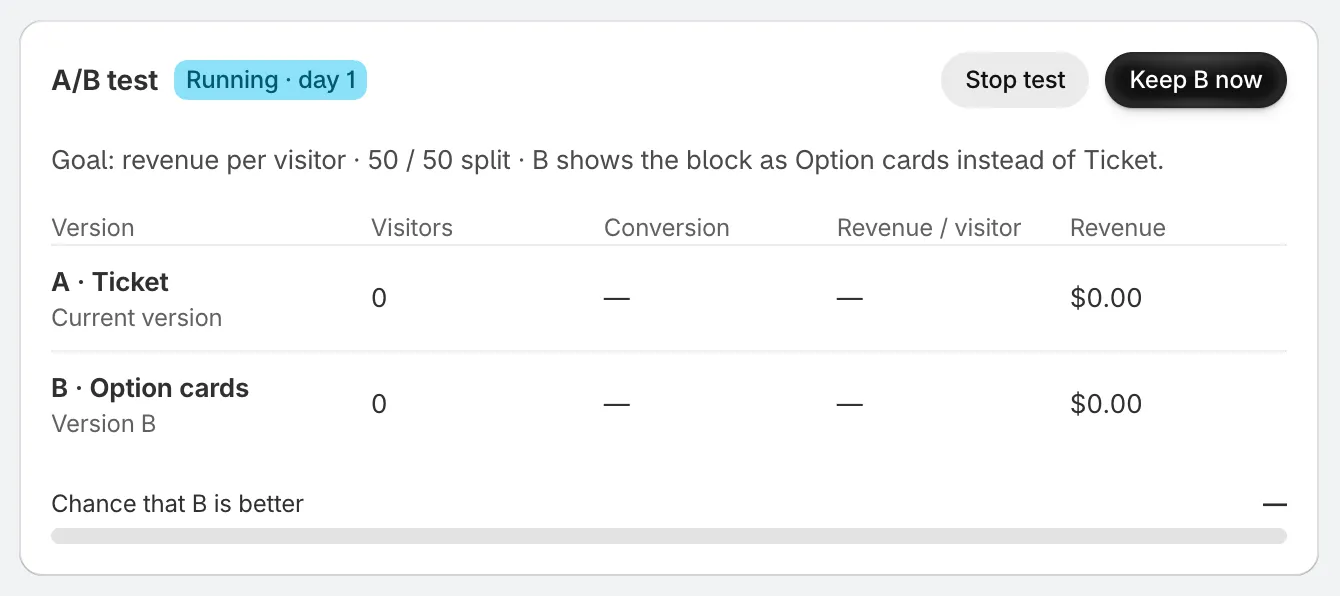
The A/B test card on the offer’s details page.
End a test and keep a version
Section titled “End a test and keep a version”While a test runs, you can end it early:
- Stop test — ends the test and keeps version A.
- Keep B now — ends the test and makes version B the offer.
When a test ends with Keep the winner automatically on and a clear winner, the winner is kept for you. Otherwise the card shows Shoppers see version A until you choose. and two buttons, Keep A and Keep B.
Keeping B writes B’s change into the offer itself. For example, the block switches to B’s style, or every tier gets B’s extra discount. You can still edit the offer afterwards as usual.