
Ask Shopify Sidekick about the app
Ask Shopify Sidekick about your pricing rules, registrations, forms, add-ons, plan and wholesale sales, right from your Shopify admin.
Esta página aún no está disponible en tu idioma.
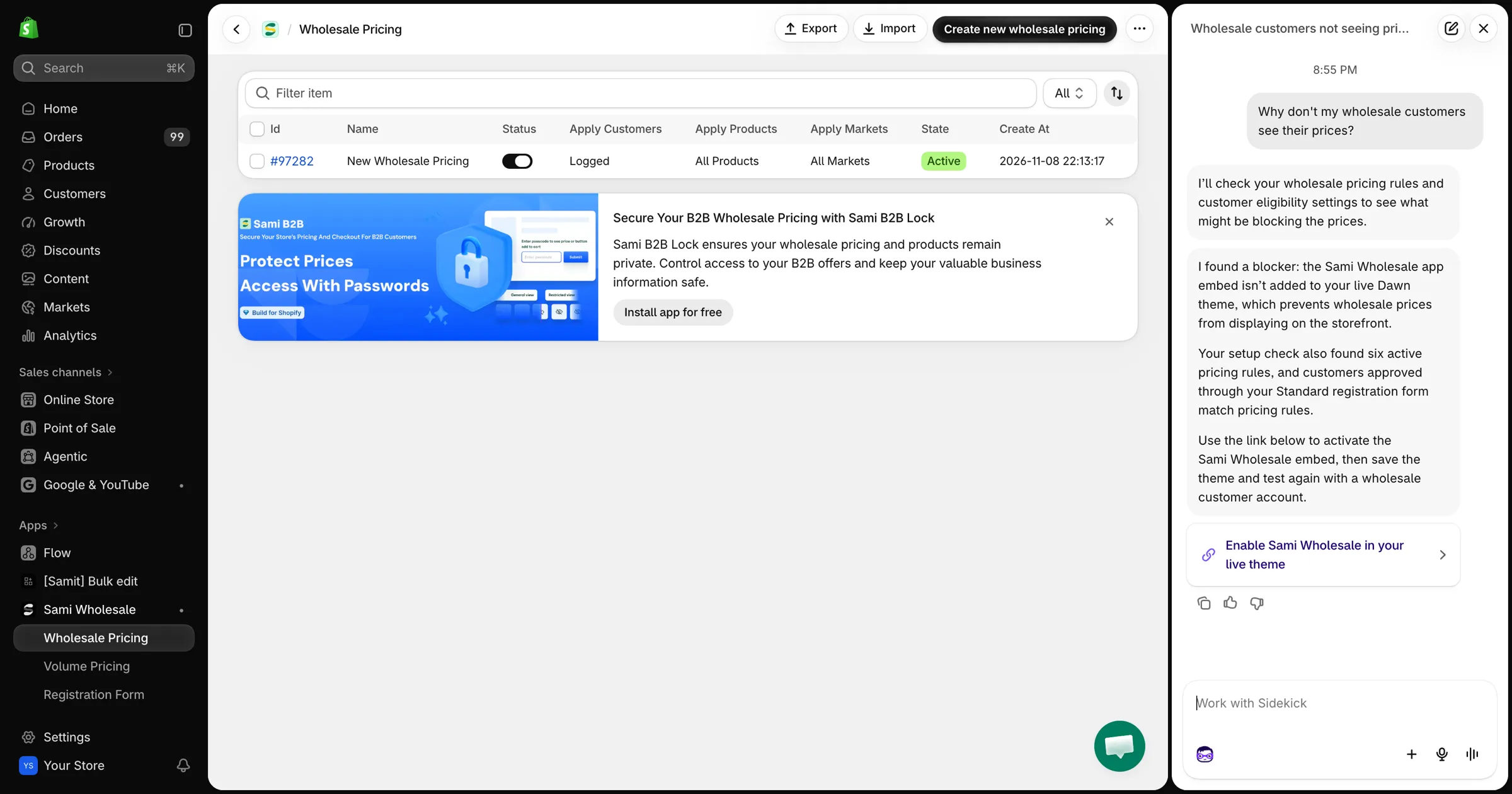
Shopify Sidekick, the AI assistant in your Shopify admin, can read the data of Samita Wholesale Pricing and answer questions about it. Ask in your own words — for example “Why don’t my wholesale customers see their prices?” — and Sidekick looks up your setup in the app to answer.
How to use it
Section titled “How to use it”-
Open Sidekick
Section titled “Open Sidekick”In your Shopify admin, open Sidekick and type your question. There is nothing to set up in the app.
-
Allow Sidekick to use the app
Section titled “Allow Sidekick to use the app”The first time Sidekick wants to use the app in a conversation, it asks for your permission. Choose Yes, or Yes, and don’t ask again so it doesn’t ask next time.
-
Read the answer
Section titled “Read the answer”Sidekick answers with the data it found. Rules, forms, registrations and add-on rules in the answer come with a link that opens them in the app.
What you can ask
Section titled “What you can ask”- Pricing rules — which Wholesale pricing and Volume pricing rules you have, filtered by status (active, disabled, scheduled, expired), name or customer tag, and the full setup of one rule: customers and exclusions, products and exclusions, discount, tiers, markets and schedule. It also tells you when a rule is not applied because your plan covers fewer rules.
- Why prices don’t show — checks the app embed in your live theme, your active rules, your plan’s rule limit, whether the tags your registration forms add on approval match a rule, and, if you mention one, which rules cover a customer tag. What it can’t check — theme code changes, cart drawers or other apps that change prices in the cart, and checkout — is listed as not checked.
- The price a customer gets — the wholesale price for one product at a quantity, for a customer (by email), a set of customer tags, a logged-in customer without tags or a guest, optionally for a variant or market. It uses the same rules as the checkout and explains for each rule why it applies or not: customer not matched, product not covered, tier not reached, another rule wins, or turned off.
- Registrations — how many applications are pending, approved or rejected, and the newest ones with name, email, status, form and submit date. Sidekick can’t approve or reject; open the application from its link to review it.
- Forms — your Registration forms and Quick order forms: status, approval mode and the tags added on approval, customers and products of a Quick order form, and the store pages that contain the form’s code.
- Add-on rules — your Order limits, Extra fees, Shipping rates, Tax exempt, Tax display, Payment terms and Invoice payment rules, with each rule’s status, customers, products, markets and a short summary of its settings.
- Your plan — your current plan, how many rules or forms each feature allows compared with how many you have, the order revenue limit if your plan has one, and which options of a feature your plan includes. Sidekick doesn’t compare plans or quote prices.
- Wholesale sales — the same numbers as the app’s Dashboard: wholesale revenue and orders, average order, your top 5 customers, pay-later draft orders created and completed, and approved registrations, each compared with the previous period of the same length. Ask for today, yesterday, the last 7, 30, 90 or 365 days, or any dates. It can’t split revenue by rule or by product.
- How to do something — searches the app’s help articles and answers with links to them.
Things to know
Section titled “Things to know”- Revenue counts orders that have the app’s order tag (orders placed with app pricing), without cancelled orders. Shopify lets the app read only the orders of the last 60 days, so for older periods the report says that the revenue is missing or partial.
- A form is found on a page only when its code is in the page content. A form added with a theme app block is not seen, and Sidekick says so.
- Answers about registrations show each applicant’s name and email.
Need support?
Section titled “Need support?”If you do encounter any difficulty while proceeding these steps, don’t show any hesitation to contact us promptly via the email address support@samita.io.