
Understand which emails the app sends, who gets them and where each one is set up.
Sami B2B Onboarding emails buyers as their application moves along, and emails your team when there is something to review. Settings › Email is where you choose how that mail is sent, who on your team receives it, and the wording of the emails that don’t belong to any one form. Only admins can open it.
How it fits together
Section titled “How it fits together”How mail is sent. By default, emails go out through the app’s mail service. They carry your store’s name, and replies go to your store’s contact email in Shopify. To send from your own address instead, connect your own mail server under How your emails are sent. A banner at the top of Settings › Email warns you when your own server hasn’t been tested or when emails are failing to send.
Who gets team emails. Team emails go to the Default recipients list in Settings › Email. A form can have its own list in the form builder’s Email section, which replaces the default list for that form’s New application and Buyer resubmitted emails. Buyer emails go to the email address on the application.
Where each email is edited. Most emails belong to an application form, so each form keeps its own version in the builder’s Email section. The three emails that aren’t about any one form are listed under Store emails in Settings › Email.
| Sent to | When it’s sent | Where to edit it | On at first | |
|---|---|---|---|---|
| New application | Your team | A buyer submits an application. | Form builder › Email | Yes |
| Buyer resubmitted | Your team | A buyer sends the information you asked for. | Form builder › Email | Yes |
| Application received | Buyer | The buyer submits an application. | Form builder › Email | Yes |
| More information needed | Buyer | You or a rule ask the buyer for more information. | Form builder › Email | Yes |
| Account approved | Buyer | The application is approved, by a person, a rule or Shopify Flow. | Form builder › Email | Yes |
| Application declined | Buyer | The application is rejected. | Form builder › Email | No |
| Daily pending summary | Your team | Each morning around 8 a.m. in your store’s time zone, when applications are waiting for review. | Settings › Email › Store emails | No |
| Import completed | Your team | A company import from a CSV file finishes. | Settings › Email › Store emails | Yes |
| Company contact invited | The new contact | A buyer adds a colleague from their company page in their customer account. | Settings › Email › Store emails | Yes |
An application email also needs its event switched on under Automation › Automations. If the event is off, the email shows “Its automation trigger is off, so this won’t send.” See Automations and Shopify Flow.
Emails in the buyer’s language. A buyer who applied in another language gets the form’s buyer emails in that language, once you’ve translated them in Translate. Team emails stay in your store’s language, and the three store emails use the wording you write.
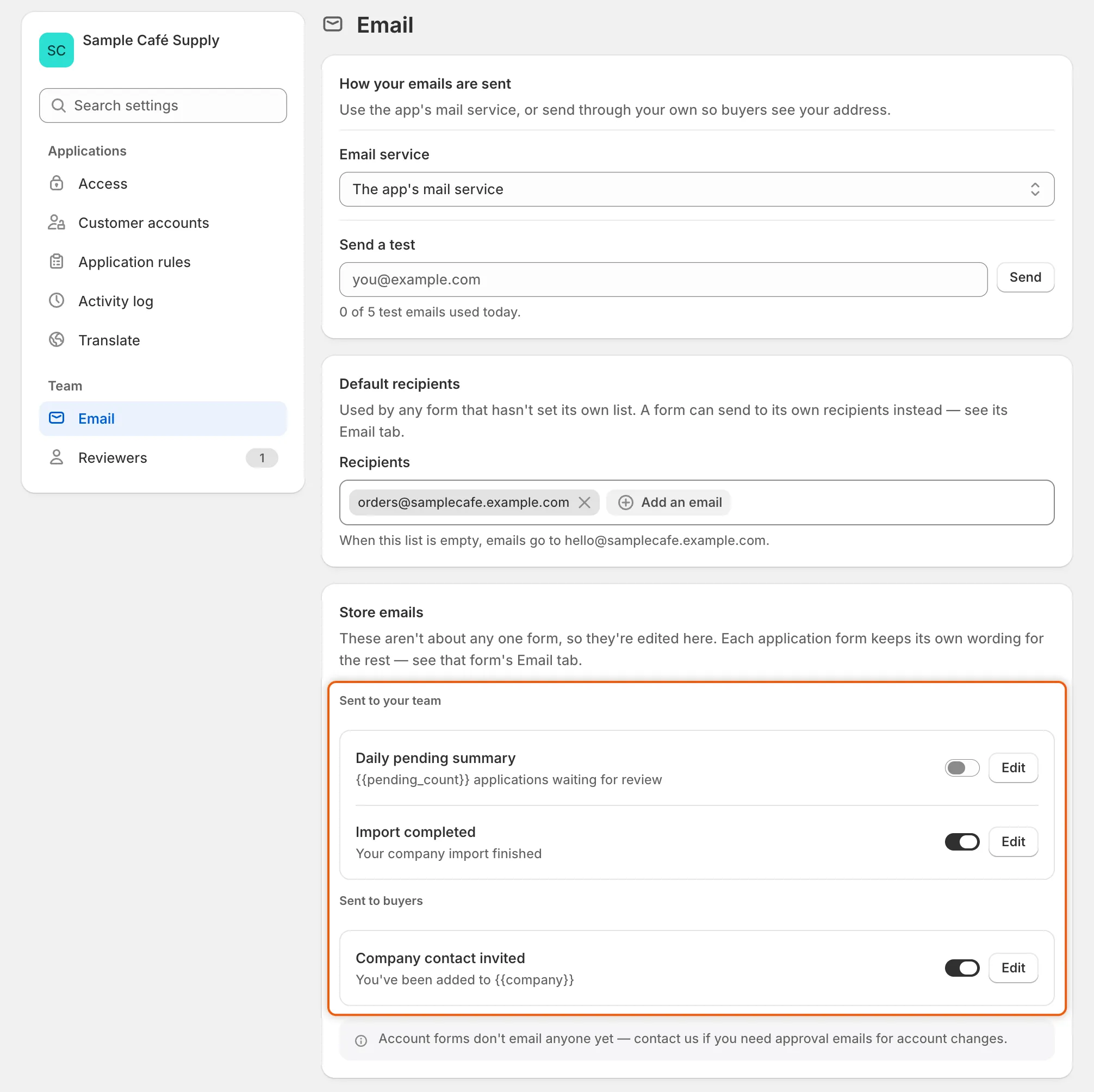
The Store emails list holds the three emails that don’t belong to a form, each with its own switch and Edit button.
Next steps
Section titled “Next steps”- Send from your own address (SMTP) — connect your own mail server and send a test.
- Choose who gets notified — set who on your team receives each email.
- Edit email templates — reword an email or turn it off.
- Activity log — check whether a particular email went out.