
Integrations
See which services an application form can work with, where to set them up, and how store-wide keys and form settings fit together.
Integrations connect your application forms to Shopify customers and to other services. In Sami B2B Onboarding they live in each form’s builder: open a form, click Integrations in the rail on the left, and the Connected apps list shows every service the form can use.
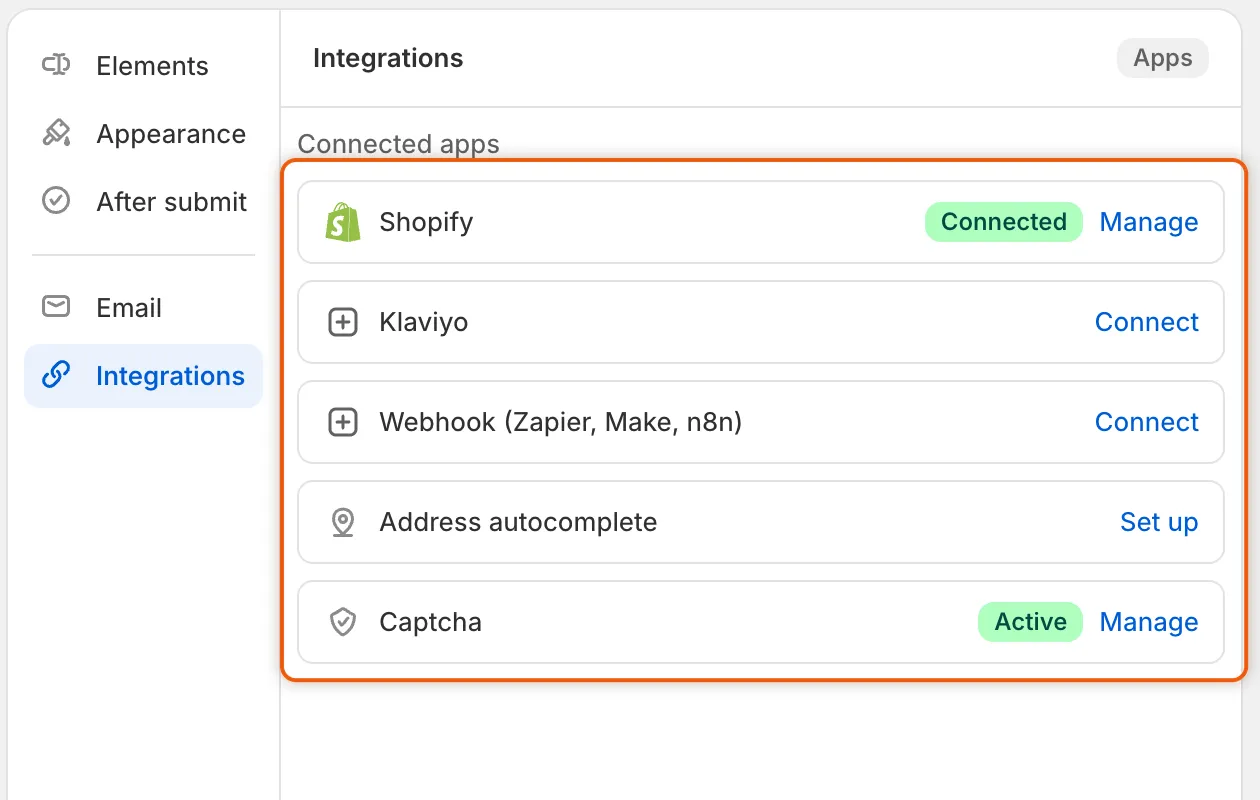
A badge shows which services are on for this form, and each row has a button to set it up or manage it.
What each integration does
Section titled “What each integration does”| Integration | What it does | What it needs from you |
|---|---|---|
| Shopify | Decides what an approval does when the buyer’s email already belongs to a Shopify customer, and which tags the customer gets. Also holds the mapping of answers to Shopify fields. | Nothing. It’s always on. |
| Klaviyo | Adds buyers to a Klaviyo list when they apply or when you approve them, with their answers on their profile. | A Klaviyo private API key |
| Webhook (Zapier, Make, n8n) | Sends an event to an automation tool when an application is submitted, approved or rejected. | A webhook URL from your tool |
| Address autocomplete | Suggests addresses from Google Maps as the buyer types, and fills in the rest of the address. | A Google Maps API key |
| Captcha | Asks guests to pass a Google reCAPTCHA or hCaptcha check before they can send the form. | A site key and a secret key |
Keys belong to the store, settings belong to the form
Section titled “Keys belong to the store, settings belong to the form”Klaviyo, the webhook, address autocomplete and captcha each need a key or a URL from the other service. You add it once, under Account in that service’s panel, and every form in the store uses the same one. The panel says so: Used by every form in this store.
- Keys save straight away. Saving them in their dialog shows Keys saved. Removing them stops every form that uses them at once.
- Form settings save with the form. The list, the events, the language and the Connect or Enable button only apply to the form you’re editing, and only after you click Save in the save bar.
So you can use the same Klaviyo account on two forms, with a different list on each. Or you can turn captcha on for one form and leave it off on another.
Only staff with the admin role can edit forms, so only admins can set up integrations. See Team and roles.
Each delivery to Klaviyo or a webhook appears on the application’s Timeline, under Recent runs on the Automations tab of Automation, and in Settings › Activity log on its Emails view.
Next steps
Section titled “Next steps”- Map answers to Shopify — choose which customer, company and address field each answer fills on approval.
- Existing Shopify customers — decide what approval does to buyers who already shop with you.
- Captcha (reCAPTCHA, hCaptcha) — protect a form that’s open to everyone.