
运费
为选定的批发客户群体或产品设置自定义运费。
通过 Shipping Rate,您可以向特定客户或产品收取自定义运费,该运费可以与店铺的默认运费不同。
-
打开 Shipping rate
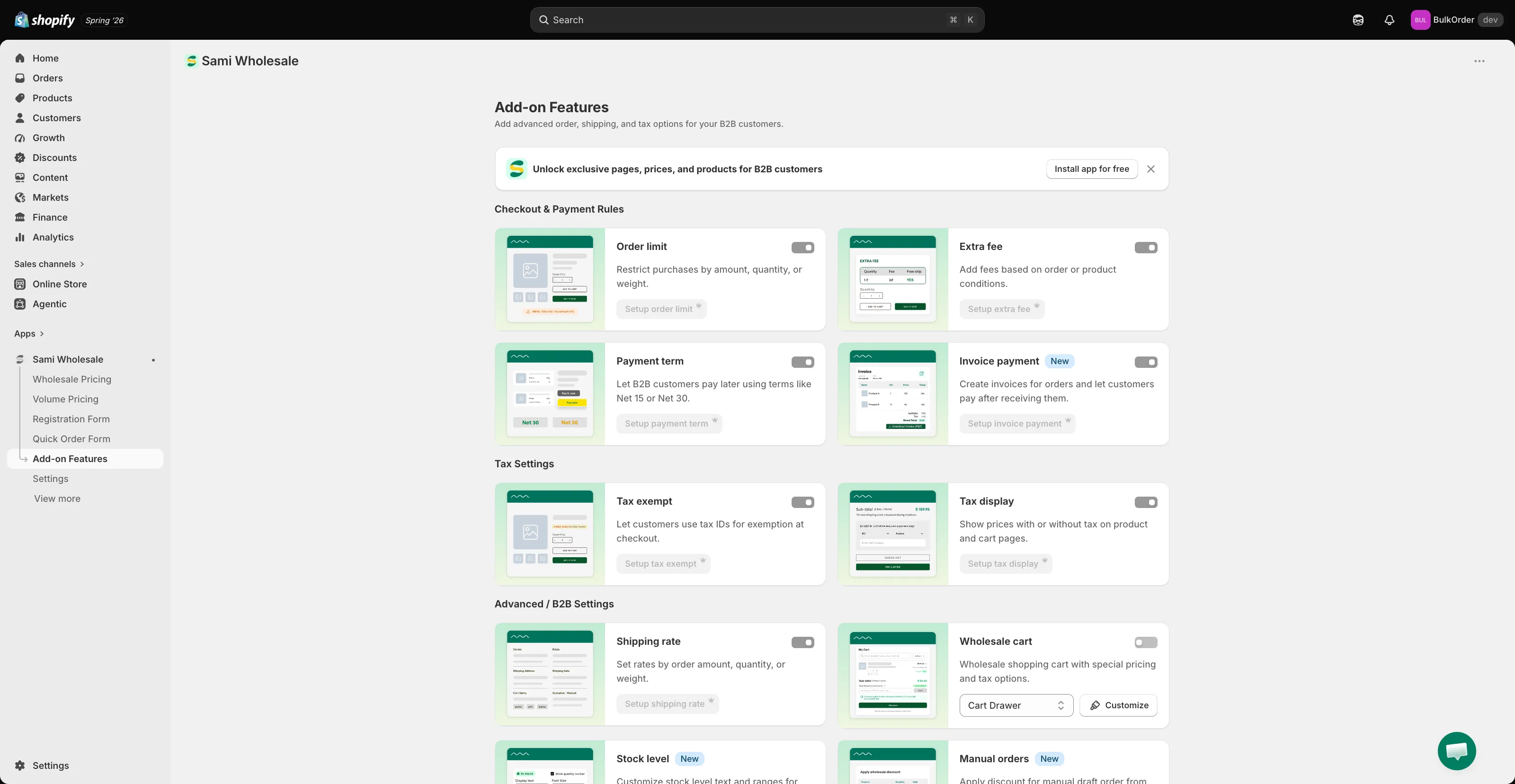
Section titled “打开 Shipping rate”打开应用,进入 Add-on Features,然后点击 Shipping rate > Setup shipping rate。
-
点击 Create new shipping rate。
-
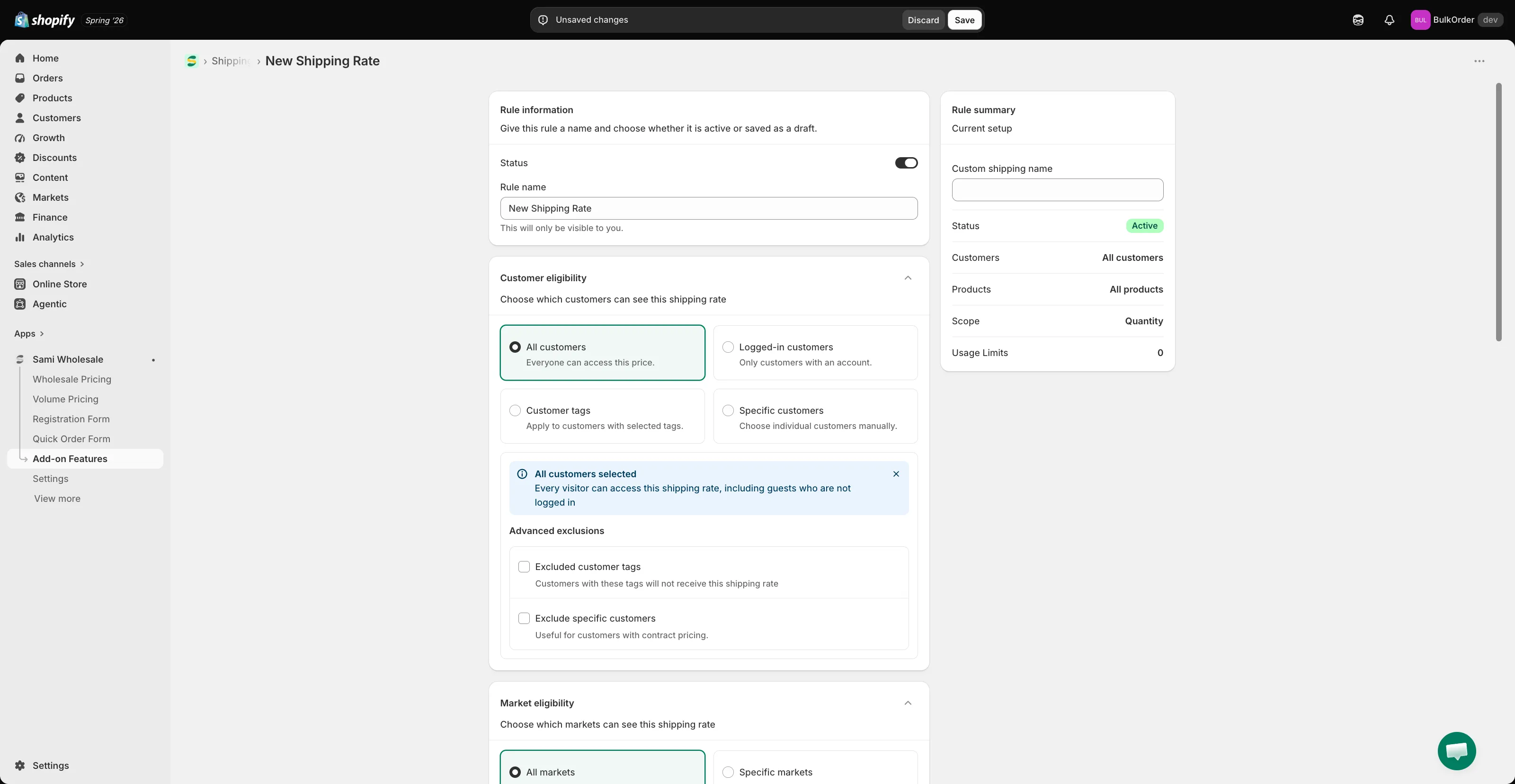
为规则设置标题,并将状态设为 active 或 draft。在 Custom shipping name 中,输入客户在结账时看到的这项运费的名称。
-
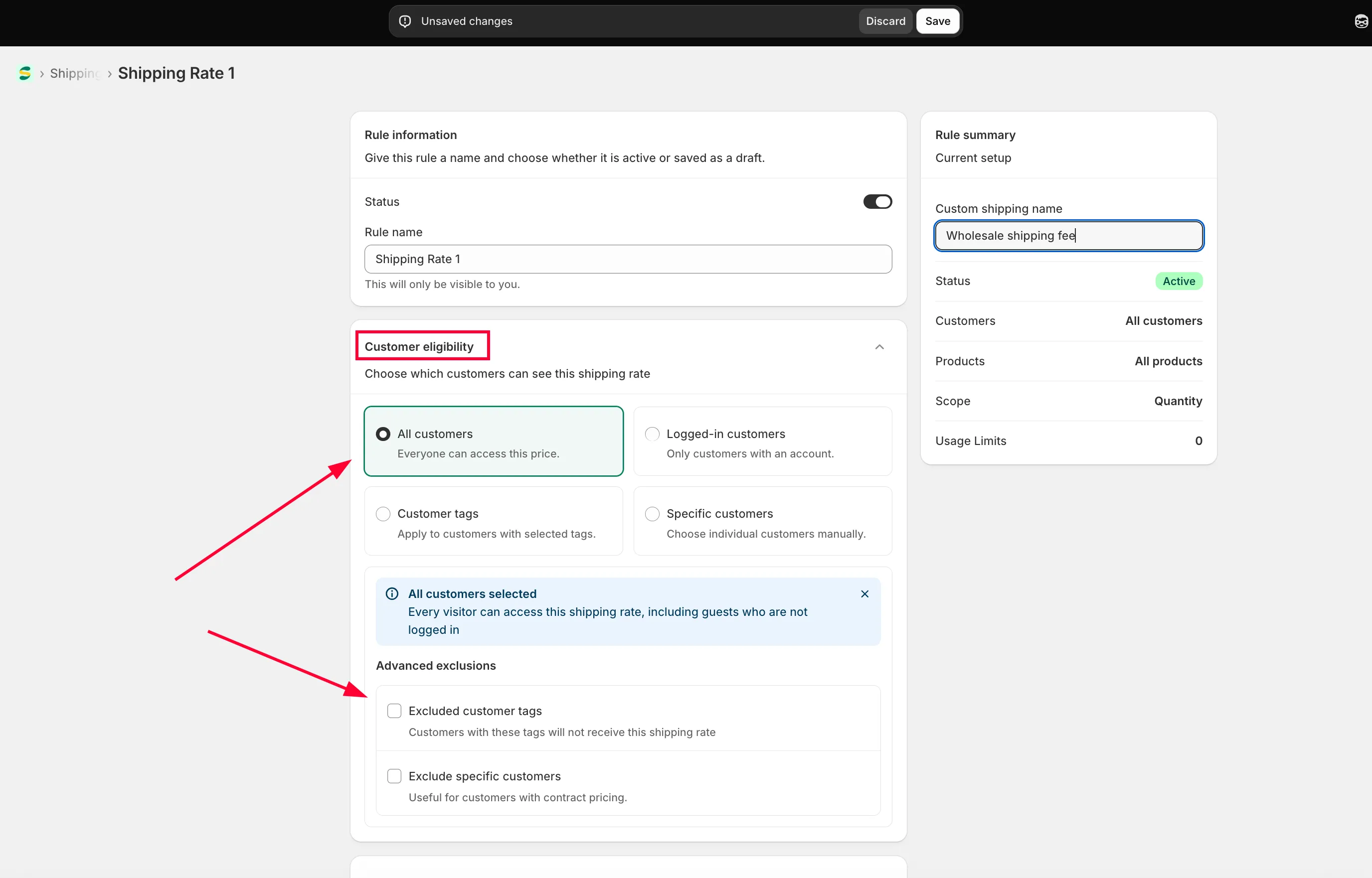
选择适用的客户
Section titled “选择适用的客户”在 Customer condition 中,选择:
- All customers:所有人。
- Logged-in customers:仅限已登录您店铺的客户。
- Specific customers:一个或几个选定的客户账户。
- Customer tags:仅限带有您指定标签的已登录客户。
您还可以排除特定客户。
-
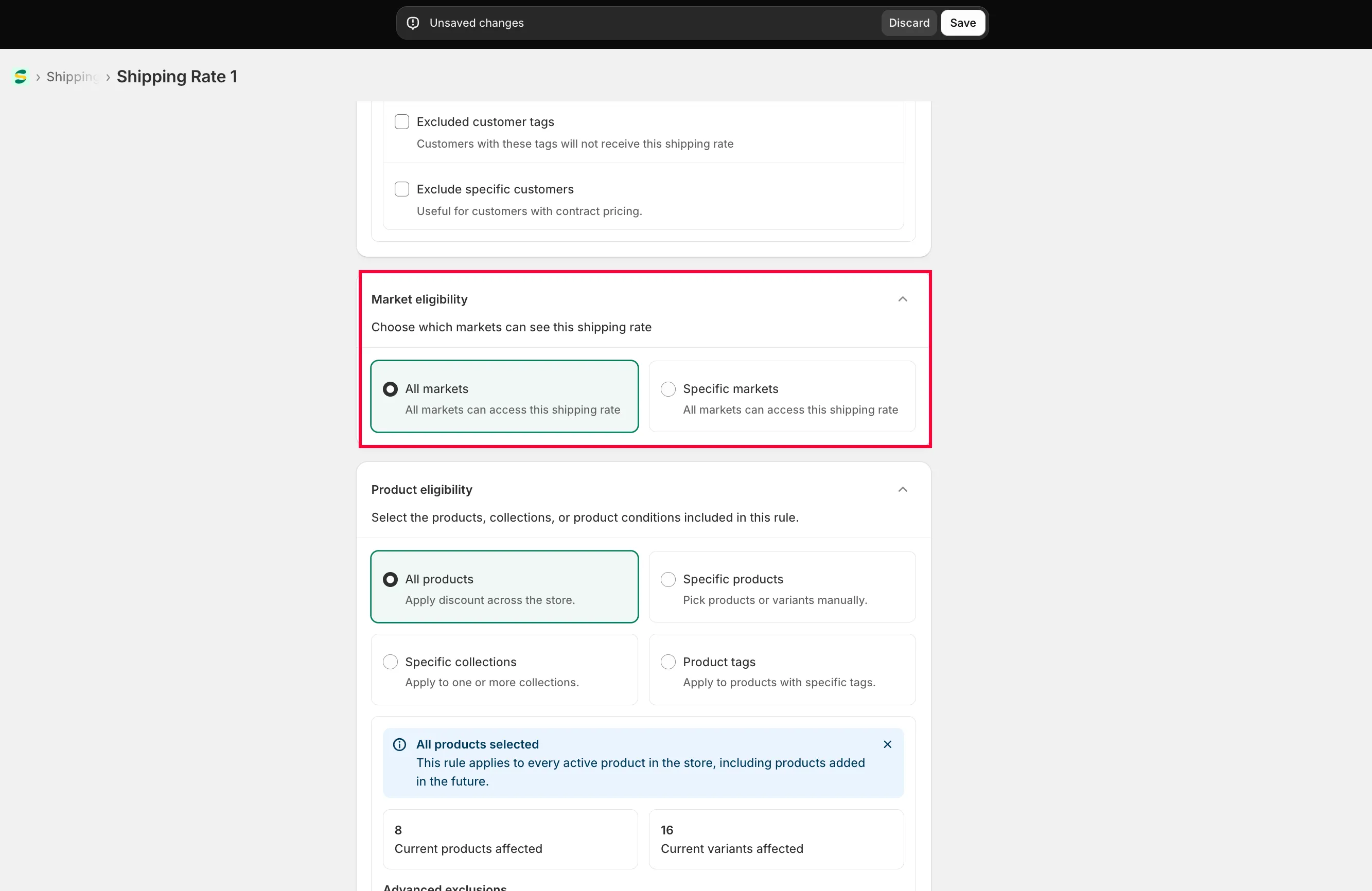
在 Market eligibility 中,选择 Specific markets 并勾选所需市场,或选择 All markets。
-
选择适用的产品
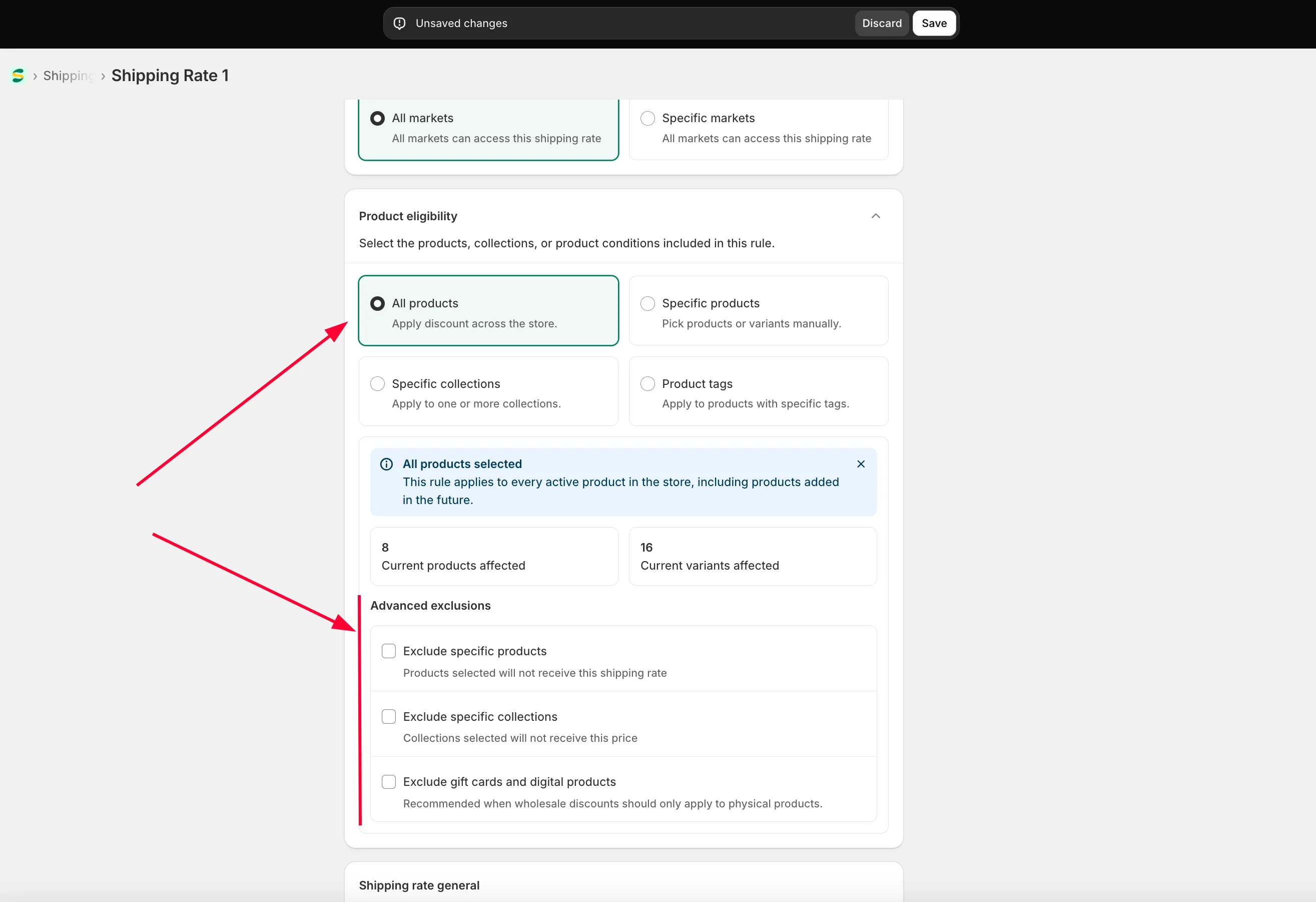
Section titled “选择适用的产品”在 Product eligibility 中,选择 All products、Specific products、Specific collections 或 Product tag,也可以排除特定产品。
-
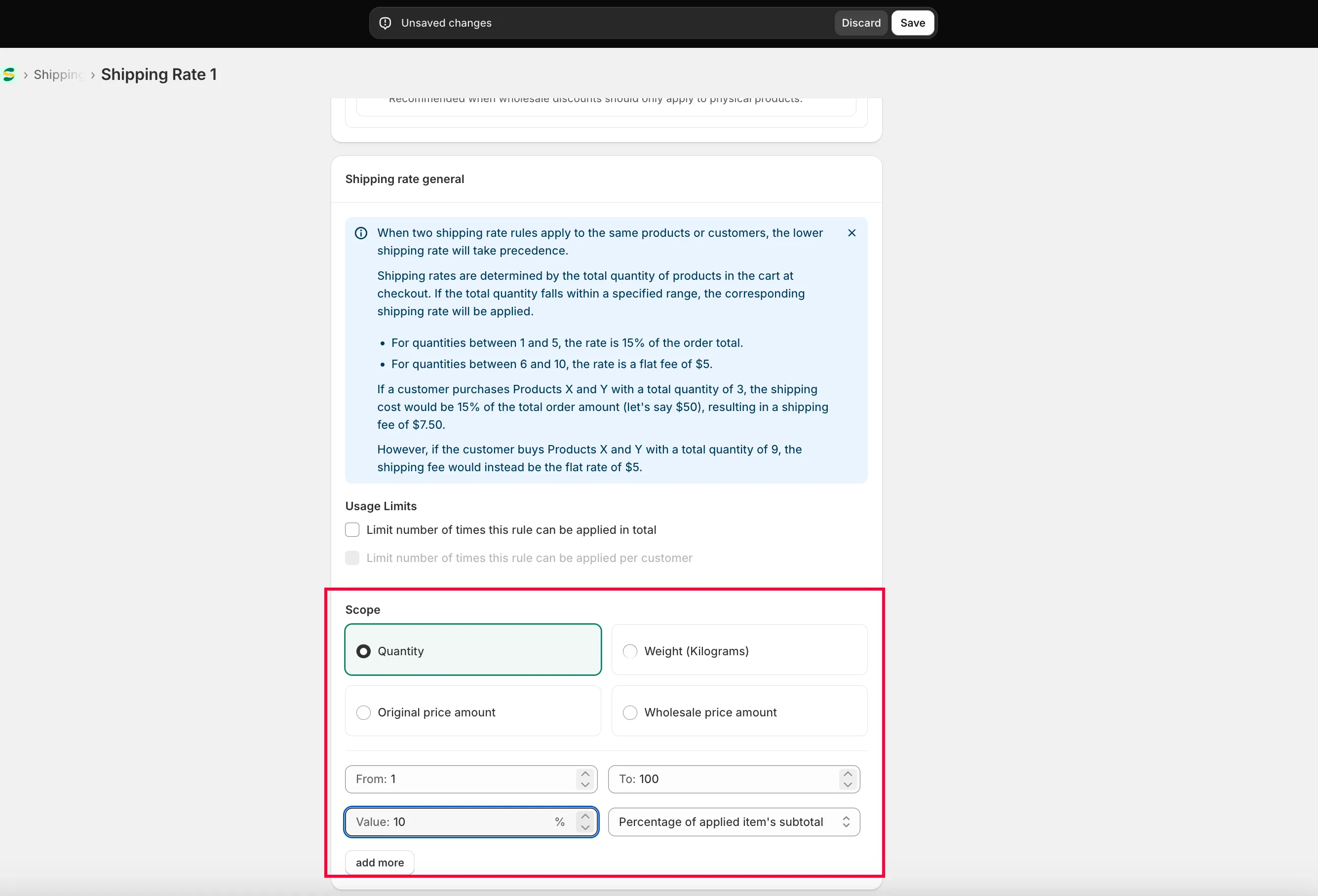
在 Shipping rate general 中,您可以添加任意数量的费用区间。
- 选择范围:Quantity、Amount 或 Weight。
- 输入区间,应用会据此判断结账时适用哪项运费。
- 选择费用形式:Percentage of applied items’ subtotal(订单总额的百分比)或 Flat rate(固定价格,与订单总额无关)。
- 您也可以为该档位输入 Custom shipping name。请参阅为每个档位显示不同的运费名称。
-
点击 Save。
为每个档位显示不同的运费名称
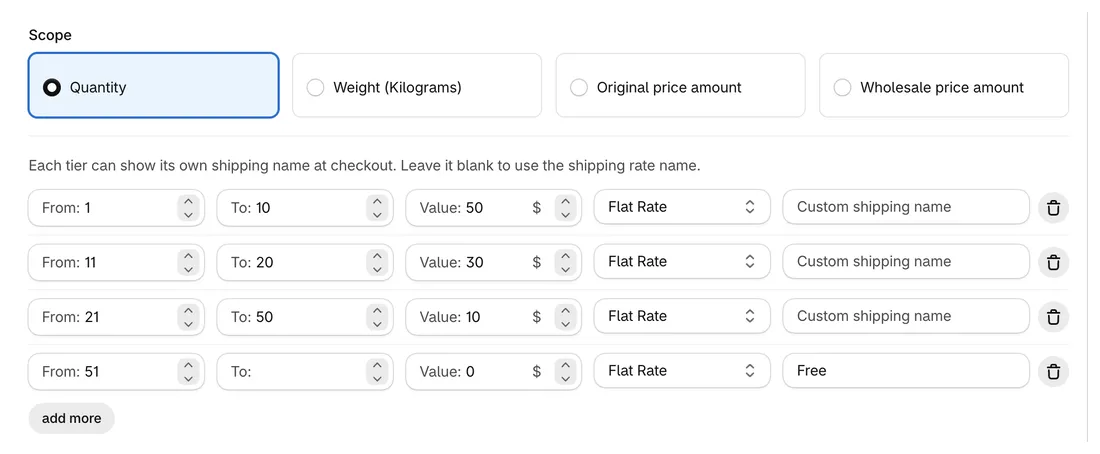
Section titled “为每个档位显示不同的运费名称”Shipping rate general 中的每个档位都有自己的 Custom shipping name 字段。当订单落入该档位时,客户在结账时会看到此名称作为配送方式。留空则使用规则的 Custom shipping name。
示例:某规则的自定义运费名称为 Standard,1–10 件收取 $50.00,11–20 件收取 $30.00,21–50 件收取 $10.00,51 件起免运费。将最后一个档位命名为 Free:51 件及以上的订单在结账时显示 Free,较小的订单则显示 Standard。
要让客户在结账前就能在购物车中看到运费和各档位,请参阅在购物车中显示运费。
如果您在操作这些步骤时遇到任何困难,请随时通过电子邮件 [email protected] 与我们联系。