
购物车计时器到期时
购物车倒计时到零时可以执行的三种操作,以及如何选择。
购物车倒计时是唯一一种其结束方式可能改变买家购物车的类型。Display 标签页上的 Action after time expired 设置决定了会发生什么。
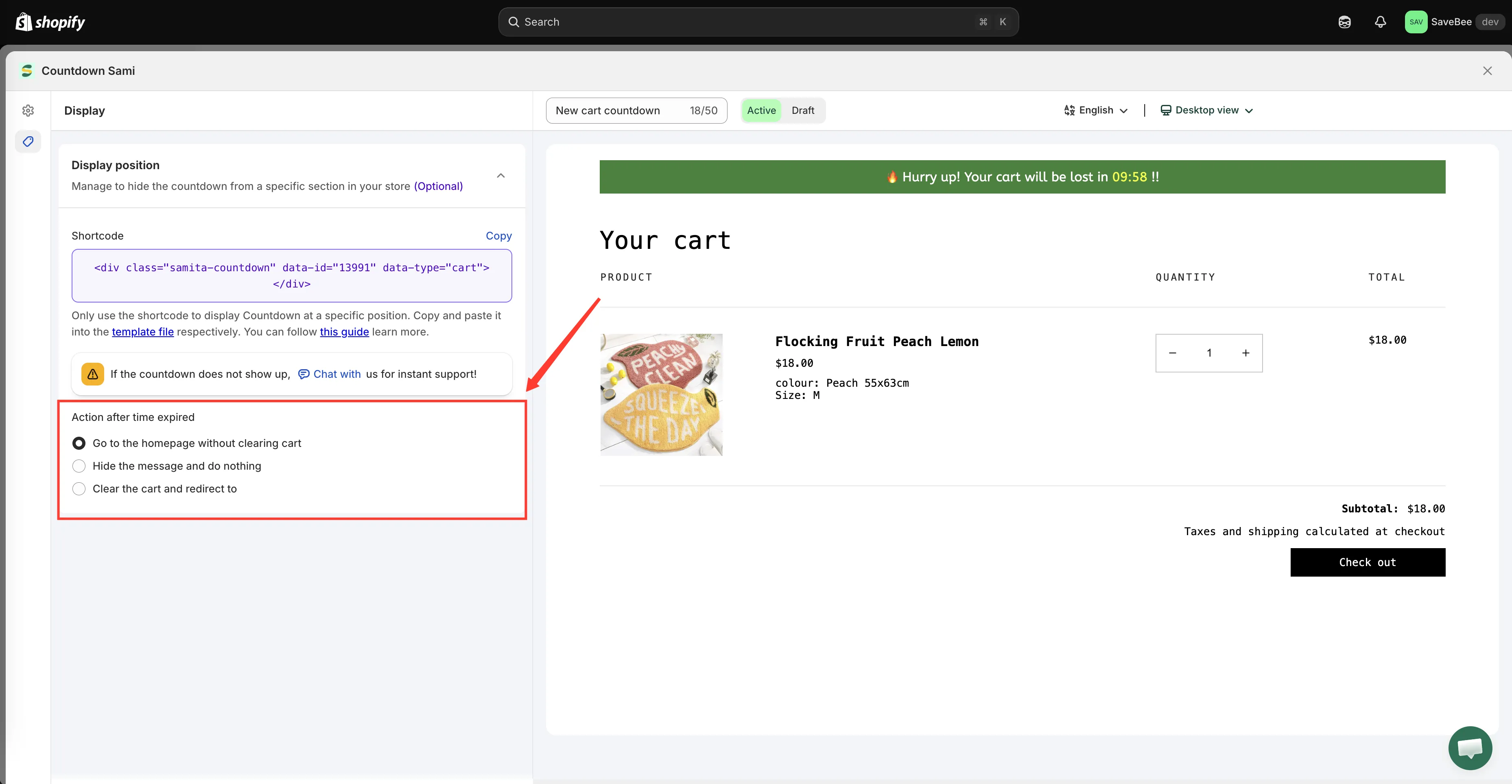
购物车倒计时 Display 标签页上的 Action after time expired。
| 选项 | 到零时会发生什么 |
|---|---|
| Go to the homepage without clearing cart | 买家会被送到您的首页,其购物车保持不变 |
| Hide the message and do nothing | 倒计时消失,其他一切不变 |
| Clear the cart and redirect to | 购物车被清空,买家会被送到您指定的 URL |
Go to the homepage without clearing cart
Section titled “Go to the homepage without clearing cart”这是默认选项。计时器耗尽时,买家会被转到您的首页,但他们添加的所有商品仍在购物车中。
它会打断买家,却不会让他们损失任何东西,这正是大多数商店想要的平衡。不过打断仍然是真实的:中途离开结账的买家回来时,看到的页面与离开时不同。
Hide the message and do nothing
Section titled “Hide the message and do nothing”计时器消失,买家会在原来的位置继续操作。
这是最温和的选项,如果拿不准,就选它。倒计时在运行期间发挥作用,即结账按钮旁边有一个可见的时钟,结束时便悄然停止,没有页面跳转,也不会丢失任何内容。
Clear the cart and redirect to
Section titled “Clear the cart and redirect to”购物车会被清空,买家会被送到您输入的 URL。如果 URL 字段留空,他们会停留在当前页面,购物车为空。
仅当空购物车反映真实情况时才使用,例如真正的预留系统,继续保留库存会是错误的做法,并且请确保您的文案在此之前就清楚地说明这一点。
| 您的目标 | 使用 |
|---|---|
| 无风险地提醒买家 | Hide the message and do nothing |
| 打断买家,但保证购物车安全 | Go to the homepage without clearing cart |
| 真正释放预留 | Clear the cart and redirect to |
让文案与操作一致
Section titled “让文案与操作一致”文案和操作在不同的标签页中设置,因此很容易彼此脱节。默认文案写的是“Your cart will be lost”,只有在使用清空操作时才属实,对另外两个选项来说则是食言。
| 操作 | 与之相符的文案 |
|---|---|
| Hide the message and do nothing | Complete your order within {timer} |
| Go to the homepage without clearing cart | Finishing up? You have {timer} left |
| Clear the cart and redirect to | 🔥 Hurry up! Your cart will be lost in {timer} !! |
依赖前先测试
Section titled “依赖前先测试”在草稿中将时长设置为一两分钟,在无痕浏览器窗口中将商品加入购物车,然后观察计时器耗尽。无论您选择哪种操作,您看到的都应该与买家看到的完全一致。
保存为 Active 之前,请把真实的时长改回去。