
Cheapest item free
When a shopper buys a set number of items, make the cheapest (or most expensive) one free or discounted.
Det här innehållet är inte tillgängligt på ditt språk än.
Cheapest item free rewards a fuller cart: buy 3 items and the cheapest one is free. The items can be different products, as long as they’re in the offer. Use it for clearance, or to push shoppers from two items to three.
What shoppers see
Section titled “What shoppers see”- In the cart drawer and on the cart page, a progress bar telling shoppers how many more items they need, such as “Add 1 item to unlock the cheapest item free”.
- In the cart and at checkout, the discounted item at its new price (free shows as 0), with a label under the line.
- On the product page, an offer block with the deal, such as “Buy 3, cheapest free”.
Templates that start a Cheapest item free
Section titled “Templates that start a Cheapest item free”| Template | Starts with |
|---|---|
| Cheapest item free (Discounts tab) | Buy 3, the cheapest 1 is free, once per order |
You can also click Start from blank in the Discounts category and pick Cheapest item free. See Create an offer.
Set up a Cheapest item free
Section titled “Set up a Cheapest item free”-
Choose the products
Section titled “Choose the products”In the offer editor, open the Offer tab. In Products, click Change and pick Specific products, Collections, Product tags, or All products. Use Exclude products, Exclude collections, or Exclude tags to leave items out.
Every item in the offer counts toward the deal, whatever product it is.
-
Set the deal
Section titled “Set the deal”In the Rules section:
Field What it does Customer buys How many items the shopper has to buy Discounted items How many of those get the reward. It has to be fewer than Customer buys. Which item Cheapest or Most expensive Reward Free or Percentage off Discount on those items The percentage, with Percentage off 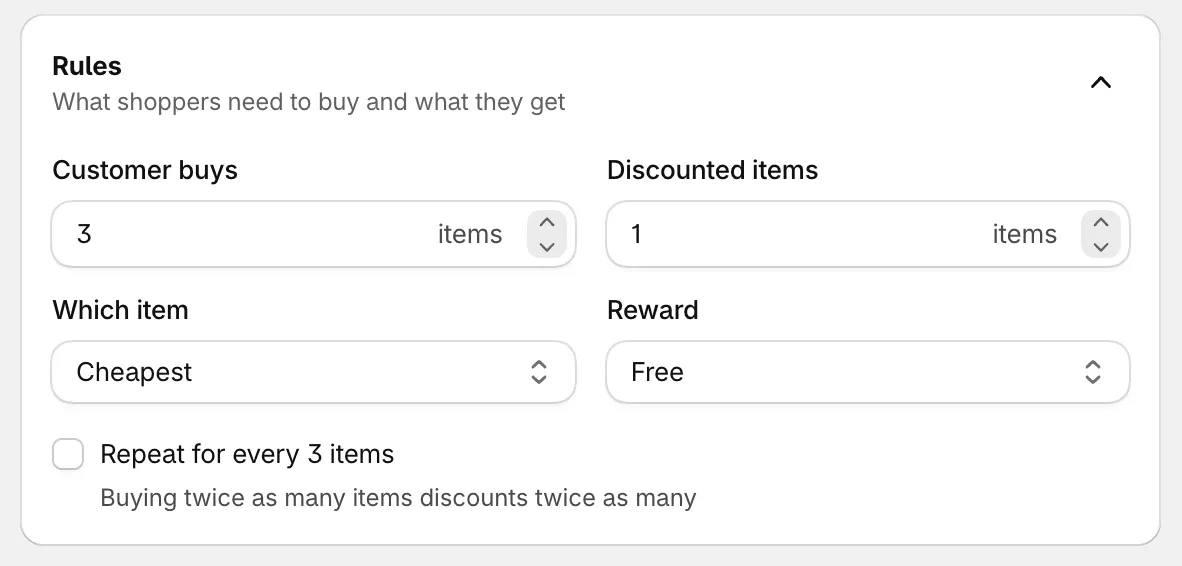
Buy 3, the cheapest one free.
-
Decide on repeating
Section titled “Decide on repeating”Repeat for every 3 items (the number follows Customer buys) gives the reward once per full set: 6 items, 2 free. With it off, the reward applies once per order, however many items are in the cart.
-
Save and check your store
Section titled “Save and check your store”Set the status to Active and click Save. Add three items from the offer to your cart and open the cart drawer.
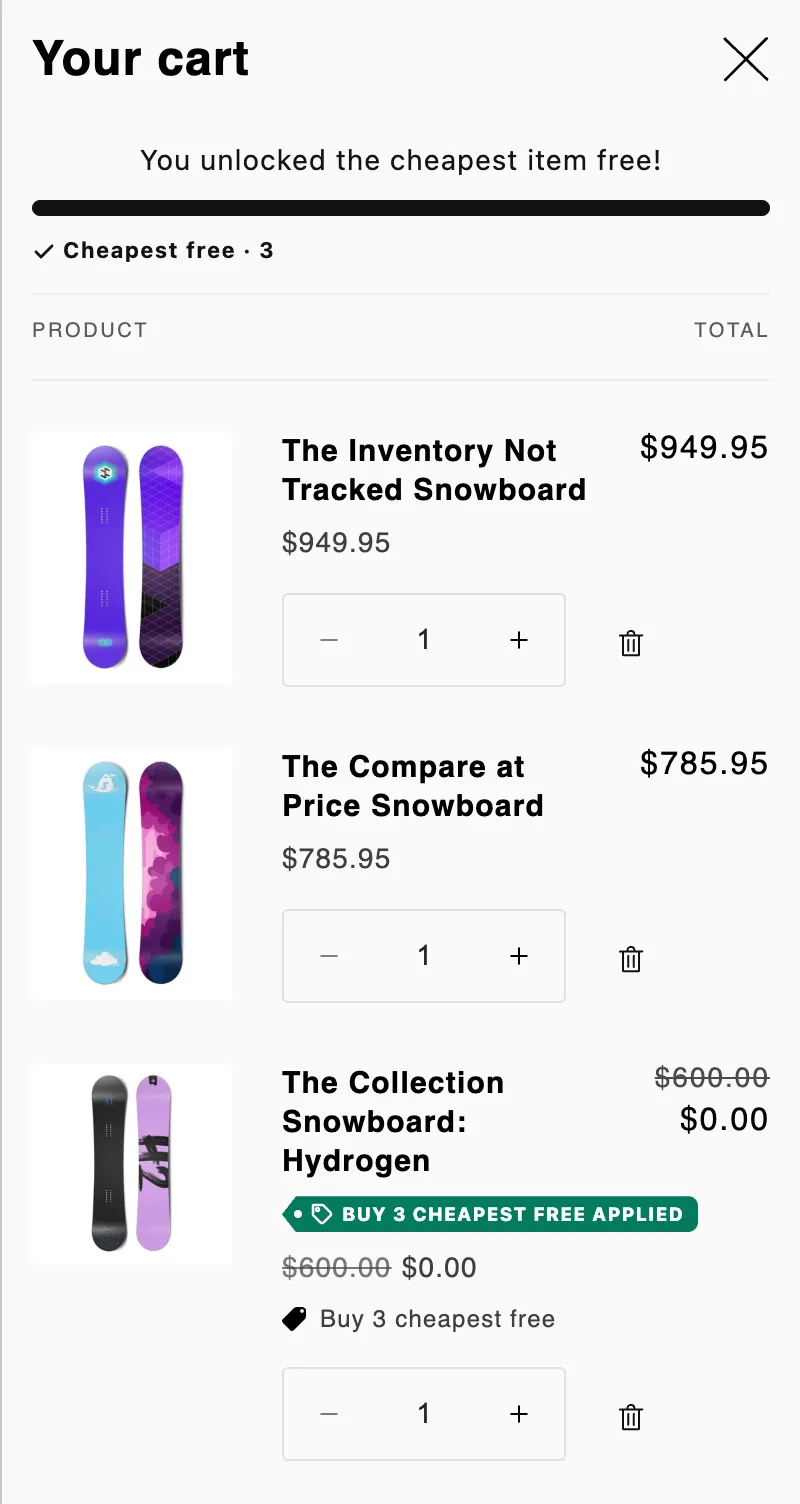
The cart once the deal is reached: the cheapest item is free.
Good to know
Section titled “Good to know”- Which item is free. Checkout counts every unit of the offer’s items in the cart, then discounts the cheapest ones (or the most expensive, if you picked that).
- Below the number, no discount. With 2 items in the cart and Customer buys at 3, nothing is discounted yet.
- Quantities count however items were added. To count only items added from the offer block, turn on Apply only when bought through the offer block under Settings › Advanced › Discount name and method. See Discount method.
- Round prices. Design › Variants and pricing › Round prices rounds the discounted prices down, and checkout charges the same rounded price.
- Progress bar. Turn the cart drawer and cart page bars on or off, and change their text, in Placement.
- A/B tests. You can test the block style or the block title. See A/B test an offer.