
設定購物車表單
在顧客從 Wholesale cart 結帳前,收集額外資訊,例如採購單編號。
Wholesale cart 可以顯示自訂表單,讓您在顧客結帳前收集額外的資訊。
-
開啟 Wholesale cart
Section titled “開啟 Wholesale cart”開啟應用程式,點擊 Add-on Features,開啟 Wholesale cart 開關,然後點擊 Customize 開啟編輯器。
-
啟用購物車表單
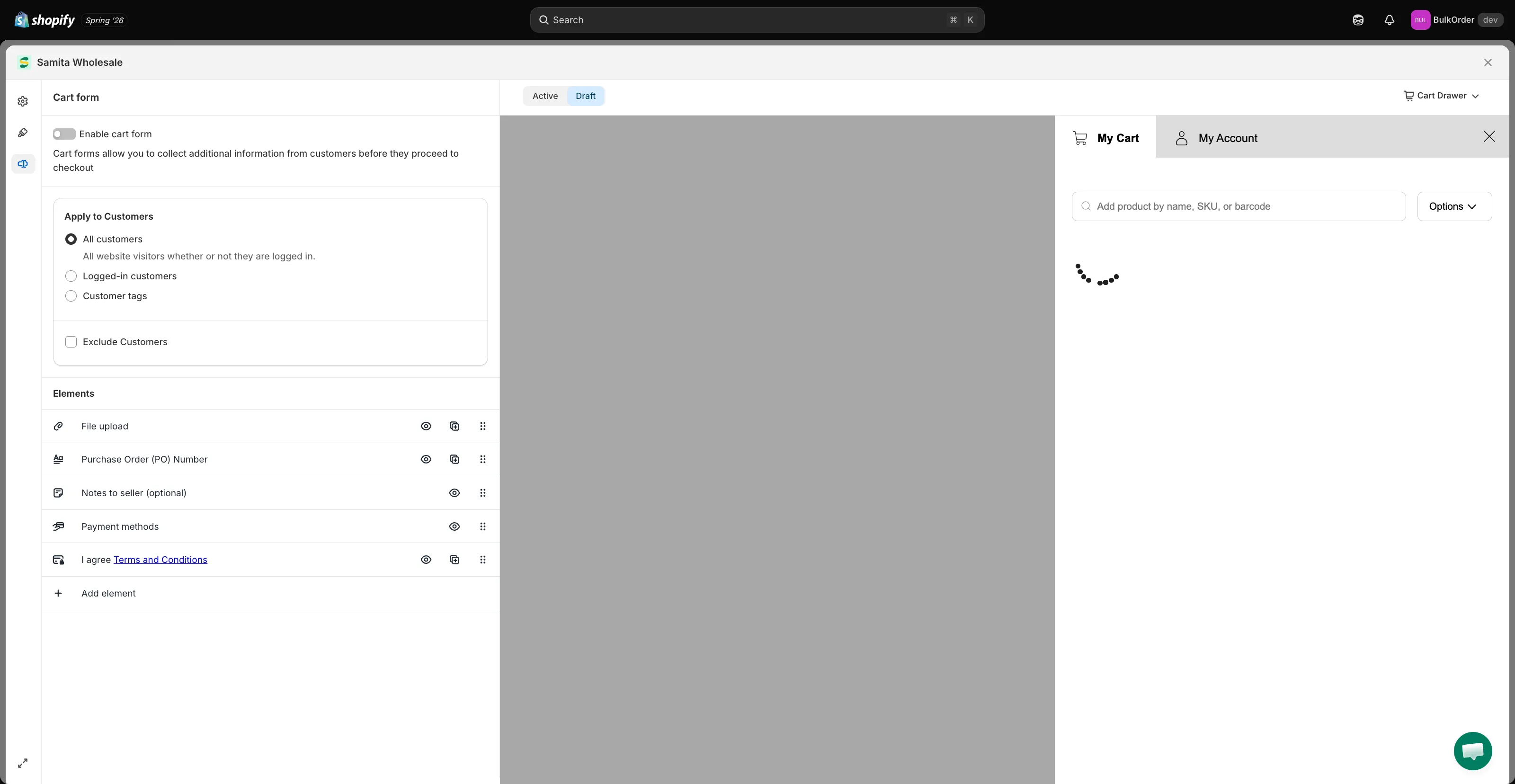
Section titled “啟用購物車表單”點擊 Cart form 標籤,然後啟用 Enable cart form。
-
選擇哪些顧客會看到表單
Section titled “選擇哪些顧客會看到表單”透過 Apply to Customers 設定哪些顧客會看到表單:
- All customers:所有人都會看到。
- Logged-in customers:只有已登入您商店的顧客會看到。
- Customer tags:只有具有您指定標籤的已登入顧客會看到。
如果您選擇 All customers,但想對特定標籤的顧客隱藏表單,請勾選 Exclude Customers。
-
加入所需欄位
Section titled “加入所需欄位”在 Elements 區段中,新增或移除欄位,以收集您需要的資訊,例如 File upload、Purchase Order (PO) Number、Notes to seller 或 Payment methods。
-
點擊頁面頂端出現的列中的 Save,然後在商店前台查看結果。