
設定通知
自訂傳送給您和顧客的付款條款與發票付款電子郵件,並設定郵件寄件者。
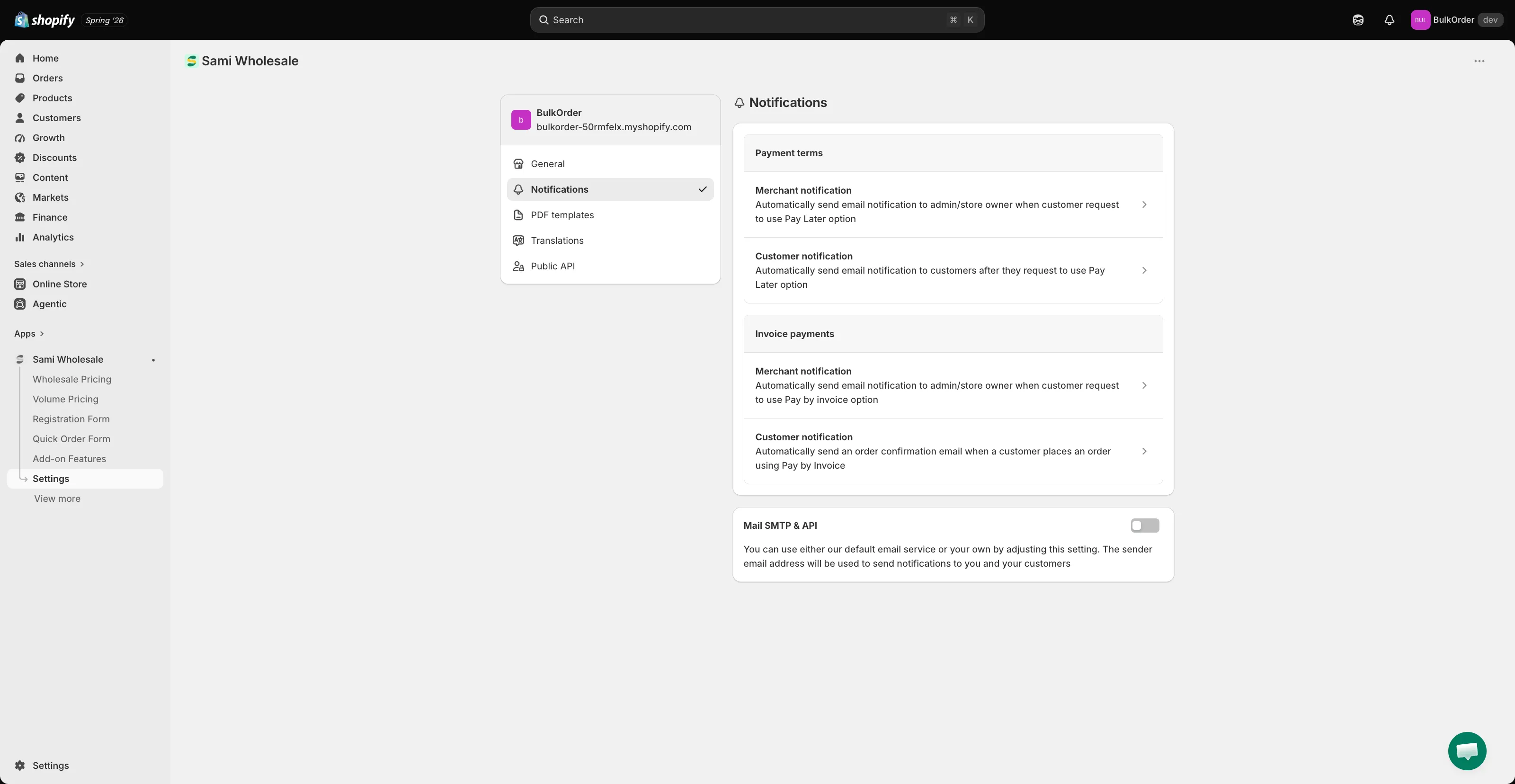
設定中的 Notifications 標籤可讓您自訂應用程式寄出的電子郵件,也可以設定這些郵件使用的郵件伺服器。
-
開啟 Notifications 設定
Section titled “開啟 Notifications 設定”在應用程式中點擊 Settings,然後點擊 Notifications。
-
編輯通知範本
Section titled “編輯通知範本”在 Payment terms 或 Invoice payments 下,點擊 Merchant notification 或 Customer notification 編輯該封電子郵件的內容。
- Merchant notification:您(或您的團隊)收到的電子郵件。
- Customer notification:顧客收到的電子郵件。
-
設定郵件寄件者(選用)
Section titled “設定郵件寄件者(選用)”在 Mail SMTP & API 下,您可以使用自己的電子郵件地址寄送這些郵件,而不使用應用程式的預設寄件者。完整說明請參閱 設定 SMTP。
需要協助嗎?
Section titled “需要協助嗎?”如果在操作過程中遇到任何困難,歡迎隨時透過電子郵件 [email protected] 與我們聯絡。