
設定並附加付款條款通知的 PDF 檔案
將可自訂的 PDF 附加到顧客使用付款條款時寄出的電子郵件中。
在草稿訂單電子郵件中附加 PDF
Section titled “在草稿訂單電子郵件中附加 PDF”當顧客選擇以付款條款稍後付款時,應用程式可以寄送附有 PDF 的電子郵件給您和顧客。
請在 Settings > Notifications 中設定,然後在 Payment terms 下的 Merchant notification 和 Customer notification 頁面上,都勾選 Attach PDF file。
自訂 PDF
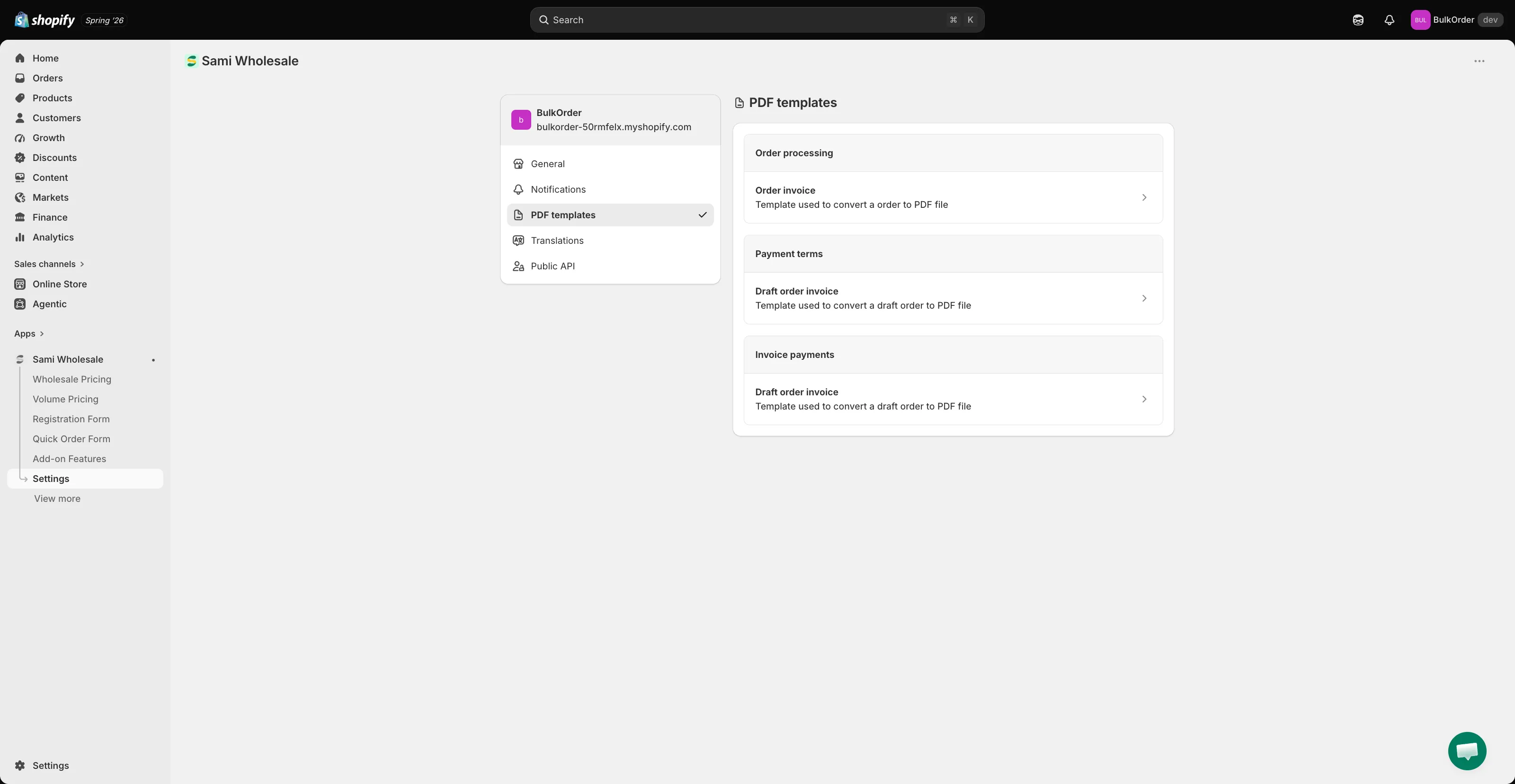
Section titled “自訂 PDF”前往 Settings > PDF templates,然後在 Payment terms 下點擊 Draft order invoice。
- Invoice name:設定檔案命名模式,可使用
{{ order.name }}和{{ timestamp }}等變數。 - Appearance:選擇 PDF 中要顯示哪些頁首、地址、商品和訂單價格詳細資料(例如 Ship to、Bill to、Payment term、SKU、Vendor)。
請查看右側的 Preview 面板,即時預覽您的變更。
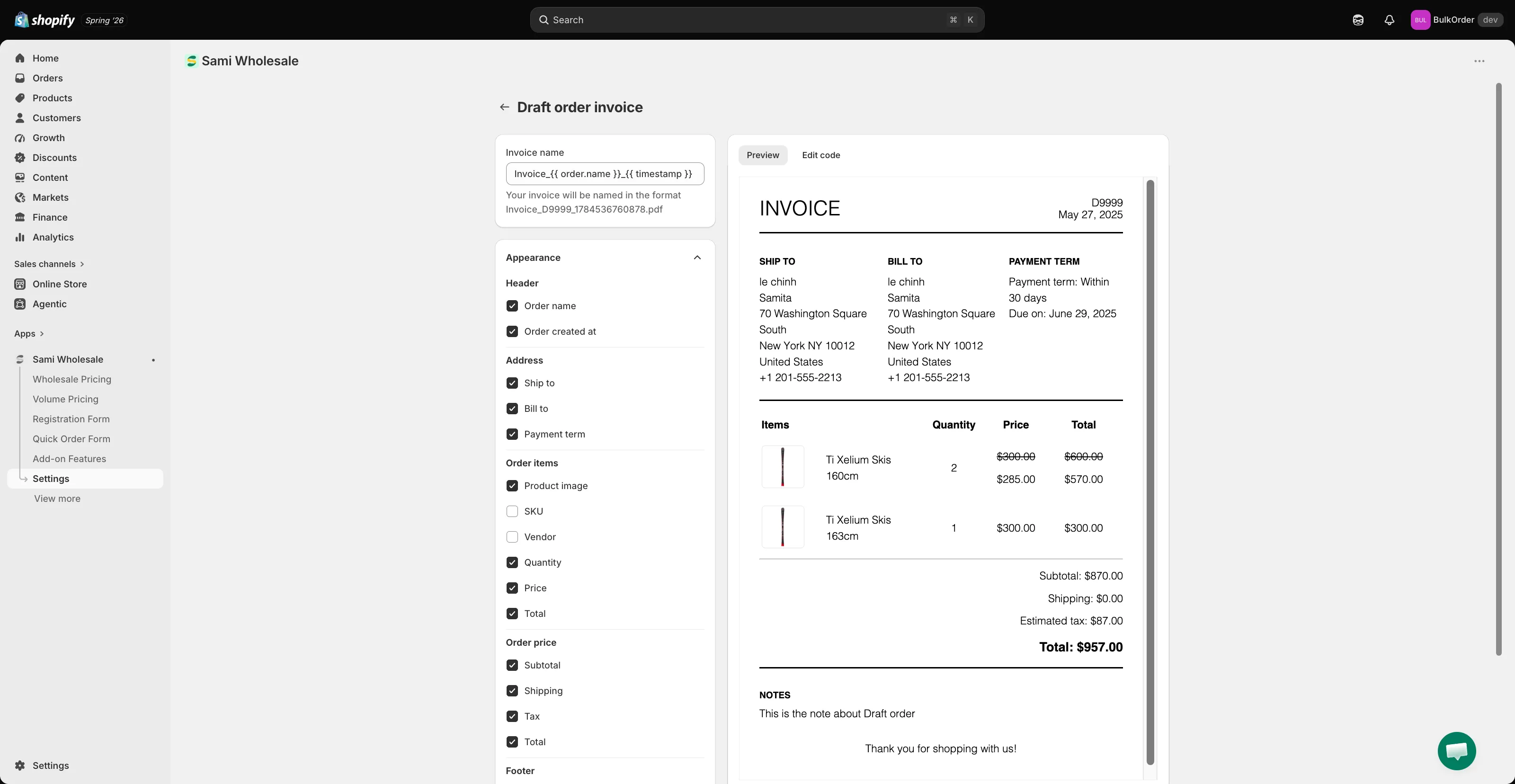
向下捲動到 Footer 區段以取得更多選項,然後點擊頁面頂端出現的列中的 Save。
需要協助嗎?
Section titled “需要協助嗎?”如果您在操作這些步驟時遇到任何困難,歡迎隨時透過電子郵件 [email protected] 與我們聯絡。