
付款條款與付款發票
讓 B2B 顧客可以稍後或在指定日期付款,而不必在結帳時立即付款。
Payment Term 可讓您的 B2B 顧客稍後付款,無論是在指定日期之前,還是在一定天數之內,而不必在結帳時立即付款。
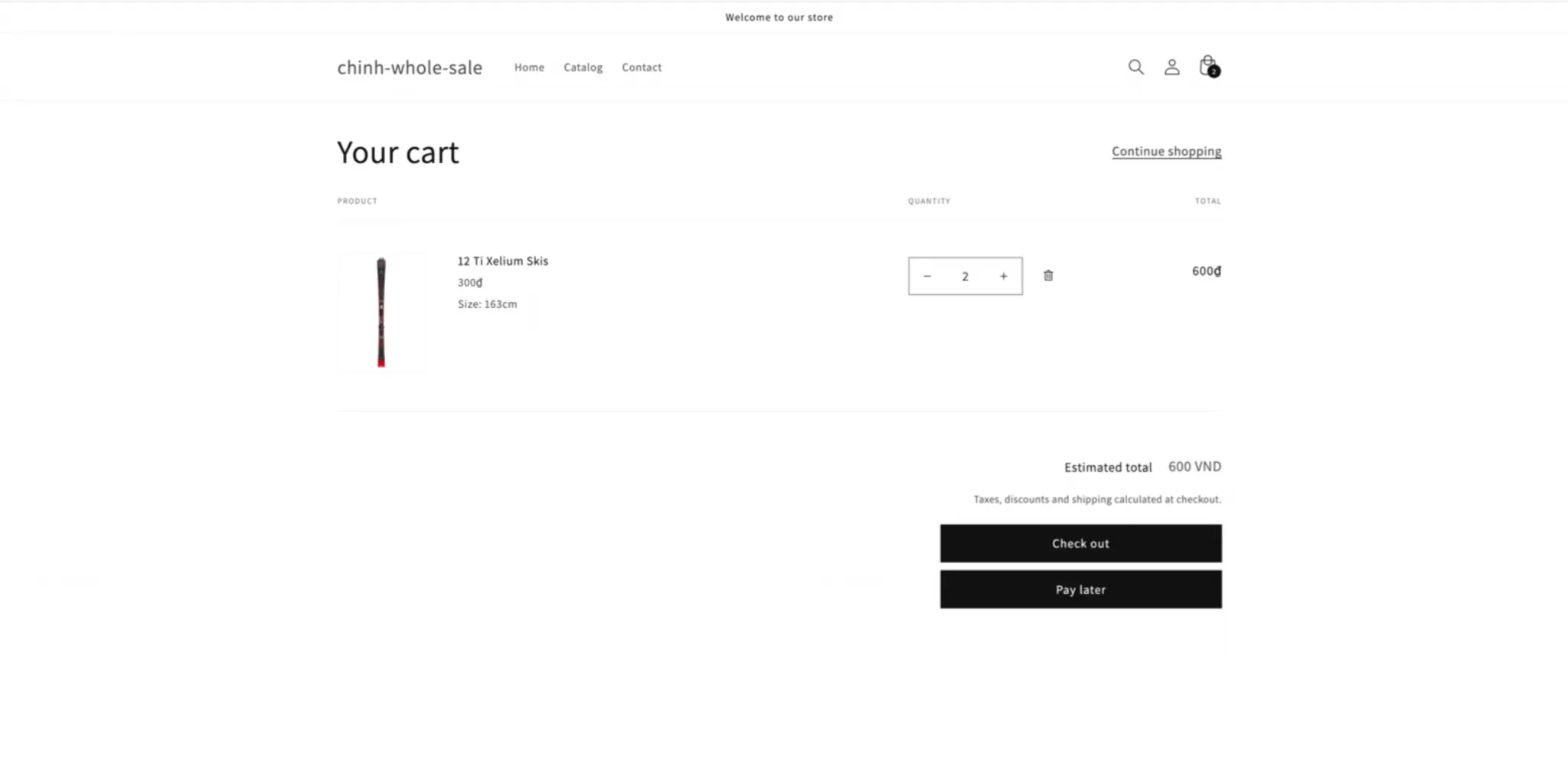
啟用後,您的購物車頁面上會出現 Pay Later 按鈕。點擊後會建立草稿訂單並清空購物車。
-
開啟 Payment term
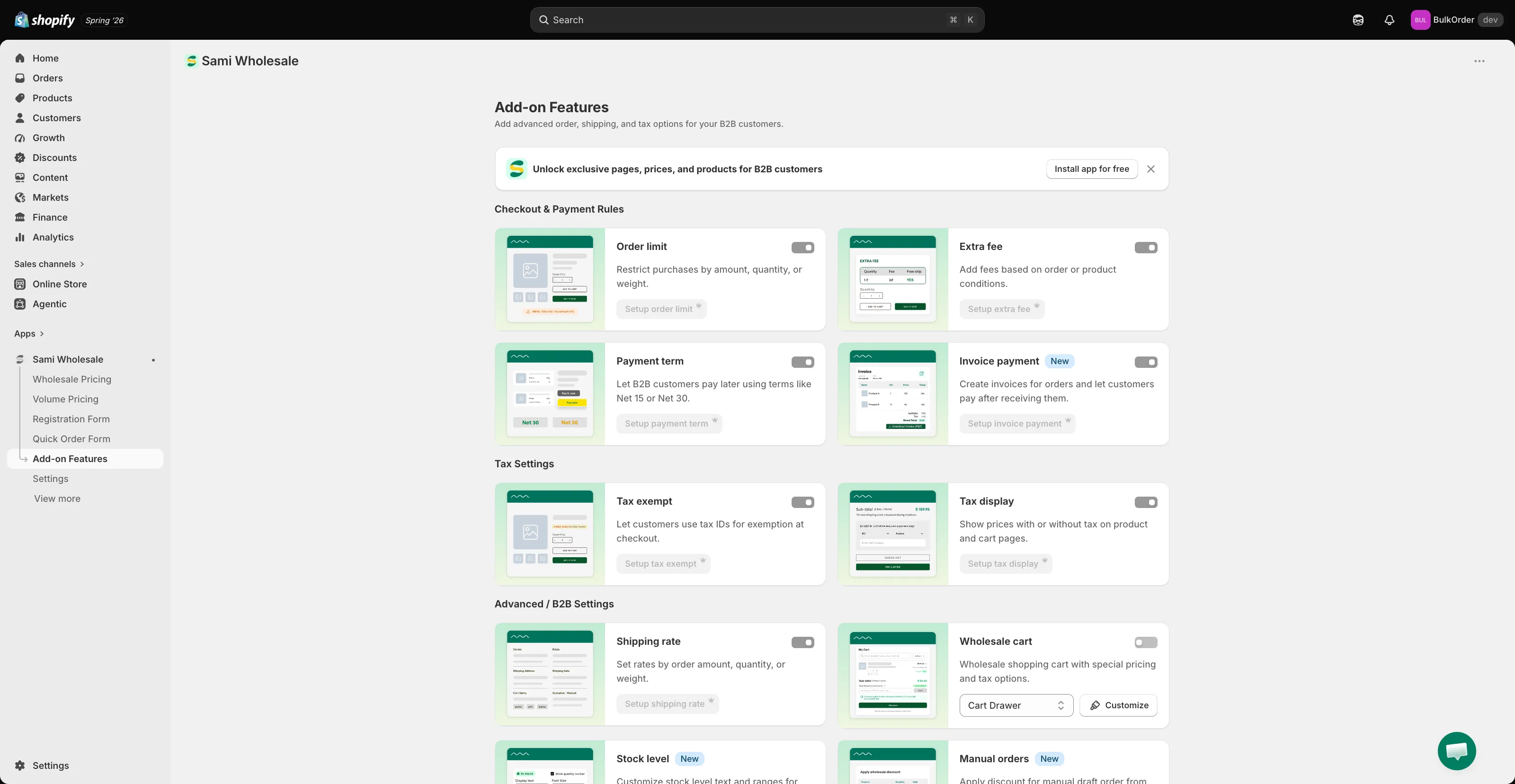
Section titled “開啟 Payment term”開啟應用程式,前往 Add-on Features,然後點擊 Payment term > Setup payment term。
-
開始建立新的付款條款
Section titled “開始建立新的付款條款”點擊 Add new payment term。
-
- Status 和 Title:啟用付款條款並為它命名(只有您看得到)。
- Payment term:選擇顧客必須付款的時間:Due on receipt、Due on fulfillment、固定天數(Within 7/15/30/45/60/90 days)、Fixed date 或 After checkout。
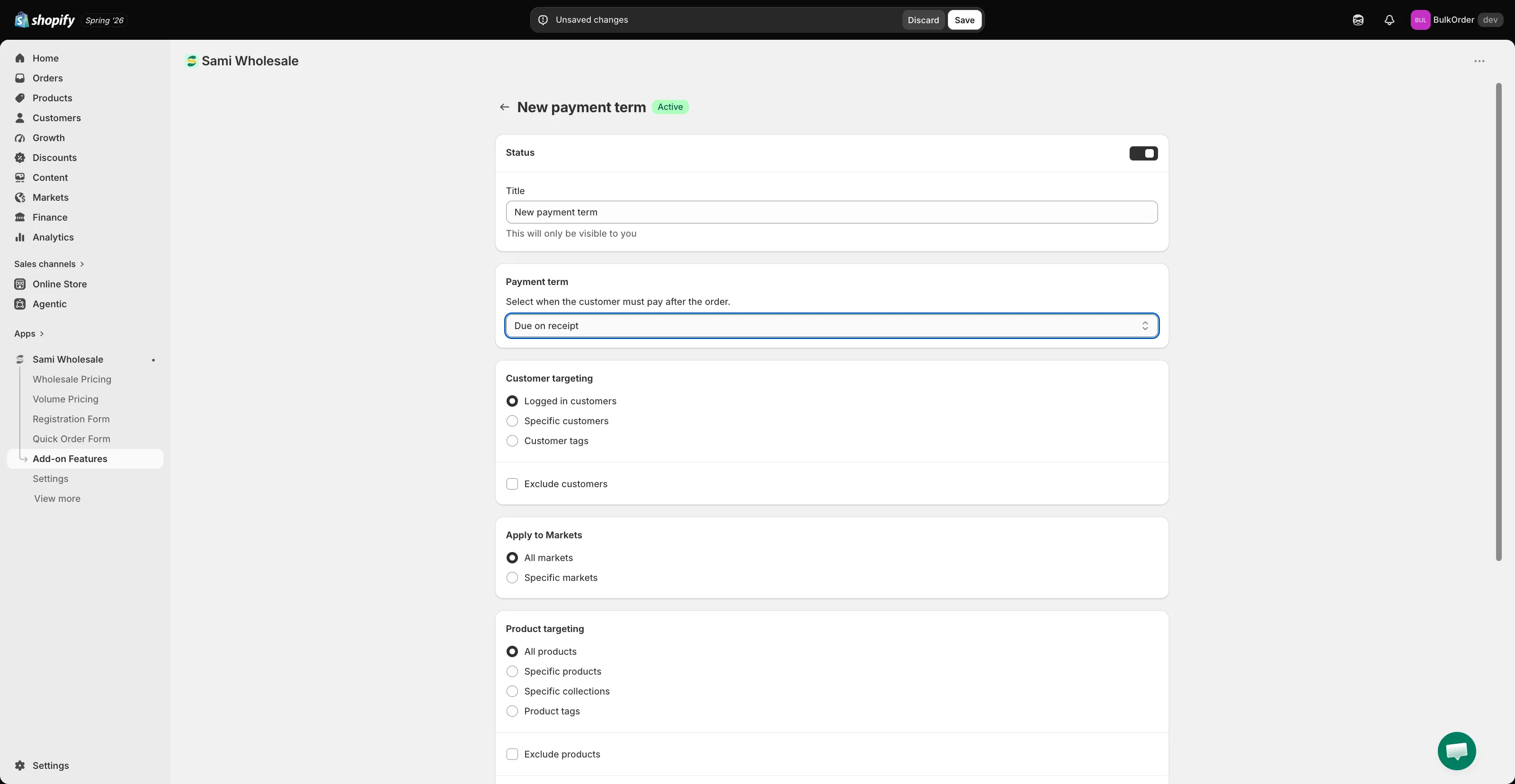
- Customer targeting:選擇 Logged in customers、Specific customers 或 Customer tags。勾選 Exclude customers 可對特定顧客隱藏此選項。
- Apply to Markets:選擇 All markets 或 Specific markets。
- Product targeting:選擇 All products、Specific products、Specific collections 或 Product tags,也可以選擇 Exclude products。
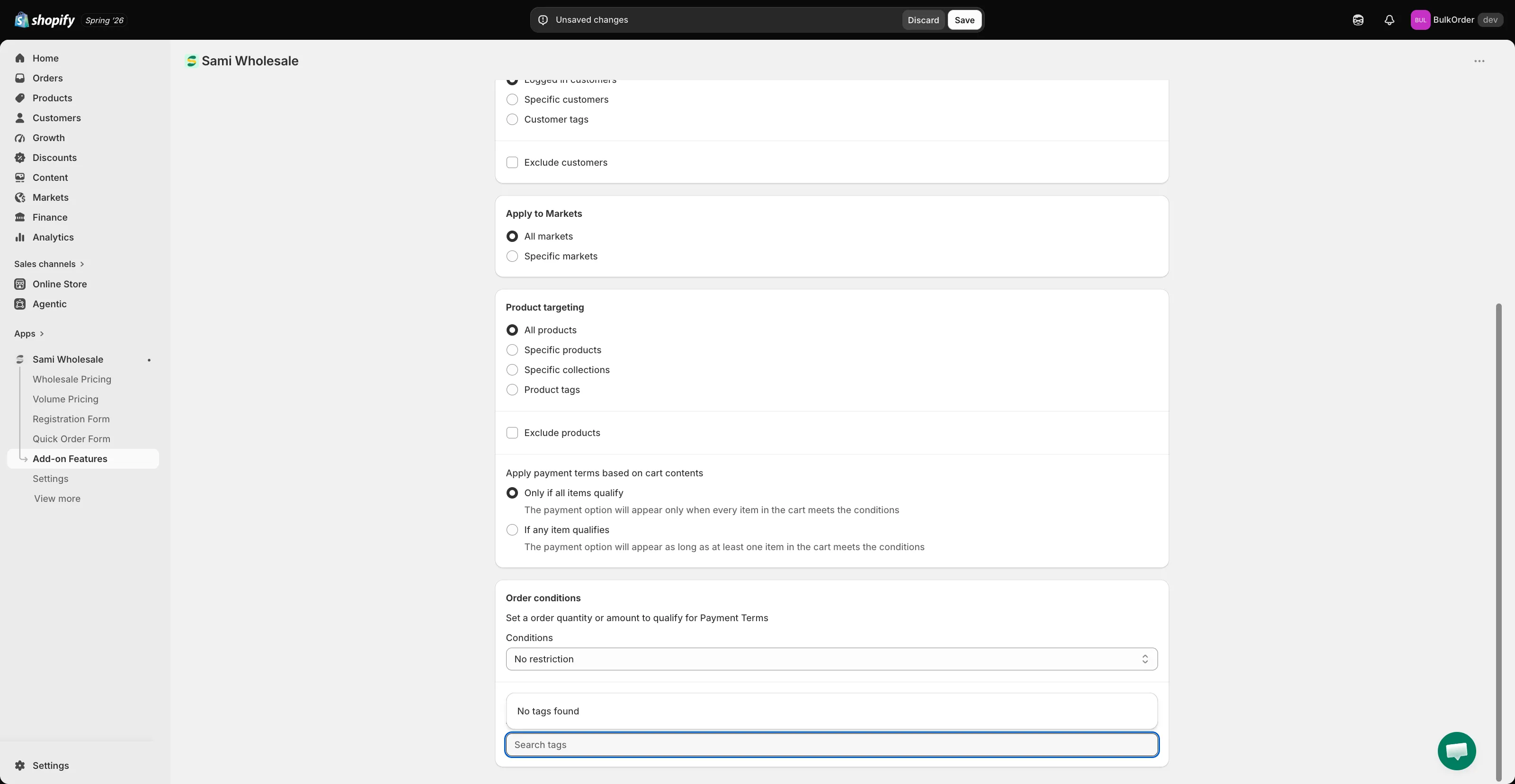
- Apply payment terms based on cart contents:選擇 Only if all items qualify 或 If any item qualifies。
- Order conditions:選擇 No restriction,或設定觸發此條款的最小或最大訂單金額或數量。
- Order tagging:搜尋要自動套用於使用此付款條款之訂單的標籤。請先在 Shopify 中建立該標籤,它就會出現在這份清單中。
-
點擊 Save。
您也可以設定 Pay Later 按鈕的樣式,請參閱自訂付款條款按鈕。
需要協助嗎?
Section titled “需要協助嗎?”如果您在操作這些步驟時遇到任何困難,歡迎隨時透過電子郵件 [email protected] 與我們聯絡。