將 Invoice Payment 設為 B2B 顧客的付款方式
讓顧客先下訂單,再透過寄送的發票稍後付款,無需設定循環付款條款。
Invoice Payment 讓顧客可以不必立即付款就下訂單。應用程式會產生發票並寄給顧客,讓他們稍後付款。這是比完整付款條款更簡單的替代方案,也有助於提高需要另行安排付款的顧客的轉換率。
-
開啟 Invoice Payment
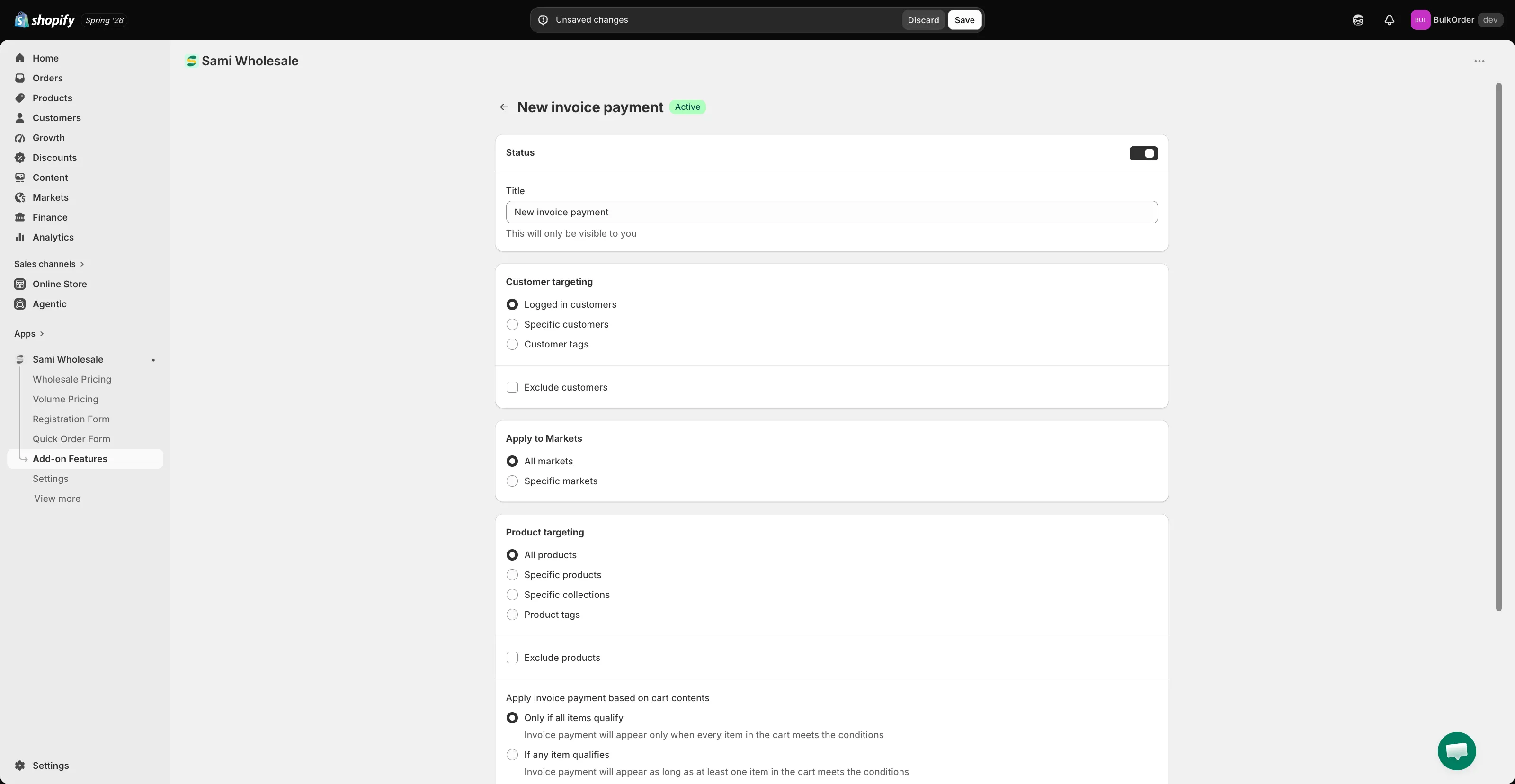
Section titled “開啟 Invoice Payment”開啟應用程式,前往 Add-on Features,點擊 Invoice payment > Setup invoice payment,然後點擊 Add new invoice payment。
-
- Status 和 Title:啟用並為其命名(僅您自己可見)。
- Customer targeting:選擇 Logged in customers、Specific customers 或 Customer tags。勾選 Exclude customers 可對特定顧客隱藏此功能。
- Apply to Markets:選擇 All markets 或 Specific markets。
- Product targeting:選擇 All products、Specific products、Specific collections 或 Product tags,也可選擇性地使用 Exclude products。
- Apply invoice payment based on cart contents:選擇 Only if all items qualify 或 If any item qualifies。
- Order conditions:設定訂單金額或數量的下限/上限,用來控制此付款方式何時可用。
- Order tagging:搜尋標籤,自動套用到以此方式建立的訂單,方便日後查找。
-
點擊 Save。
顧客看到的內容
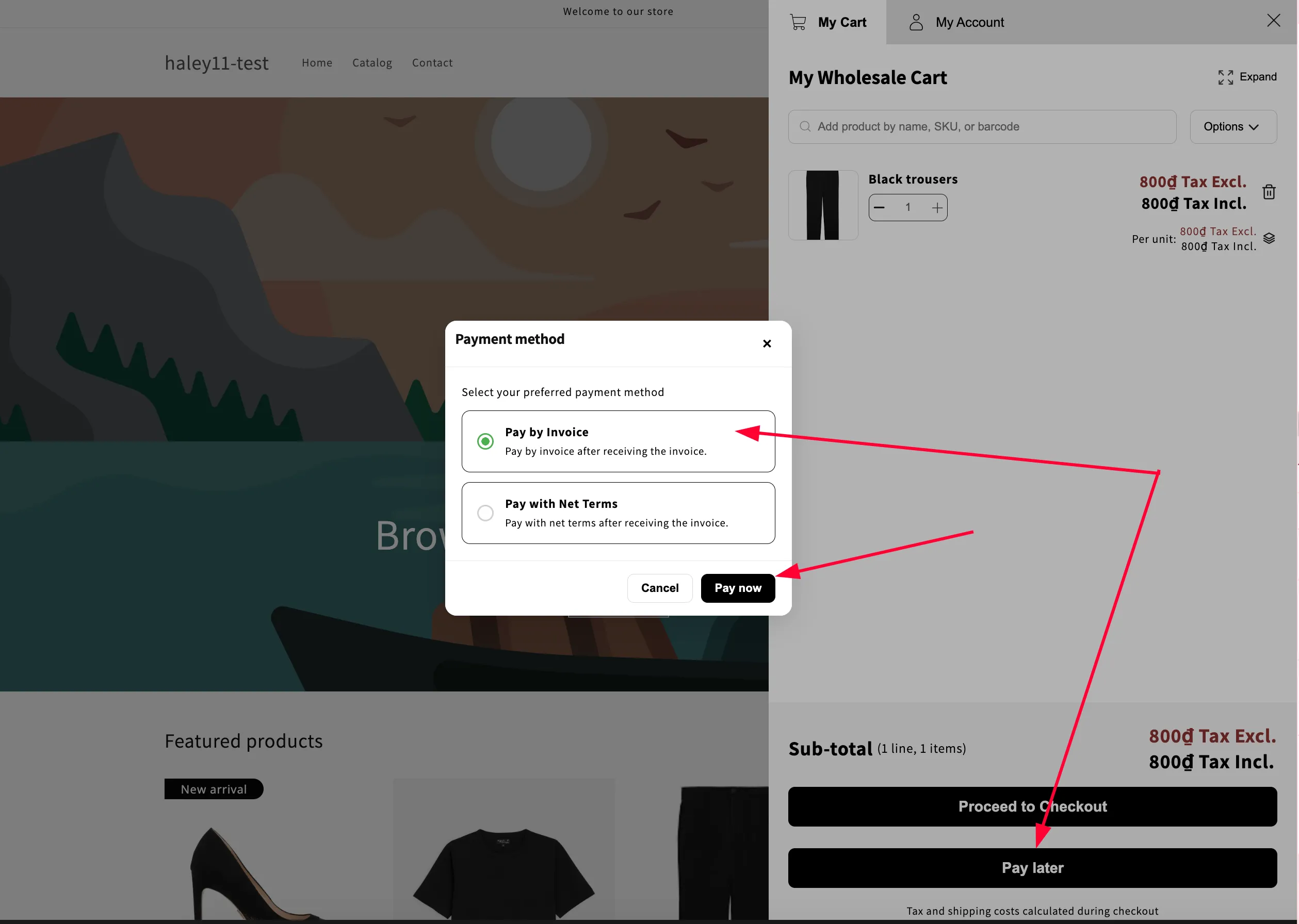
Section titled “顧客看到的內容”在購物車頁面或購物車抽屜中,應用程式會顯示 Pay Later 按鈕。顧客點擊後:
- Shopify 會自動建立一筆草稿訂單。
- 購物車會清空。
- 系統會產生發票並寄給顧客。
啟用此功能後,Pay Later 按鈕一律會顯示,並與應用程式其他付款相關設定並存。
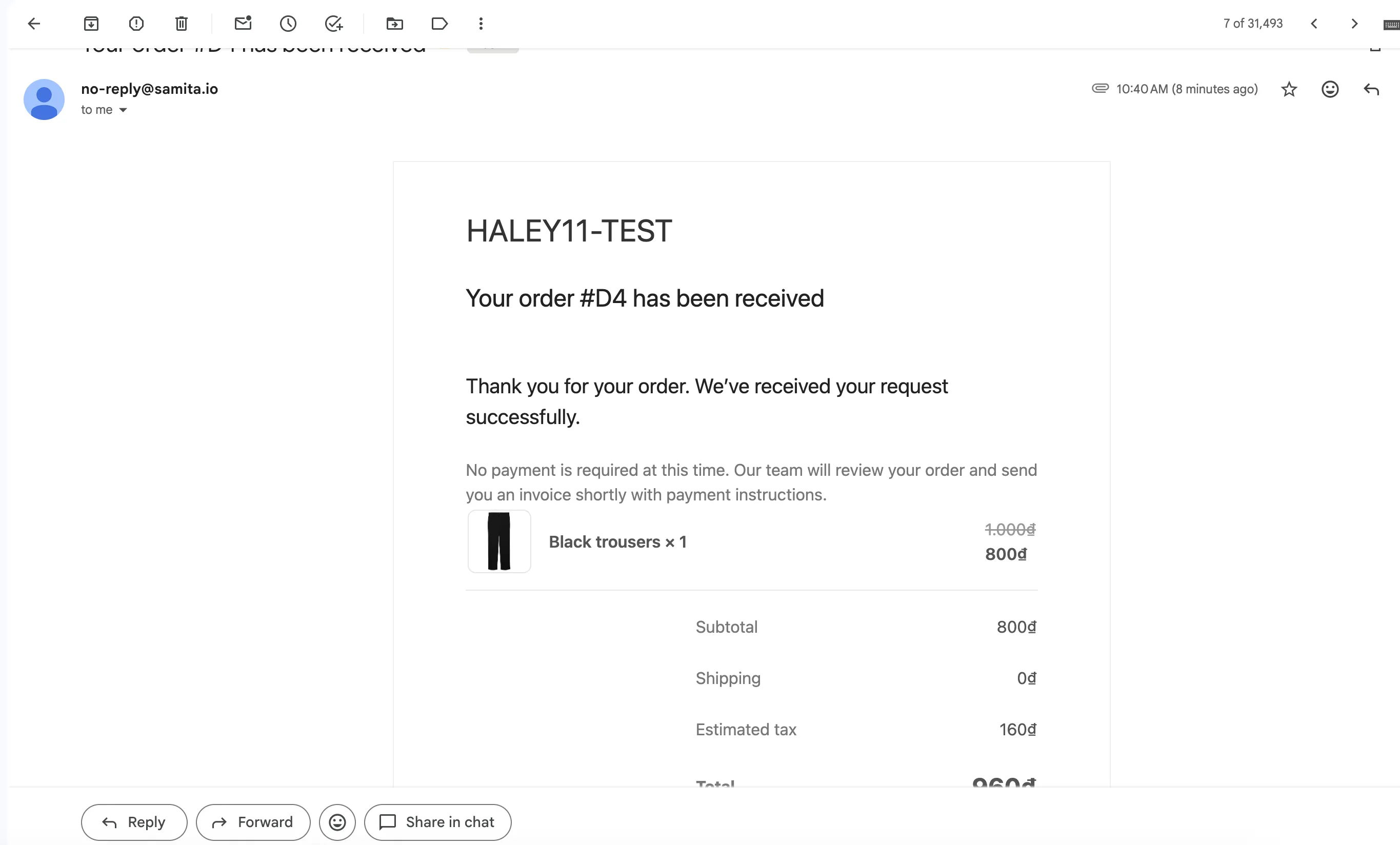
顧客會收到有關其草稿訂單的電子郵件通知。
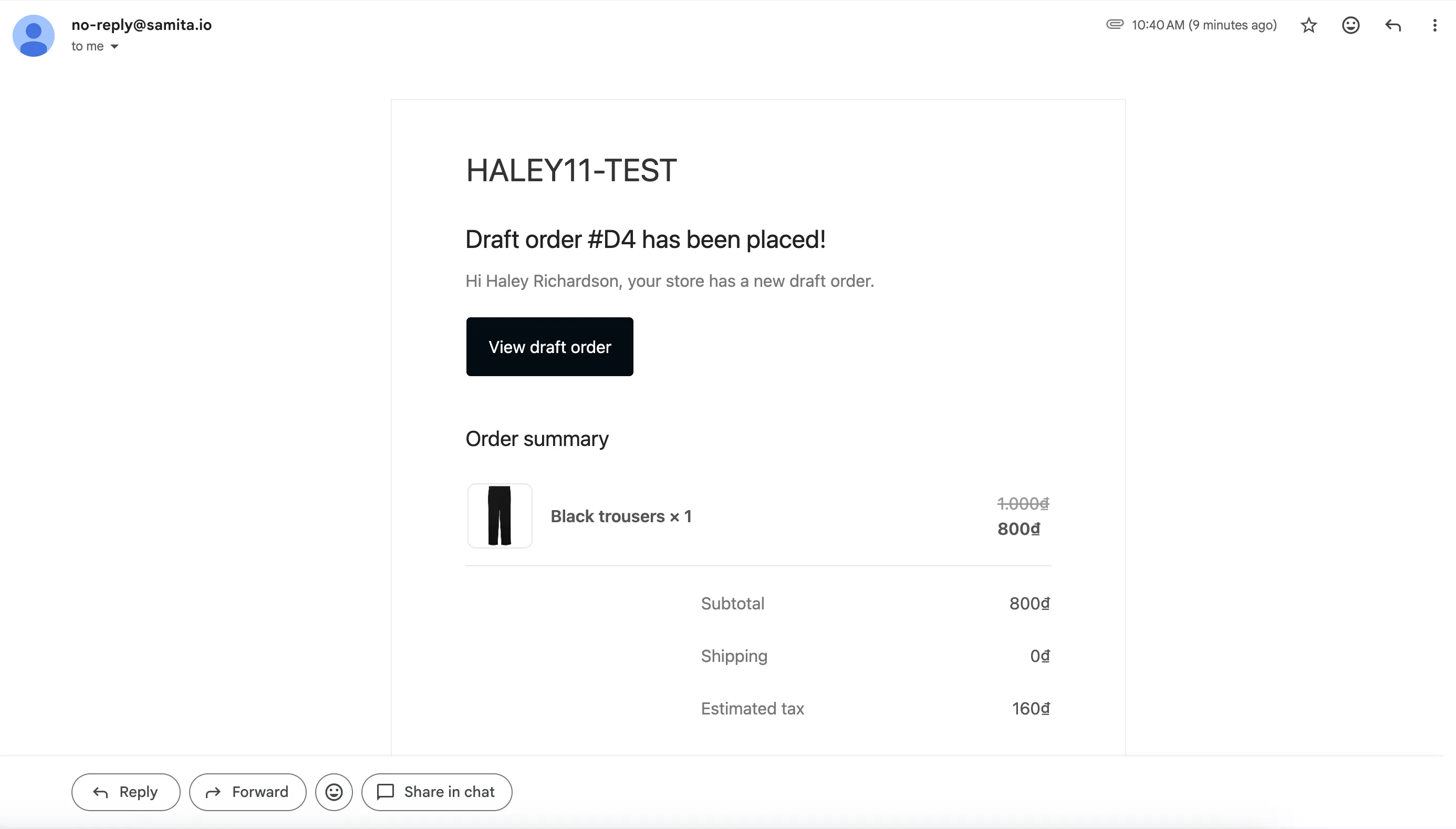
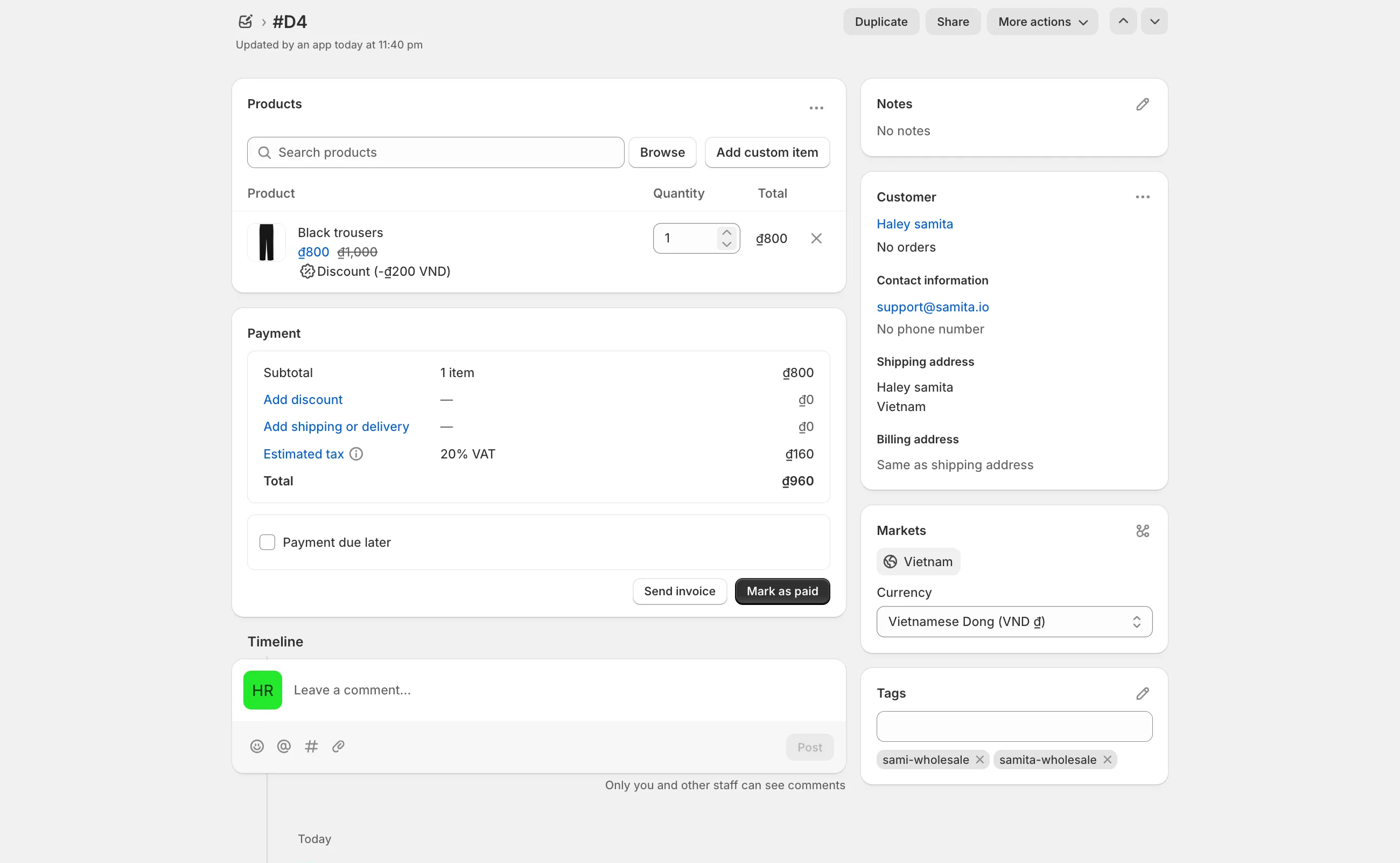
接著,您可以在 Shopify 後台檢視草稿訂單並寄送發票。