
Permissions and data
The Shopify permissions SA Request a Quote asks for, what it does with each one, and what happens to your data if you uninstall.
When you install the app, Shopify asks you to approve a list of permissions. This page explains what each one is for, in plain terms, so you can answer questions from your team or your customers.
What the app can access
Section titled “What the app can access”| Permission | What the app uses it for |
|---|---|
| Read and write products | Show your products and variants inside quote forms, quote emails and the quote list. Writing is used when a quoted price has to be applied to the order you create from a quote. |
| Read and write customers | Recognise a logged-in customer so their details fill in automatically, and create a customer record when a quote comes from someone new. |
| Read and write draft orders | Turn an accepted quote into a Shopify draft order, so you can send an invoice and take payment. |
| Read themes | Detect your active theme so the quote button can be placed correctly on product, collection and cart pages. |
| Read and write script tags | Part of the storefront permission set Shopify asks you to approve at install. What actually puts the quote button and the request form on your storefront is the app embed in your theme, not this permission — see Enable the app in your theme. |
| Read and write content | Manage the storefront pages the app uses — Request for quote at /pages/request-for-quote and Quote history at /pages/quotes-history. |
| Read locales | See which languages your store publishes under Settings → Languages, so quote text can be translated to match. |
If your IT or security team asks for the exact handles rather than the plain-language version, these are the Shopify access scopes the app requests:
- Products —
read_products,write_products - Customers —
read_customers,write_customers - Draft orders —
read_draft_orders,write_draft_orders - Themes —
read_themes - Script tags —
read_script_tags,write_script_tags - Content —
read_content,write_content - Locales —
read_locales
Approving these permissions does not by itself put anything on your storefront. That is a separate, reversible step: the app embed in your theme, which the dashboard’s Setup guide tracks as App embed is enabled or App embed is disabled. Turning the embed off leaves the permissions in place and takes the quote button and request form off your store.
What the app stores
Section titled “What the app stores”To do its job, the app keeps:
- Quote requests — the products, quantities and any prices or notes on each quote.
- What your form collected — the contact, company, shipping, billing and payment details your quote form asks for.
- Files customers upload, when your form asks for them.
- Your settings — button text, position and style, your Hide price rules, email templates, translations and integration connections.
Your integration keys (for example Klaviyo or Mailchimp) are stored for the connection and are masked in the app once saved, so they can’t be read back out of the screen.
Which files customers can upload
Section titled “Which files customers can upload”When your form includes a file upload, the app accepts these types:
| Kind of file | Extensions |
|---|---|
| Documents and data | pdf, doc, docx, txt, csv |
| Images | jpg, jpeg, png |
| Design files | psd, ai, eps |
| CAD and manufacturing files | stl, stp, step, dxf, gbr, ex2 |
Anything outside that list is refused, which matters most for made-to-order stores whose customers send drawings with a request.
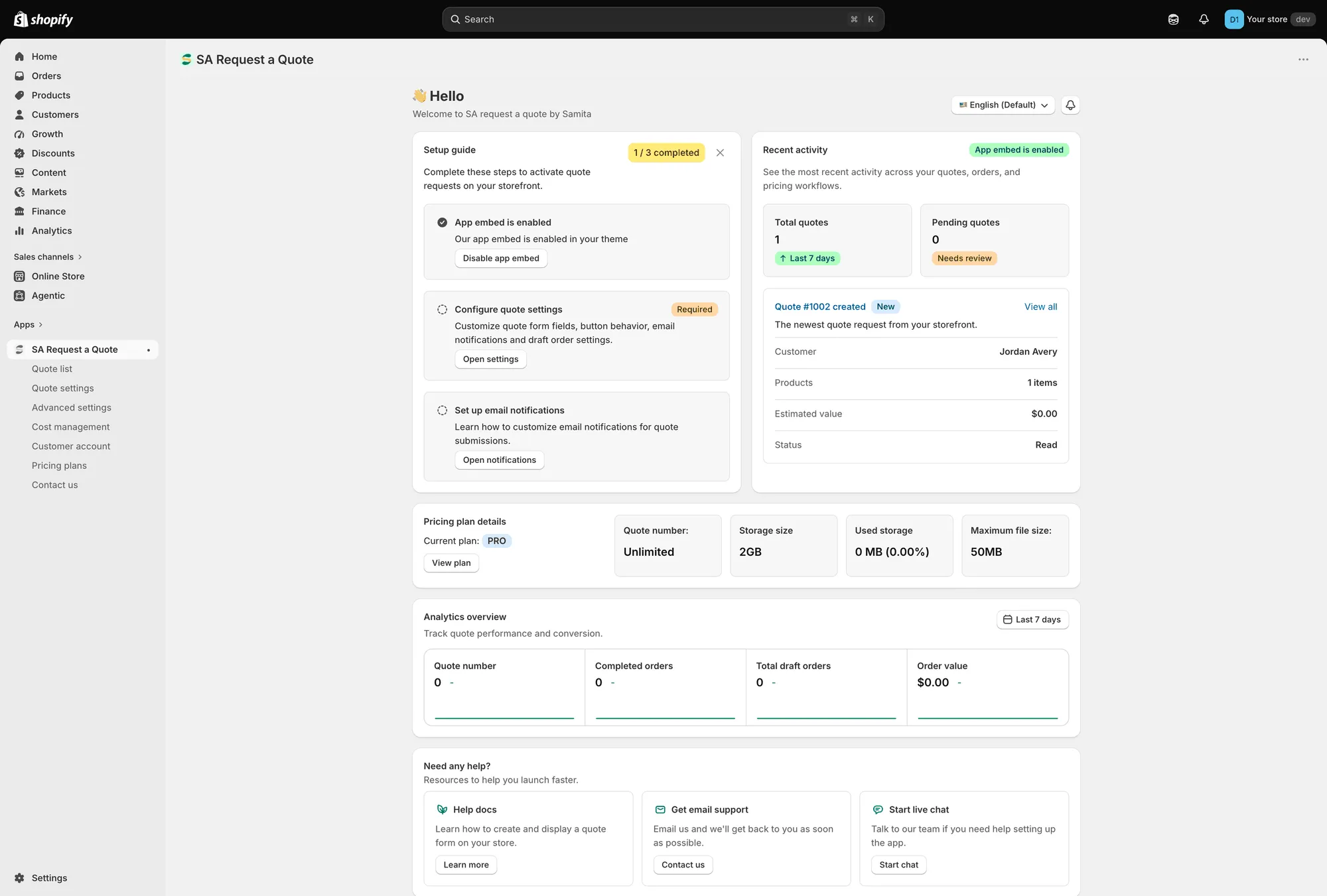
Pricing plan details on the dashboard shows the storage and file limits you actually have.
Customer data requests
Section titled “Customer data requests”The app registers Shopify’s mandatory privacy webhooks, so it hears about privacy actions you take in your Shopify admin. Three things reach it:
| When this happens | Shopify webhook | What the app is told |
|---|---|---|
| A customer asks for a copy of their data | customers/data_request | A data request, so the quote data held for that customer can be gathered. |
| A customer asks to be erased | customers/redact | A redaction request for that customer. |
| Your store is erased after you uninstall | shop/redact | A redaction request for the whole shop. |
You start all three from your Shopify admin, in the usual place for customer privacy requests — there is nothing to do inside this app. Because the app is registered for these webhooks, it is notified when you raise one in Shopify, so you don’t have to send a separate request to Samita as well.
If you uninstall
Section titled “If you uninstall”Uninstalling removes the app’s access to your store immediately, and the quote button and hide price rules stop applying to your storefront.
The full policy
Section titled “The full policy”This page is a plain-language summary, not the legal terms. For the complete detail:
If you need something the policy doesn’t cover, email [email protected].
Next steps
Section titled “Next steps”- How it works — what the app does at each stage of a quote
- Plan comparison — what each plan includes, and why a control is greyed out
- Contact support — how to reach the team