
Offers overview
What an offer is, the 11 offer types, where each one shows, and what has to be in place before shoppers see it.
此内容尚不支持你的语言。
An offer is a discount with its own storefront display. You pick a type, set what shoppers buy and what they get, and the app shows the deal on your product pages or in the cart and applies the discount at checkout. This page explains the types and what decides whether an offer shows.
What an offer is made of
Section titled “What an offer is made of”Every offer has the same parts, each on its own tab in the offer editor:
- Offer — the products it applies to, and its Rules: what shoppers need to buy and what they get, for example “Buy 2, save 10%”.
- Settings — when it runs, whether it applies by itself or with a code, who can use it, and how it combines with other discounts.
- Design — the look of the block shoppers see.
- Placement — where on your store it shows.
- Translation — the shopper-facing text in your other languages.
For each offer, the app creates a matching discount in your Shopify admin. That discount is what takes the money off at checkout. See How offers apply at checkout.
The 11 offer types
Section titled “The 11 offer types”The type is chosen when you create the offer and can’t be changed later.
| Type | What the shopper sees | Where |
|---|---|---|
| Flash sale | A sale price and a countdown on the products you pick. A sale badge is optional | Product page |
| Tiered discount | Quantity tiers: the more they buy, the bigger the discount. Tiers can go by quantity or by subtotal | Product page |
| Buy one get one | Buy one, get the same product free or at a percentage off | Product page |
| Buy X get Y | Buy one set of products, get other products free, at a percentage off, or at a fixed amount off | Product page |
| Cheapest item free | Buy a number of items and the cheapest one is free or discounted | Product page and cart |
| Complete the bundle | The product being viewed plus add-ons, cheaper when bought together | Product page |
| Order discount | A percentage or fixed amount off the whole order above a minimum, with a progress bar | Cart |
| Free shipping | Free or cheaper shipping above a threshold, with a progress bar | Cart |
| Spending goals | One progress bar with several milestones, each unlocking a reward | Cart |
| Free gift | A gift that’s added, or picked from a list, once the shopper spends or buys enough | Cart |
| Custom offer | Your own IF / THEN rules: conditions such as the cart subtotal or a customer tag, and rewards such as a percentage off or free shipping | Product page |
“Product page” offers show a block on the product page, near the price and Add to cart button. “Cart” offers show a progress bar in the cart drawer and on the cart page. You can change these spots, and turn on extra ones, in Placement.
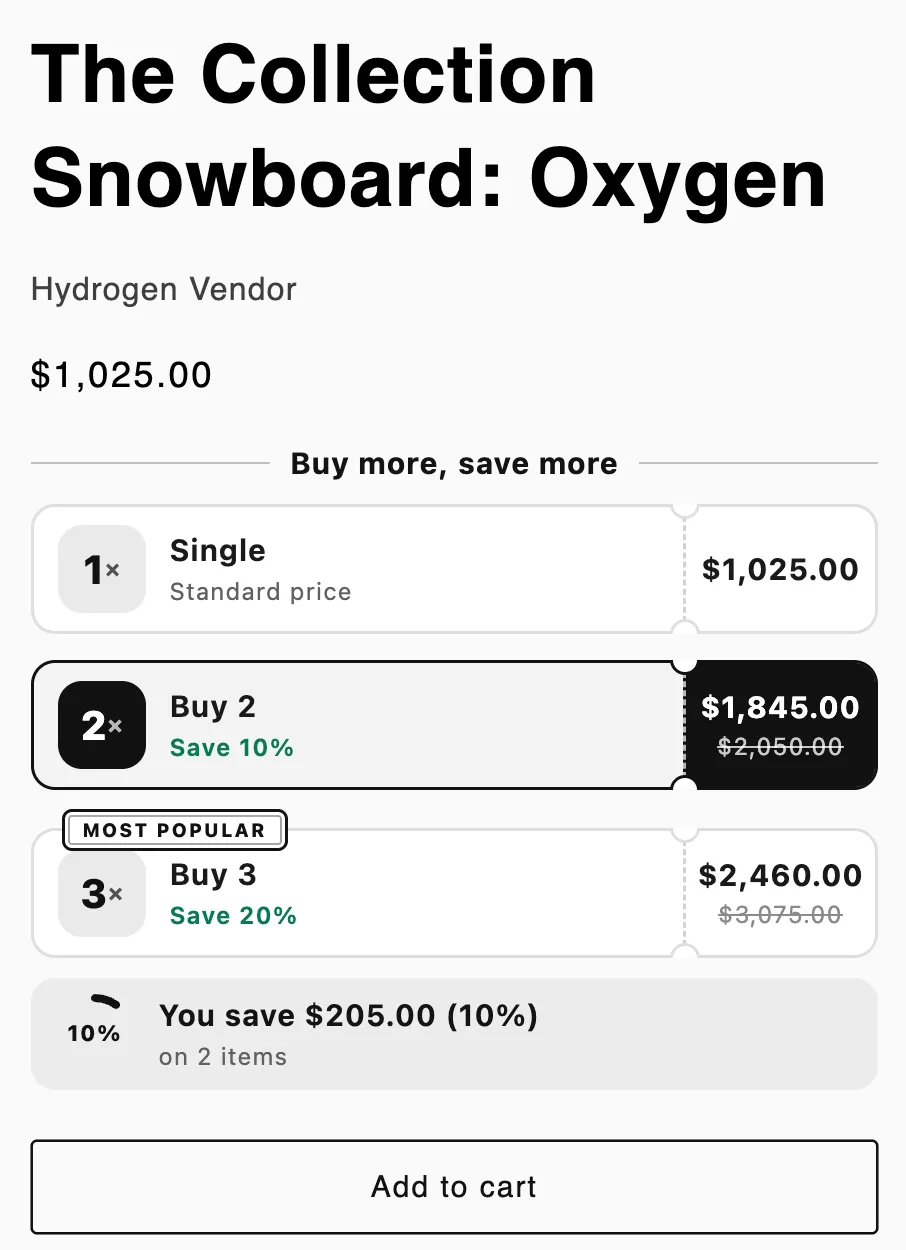
A product page offer: a Tiered discount block under the price.
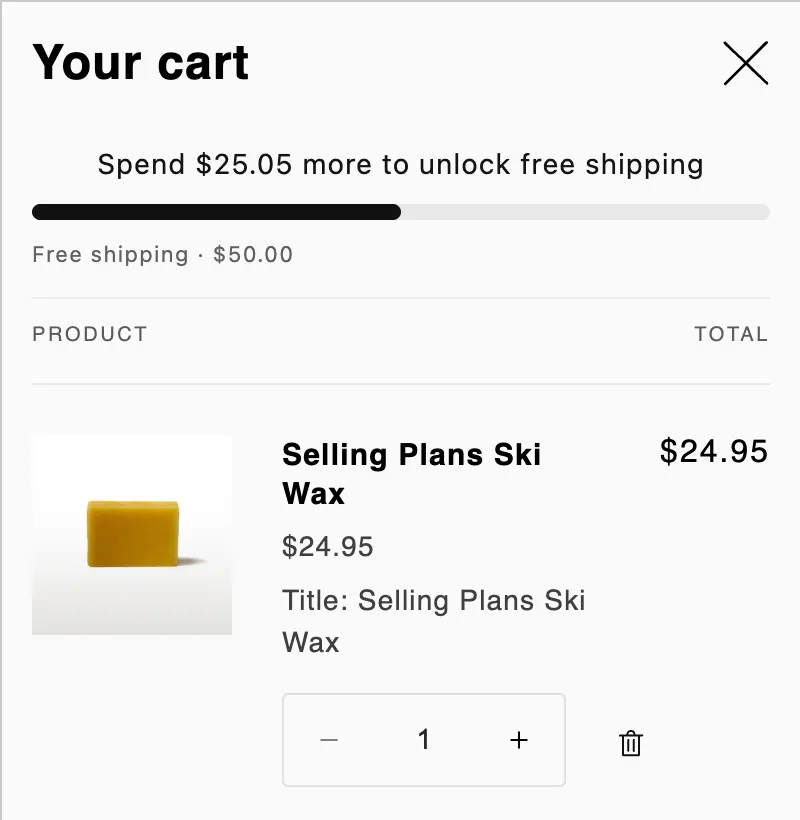
A cart offer: a Free shipping progress bar in the cart drawer.
When shoppers see an offer
Section titled “When shoppers see an offer”An offer shows on your store only when all of these are true:
- It’s turned on. Its status is Active and today is inside its dates. A Draft, Paused, Scheduled or Expired offer doesn’t show.
- The app embed is on. The Sami Countdown app embed must be on in your live theme. See Turn on the app embed.
- Its Shopify discount is in place. If Shopify didn’t accept the discount, the offer gets an Error badge and stays off your store until you fix it. See Offer details.
- It has uses left. A code offer with a Total uses limit leaves your store once the limit is reached.
- It applies to this shopper and page. The product is in the offer, the shopper matches Customers, markets and channels, the placement is on, and any display conditions match.
Pick a type for your goal
Section titled “Pick a type for your goal”| Your goal | Start with |
|---|---|
| Run a time-limited sale on some products | Flash sale |
| Get shoppers to buy more of the same product | Tiered discount or Buy one get one |
| Sell an add-on with a product | Buy X get Y or Complete the bundle |
| Raise the order value | Order discount, Free shipping or Spending goals |
| Reward an order with a free product | Free gift |
| Clear old stock | Cheapest item free |
| Give a deal only to certain customers or on certain days | Custom offer |
| Find out which version of an offer sells better | A/B test an offer |