
Access rules overview
What an access rule is, how If/Unless matching works, and where to find every rule type the app supports.
An access rule is the condition a visitor has to meet before they’re allowed to see or use whatever you’re locking — a product, a collection, a page, your whole storefront, or checkout. Every lock needs at least one access rule; without one, the app has no way to tell an approved visitor from anyone else.
You add access rules from a lock’s Unlock rules tab. Each rule checks one specific thing about the visitor — are they logged in, do they have a certain tag, did they enter the right passcode — and the lock only opens once all configured conditions are satisfied.
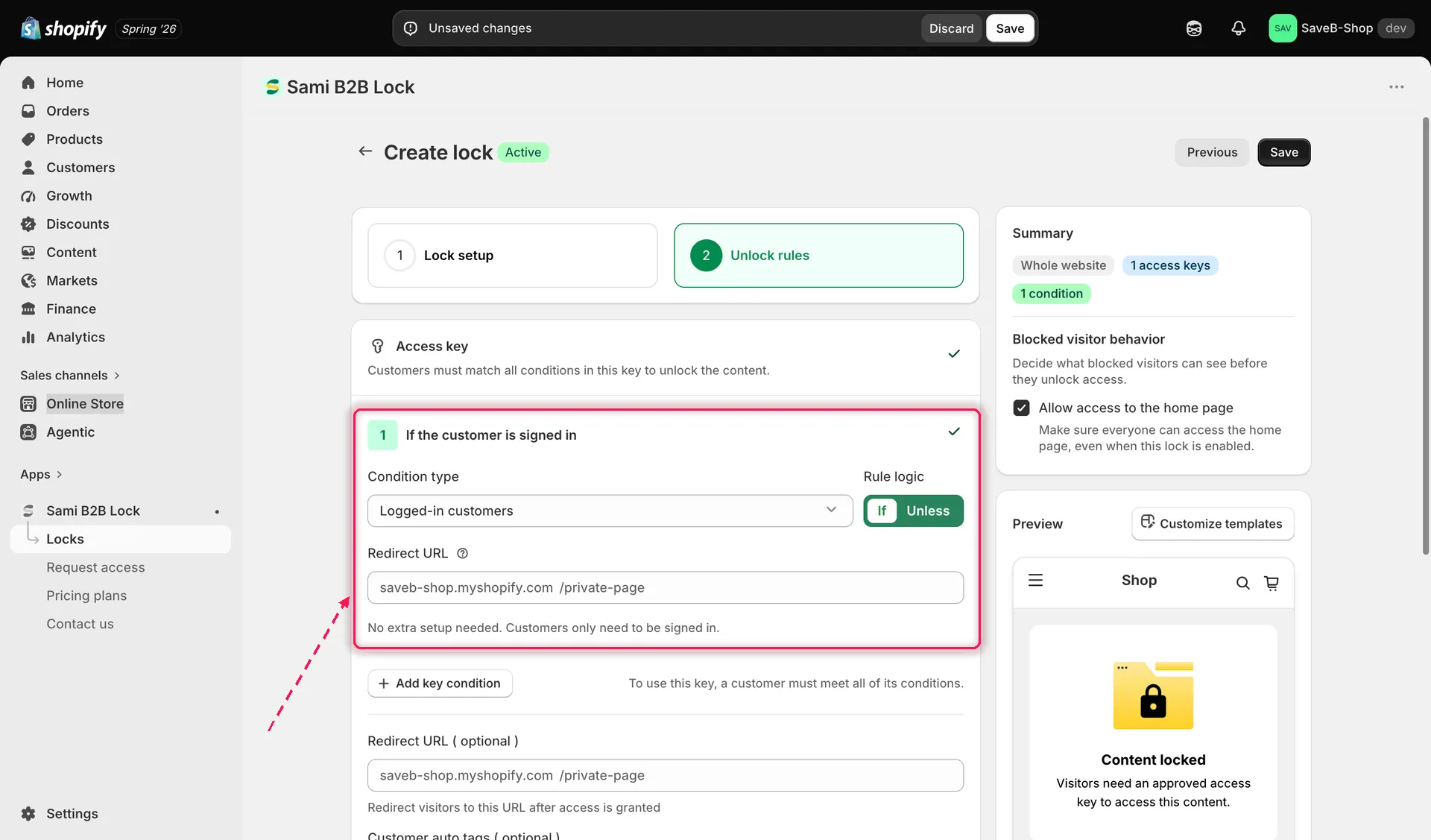
Choosing an access rule from the condition type picker inside a lock’s editor.
If and Unless
Section titled “If and Unless”Most access rules can be set to match one of two ways:
- If — the rule is satisfied when the visitor does meet the condition (for example, If Logged-in customers: the visitor must be signed in).
- Unless — the rule is inverted, and is satisfied when the visitor does not meet the condition (for example, Unless Logged-in customers: the visitor must not be signed in).
You’ll find this as the Rule logic switch beside each rule’s condition type.
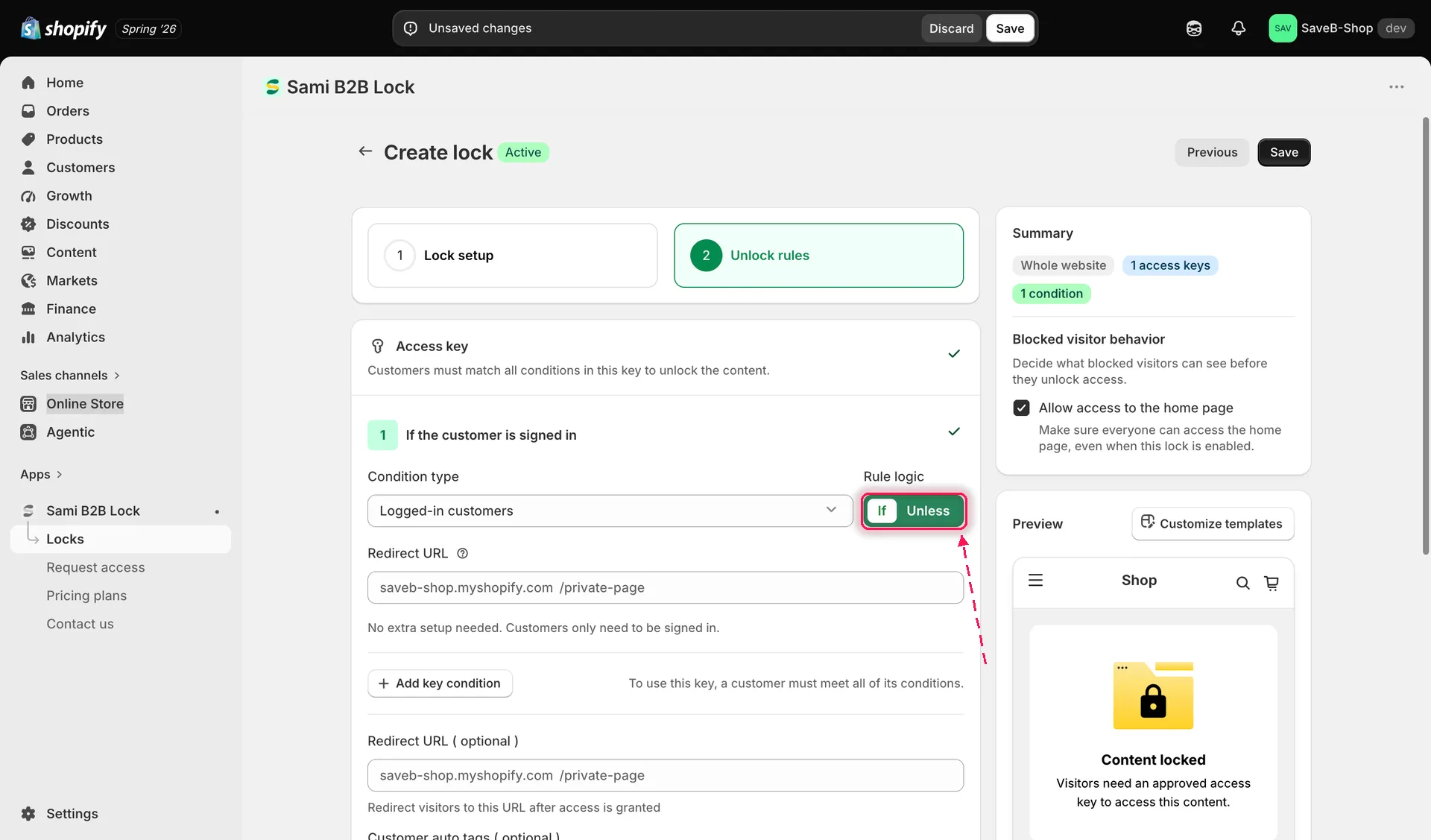
Use the Rule logic switch to flip a rule between If and Unless.
Combining more than one rule
Section titled “Combining more than one rule”A lock can use more than one access rule at once. How those conditions interact — including a worked example — is covered in its own page:
Every access rule
Section titled “Every access rule”The rules below are grouped by what they check. Click through to any rule’s own page for the full setup steps.
Identity & customer rules — who the visitor is
- Logged-in customers — is the visitor signed in to a customer account
- Customer tags — does the customer’s account have a specific tag
- B2B customer — is the customer part of a Shopify B2B company account
- Email contains — does the logged-in customer’s email contain a given string
- Selected customers — is the customer on a hand-picked list you choose
Unlock actions — something the visitor does to unlock
- Passcode — the visitor enters a shared code
- Secret link — the visitor arrives via a link containing a valid token
- Subscribe to unlock — the visitor subscribes with their email
- Confirmation prompt — the visitor self-certifies by clicking Confirm
- Custom liquid — your own Liquid snippet decides
Time & schedule — when the lock is active
- Date range — a fixed start and end date
- Weekly schedule — recurring days and time windows
- Storefront language — which storefront language the visitor is browsing in
Location & device — where the visitor is browsing from
- Location — the visitor’s detected country
- Certain IP addresses — the visitor’s exact public IP address
- Shop domain — the exact domain the visitor is currently browsing on
Purchase history — what the customer has already bought
- Purchased items — the customer previously bought specific products or variants
- Order quantity — the customer’s total order count meets a minimum
Cart — what’s currently in the visitor’s cart
- Cart conditions — cart products, cart variants, cart quantity, and cart total
What a blocked visitor sees
Section titled “What a blocked visitor sees”When a rule denies someone on a page, collection, or blog, the app replaces the content with a lock card. Access denied message is the default text on that card, and most rules always use it:
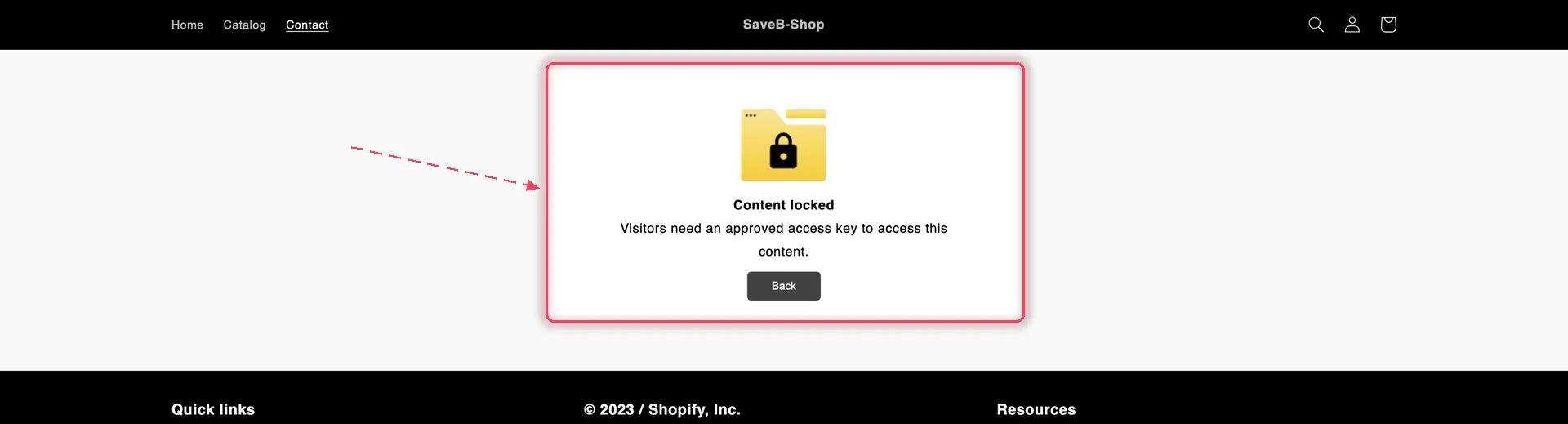
The Access denied message — the card most rules show.
For signed-out visitors
Section titled “For signed-out visitors”Five rules check who the customer is, so for those a signed-out visitor might only need to sign in. Those rules swap in a second message — Guest message content — which includes a sign-in link:
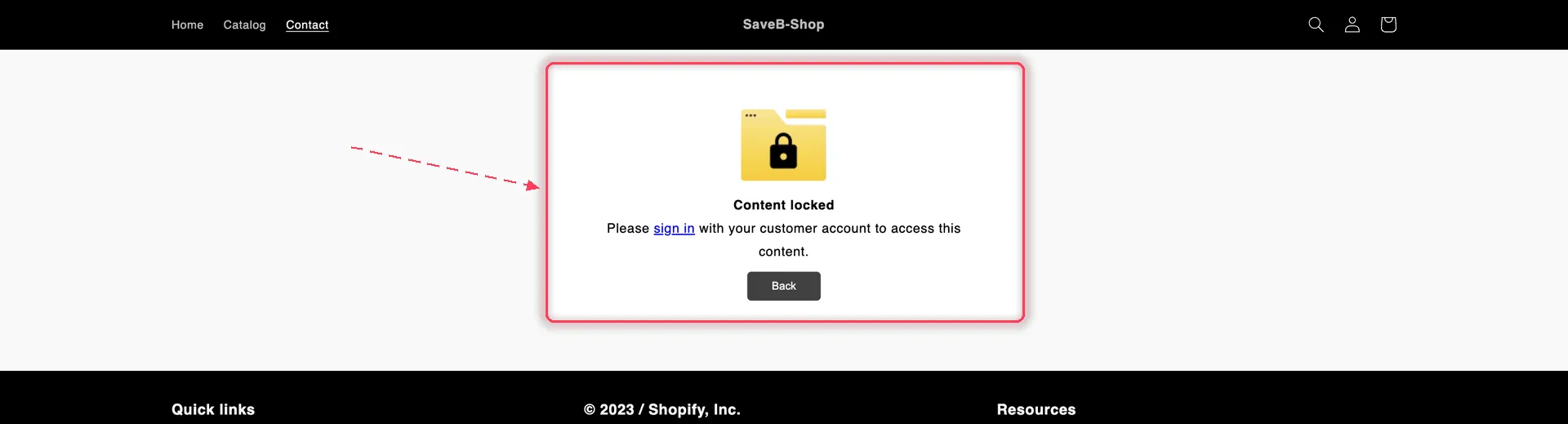
The Guest message — shown only by the five customer-identity rules, and only to signed-out visitors.
The guest message appears only when all three of these are true:
- The failing rule is one of Logged-in customers, Customer tags, B2B customer, Email contains, or Selected customers.
- That rule is set to If, not Unless.
- The visitor is not signed in.
Otherwise the card shows the Access denied message. So a signed-in customer who fails a Customer tags rule gets Access denied, and so does every visitor — signed in or not — blocked by a rule like Date range, Location, or Cart conditions.
| Message field | When it’s used |
|---|---|
| Guest message content | Only the five rules above, set to If, for signed-out visitors |
| Access denied message | Everything else |
The action-based rules (Passcode, Secret link, Subscribe to unlock, Confirmation prompt) replace this card with their own prompt, since the visitor can unlock the content themselves on the spot.