
选择产品和多属性
选择任务适用的产品和多属性,并排除您想保持不变的项目。
Apply to products 卡片决定任务会更改哪些产品。您在此处做出更改后,右侧的 Preview 会稍后更新。
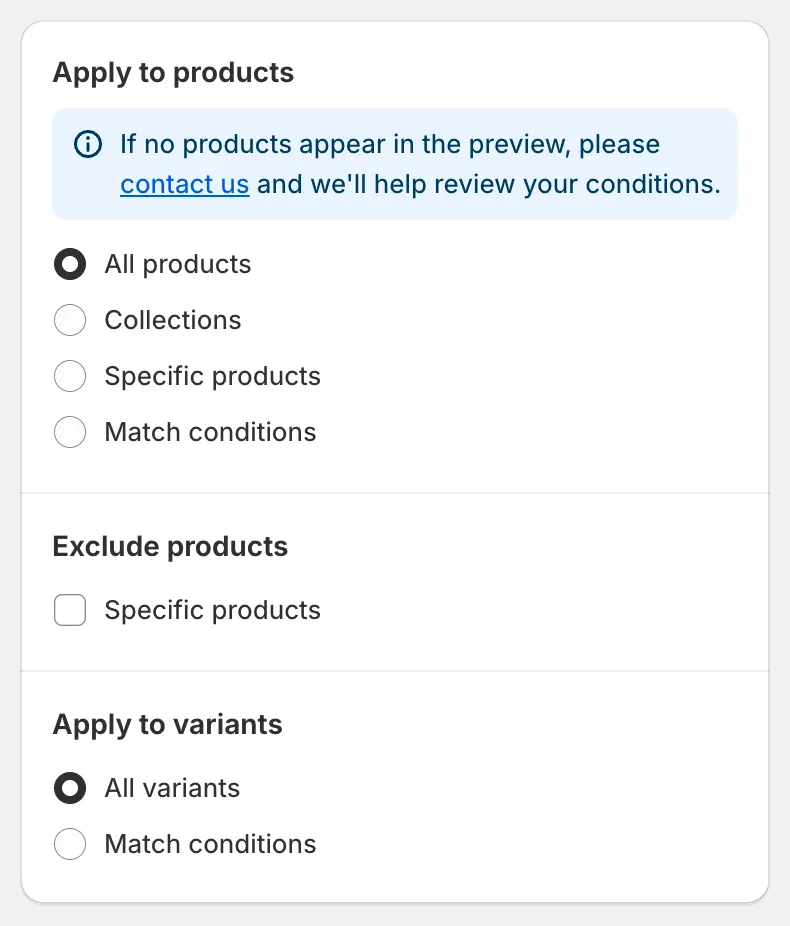
Apply to products
选择产品的四种方式
Section titled “选择产品的四种方式”| 选项 | 适用场景 |
|---|---|
| All products | 商店中的每个产品都要更改。 |
| Collections | 您想要更改一个或多个产品系列中的所有内容。 |
| Specific products | 您想手动挑选产品。 |
| Match conditions | 您想要符合标签、供应商、类型、状态或日期等规则的产品。 |
All products
Section titled “All products”没有其他设置。您仍然可以排除产品(见下文),对于多属性字段,还可以筛选多属性。
Collections
Section titled “Collections”在 Searching collections 中输入,或点击 Browser 打开 Shopify 的产品系列选择器。勾选您想要的产品系列,然后点击 Add。手动产品系列和自动产品系列均可使用。
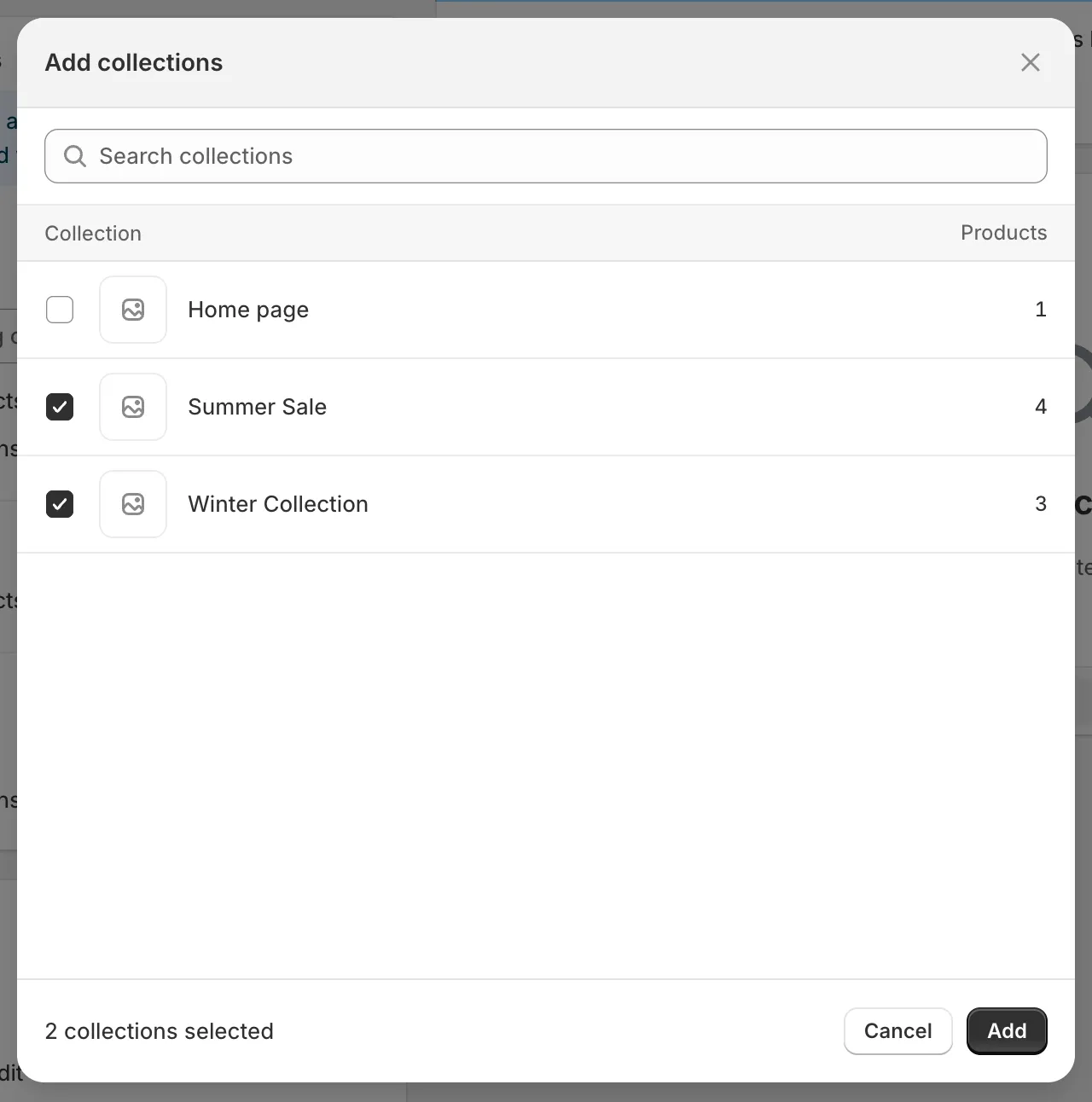
产品系列选择器
选择多个产品系列后,请在 Products must match 下选择它们的组合方式:
- any collection:产品只要属于所选产品系列中的至少一个,就会被包含。
- all collections:产品必须属于每一个所选产品系列,才会被包含。
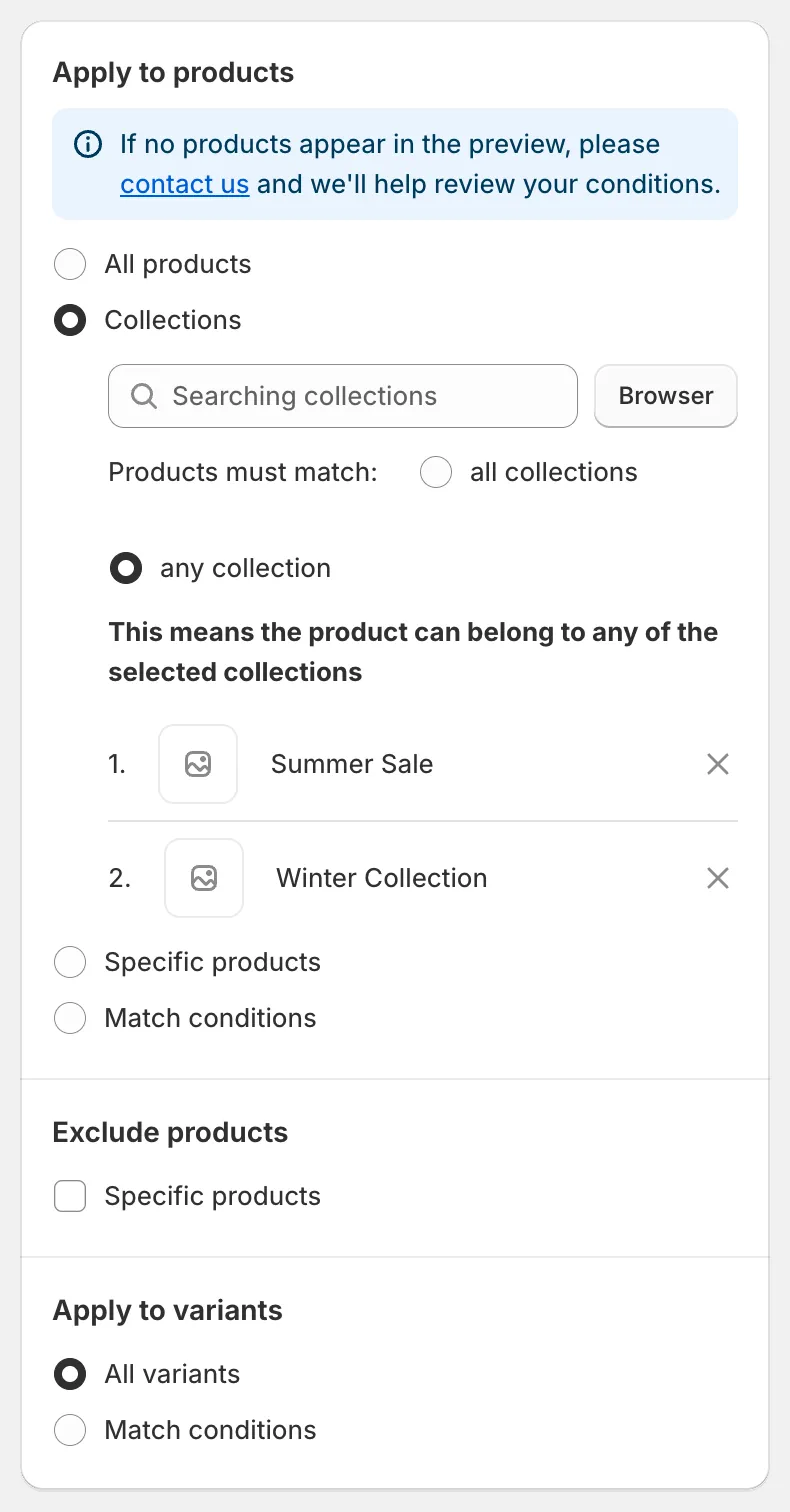
Collections 模式
Specific products
Section titled “Specific products”在 Searching products 中输入,或点击 Browser 打开 Shopify 的产品选择器。您可以按标题、产品 ID、条形码或 SKU 搜索,勾选所需数量的产品,然后点击 Add。所选产品会列在搜索框下方,点击产品旁边的 × 即可将其移除。
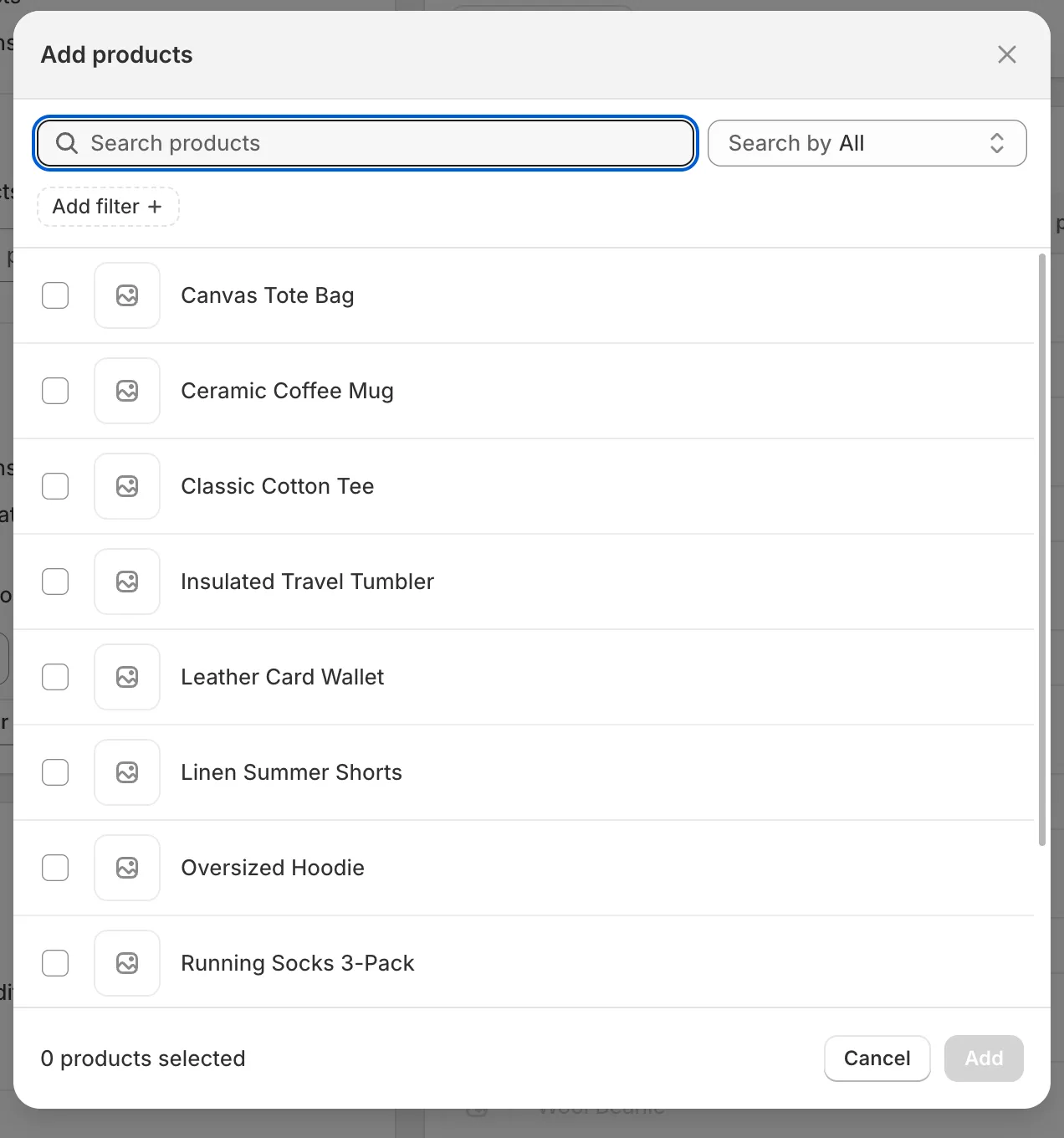
产品选择器
Match conditions
Section titled “Match conditions”创建一条或多条规则。每条规则由一个 field、一个 comparator 和一个 value 组成。点击 Add another condition 添加规则,点击垃圾桶图标删除规则。在 Products must match 下选择 all conditions(每条规则都必须为真)或 any condition(满足一条规则即可)。
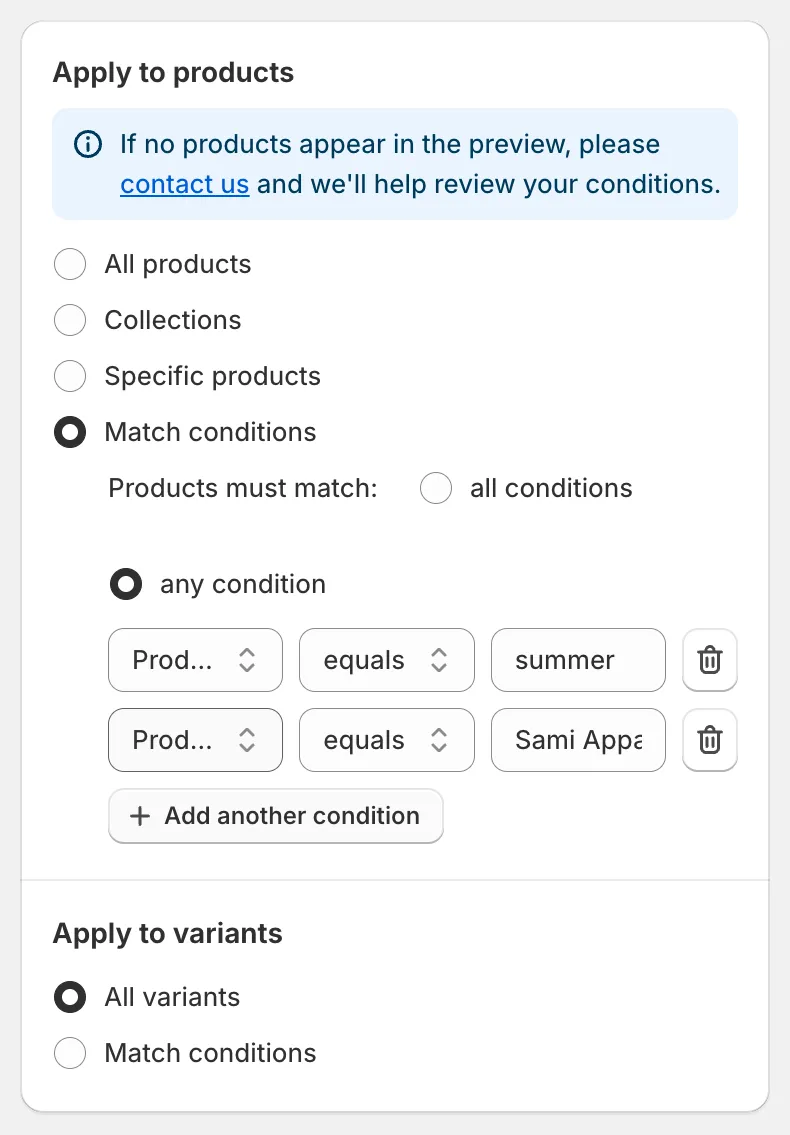
Match conditions
| 字段 | 比较符 | 值 |
|---|---|---|
| Title | equals, not equal, contains, does not contain | 文本 |
| Status | is | Active、Draft 或 Archived |
| Handle | equals, not equal, contains, does not contain | 文本 |
| Collection | is | 使用 Select collection 选择一个产品系列 |
| Product type | equals, not equal, contains, does not contain | 文本 |
| Product vendor | equals, not equal, contains, does not contain | 文本 |
| Product tag | equals, not equal, contains, does not contain | 文本 |
| Created at | is before, is after | 日期 |
| Updated at | is before, is after | 日期 |
选择 All products 或 Collections 时,会出现 Exclude products 卡片。勾选 Specific products 并选择必须保持不变的产品。被排除的产品仍会在预览中以灰显方式显示,方便您看到它们会被跳过。
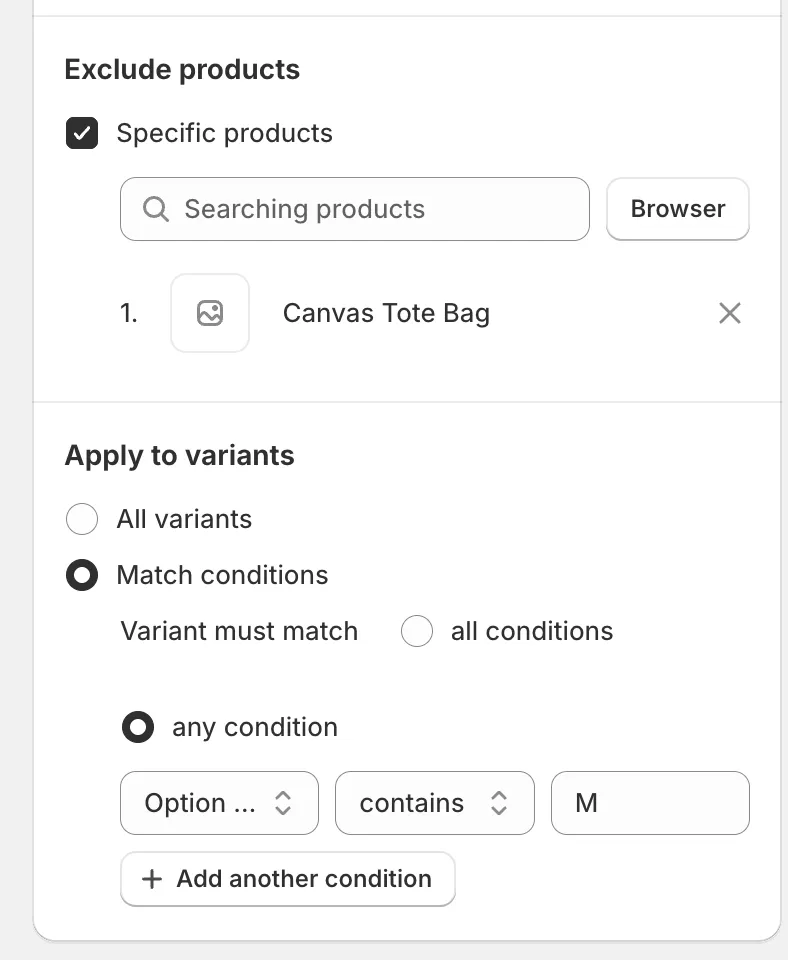
Exclude products 和 Apply to variants
应用于多属性
Section titled “应用于多属性”对于 Price、SKU 或 Weight 等多属性字段,会出现 Apply to variants 卡片。
- All variants:每个匹配产品的所有多属性都会更改。
- Match conditions:只有符合规则的多属性才会更改。同一产品的其他多属性保持不变,并在预览中灰显。
| 字段 | 比较符 |
|---|---|
| SKU | equals, contains, does not contain, is empty, is not empty |
| Price | equals, not equal, less than, less than or equal, greater than, greater than or equal |
| Compare at price | 与 Price 相同,另外还有:is not set, is greater than price, is less than price, is greater than or equal to price, is less than or equal to price |
| Option name | equals, contains, does not contain |
| Option value | equals, contains, does not contain |
在 Variant must match 下选择 all conditions 或 any condition,与产品条件完全相同。
一个任务最多可以更新多少个产品?
Section titled “一个任务最多可以更新多少个产品?”一个任务可处理的产品数量取决于您的套餐。如果您选择的产品超过上限,确认对话框会告知将更新多少个产品,任务完成时状态为 Partially complete。升级后,您可以点击 Continue change 处理其余产品。请参阅套餐和价格。