
Limit the number of time applying the Shipping rate
Cap how many times a shipping rate rule can be used in total, or per customer.
You can also cap how many times a shipping rate rule is allowed to apply. There are two options, and which one you see depends on the Customer condition you chose for the rule:
- If the rule applies to All customers, you’ll see Limit number of times this rule can be applied in total.
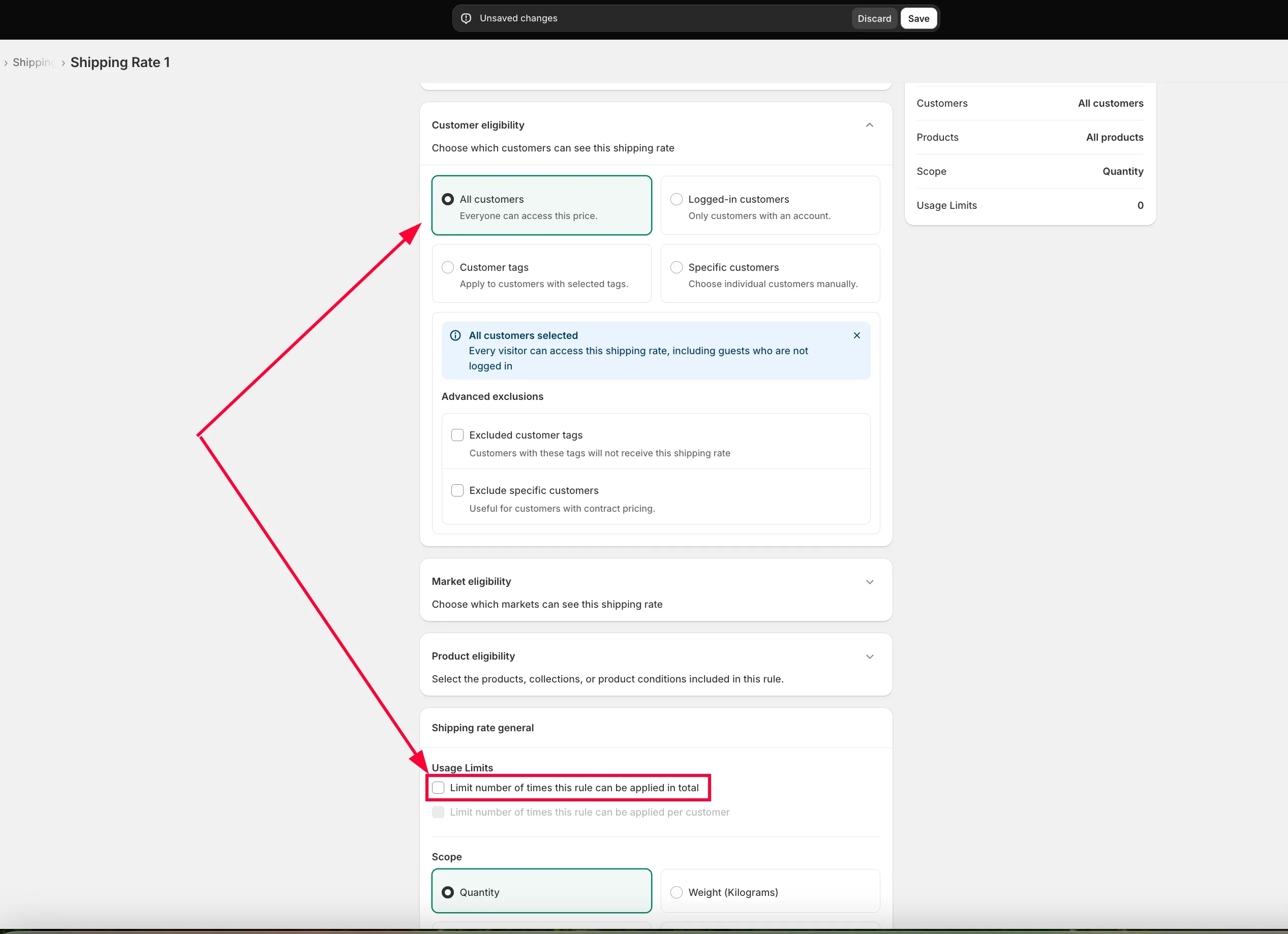
- If the rule applies to Logged-in customers or Customer tags, you’ll see Limit number of times this rule can be applied per customer.
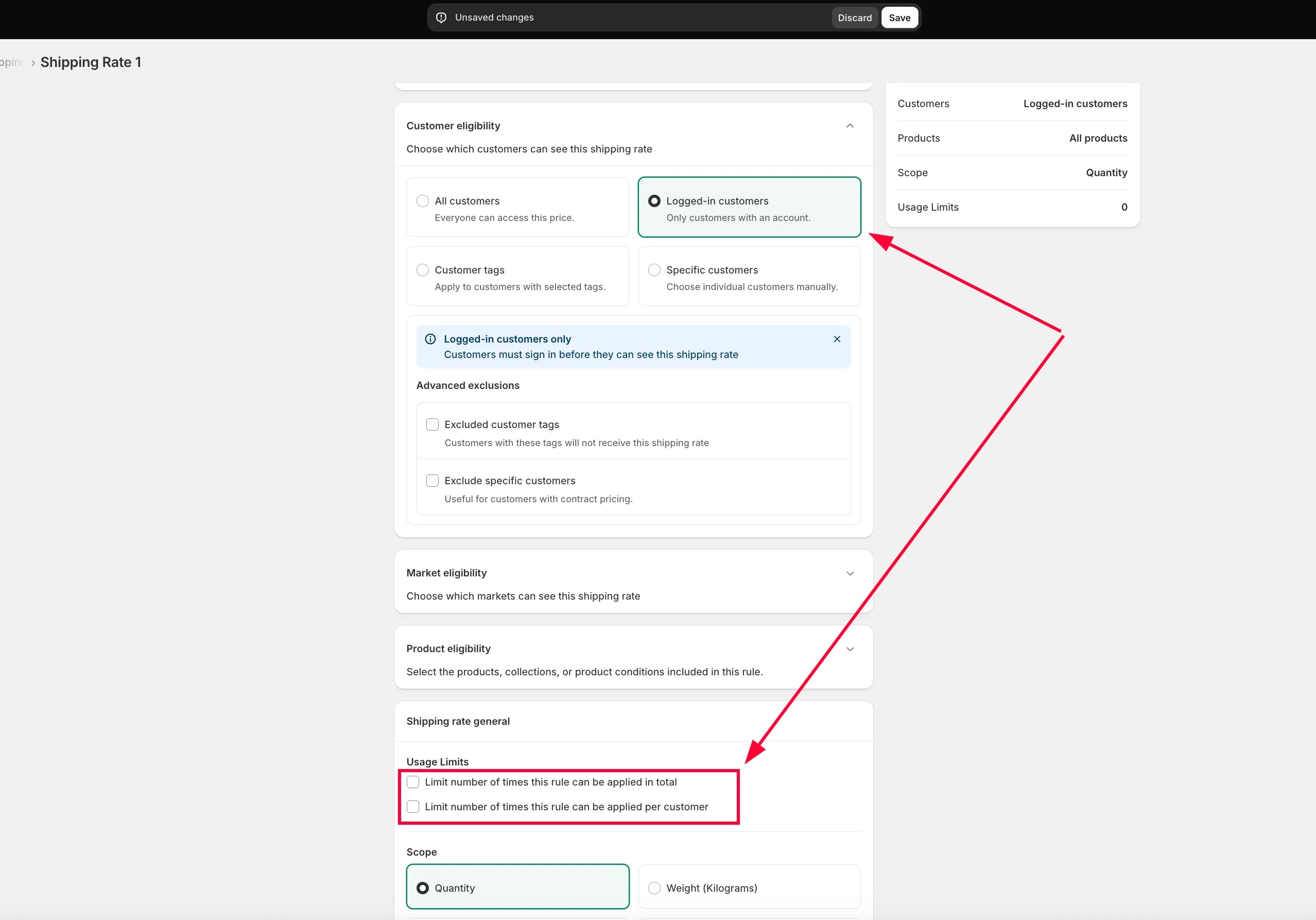
How these settings work
Section titled “How these settings work”Limit number of times this rule can be applied in total
Section titled “Limit number of times this rule can be applied in total”This caps how many times the shipping rate applies across your entire store, regardless of who’s buying.
Turn this on and enter a number — for example, 10:
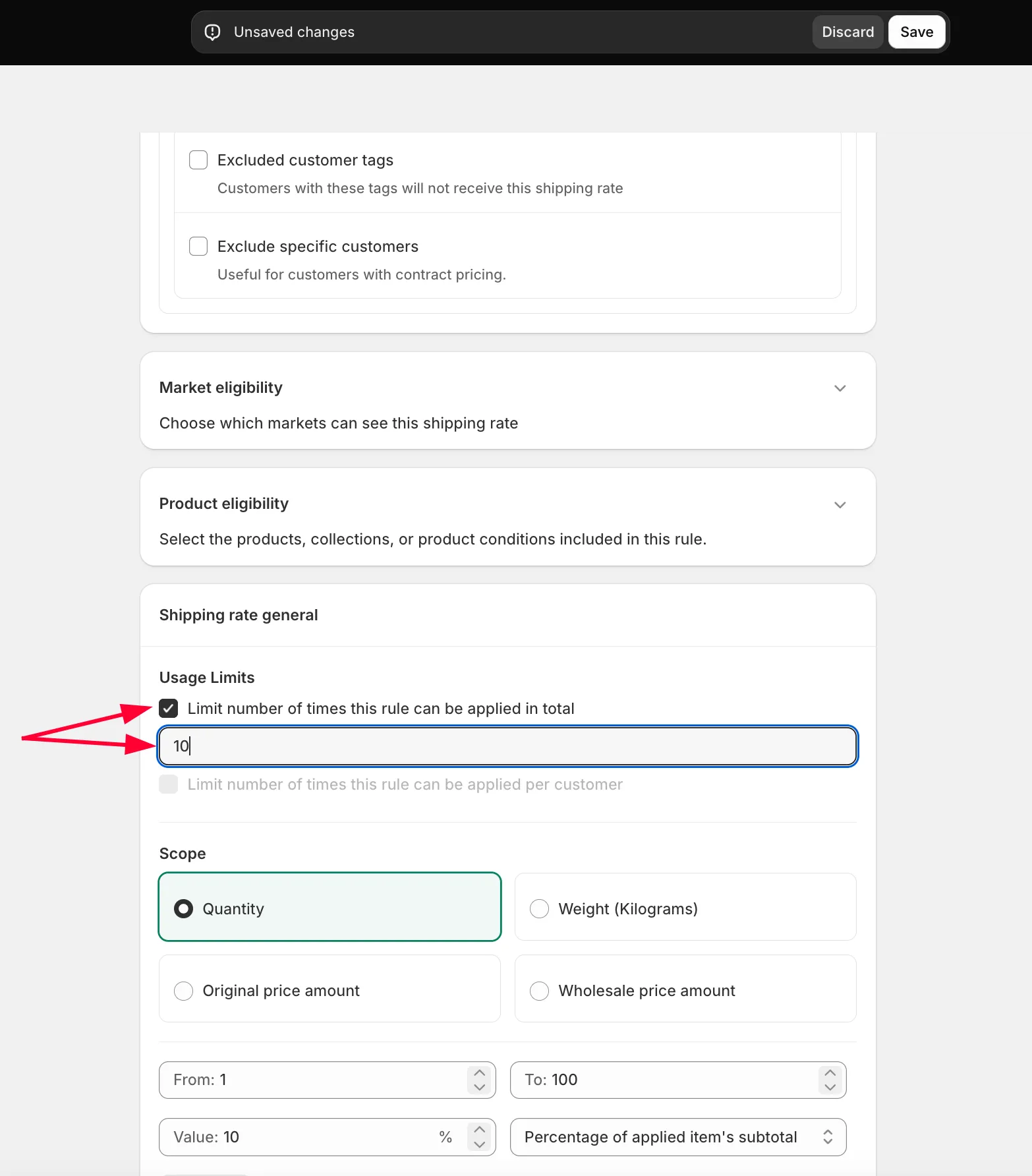
The shipping rate applies to the first 10 orders that qualify. After that, it stops — the 11th qualifying customer sees your store’s normal shipping rates instead.
Limit number of times this rule can be applied per customer
Section titled “Limit number of times this rule can be applied per customer”This caps how many times the shipping rate applies to each individual customer (based on the logged-in or tag condition you set).
Turn this on and enter a number — for example, 5:
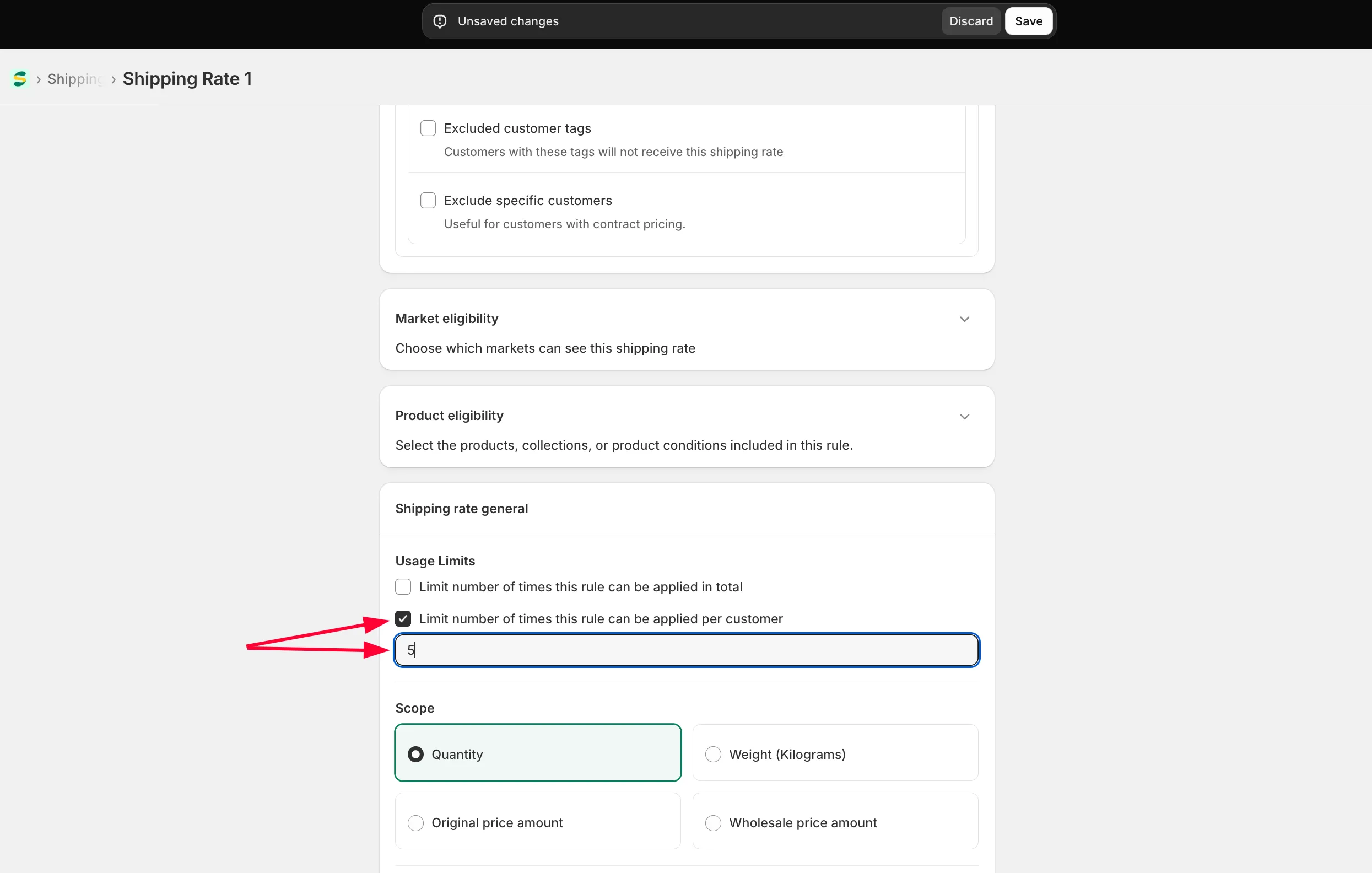
Each eligible customer gets this shipping rate on their first 5 qualifying orders. From their 6th order onward, they see normal shipping rates instead — there’s no limit on how many different customers this applies to.