How to change the Discount code?
Rename the discount code customers see at checkout to match your brand.
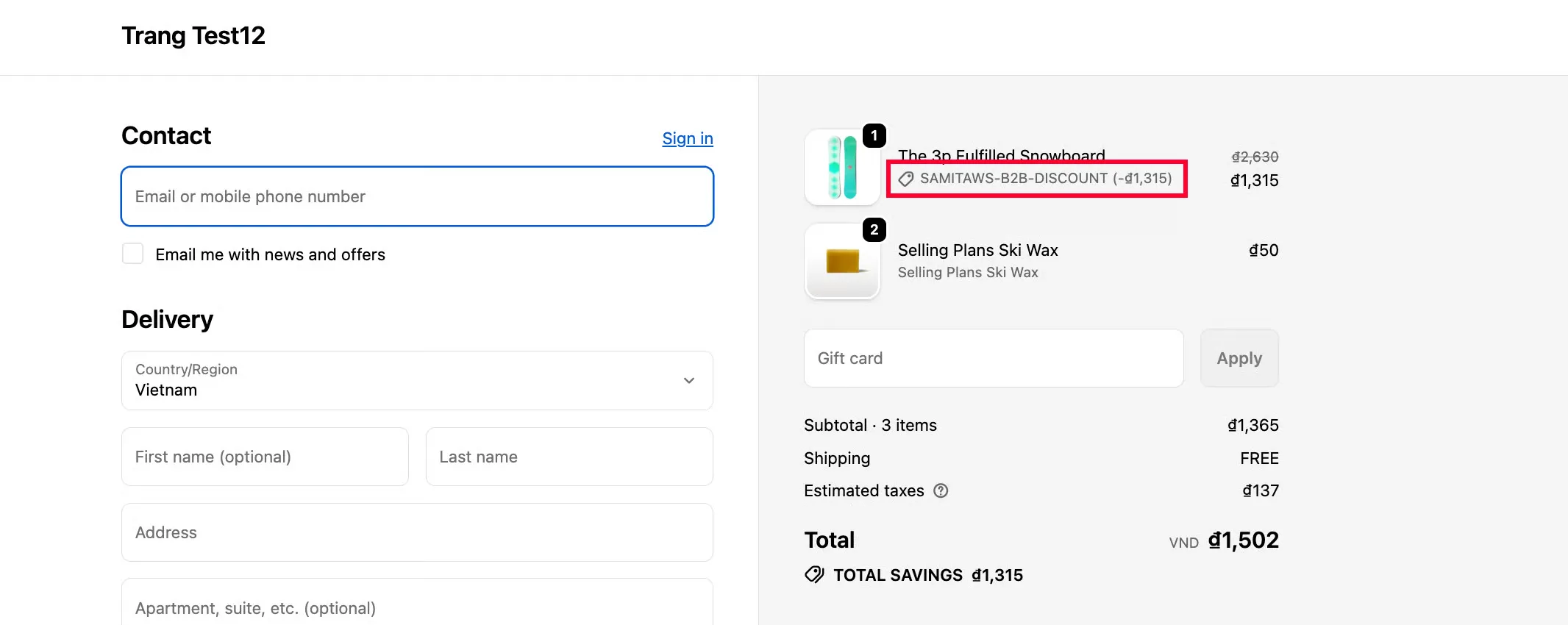
When the app generates a discount code at checkout, it shows a label like the one below. You can change that code to whatever text you prefer.
Steps to manage
Section titled “Steps to manage”-
Open General settings
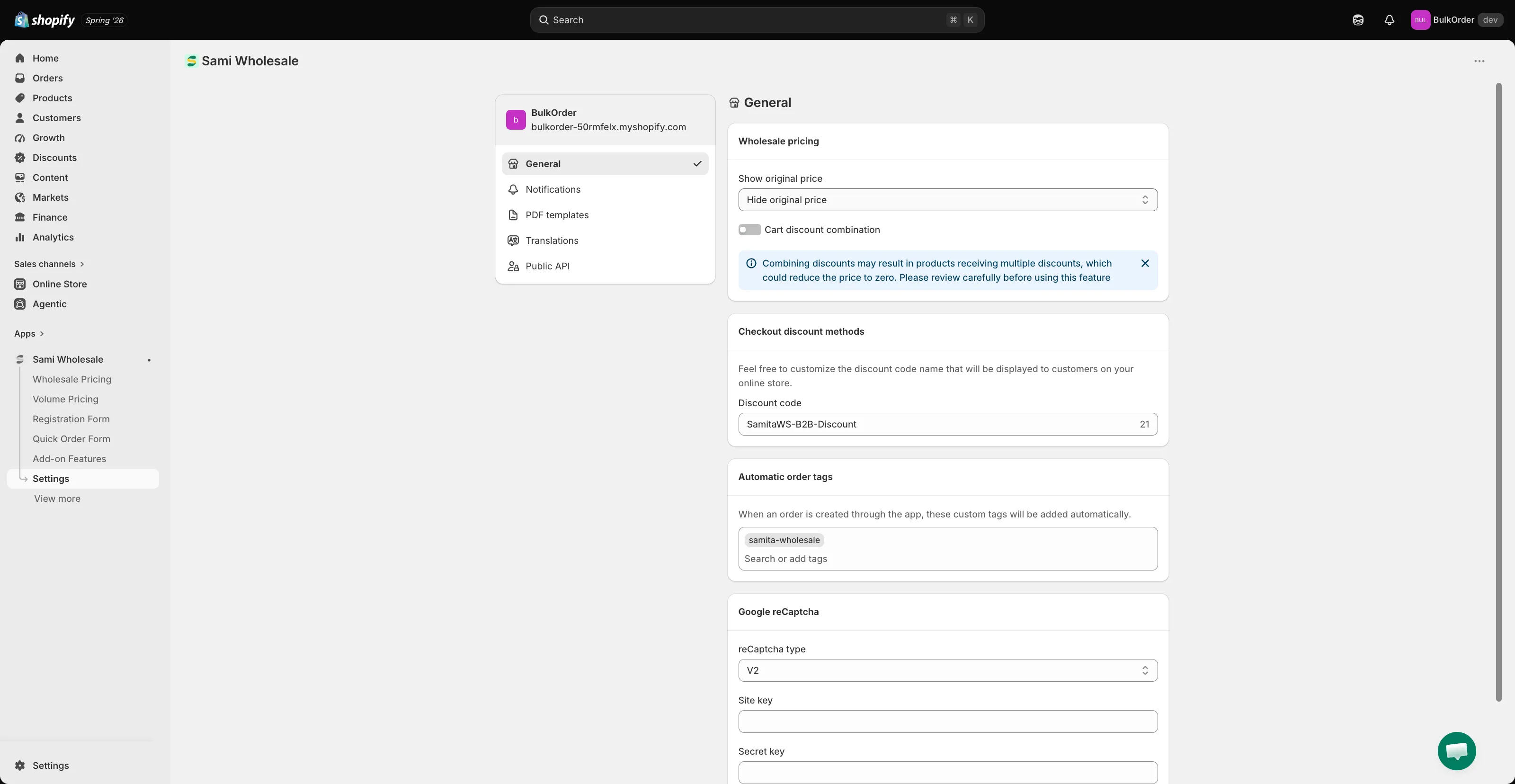
Section titled “Open General settings”From the app, click Settings, then click General.
-
Edit the code
Section titled “Edit the code”In Checkout discount methods, edit the Discount code field.
-
Save and check the result
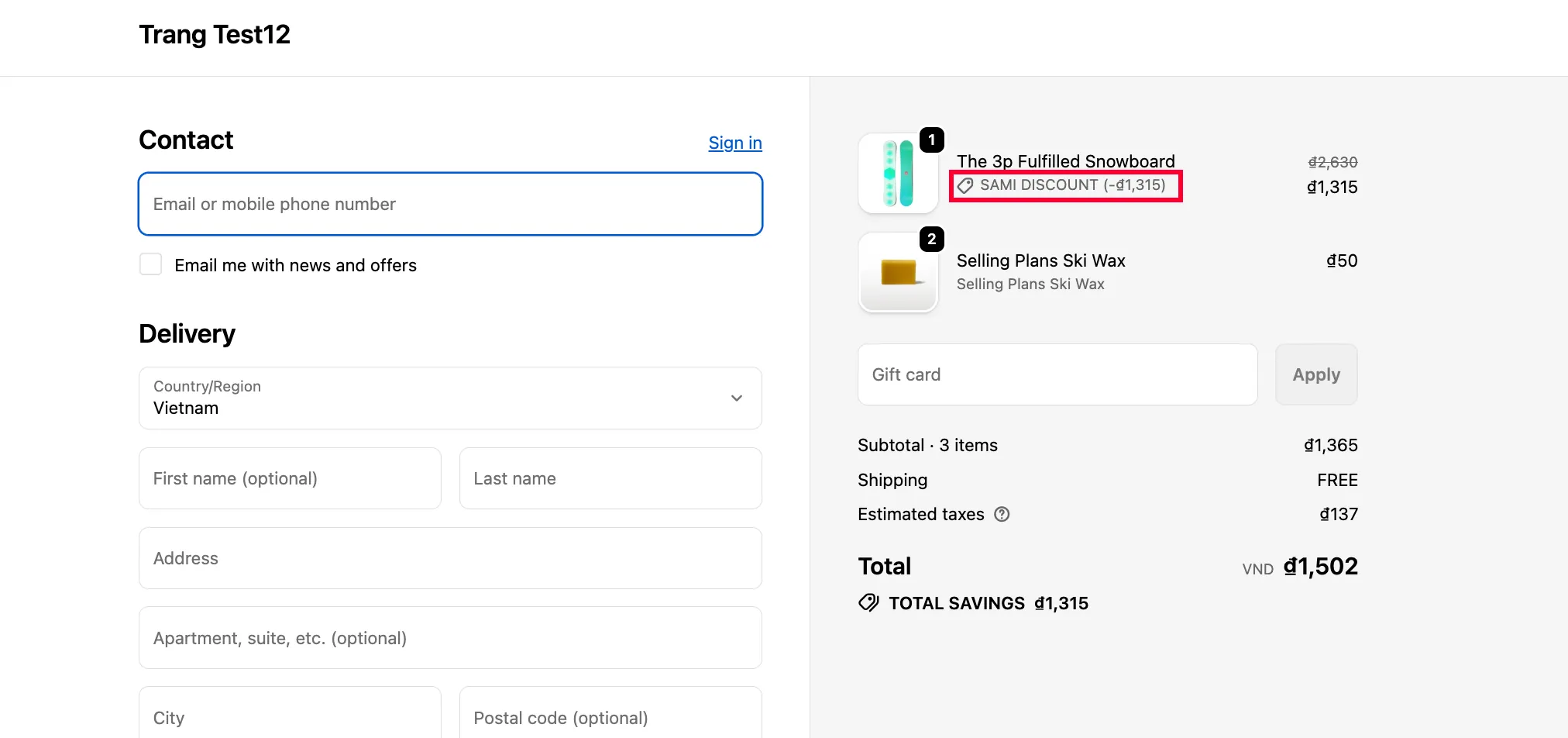
Section titled “Save and check the result”Click Save in the bar that appears at the top of the page, then check your storefront.
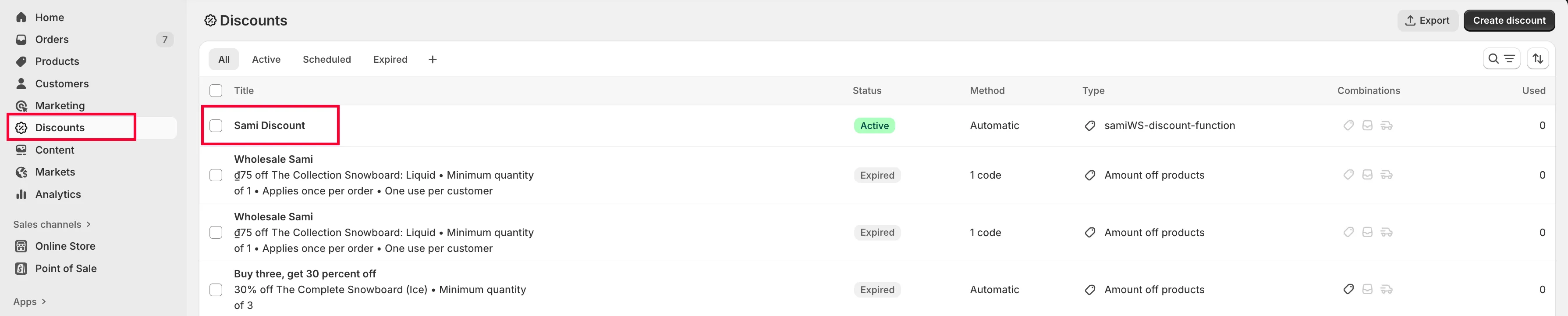
The code also updates in Shopify Discounts.