
Create a wholesale pricing
Show a special price to a chosen group of customers — the core setup for any wholesale pricing rule.
A wholesale pricing rule tells the app which products to discount, by how much, and which customers should see that price. This page walks you through creating one from scratch.
Steps to manage
Section titled “Steps to manage”-
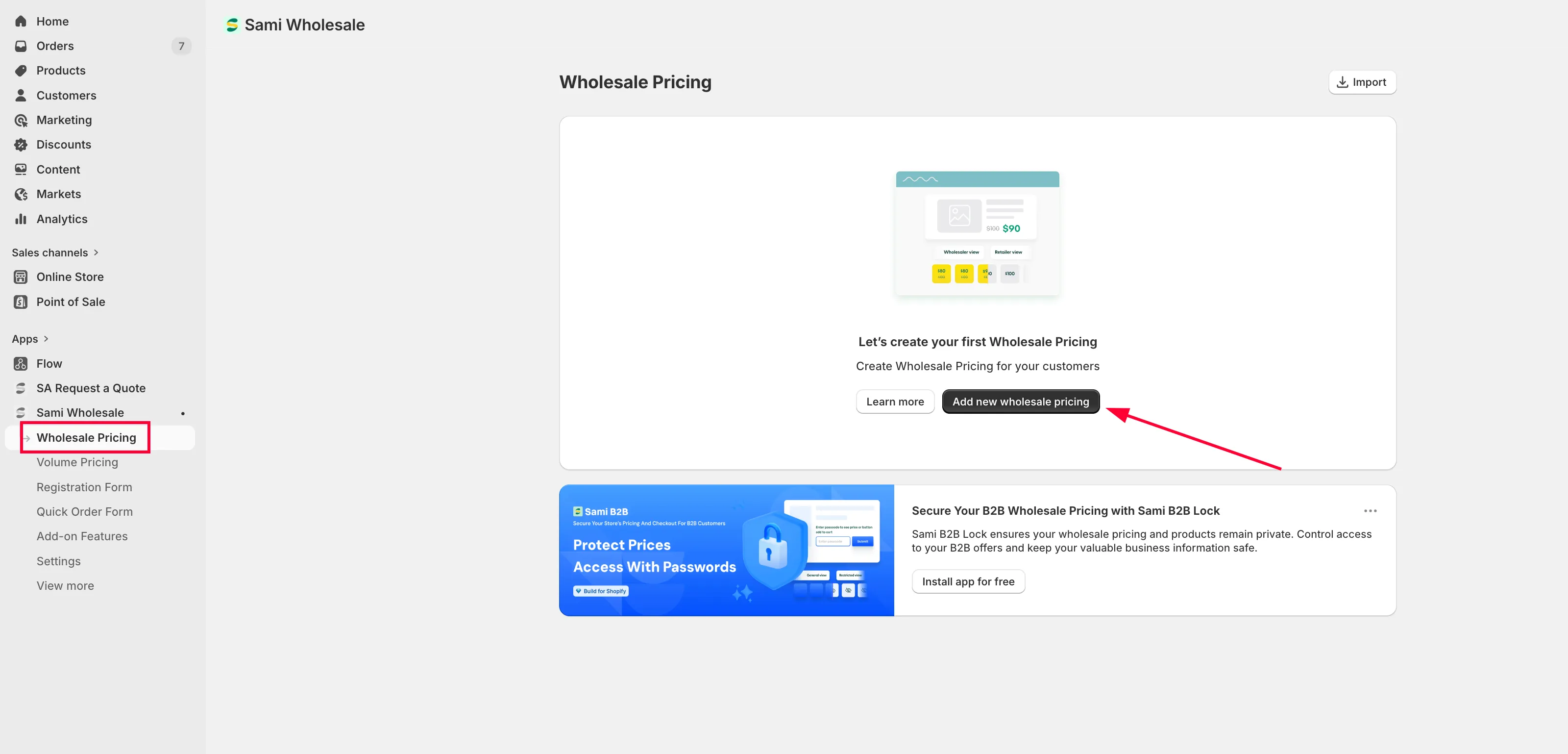
Start a new rule
Section titled “Start a new rule”Open the app, choose Wholesale Pricing, then click Add new wholesale pricing.
-
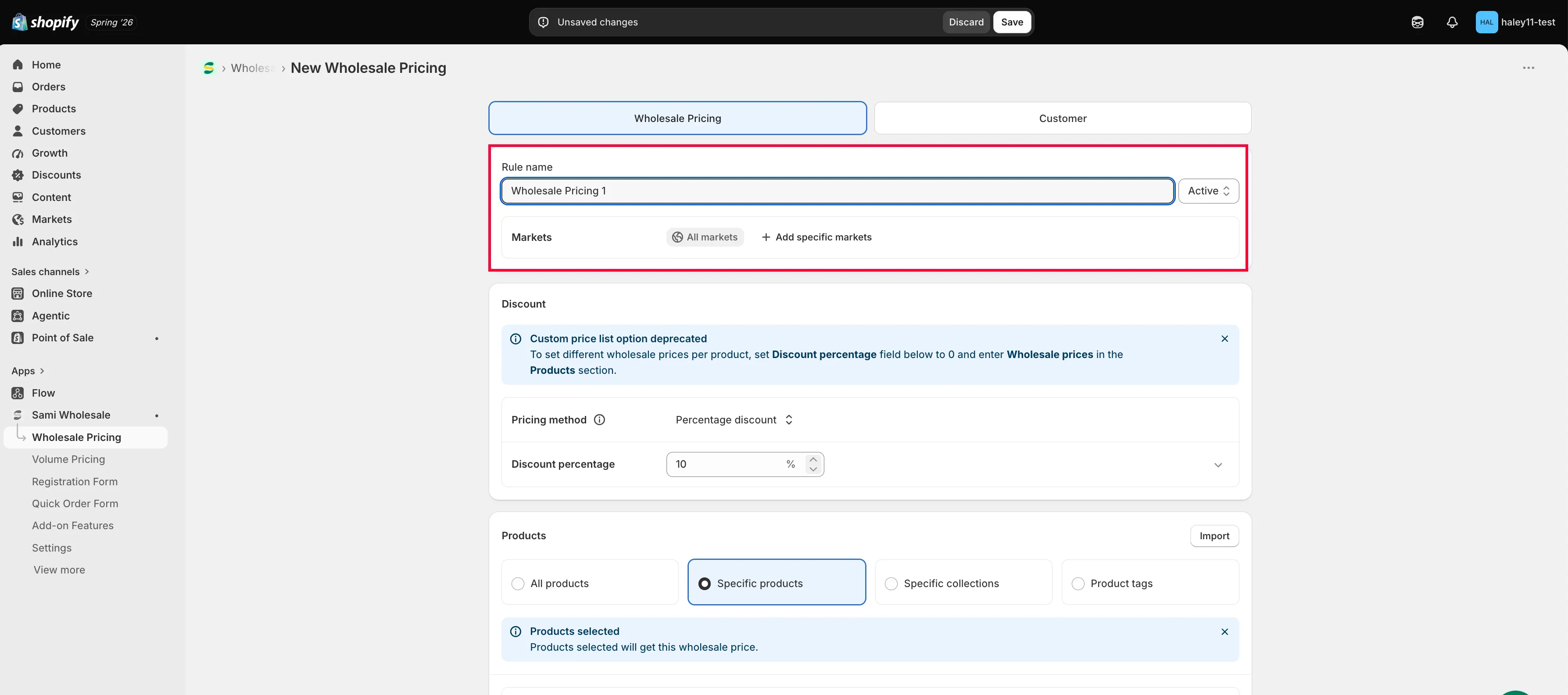
Name the rule and set its status
Section titled “Name the rule and set its status”On the Wholesale Pricing tab, give the rule a name in Rule name, and set its Status to Active, Draft, or Schedule (to start it automatically on a future date).
-
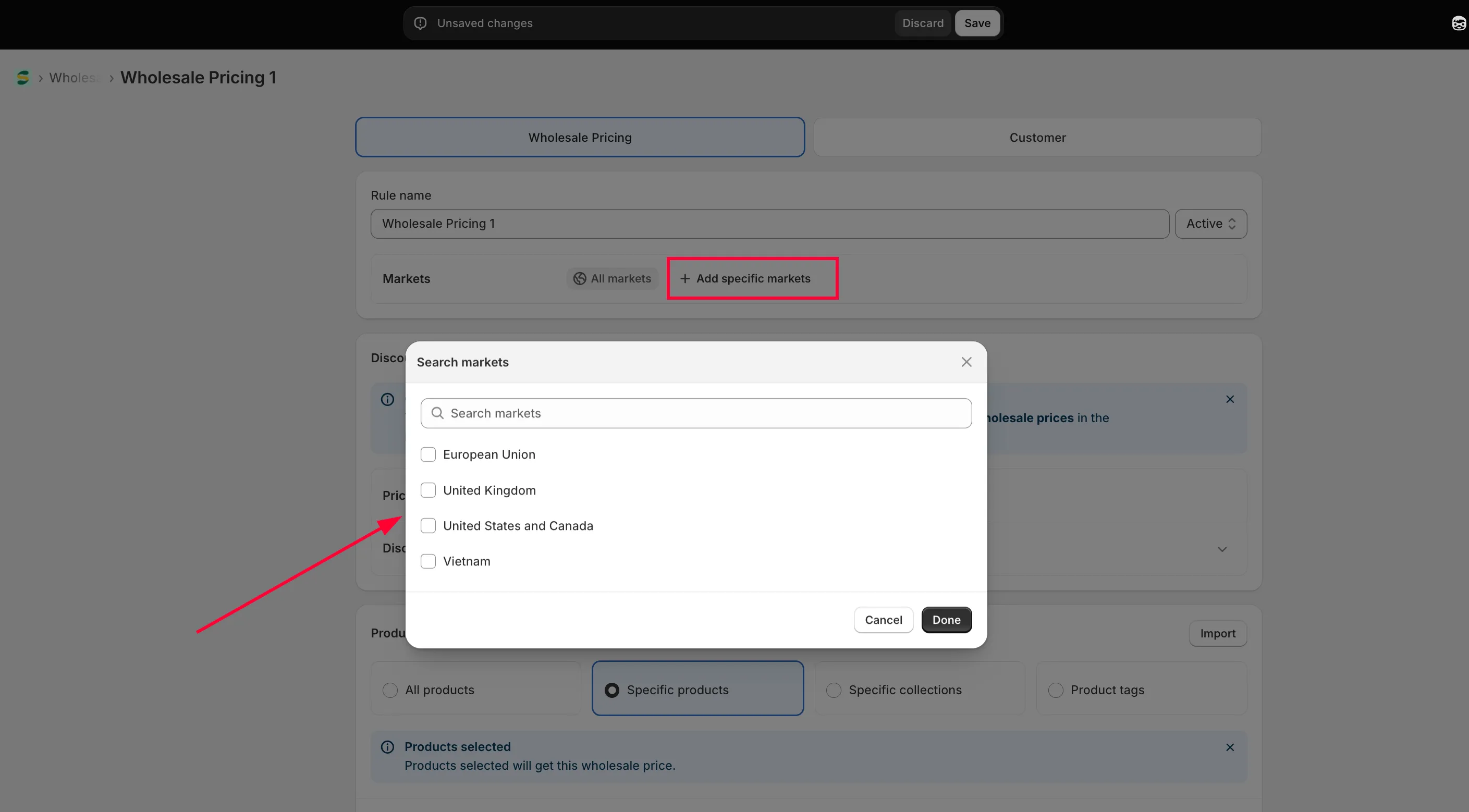
Choose a market
Section titled “Choose a market”In Markets, the rule applies to All markets by default. Click Add specific markets if you only want it to apply to certain ones.
-
Set up the discount
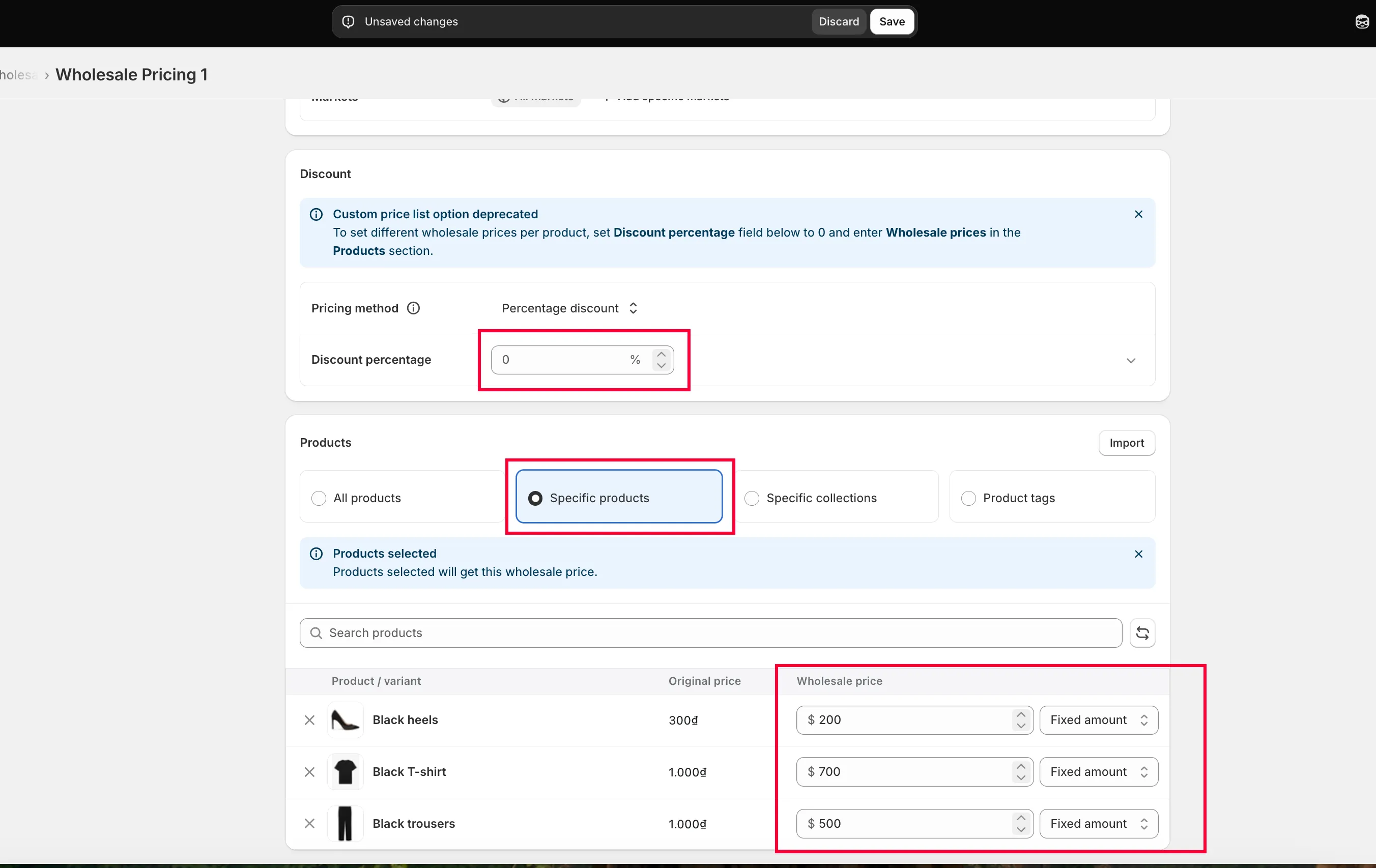
Section titled “Set up the discount”In Discount, choose a Pricing method: Percentage discount, Fixed amount discount, or Fixed wholesale price
See Select Discount Type for how each one calculates the price.
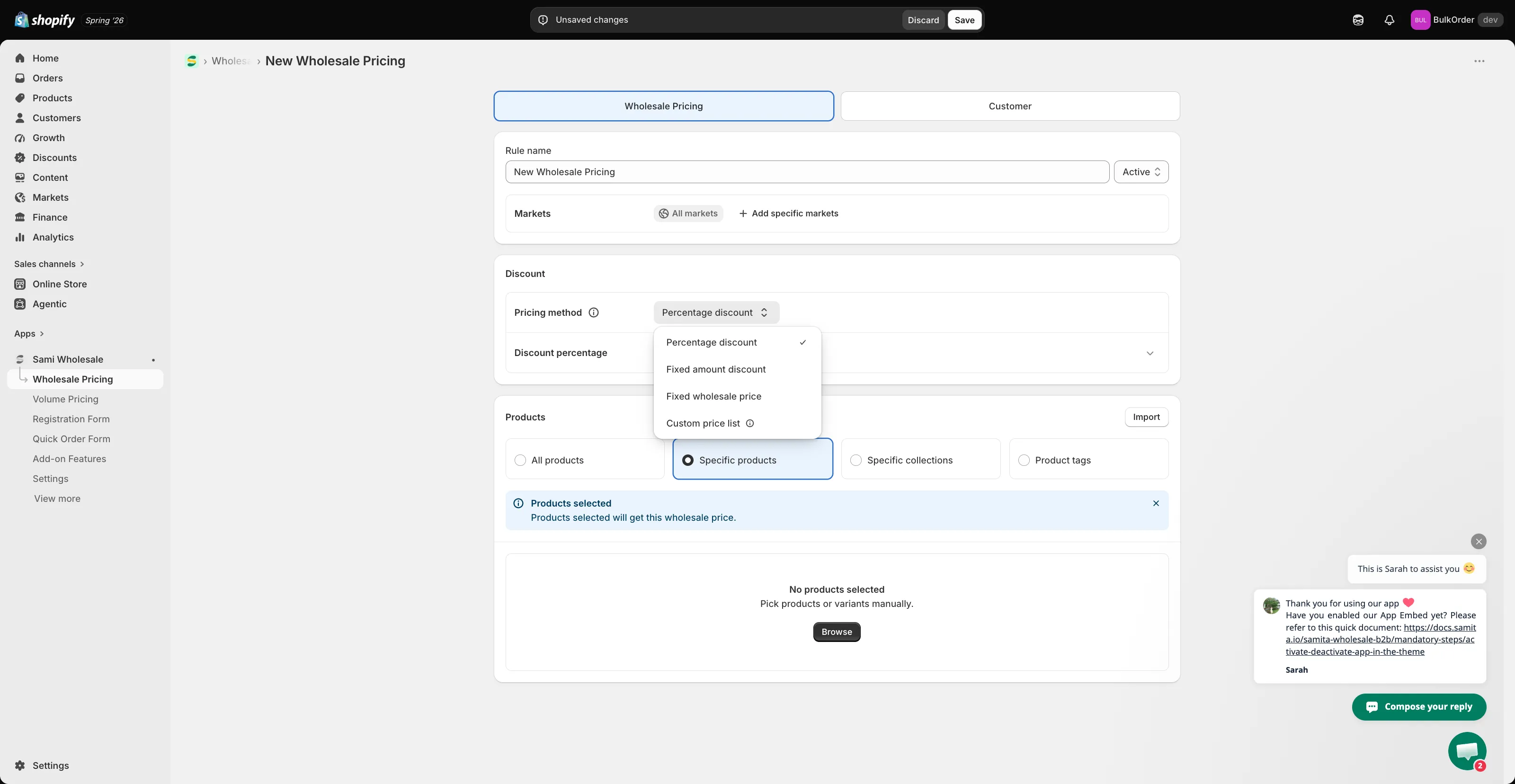
Custom price list is now deprecated. To set a different price for each product, set Discount percentage field below to 0 and enter Wholesale prices in the Products section.
-
Choose which products it applies to
Section titled “Choose which products it applies to”In Products, choose All products, Specific products, Specific collections, or Product tags.
-
Choose which customers see this price
Section titled “Choose which customers see this price”Click the Customer tab, then choose which customers are eligible for this wholesale price:
- All Customers — every visitor sees the wholesale price, logged in or not.
- Logged-in Customers — only customers logged in to a store account see it. This includes any customer account that existed before you installed the app, not just new sign-ups.
- Customer Tags — only logged-in customers with one of the tags you specify see it. If a customer is logged in but doesn’t have the tag, they won’t see the wholesale price.
- Specific Customers — only customers who are both logged in and added to the Specific Customers list see it. If they’re logged in but not on the list, they won’t see the wholesale price.
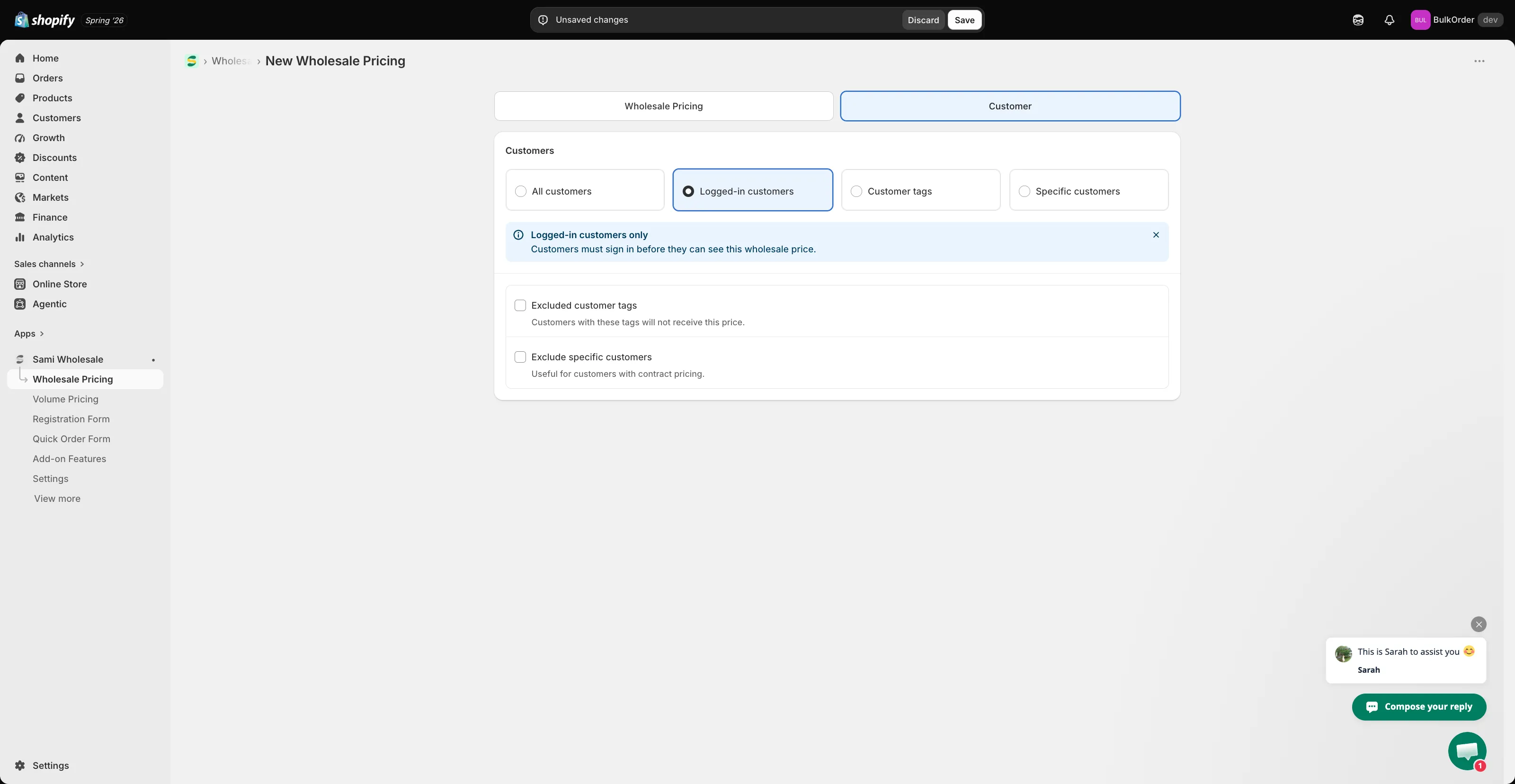
Whichever condition you pick, you can further narrow it with Excluded customer tags (hide the price from customers with certain tags) or Exclude specific customers.
-
Click Save.
Tutorial video
Section titled “Tutorial video”Need support?
Section titled “Need support?”If you do encounter any difficulty while proceeding these steps, don’t show any hesitation to contact us promptly via the email address [email protected].