
Set up Free shipping in the Extra fee feature
Waive shipping for orders that already qualify for an extra fee, using the same rule.
You can pair free shipping with an extra fee rule — useful when you want to offset the extra charge with a shipping perk.
Steps to manage
Section titled “Steps to manage”-
Start a new extra fee rule
Section titled “Start a new extra fee rule”Go to Extra fee settings, click Add new extra fee, then configure the customer condition and products this rule applies to.
-
Set the rule’s scope
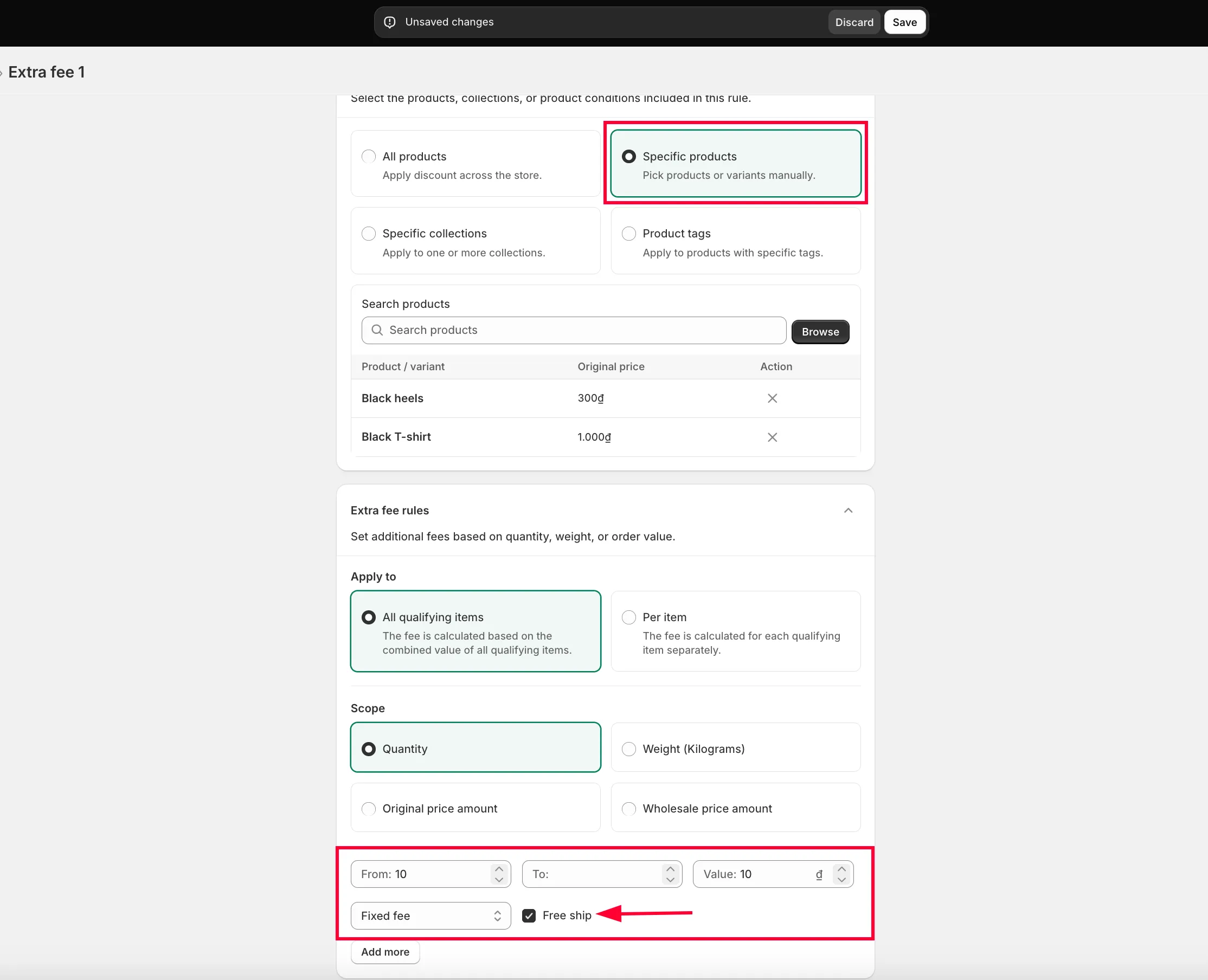
Section titled “Set the rule’s scope”Choose the scope — Quantity, Amount, or Weight — and set the range (e.g. “buying from … units gets free shipping”).
-
Turn on Free ship
Section titled “Turn on Free ship”Tick the Free ship checkbox, then enter
0in the Value field.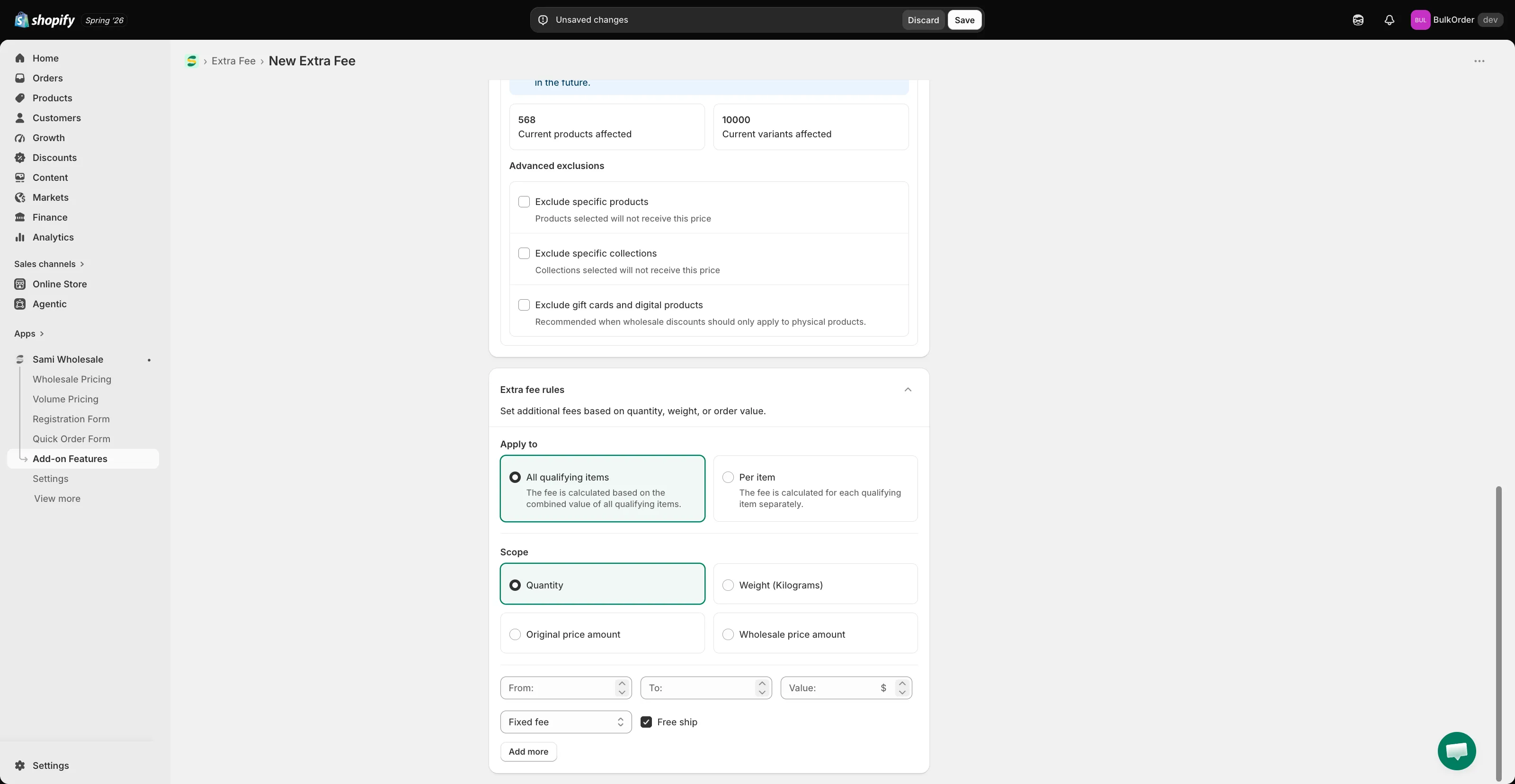
-
Click Save.
Applying free shipping when multiple products have extra fees
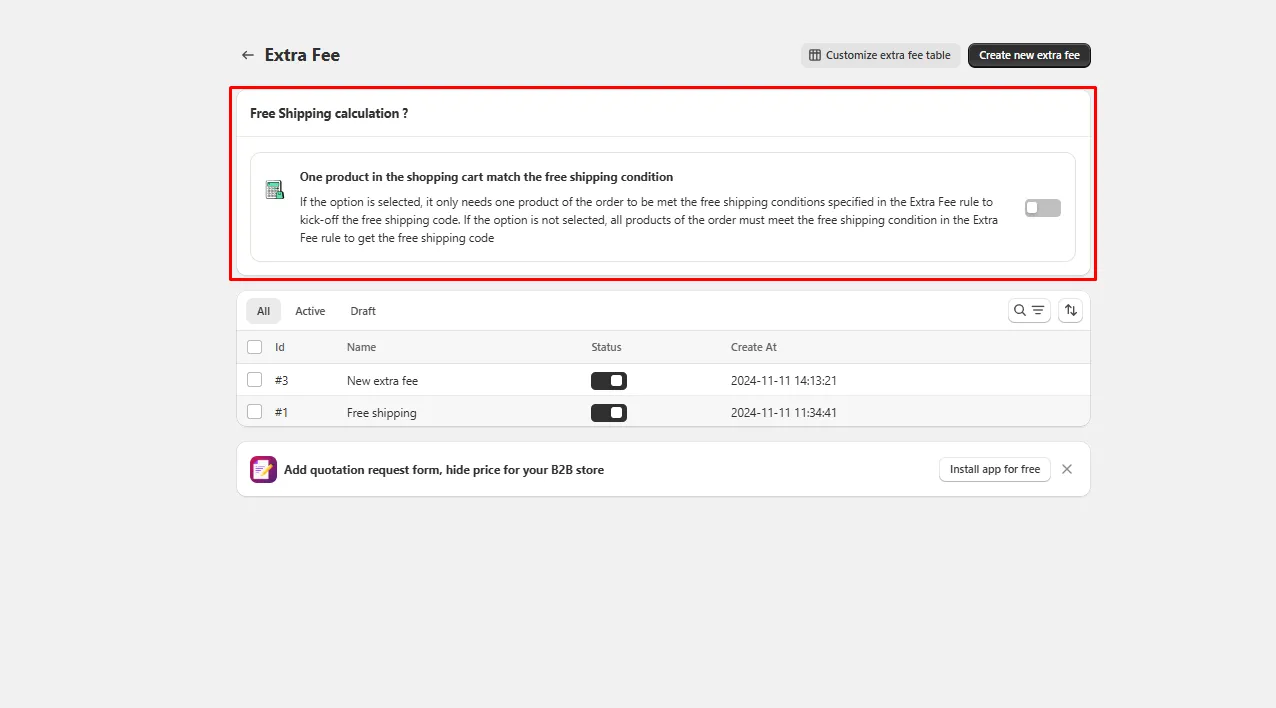
Section titled “Applying free shipping when multiple products have extra fees”If several products in the order carry an extra fee, you can control exactly when free shipping kicks in.
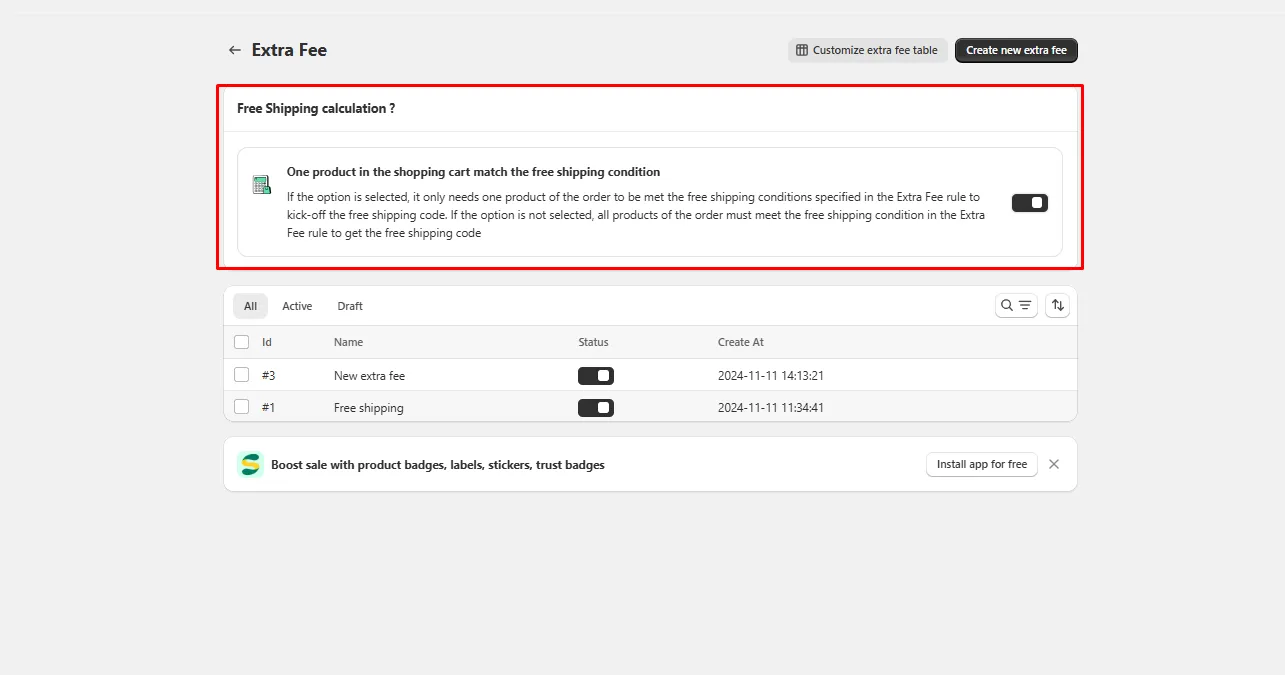
- Toggle on: free shipping activates as soon as at least one product in the order satisfies the extra fee rule.
- Toggle off (default): free shipping only activates once every eligible product in the order satisfies the extra fee rule.
Need support?
Section titled “Need support?”If you do encounter any difficulty while proceeding these steps, don’t show any hesitation to contact us promptly via the email address [email protected].