
Delete/Duplicate a Registration form
Remove a registration form you no longer need, or duplicate one to quickly create a similar form.
Duplicate a Registration form
Section titled “Duplicate a Registration form”-
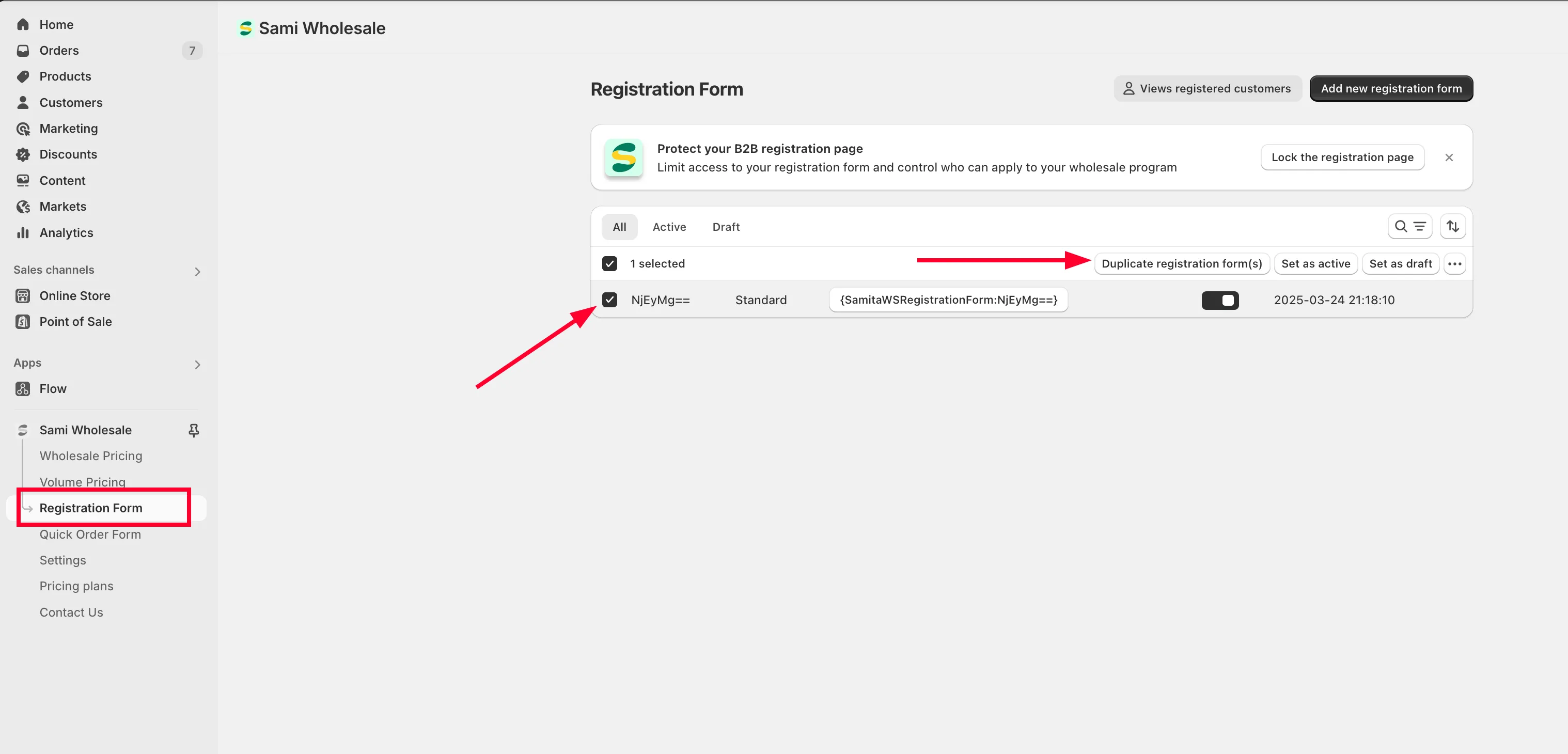
Open Registration form
Section titled “Open Registration form”From the app, click Registration form.
-
Select the form
Section titled “Select the form”Tick the checkbox next to the form you want to duplicate.
-
Duplicate it
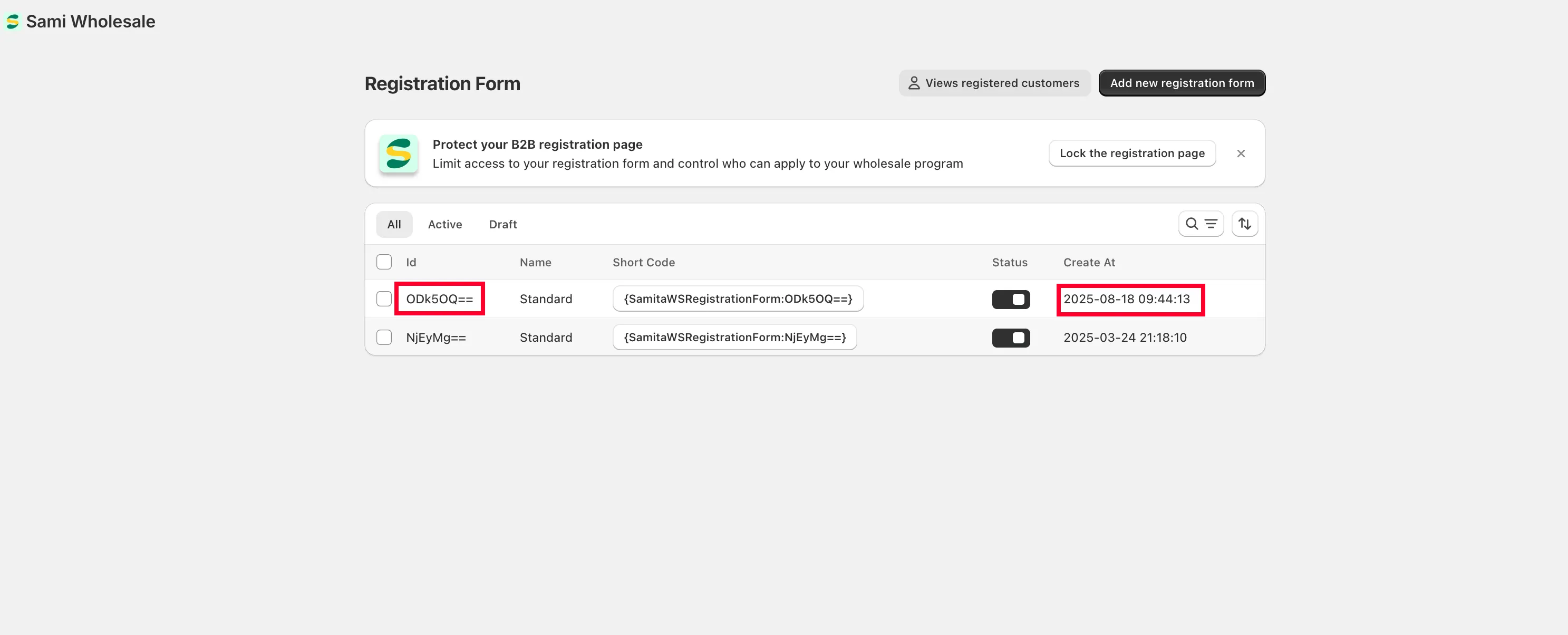
Section titled “Duplicate it”Choose Duplicate registration form(s). An identical copy of the form is created with a new ID.
Delete a Registration form
Section titled “Delete a Registration form”-
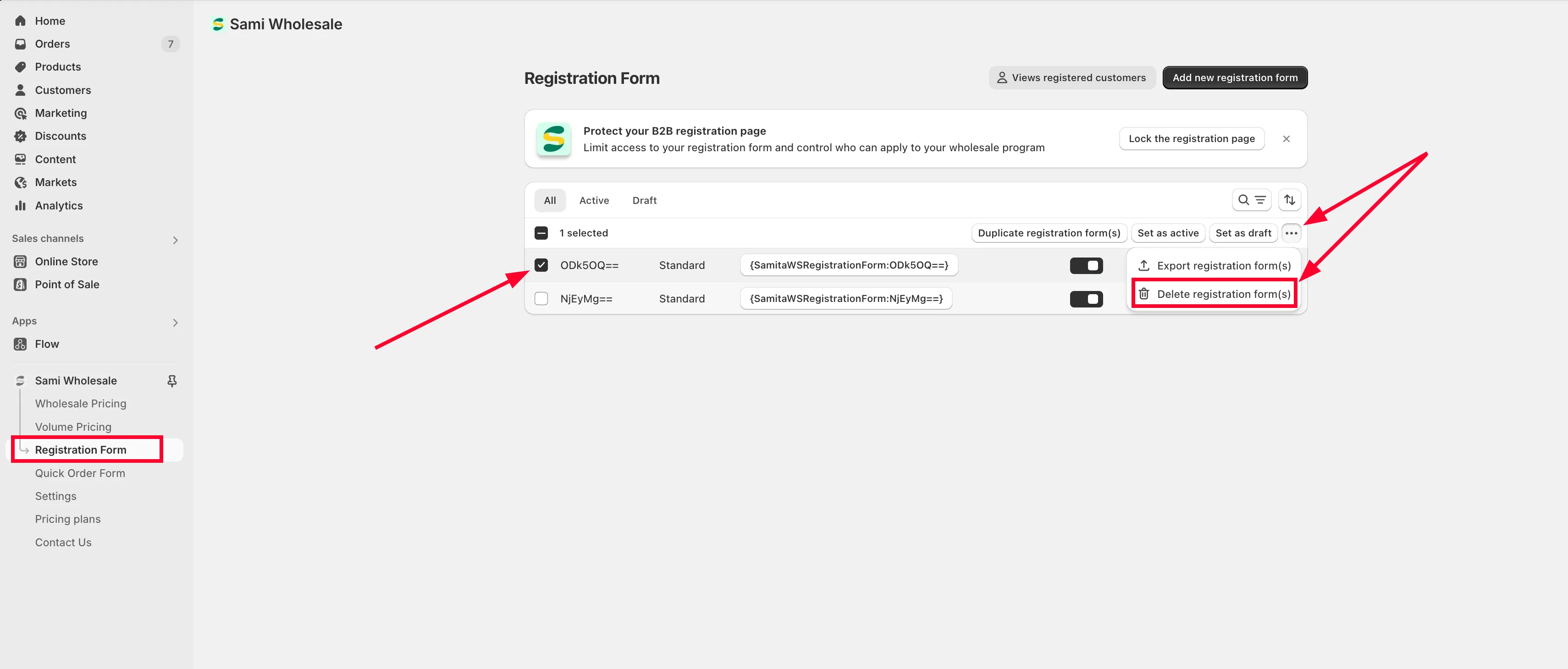
Open Registration form
Section titled “Open Registration form”From the app, click Registration form.
-
Select the form
Section titled “Select the form”Tick the checkbox next to the form you want to delete.
-
Delete it
Section titled “Delete it”Click the more actions icon (…) and choose Delete registration form(s). The form is deleted permanently.
Need support?
Section titled “Need support?”If you do encounter any difficulty while proceeding these steps, don’t show any hesitation to contact us promptly via the email address [email protected].