
View draft order created from payment term
Find every draft order that was created when a customer chose to pay later.
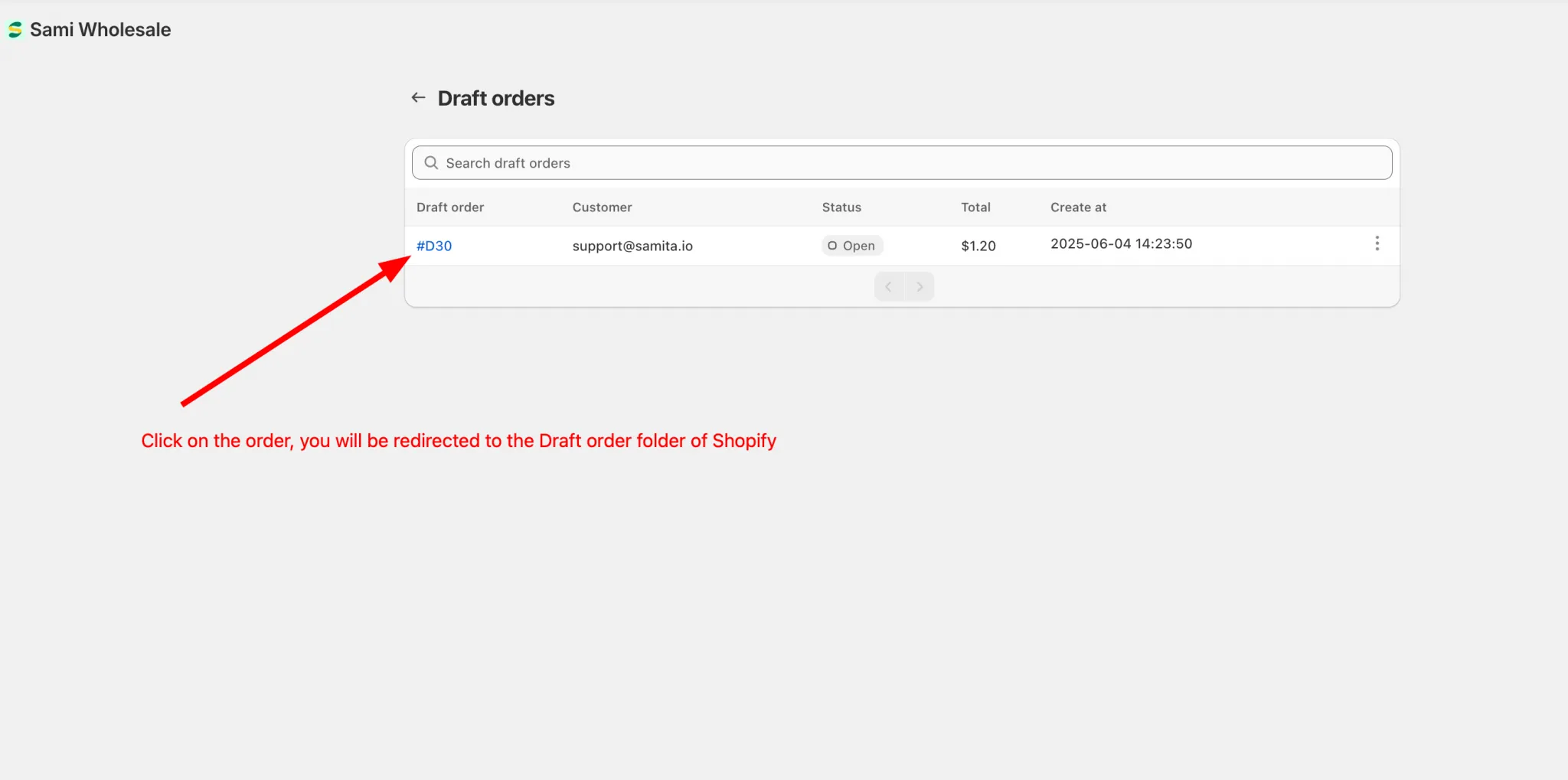
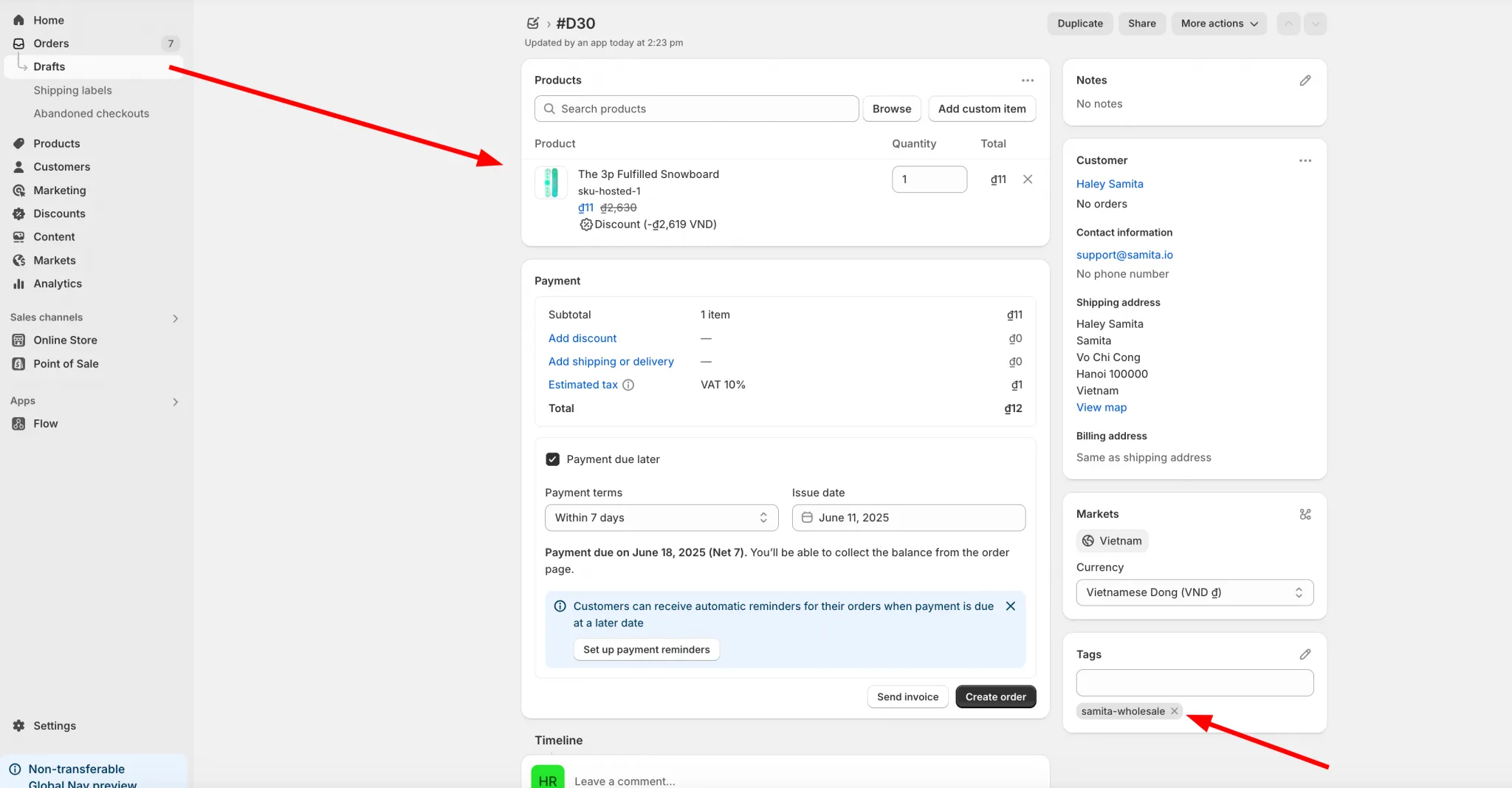
When a customer chooses to pay later, the app creates a draft order (invoice) for them. Here’s where to find those draft orders.
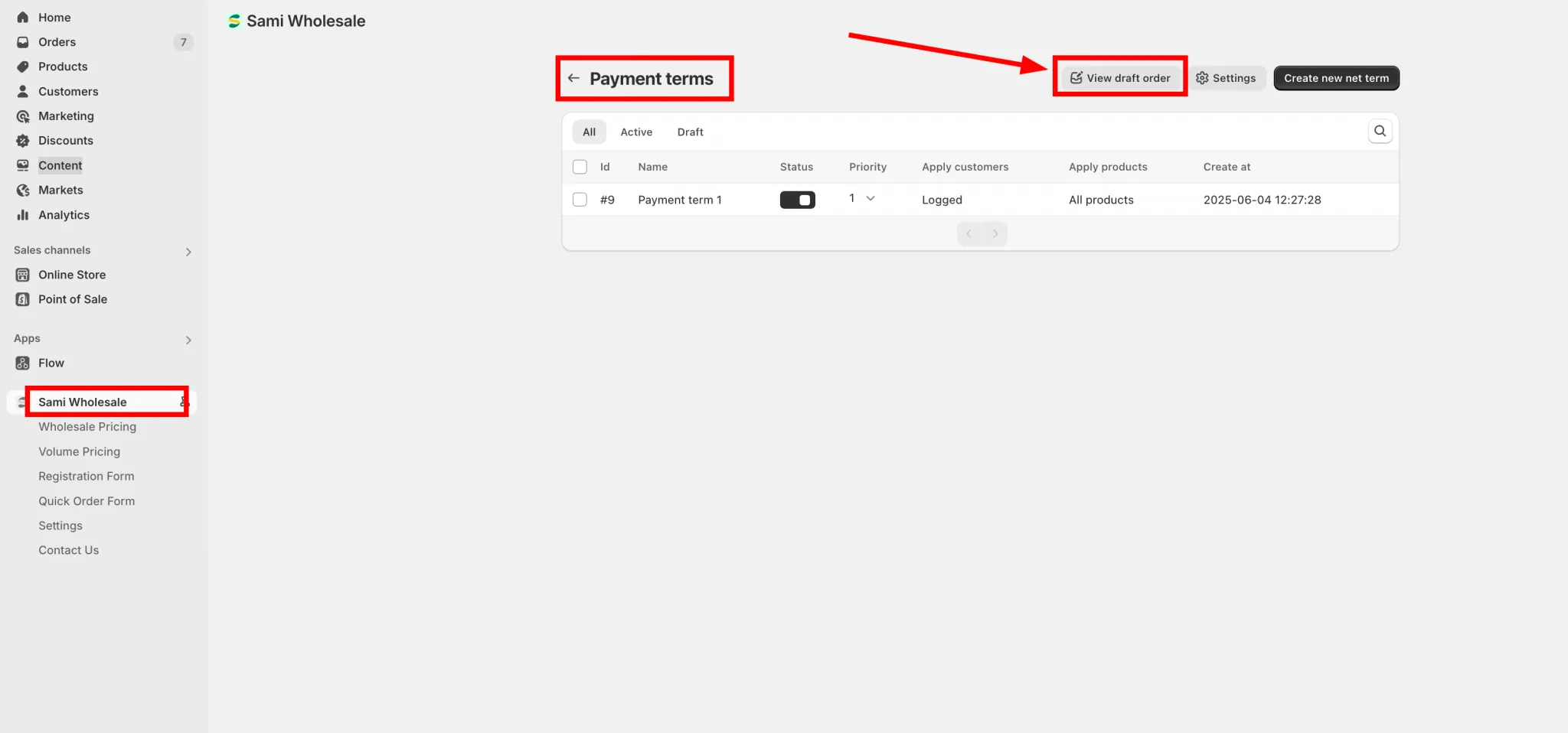
- From the app, click Payment term > Setup payment term.
- On the Payment terms page, click View draft order.
Need support?
Section titled “Need support?”If you do encounter any difficulty while proceeding these steps, don’t show any hesitation to contact us promptly via the email address [email protected].