
Retail invoice for customers who resell
Give customers who resell your products an invoice at original prices, with no wholesale discount on it.
Some B2B customers — contractors, dealers, resellers — pass your invoice on to their own clients and don’t want the wholesale discount to show. A Retail invoice is a second PDF template that prints every line at its original price, with no discount lines, so the customer can hand it on as is.
What a retail invoice contains
Section titled “What a retail invoice contains”- Each item at its original (retail) price and total. Every discount on the order is removed — your wholesale or volume discount, and any other Shopify discount applied to that order.
- Subtotal, Estimated tax and Total recalculated from those original prices. Tax is recalculated line by line at each line’s tax rate, so the totals add up. Shipping stays as it was.
- No payment term section, since the invoice is meant for the customer’s own client.
Everything else works like the regular invoice: the invoice name, the Appearance toggles (addresses, SKU, vendor, notes, thank-you message), the style colors, and the Edit text / Edit code editors. The retail templates can also be translated — see Translate PDF invoices and customer emails.
The three retail templates
Section titled “The three retail templates”Go to Settings > PDF templates. Each invoice type has its own retail template, so you can customize them separately:
- Order processing > Retail order invoice — for Shopify orders.
- Payment terms > Retail draft order invoice — for draft orders created with a payment term.
- Invoice payments > Retail draft order invoice — for draft orders created with Invoice Payment.
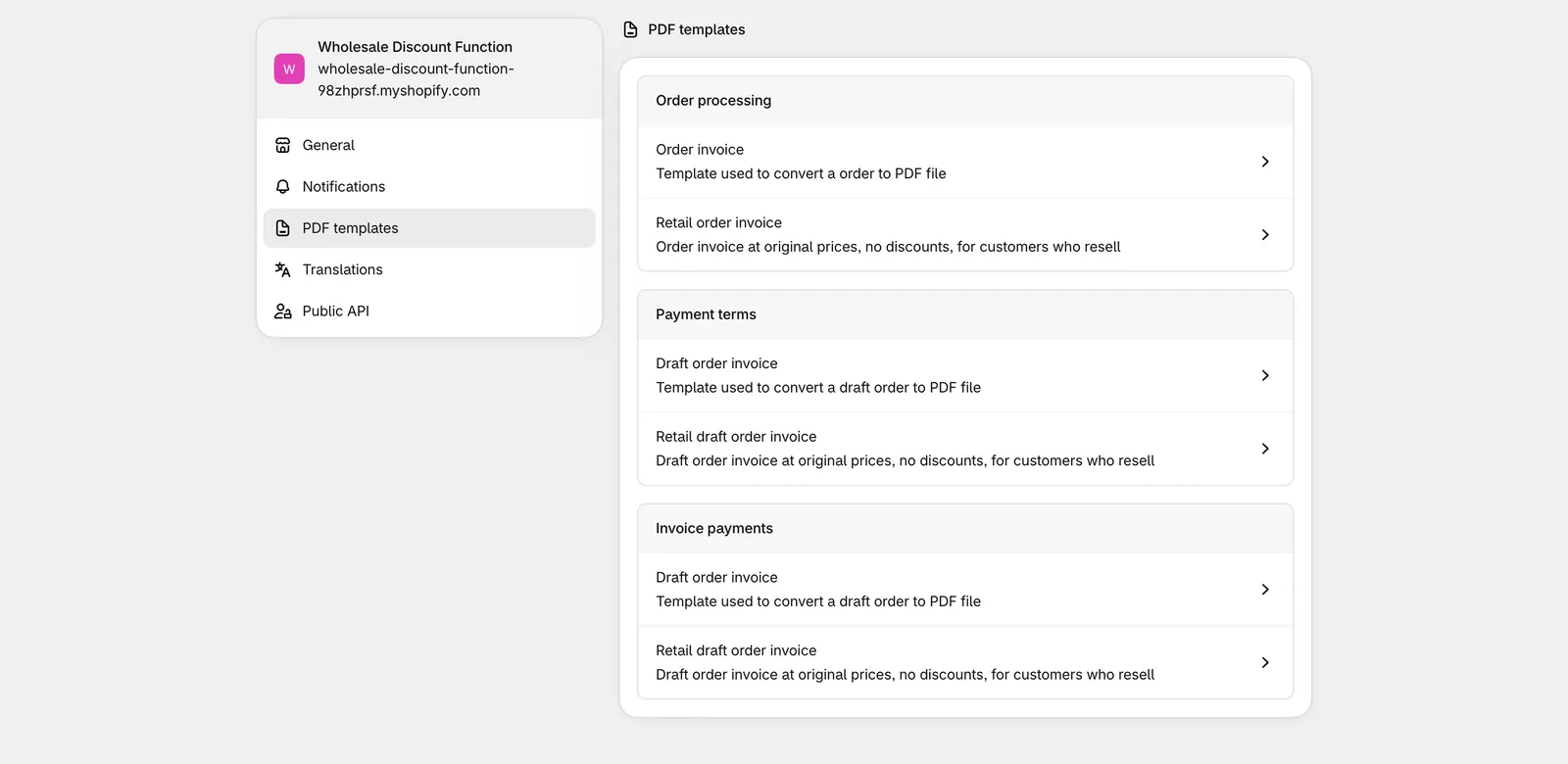
Open a retail template to customize it. The Preview on the right shows the sample order at original prices.
Let customers download it themselves
Section titled “Let customers download it themselves”By default only you can export a retail invoice. To let customers download it:
- Open the retail template you want to offer (for example Retail order invoice).
- Tick Allow customers to download this invoice.
- Click Save.
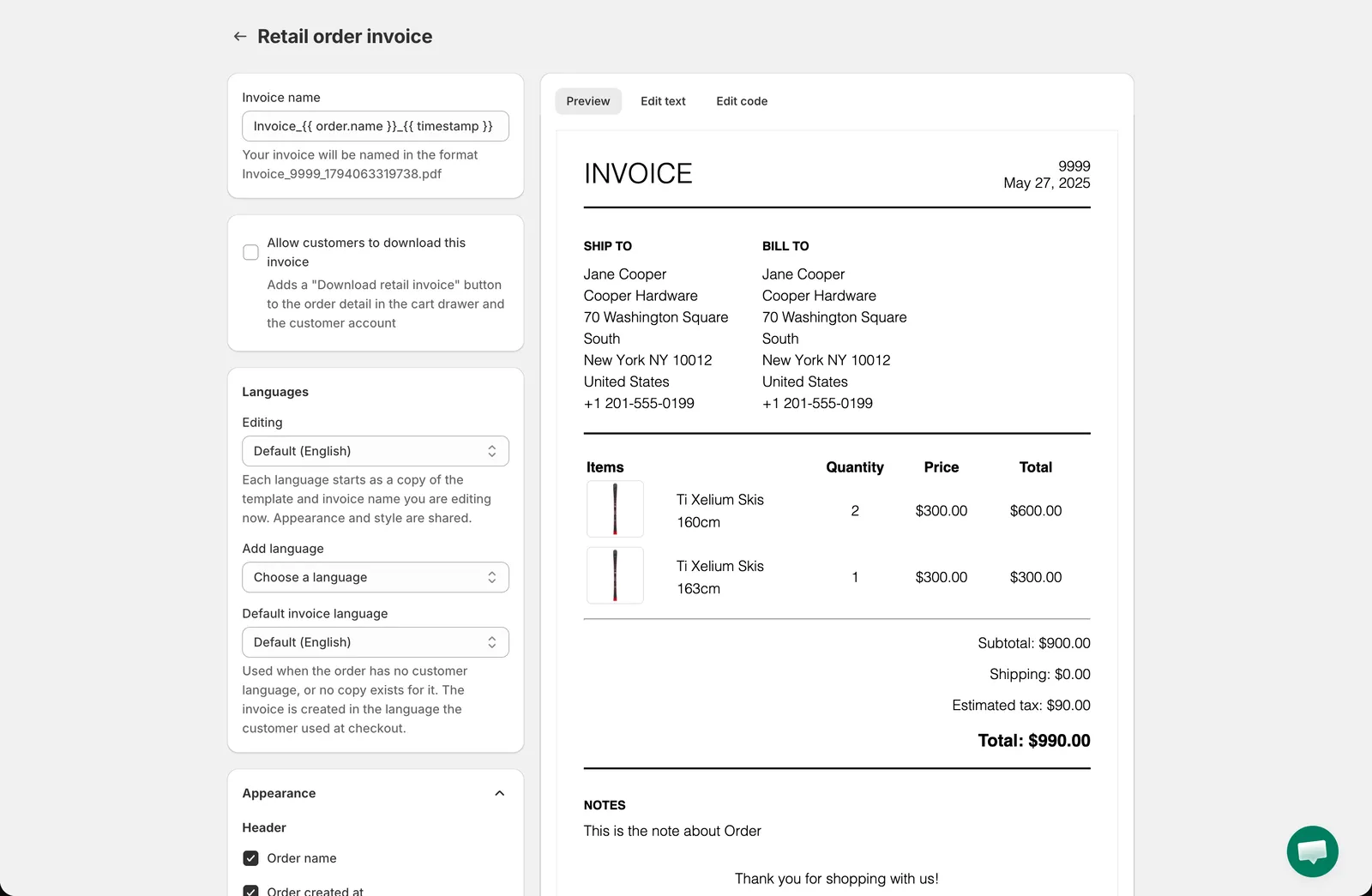
Once it is on, a Download retail invoice button appears next to View and download invoice:
- In the app’s My Account cart drawer, on the detail page of an order (Retail order invoice) or of a draft order (the matching Retail draft order invoice).
- In the Draft order page of the Shopify customer account, for draft orders.
The switch is per template: you can, for example, offer the retail invoice for orders only and keep draft orders wholesale-only.
Export a retail invoice as the merchant
Section titled “Export a retail invoice as the merchant”You can export a retail invoice for any draft order, whether or not customers are allowed to:
- From the app, open Add-on Features > Payment Term > Draft orders.
- Click the ⋮ menu at the end of a row.
- Click Export retail invoice PDF.
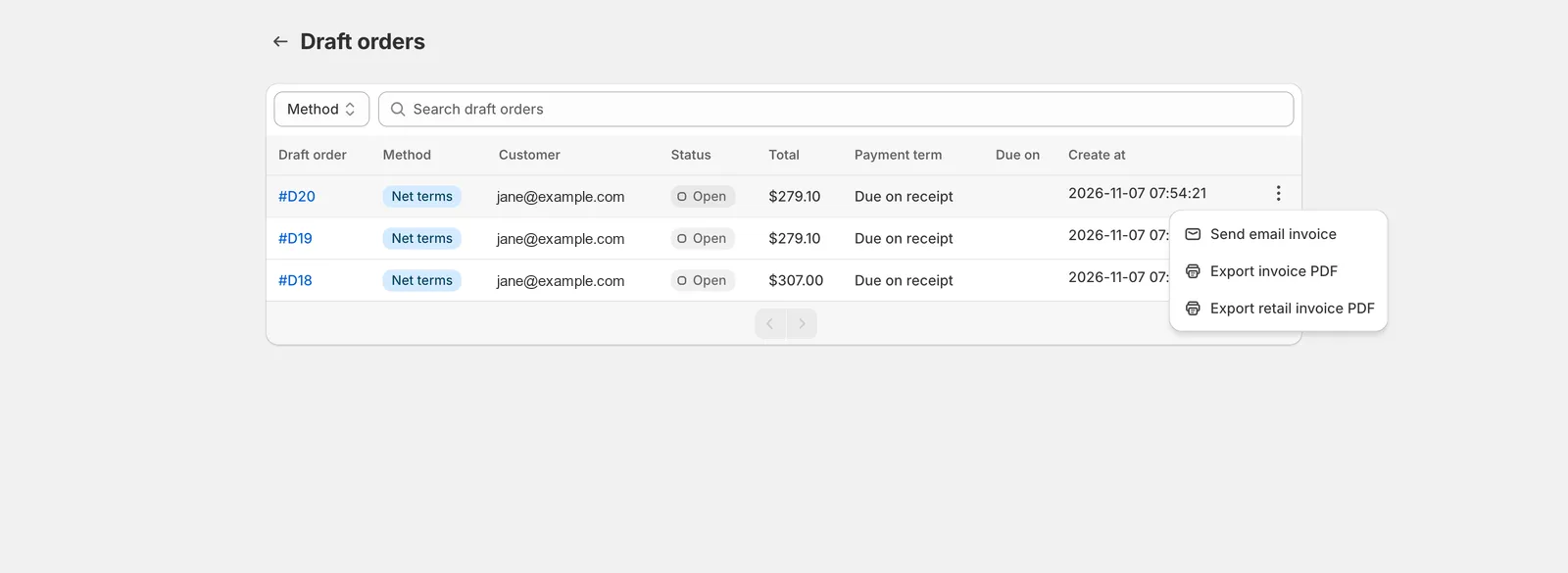
The PDF is created with the retail template of that draft order’s payment method, in the language chosen for that customer (see the translation page).
Need support?
Section titled “Need support?”If you do encounter any difficulty while proceeding these steps, don’t show any hesitation to contact us promptly via the email address [email protected].