
Show Quick order form in your store
Publish your Quick Order Form on a Shopify page by copying its code into the page's HTML.
Publishing the Quick Order Form takes two parts: choosing its page in the app, then pasting its code into that page in Shopify.
Steps to manage
Section titled “Steps to manage”-
Choose the page in the app
Section titled “Choose the page in the app”In the Quick order form settings, click the Display tab, then choose a page under Display on Page.
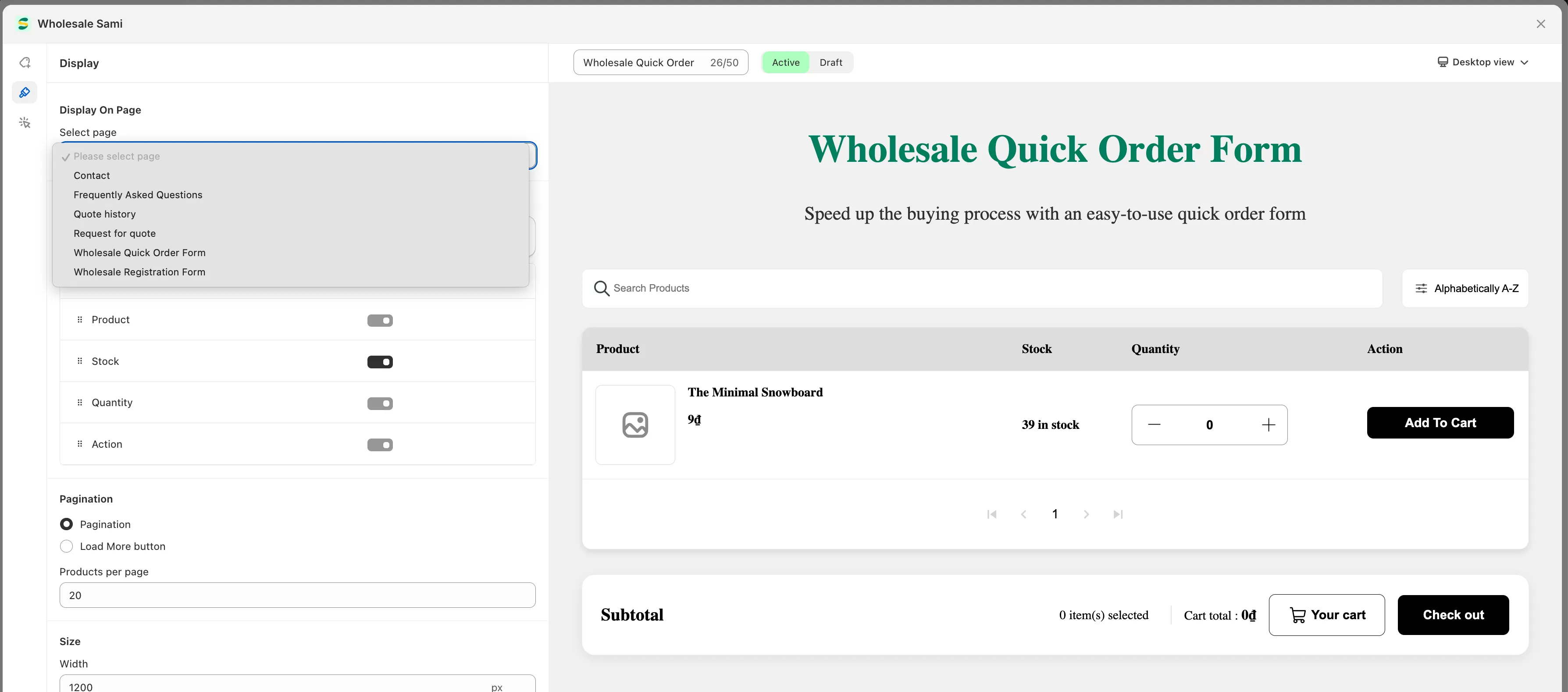
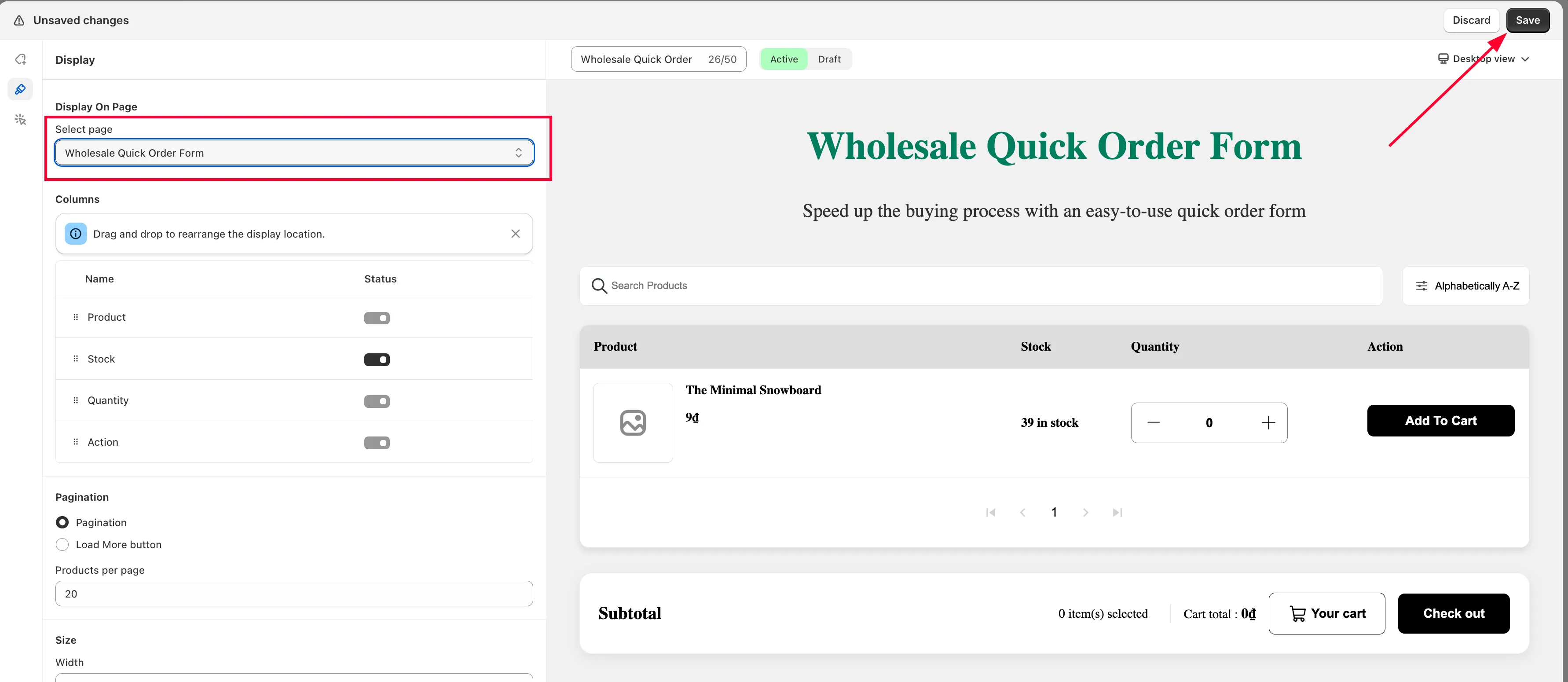
-
Click Save.
-
Copy the form code
Section titled “Copy the form code”In the Publication tab, choose a publication type — Shortcode or Embed — then copy the code.
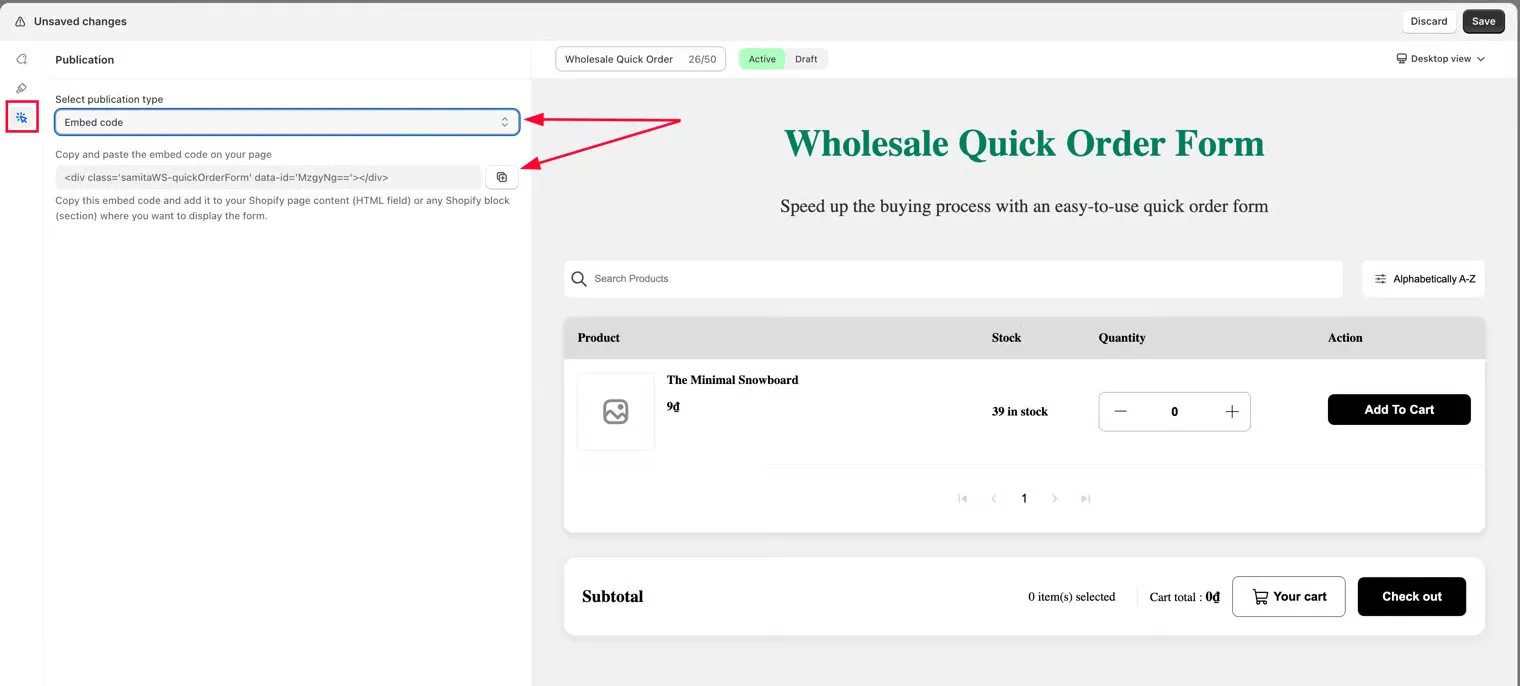
You can also copy the same code directly from the Quick Order Form list page.
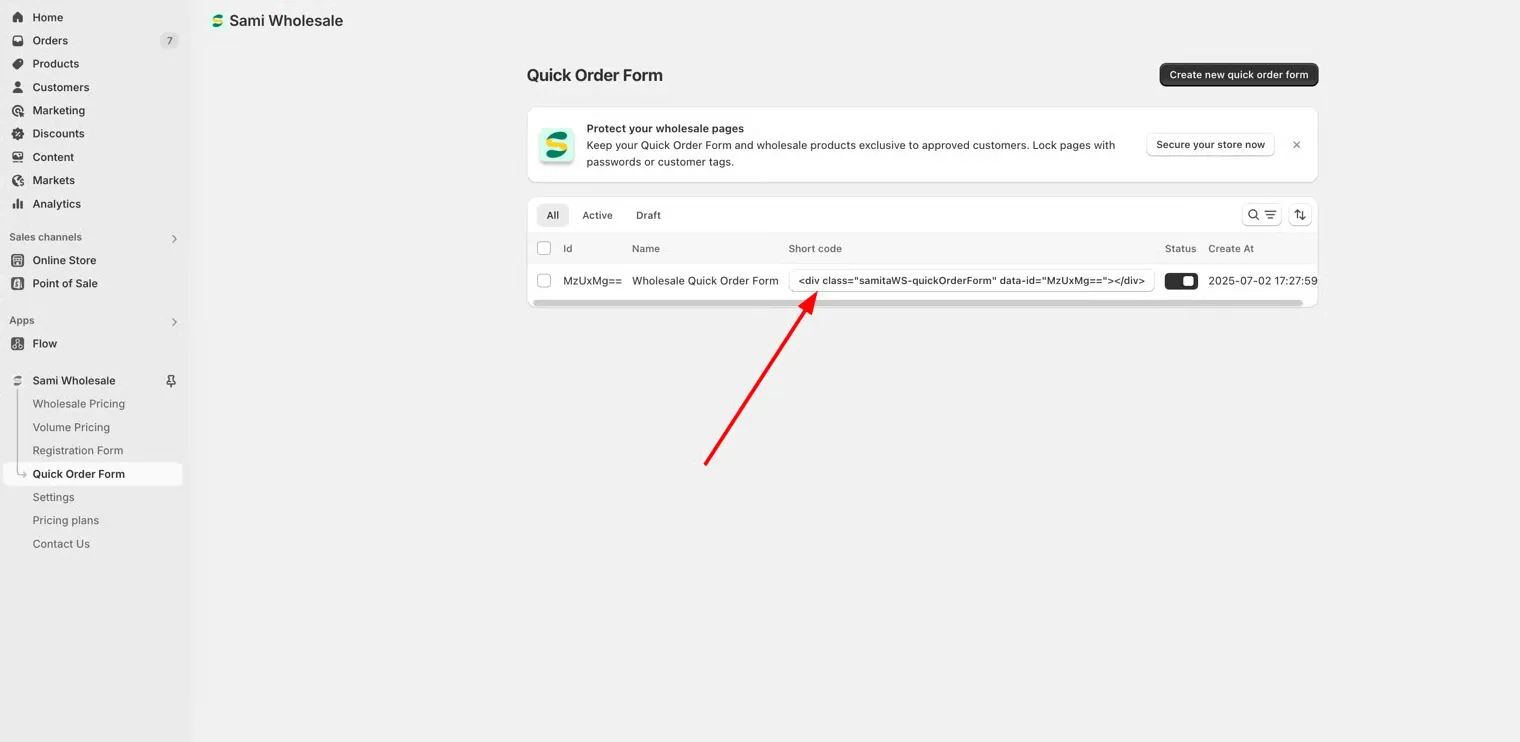
-
Open the page in Shopify
Section titled “Open the page in Shopify”In your Shopify admin, go to Online Store > Pages, then open the page you chose (or create a new one).
-
Paste the code
Section titled “Paste the code”In the page content section, click </> and paste the code into that field.
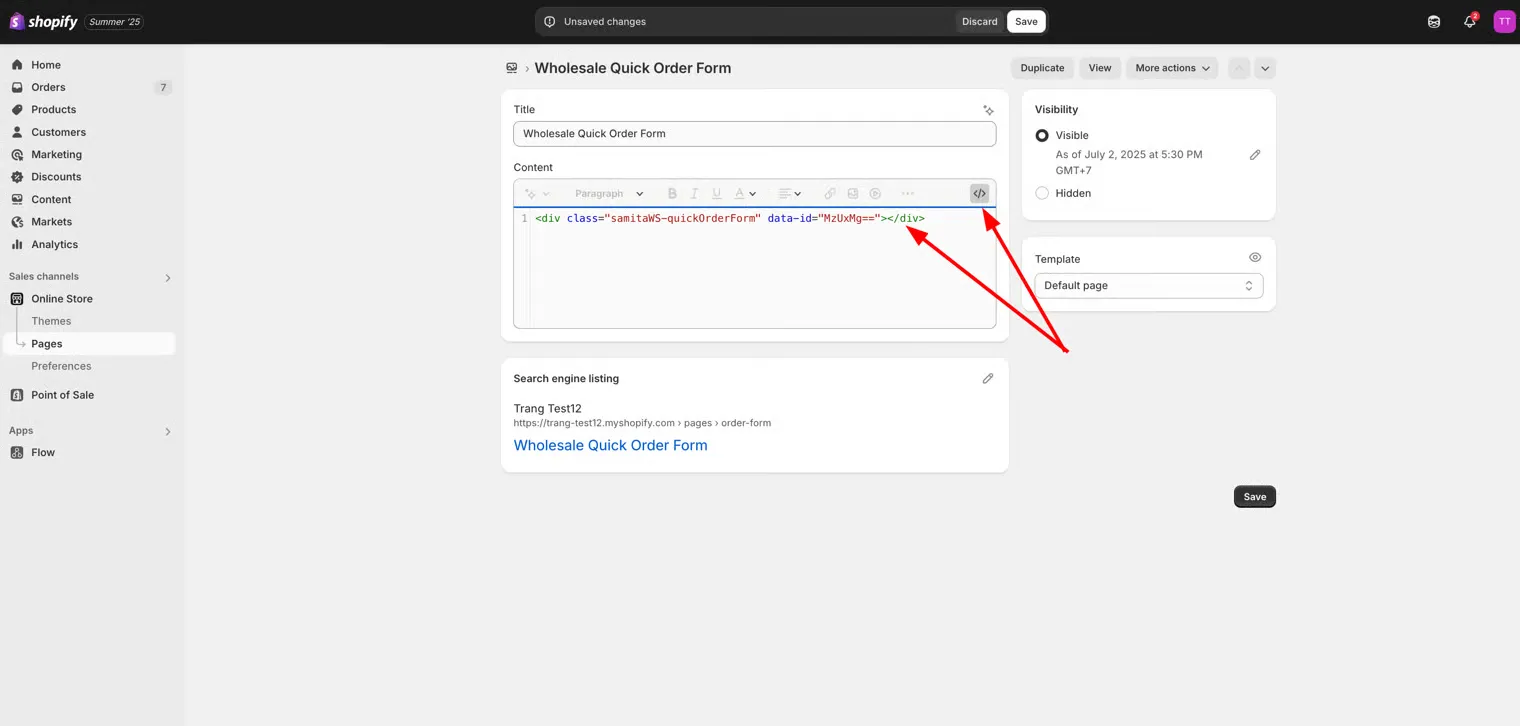
-
Save and check your storefront
Section titled “Save and check your storefront”Click Save, then check the result on your storefront.