
Automatically add "wholesale" tag to Shopify customer account
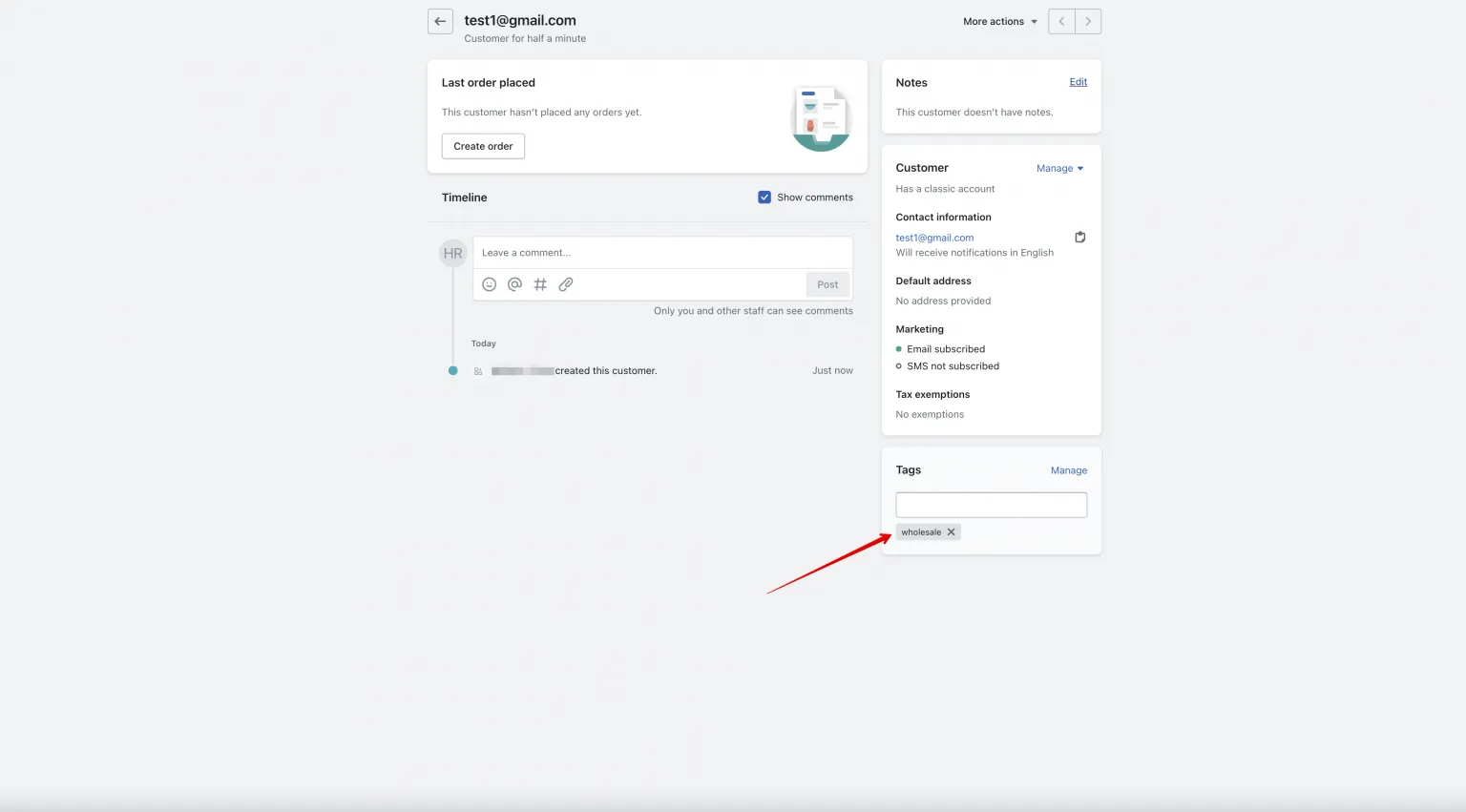
Automatically tag new customers as "wholesale" (or any tag you choose) when their registration form is approved.
This page shows two ways to automatically add a tag — for example wholesale — to a customer’s Shopify account after they submit your Registration Form, so you can easily filter and manage them later.
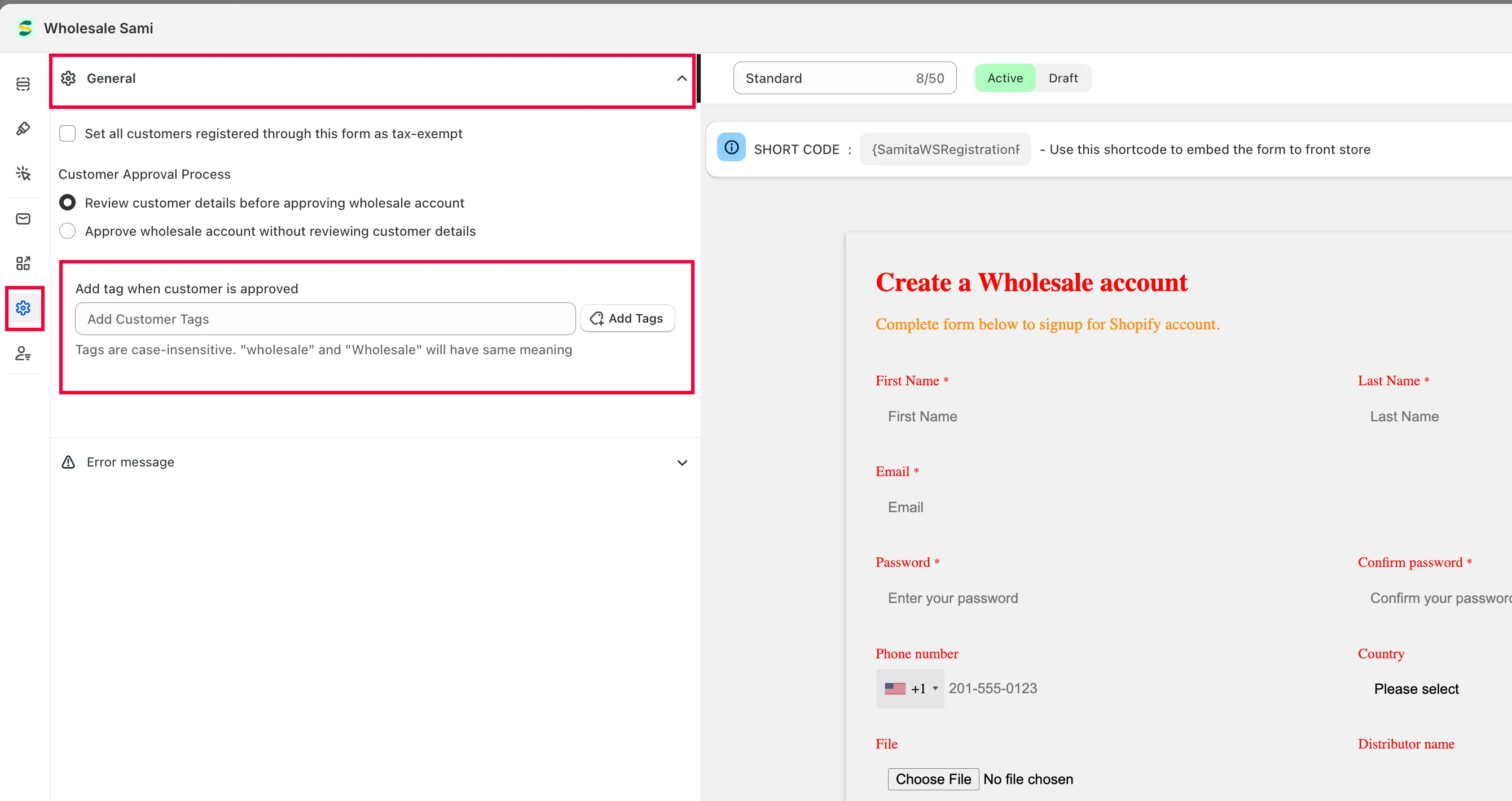
- From the app, click Registration form, open the form you want to edit, then click Settings > General.
- In Add tag when customer is approved, enter the tag you want to add — for example,
wholesale.
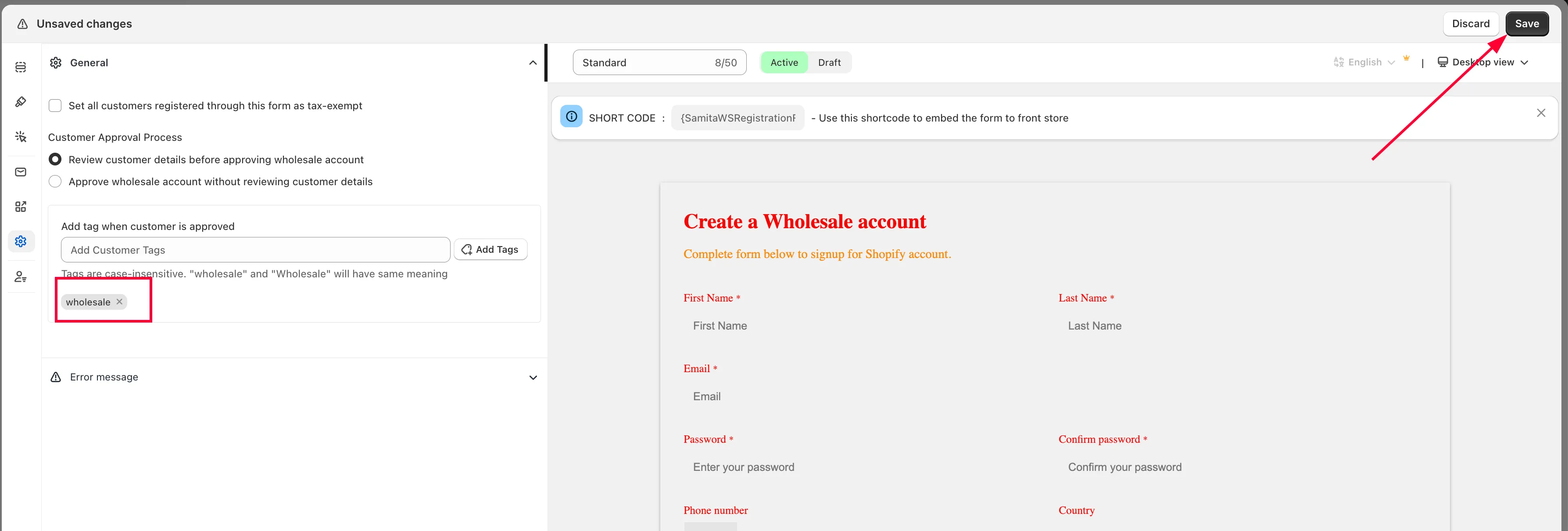
- Click Save.
- From the app, click Registration form, then open the form you want to edit.
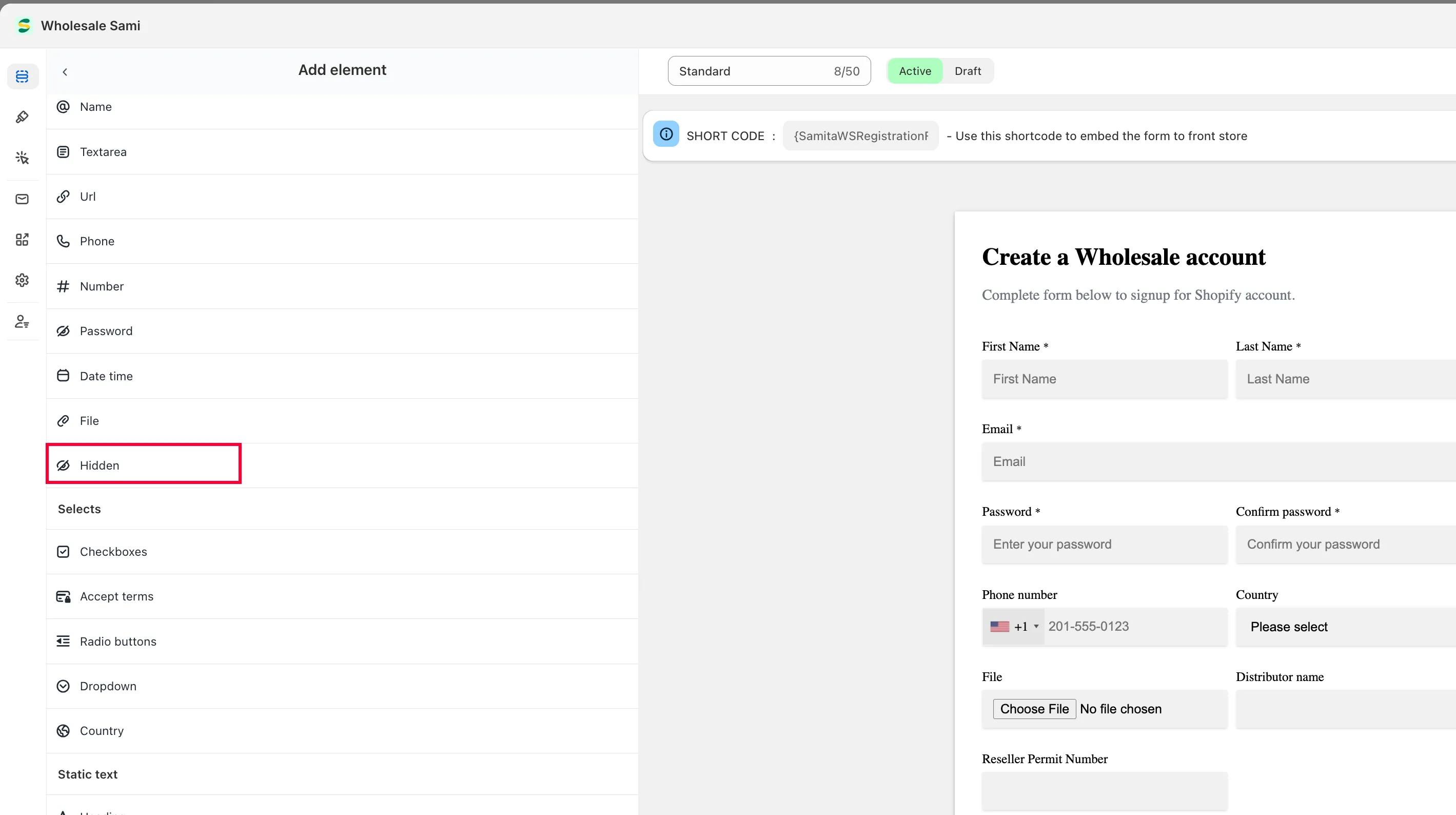
- In the Elements tab, click Add element and add a Hidden field to your form.
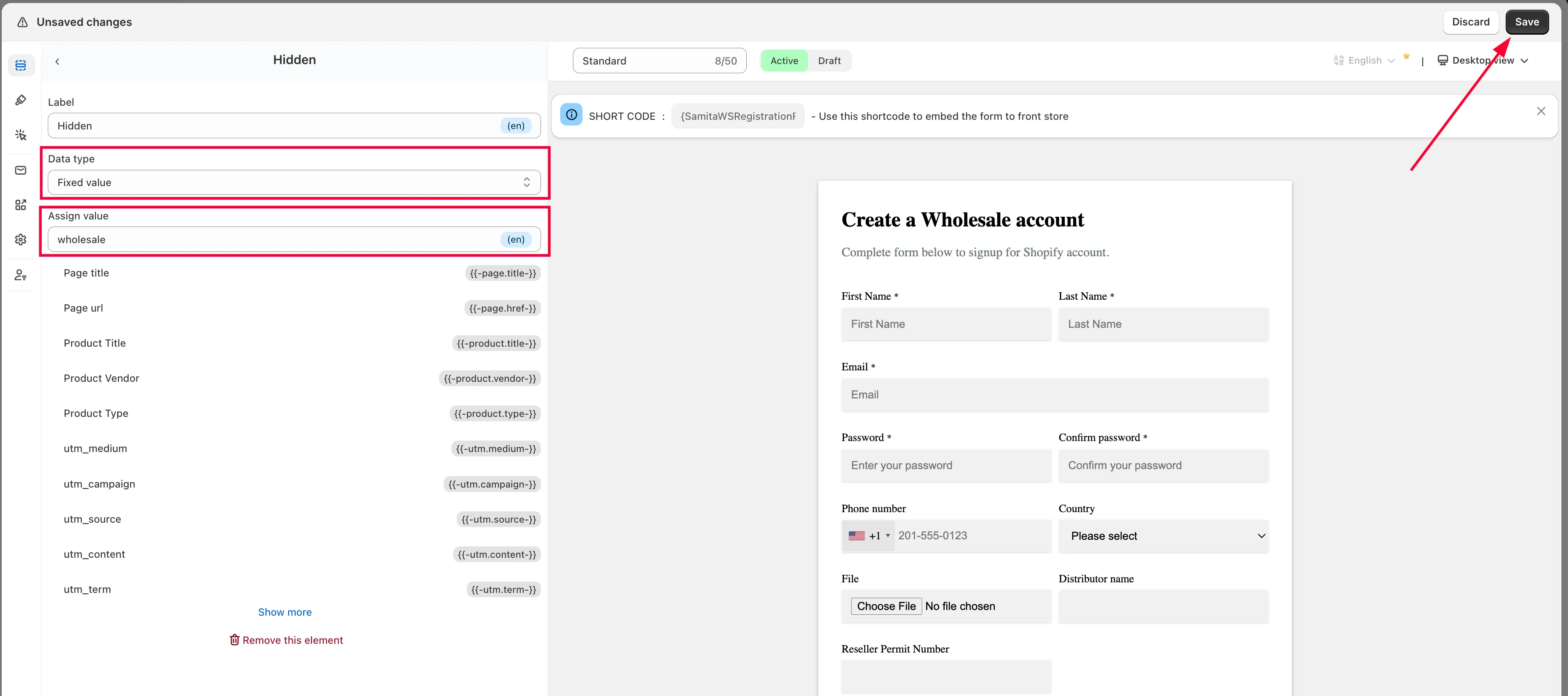
- In the Hidden element, set Data type to Fixed value, then enter
wholesalein the Assign value field.
- In the Integration tab, click Shopify, find the Hidden field, and assign it to the tags[] attribute.
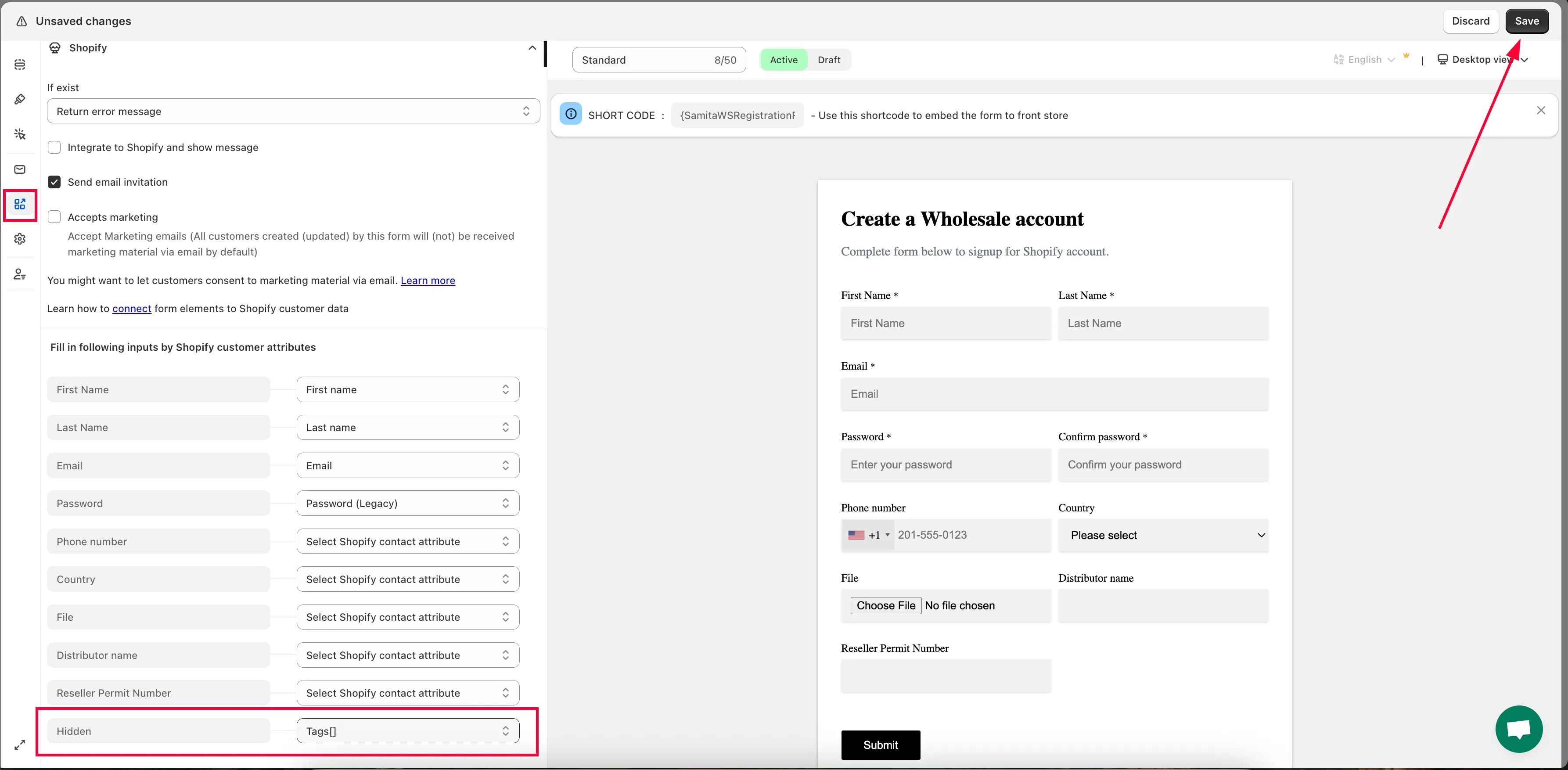
- Click Save.
Need support?
Section titled “Need support?”If you do encounter any difficulty while proceeding these steps, don’t show any hesitation to contact us promptly via the email address [email protected].