Delete/Duplicate a Quick Order form
Remove a Quick Order Form you no longer need, or duplicate one to quickly create a similar form.
Duplicate a Quick order form
Section titled “Duplicate a Quick order form”-
Open Quick Order Form
Section titled “Open Quick Order Form”From the app, click Quick Order Form.
-
Select the form
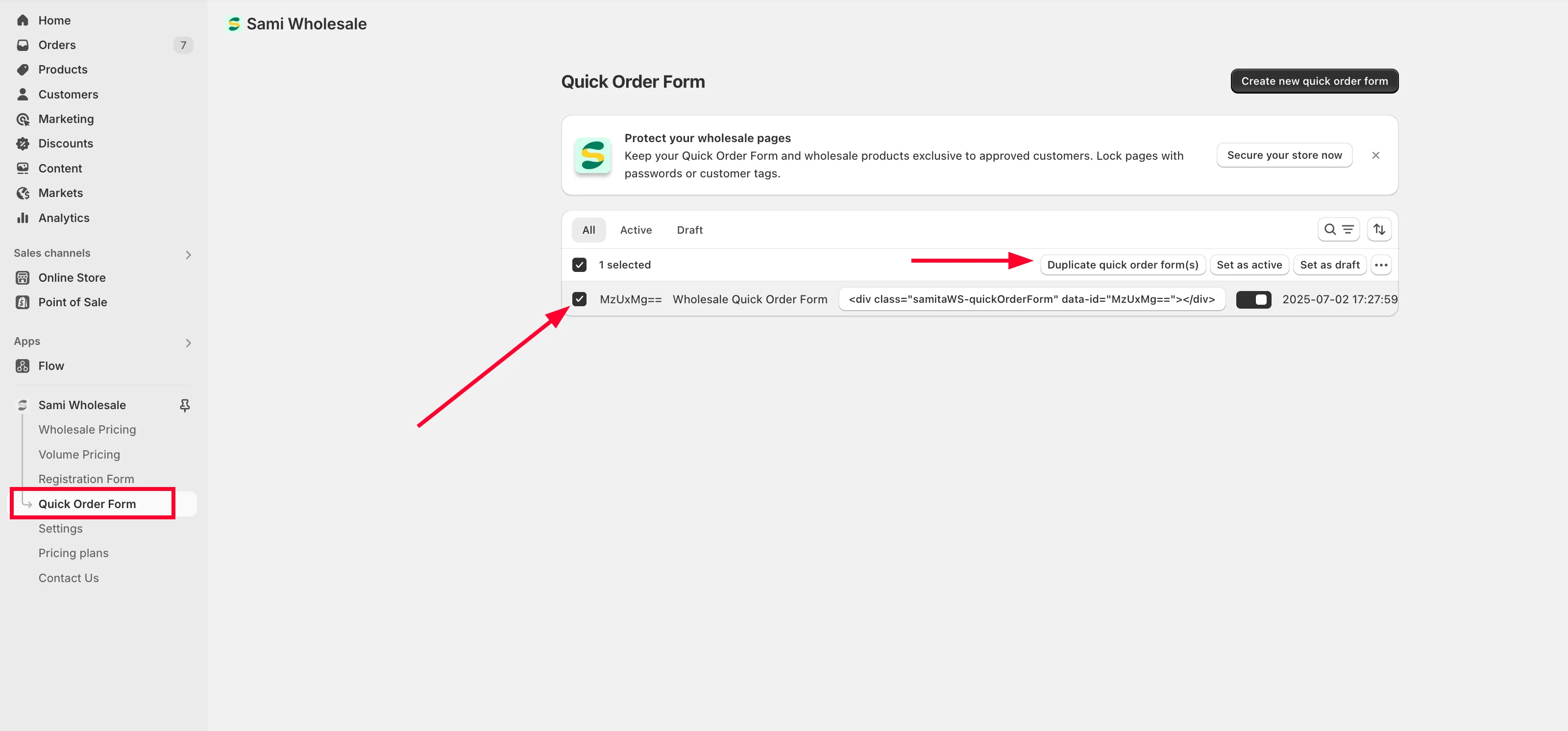
Section titled “Select the form”Tick the checkbox next to the form you want to duplicate.
-
Duplicate it
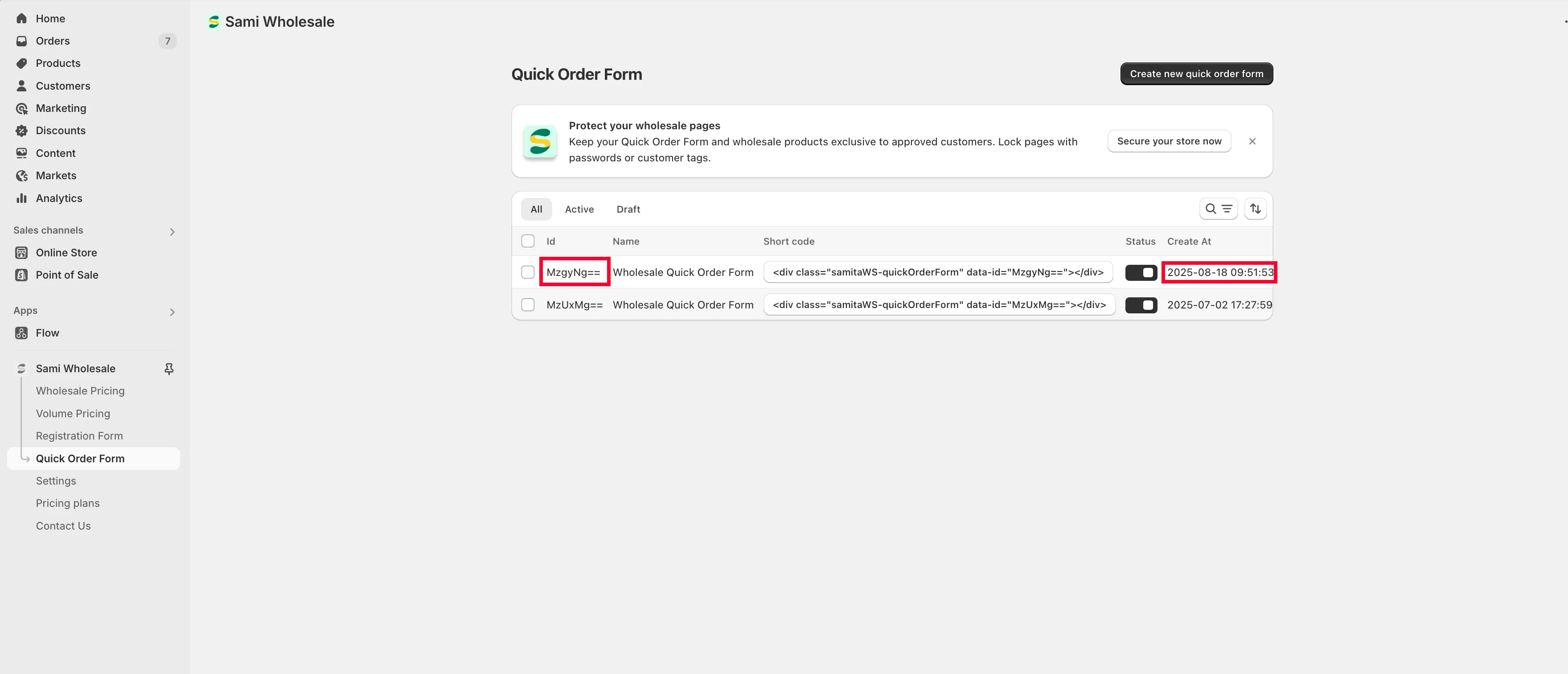
Section titled “Duplicate it”Choose Duplicate quick order form(s). An identical copy of the form is created with a new ID.
Delete a Quick order form
Section titled “Delete a Quick order form”-
Open Quick Order Form
Section titled “Open Quick Order Form”From the app, click Quick Order Form.
-
Select the form
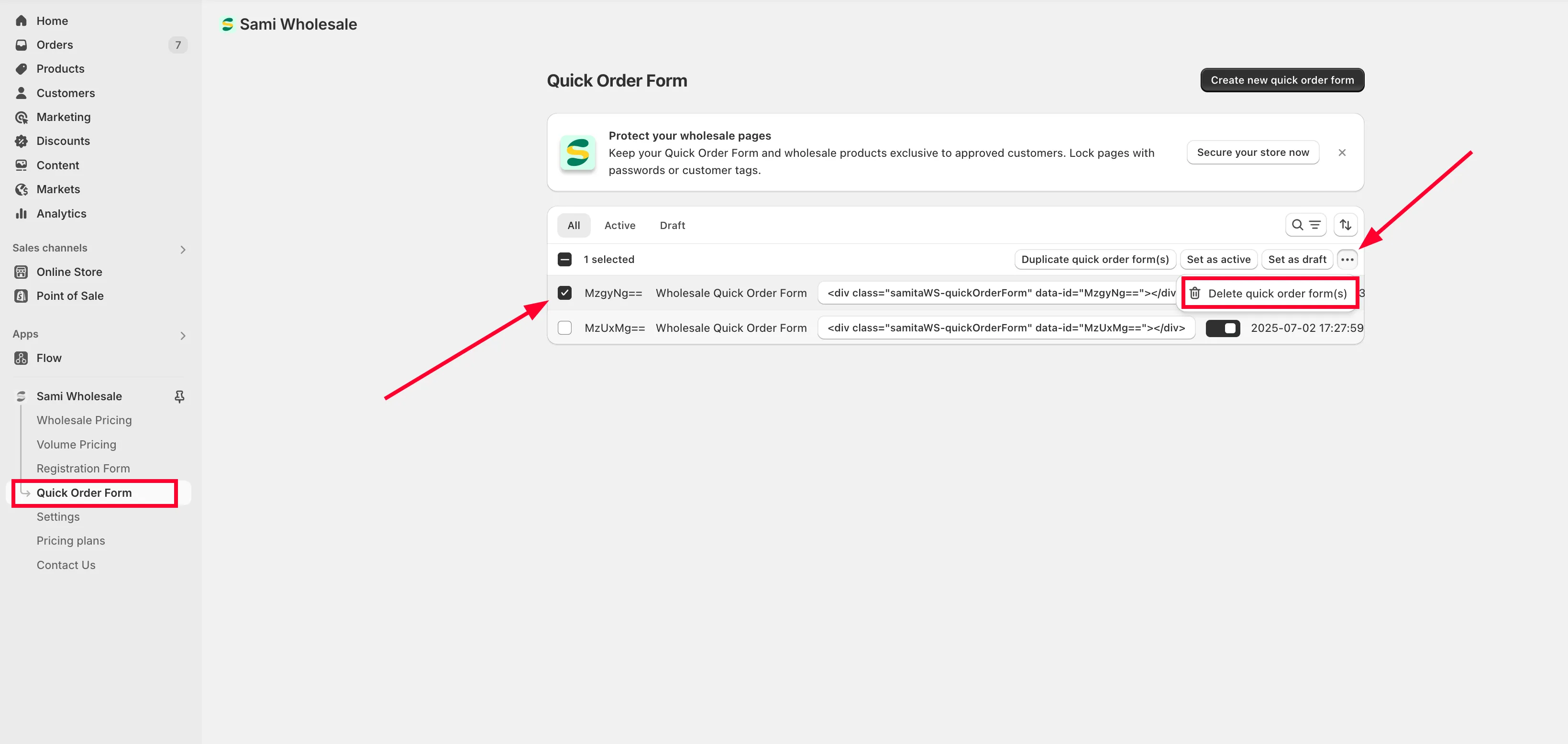
Section titled “Select the form”Tick the checkbox next to the form you want to delete.
-
Delete it
Section titled “Delete it”Click the more actions icon (…) and choose Delete quick order form(s). The form is deleted permanently.