
Recent Activity log
See a running history of new customers, order approvals, and orders created across your store.
The Recent Activity log gives you a timeline of what’s been happening in your store — new wholesale sign-ups, customer approvals, and orders — in one place.
What shows up here
Section titled “What shows up here”- Registration form activity — new customers, customer updates, and approvals or rejections.
- Order activity — new orders and new draft orders created through the app.
Finding the log
Section titled “Finding the log”-
Open Recent Activity
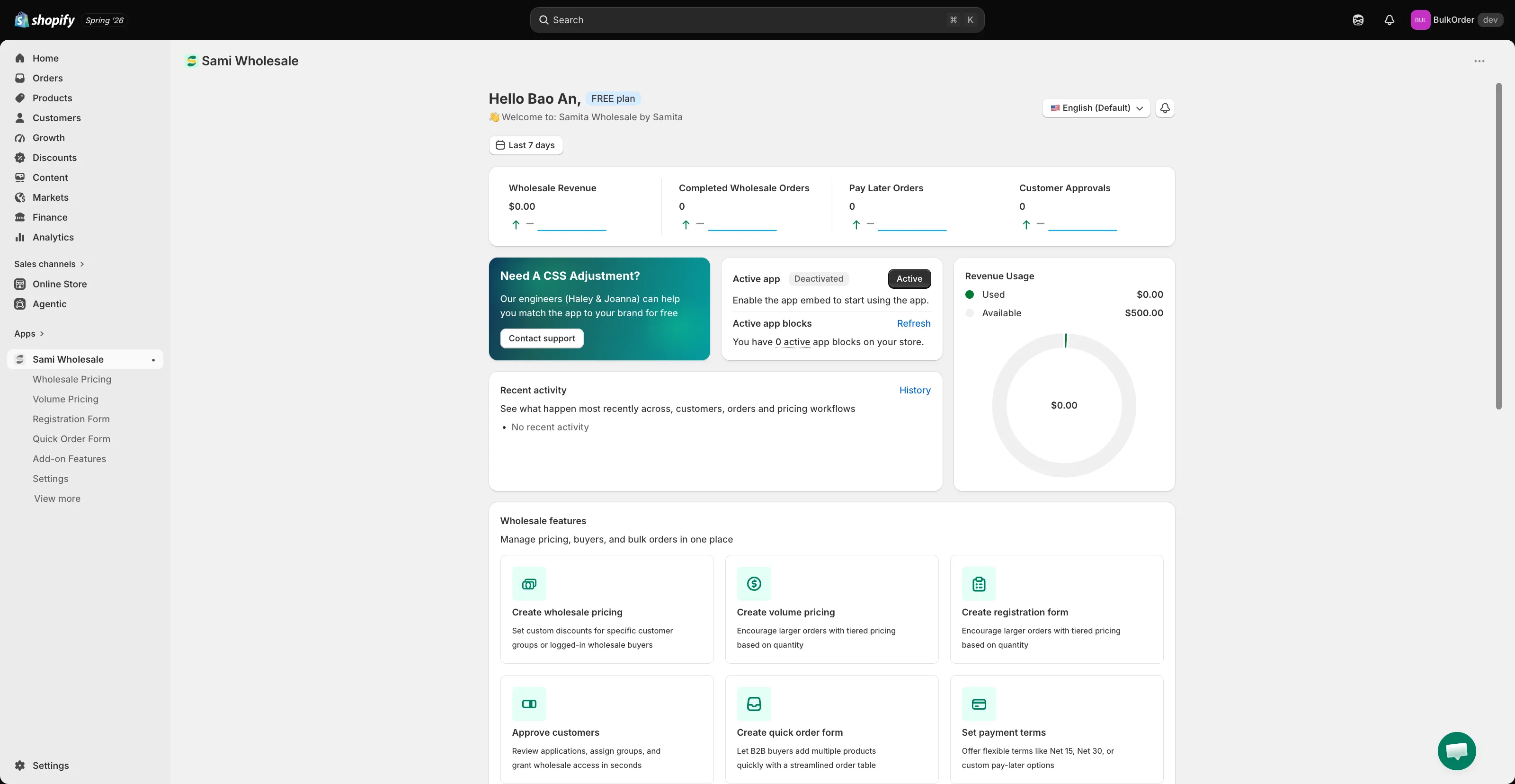
Section titled “Open Recent Activity”From the Dashboard, click History next to the Recent activity panel.
-
Filter by date
Section titled “Filter by date”Use the date range picker at the top of the page to narrow the timeframe.
-
Open the related record
Section titled “Open the related record”Click any activity to jump straight to the customer or order it relates to.
Need support?
Section titled “Need support?”If you do encounter any difficulty while proceeding these steps, don’t show any hesitation to contact us promptly via the email address [email protected].