
Create wholesale pricing for specific product/variant
Set a different wholesale price for each product, or even for a single variant of a product.
Instead of one discount value for every product in a rule, you can set a unique price per product — or per variant, like one size or color of a T-shirt.
Steps to manage
Section titled “Steps to manage”-
Start the rule
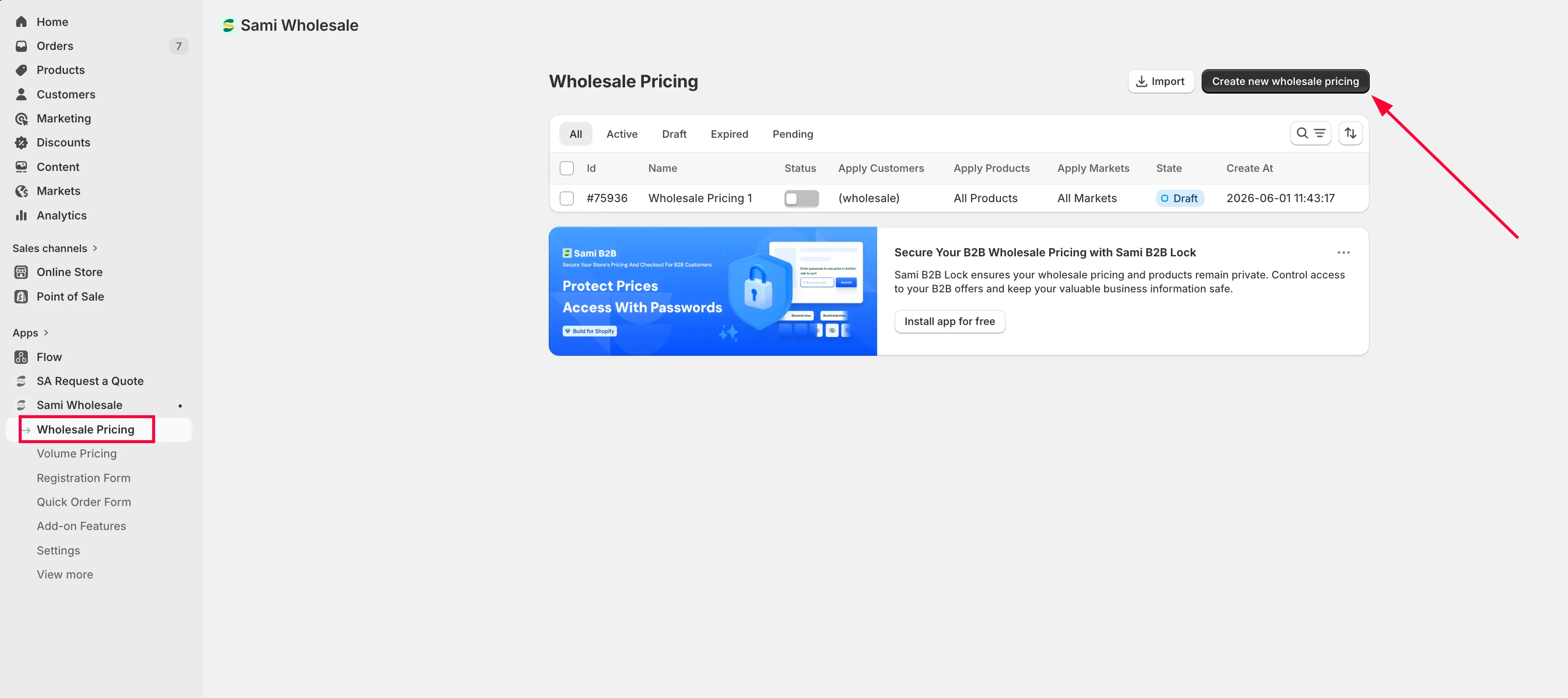
Section titled “Start the rule”Open the app, choose Wholesale Pricing, then click Create new wholesale pricing.
-
Name the rule and choose a market
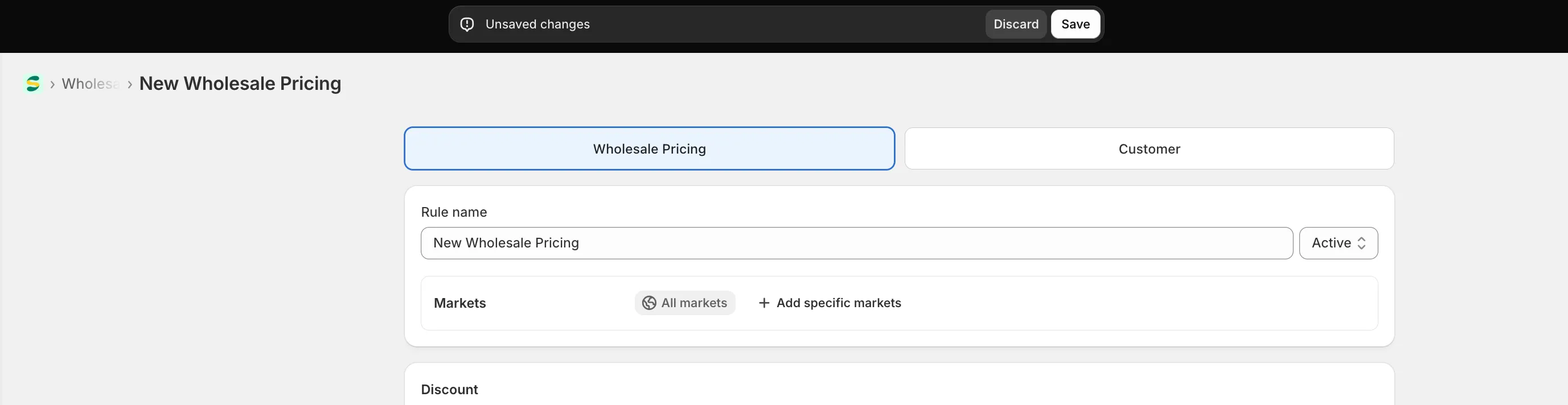
Section titled “Name the rule and choose a market”Set the rule’s name, then choose which market it applies to (Market eligibility).
-
Configure new price for each products
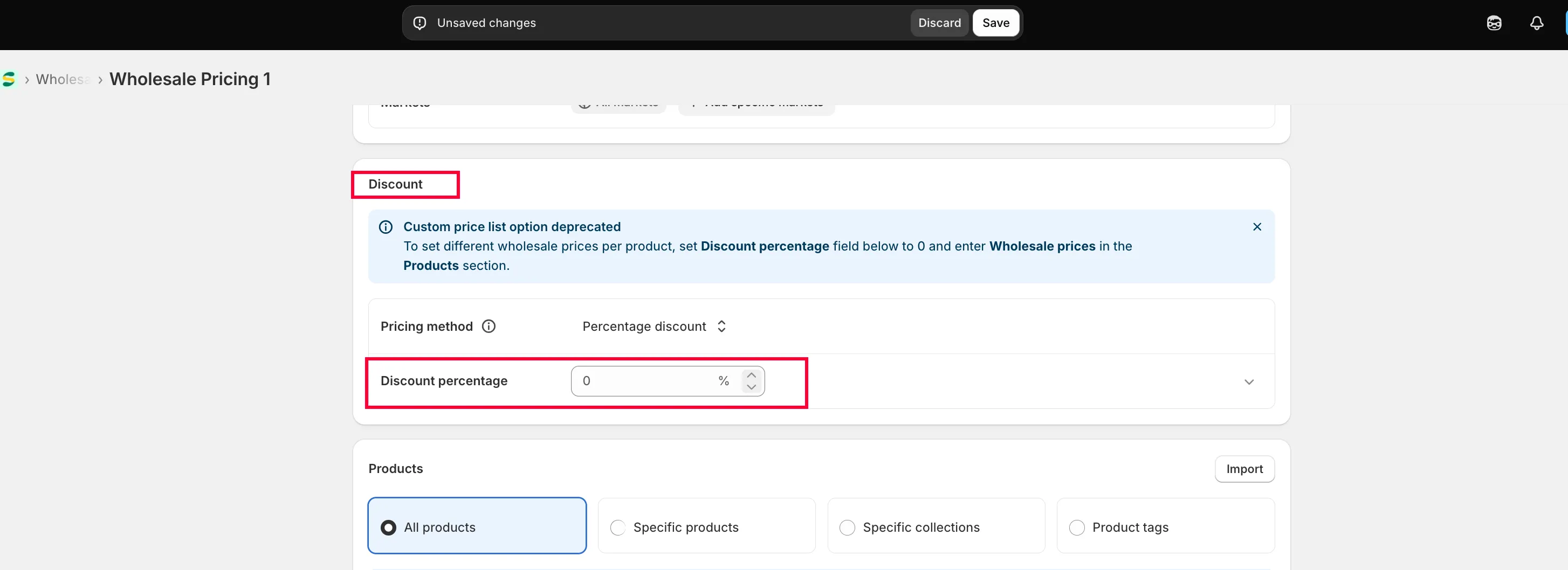
Section titled “Configure new price for each products”Custom price list option is deprecated
To set different wholesale prices per product, set Discount percentage field below to 0 and configure further in the Products section later.
-
Choose your products
Section titled “Choose your products”In the Product section, choose Specific products, then select the products you want.
Note: Please add maximum of 500 products per rule.
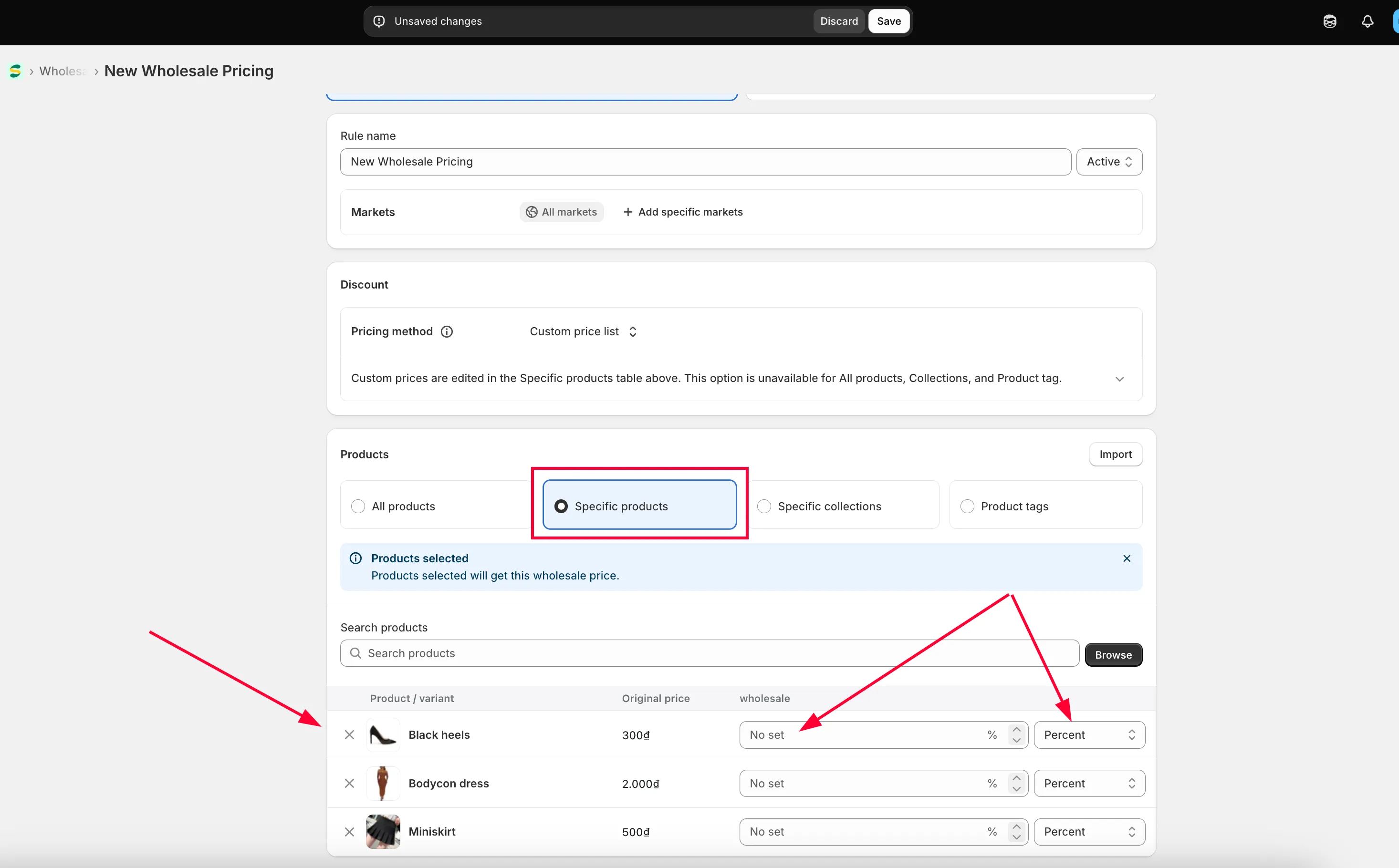
Choose a Discount method — Percent, Amount, or Fixed amount.
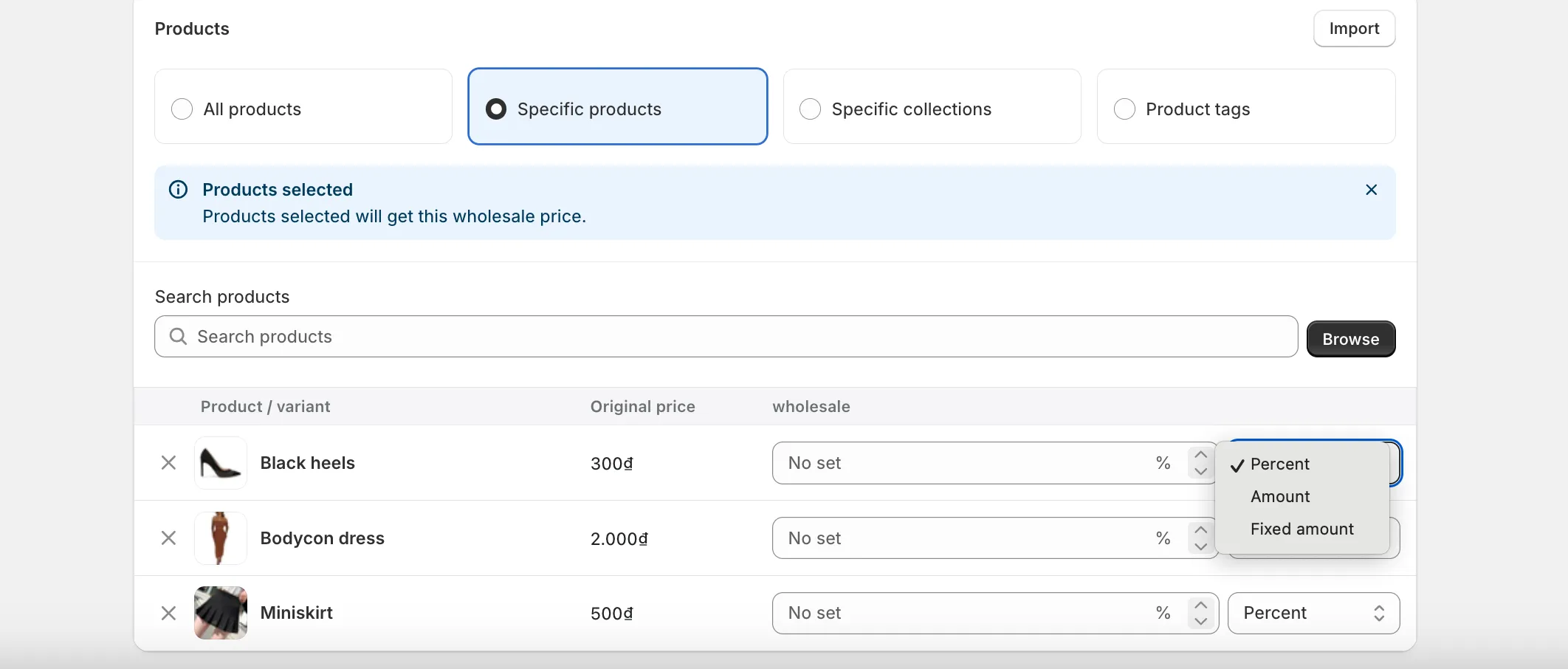
Set the pricing value for each product.
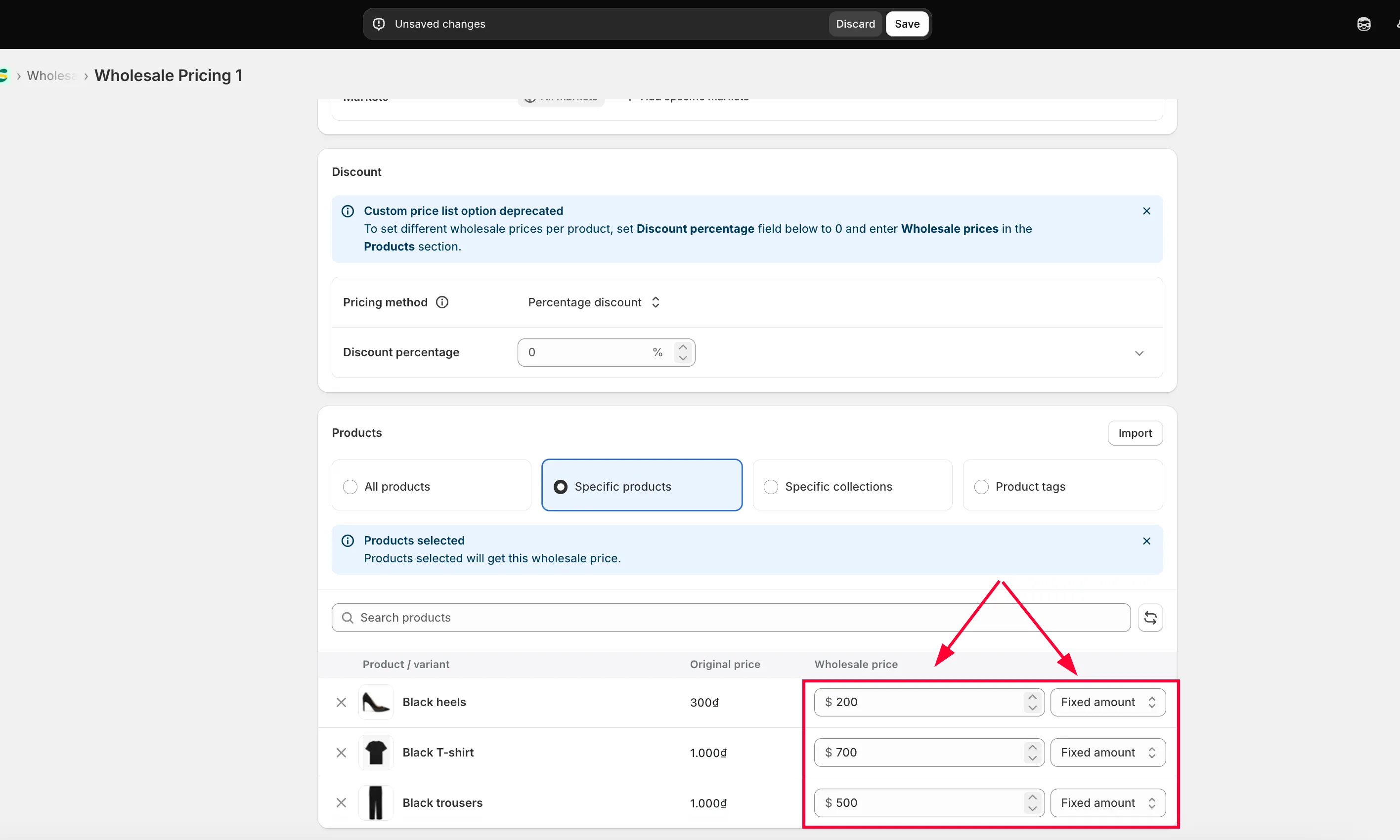
-
Set the customer condition
Section titled “Set the customer condition”Go to the Customer tab and set who this pricing applies to.
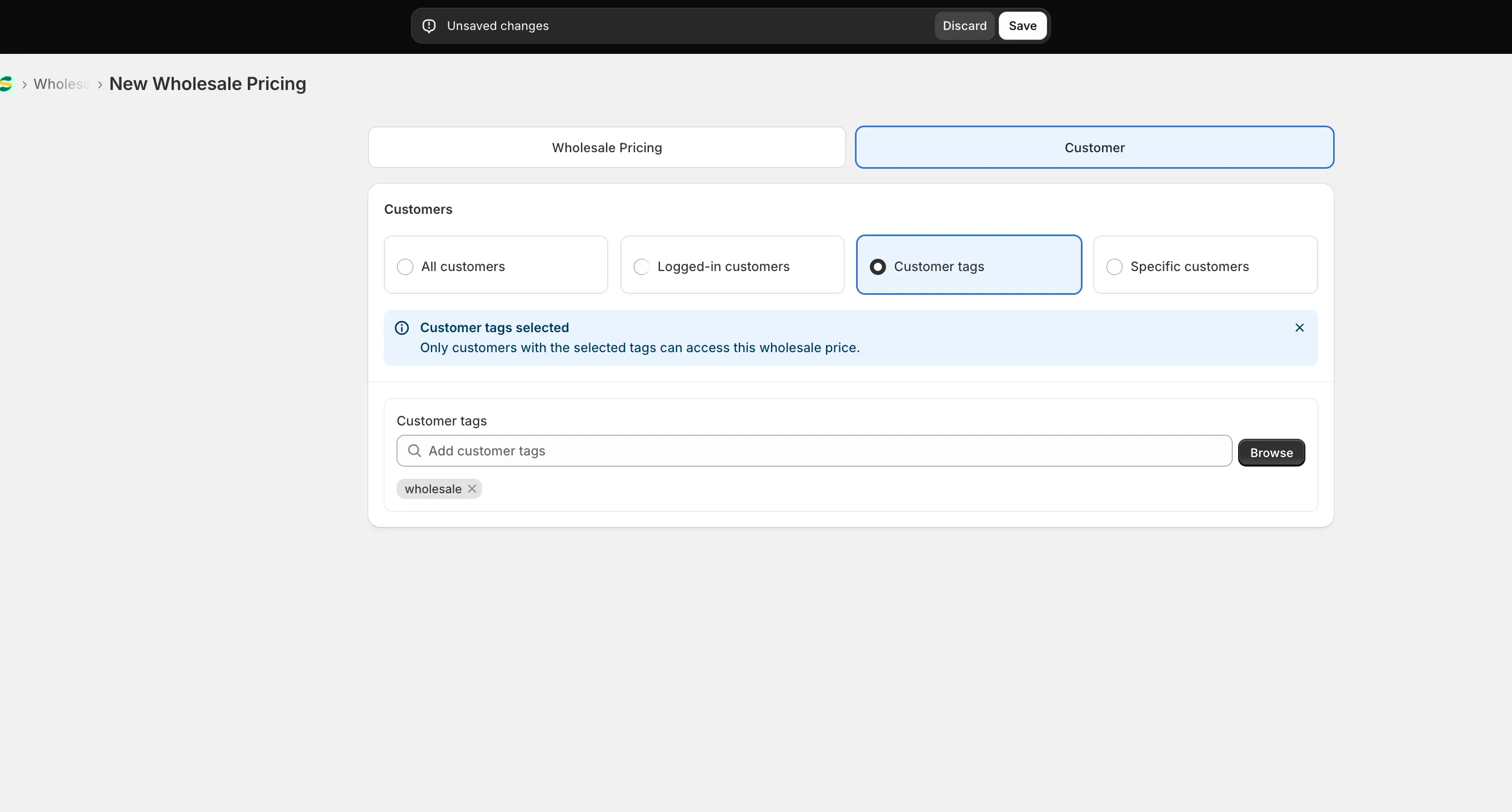
-
Save and check your storefront
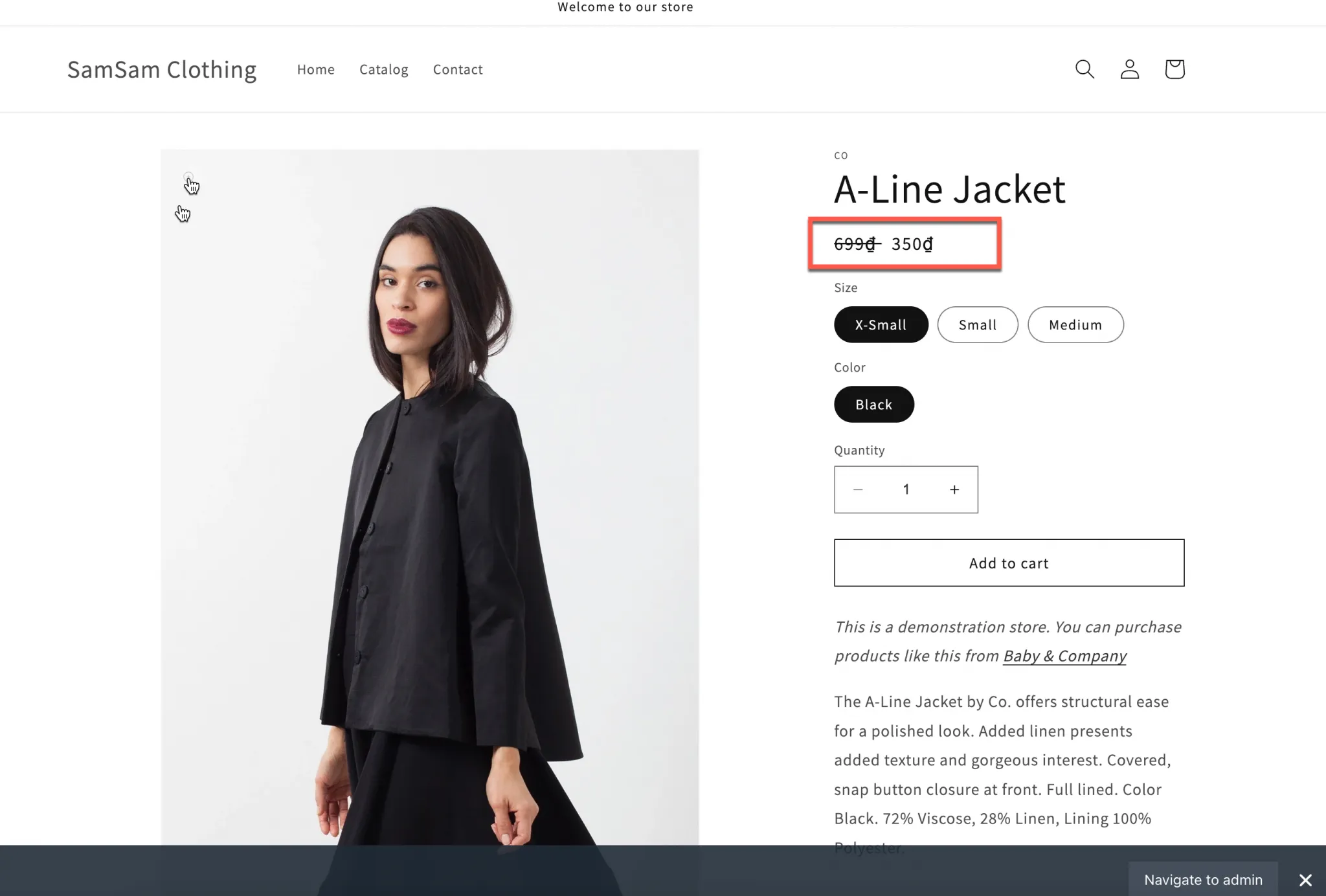
Section titled “Save and check your storefront”Click Save, then check the result on your storefront.
Apply a discounted price to a specific variant
Section titled “Apply a discounted price to a specific variant”If you need a price for just one variant (for example, only size S of a T-shirt) instead of the whole product:
-
Select the product and pricing method
Section titled “Select the product and pricing method”Set Discount percentage field below to 0 in Discount section and enter Wholesale prices in the Products section.
-
Set the price per variant
Section titled “Set the price per variant”Configure the Discount method and Pricing value for each product and variant individually.
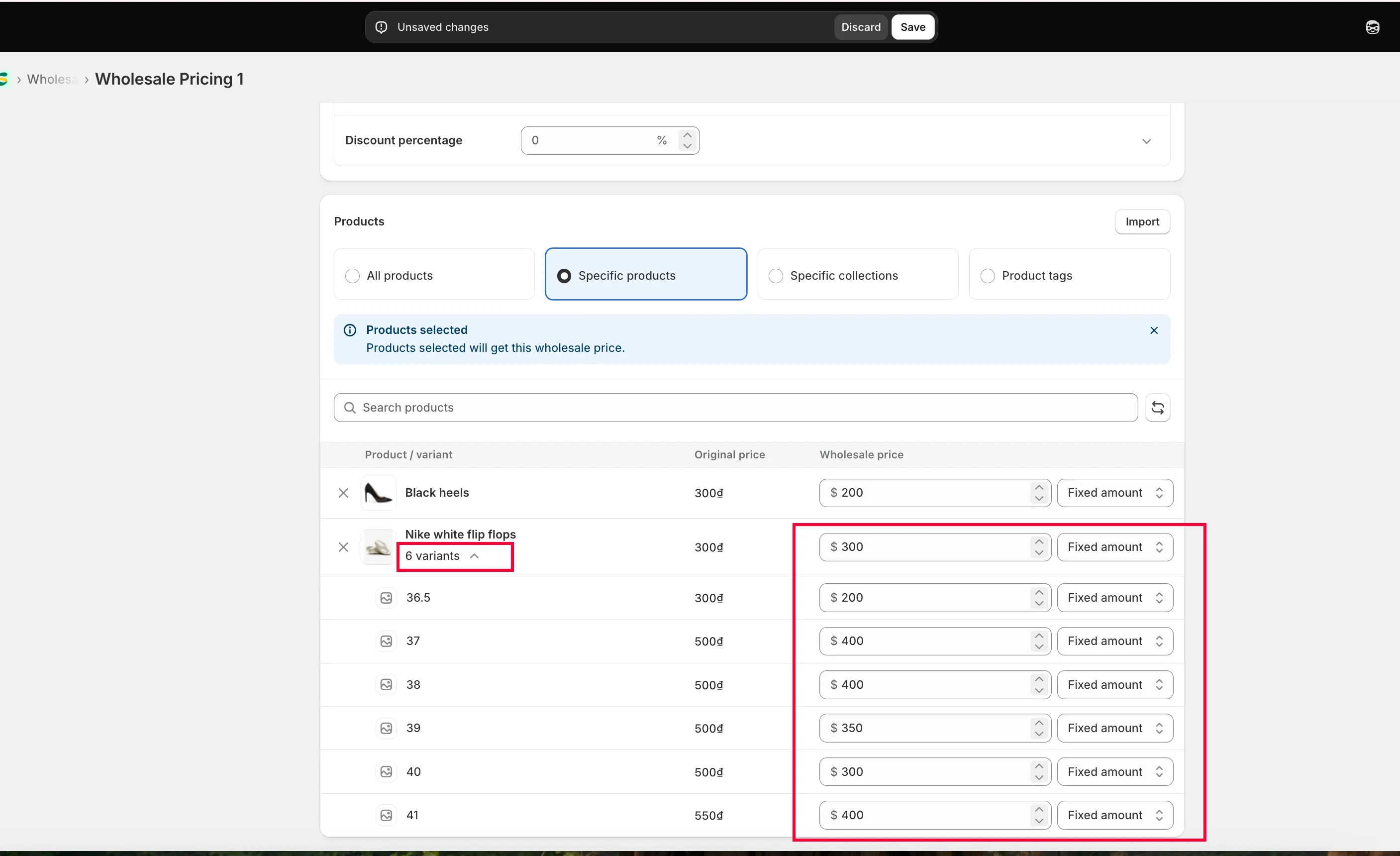
-
Save and check your storefront
Section titled “Save and check your storefront”Click Save, then check the result on your storefront.
Need support?
Section titled “Need support?”If you do encounter any difficulty while proceeding these steps, don’t show any hesitation to contact us promptly via the email address [email protected].