
Order discount
Take a percentage or a fixed amount off the whole order, optionally above a minimum subtotal or number of items, with a progress bar in the cart.
이 콘텐츠는 아직 번역되지 않았습니다.
An order discount takes money off the whole order, such as 10% off orders over $75. A progress bar in the cart shows shoppers how close they are. Use it to lift the average order value, or for a store-wide sale that applies at checkout.
What shoppers see
Section titled “What shoppers see”- In the cart drawer and on the cart page, a progress bar: “Spend $25.00 more to unlock 10% off”, then “Almost there! $5.00 to go” when they’re close, then “You unlocked 10% off!”.
- At checkout, the discount on the order under the offer’s discount name.
Without a minimum, the bar shows the unlocked message as soon as the cart has items.
Templates that start an order discount
Section titled “Templates that start an order discount”| Template | Starts with |
|---|---|
| Order discount (Discounts tab) | 10% off, with a minimum subtotal of $75 |
You can also click Start from blank in the Discounts category and pick Order discount. See Create an offer.
Set up an order discount
Section titled “Set up an order discount”-
Set the discount
Section titled “Set the discount”In the offer editor, open the Offer tab. In the Rules section, pick the Discount and enter its value:
- Percentage off — enter the Percentage.
- Fixed amount off — enter the Amount. It never takes off more than the order is worth.
-
Set a minimum
Section titled “Set a minimum”Pick the Minimum requirement:
Minimum requirement Field The discount applies when None — The cart has anything in it Subtotal Minimum subtotal The cart subtotal reaches this amount Item quantity Minimum items The cart has at least this many items 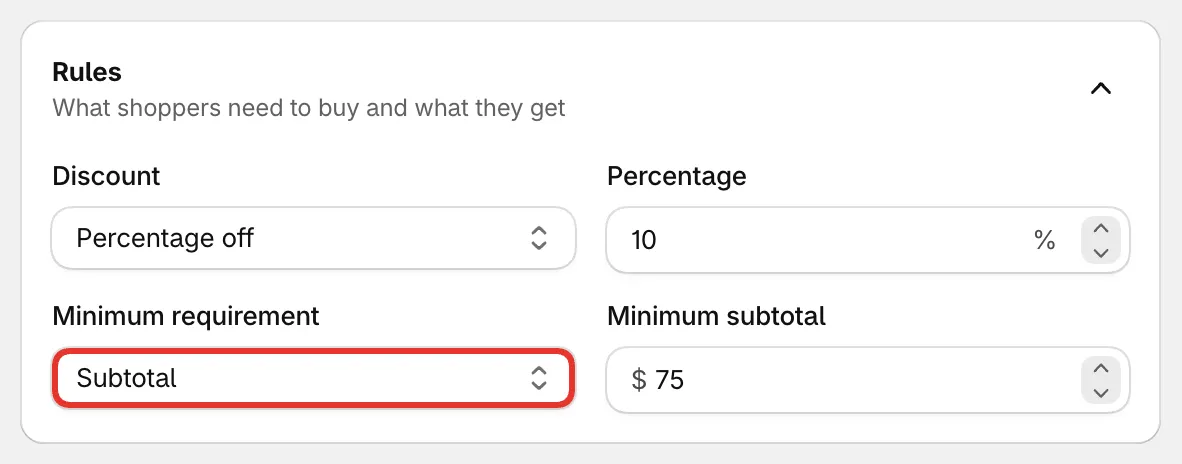
10% off orders over $75.
-
Save and check your store
Section titled “Save and check your store”Set the status to Active and click Save. Add something to your cart and open the cart drawer to see the bar.
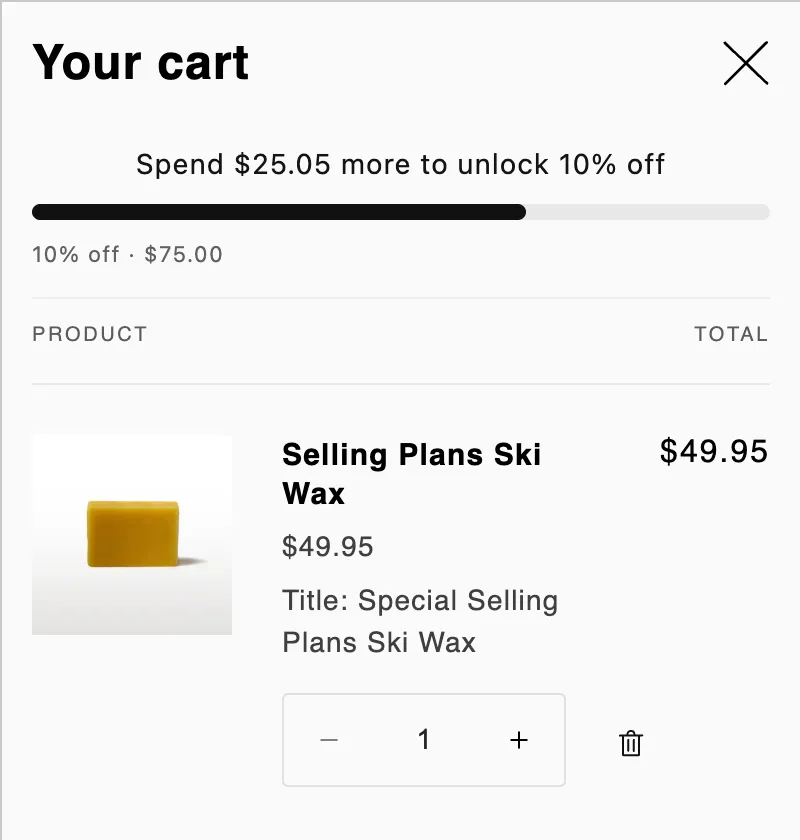
The progress bar in the cart drawer.
Good to know
Section titled “Good to know”- The whole cart counts. An order discount has no Products section: every item in the cart counts toward the minimum and gets the discount. Free gifts added by the app don’t count toward the minimum.
- Other currencies. The minimum subtotal and a fixed amount convert to the shopper’s market currency at the market’s exchange rate.
- Bar text and position. Change the bar’s messages, its look, and where it sits (top of the cart drawer or above the checkout button) in Placement.
- Stacking with other discounts. Whether this discount combines with product discounts or other order discounts is set under Settings › Advanced › Combinations. See Combinations and limits.
- No A/B test. Order discounts don’t have a product page block, so they can’t be A/B tested.